
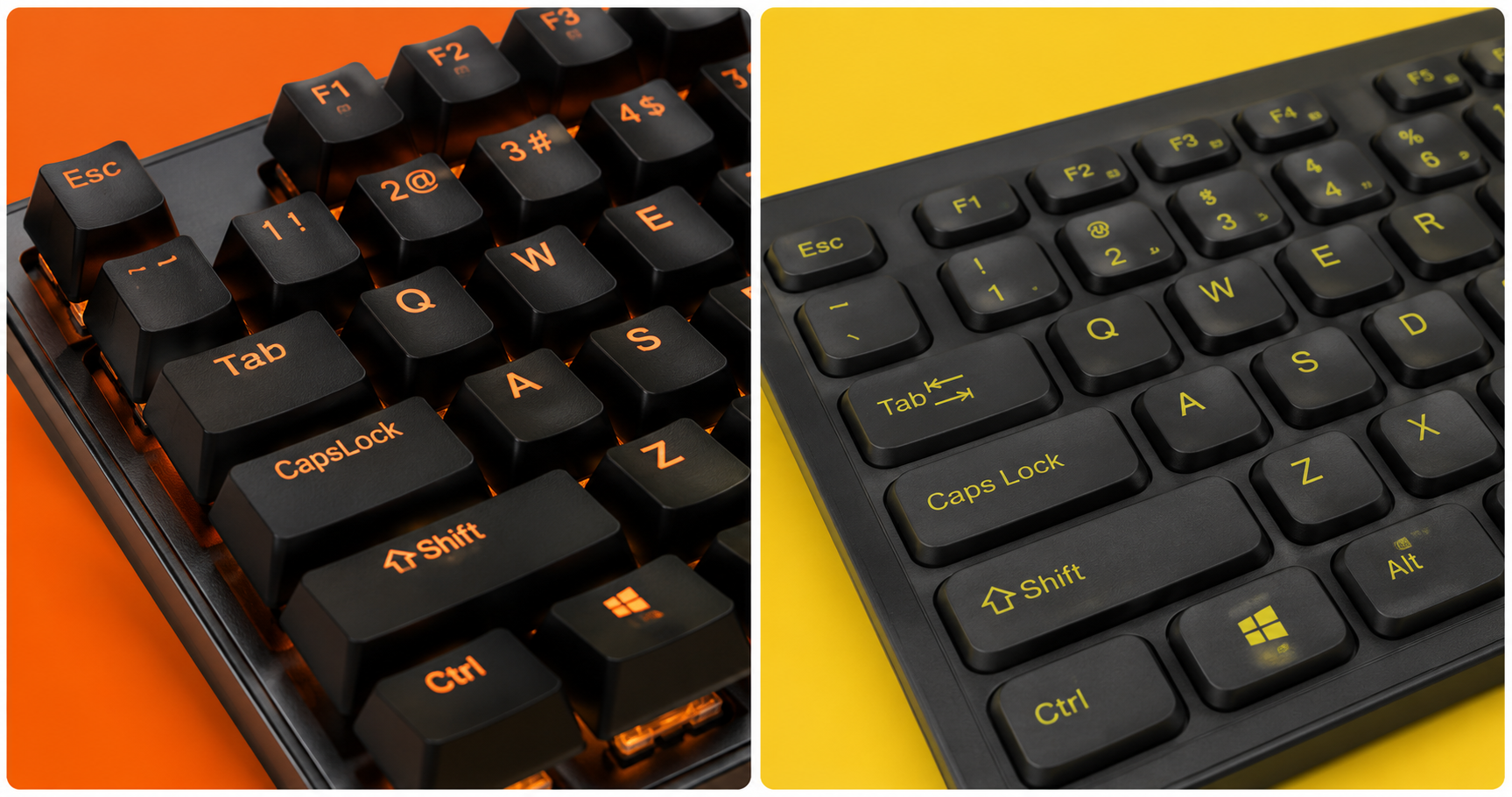
You’re ready to upgrade your keyboard and the first question everyone asks is: mechanical or membrane? It sounds like a technical debate, but it’s really a practical one — and the answer depends on how you game, what you value, and how much you want to spend.
This guide cuts through the marketing noise and tells you exactly what the difference is, who each type is for, and which keyboards are worth buying in 2026.
⚠️ Affiliate Disclosure: TechPlayGrid is reader-supported. When you buy through links on our site, we may earn an affiliate commission at no extra cost to you.
🔬 How They Actually Work
Membrane Keyboards
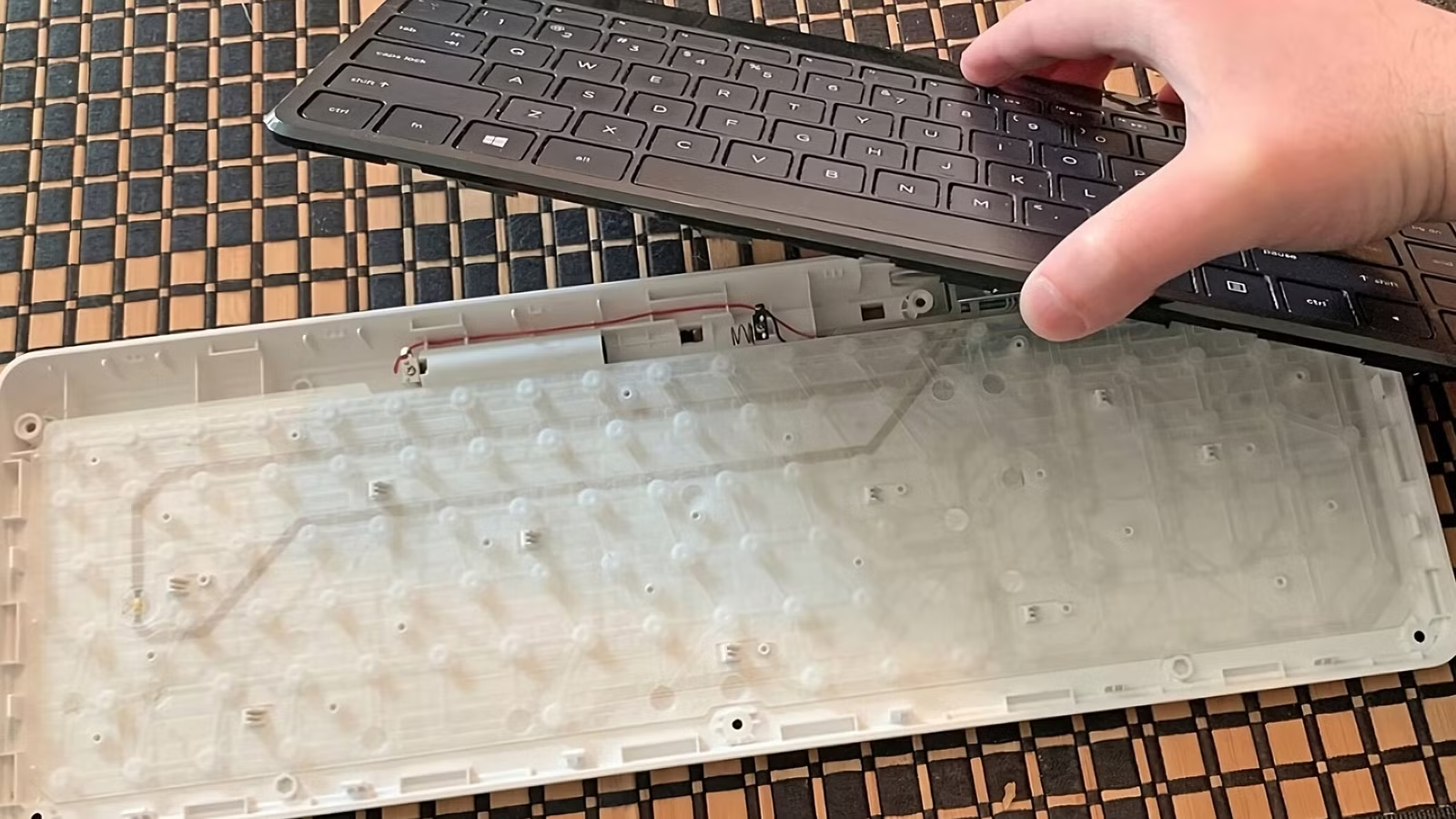
Membrane keyboards use a soft rubber dome under each key. When you press down, the dome collapses against a conductive membrane sheet, registering the keypress. Think of it like pressing a bubble wrap button.
Mechanical Keyboards
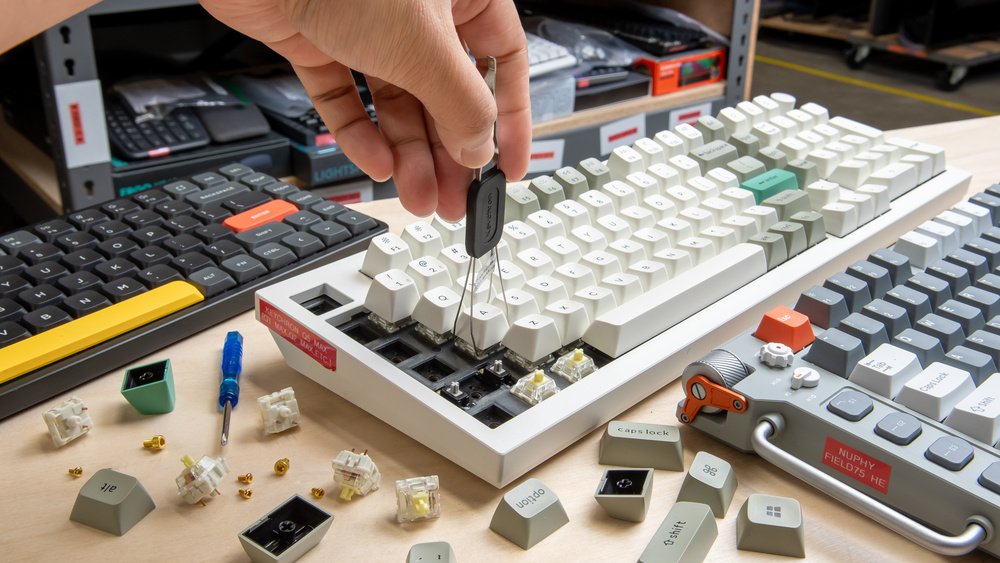
Mechanical keyboards use individual physical switch mechanisms under each key — a spring-and-actuator system that produces a distinct tactile and/or audible response. Each switch is its own self-contained unit.
| Feature | Membrane | Mechanical |
|---|---|---|
| Actuation mechanism | Rubber dome | Physical switch |
| Feel | Soft, mushy | Tactile or linear |
| Sound | Quiet | Click, thock, or silent |
| Durability | ~5 million keystrokes | ~50–100 million keystrokes |
| Repairability | Replace full keyboard | Replace individual switches |
| Price range | $10–$80 | $40–$300+ |
🎮 Which Is Better for Gaming?
The honest answer: mechanical keyboards are better for gaming in almost every measurable way — but membrane keyboards are not useless, and for casual players, they’re often perfectly adequate.
Here’s where it actually matters:
Response Time and Actuation
Mechanical switches actuate at a specific, consistent point (usually 2mm of travel). Membrane domes actuate at inconsistent depths depending on wear. Over time, membrane keys develop uneven actuation — some keys feel snappier, some mushier.
💡 Pro Tip: In competitive gaming (CS2, Valorant, Apex), consistent actuation means consistent inputs. Mechanical switches give you that consistency match after match, year after year.
Anti-Ghosting and N-Key Rollover
Ghosting happens when you press multiple keys simultaneously and the keyboard registers incorrect inputs. N-Key Rollover (NKRO) means every keypress is detected independently, no matter how many keys are held at once.
| Feature | Budget Membrane | Gaming Membrane | Mechanical |
|---|---|---|---|
| Anti-Ghosting | ❌ Limited | ✅ Usually | ✅ Always |
| N-Key Rollover | ❌ No | ⚠️ Sometimes | ✅ Yes |
Durability
This is where mechanical keyboards truly shine. Most mechanical switches are rated for 50 to 100 million keystrokes per key. A membrane dome is typically rated for 5 to 10 million — and it degrades unevenly. Professional gamers who play 8–10 hours per day will wear out a membrane keyboard in months.
🔊 The Sound Question
Sound is the most personal factor in the mechanical vs membrane debate:
| Switch Type | Sound | Feel | Best For |
|---|---|---|---|
| Membrane | Near silent | Soft, mushy | Quiet environments |
| Linear (e.g. Red) | Quiet thud | Smooth, no bump | Fast gaming, quiet preference |
| Tactile (e.g. Brown) | Moderate | Bump, no click | Typing + gaming balance |
| Clicky (e.g. Blue) | Loud click | Bump + click | Typing satisfaction, not recommended for roommates |
💡 Pro Tip: If you’re gaming in a bedroom or office where noise matters, look for silent linear switches like Gateron Silent Red or Cherry MX Silent Red. They’re as quiet as membrane but retain all the mechanical advantages.
💰 Price Reality Check
| Budget | Membrane Option | Mechanical Option |
|---|---|---|
| Under $30 | Decent membrane available | Very limited, usually poor quality |
| $30–$60 | Good gaming membrane | Entry mechanical (Redragon, Tecware) |
| $60–$100 | Overkill for membrane | Mid-range mechanical (Keychron, Logitech G) |
| $100–$200 | Not recommended | Premium mechanical (Razer, SteelSeries, Corsair) |
| $200+ | — | Enthusiast/custom mechanical |
The value inflection point is around $60–$80. Below that, a gaming membrane can make sense. Above $60, a mechanical keyboard is almost always the better investment.
🏆 Best Keyboards by Category
Best Budget Mechanical — Redragon K552 Kumara
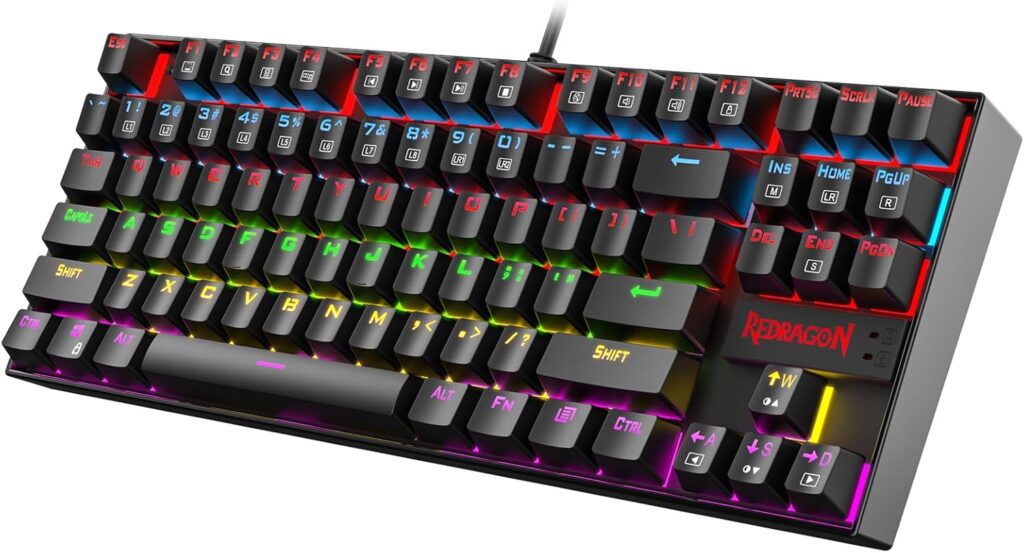
- Switches: Redragon Red (linear) or Blue (clicky)
- Form Factor: TKL (tenkeyless)
- Backlighting: RGB
- Price: ~$35–$45
The most recommended entry-level mechanical keyboard on the market for a reason. Solid build, good switches for the price, and TKL layout saves desk space for your mouse.
Best Mid-Range — Keychron K3 V2 (Wireless)
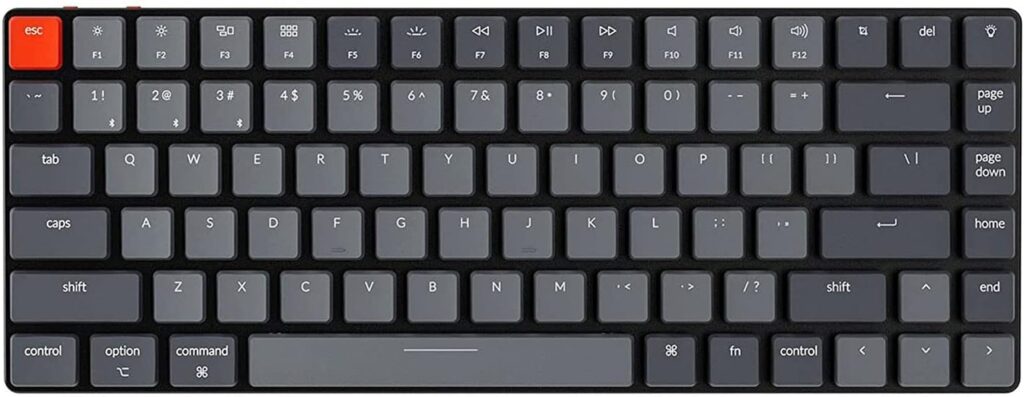
- Switches: Gateron Red / Brown / Blue (hot-swappable option)
- Form Factor: 75% compact
- Connection: Bluetooth 5.1 + USB-C wired
- Price: ~$80–$100
The Keychron K3 is the go-to recommendation for anyone serious about gaming and typing alike. The hot-swap version lets you try different switches without soldering — the best way to find your perfect feel.
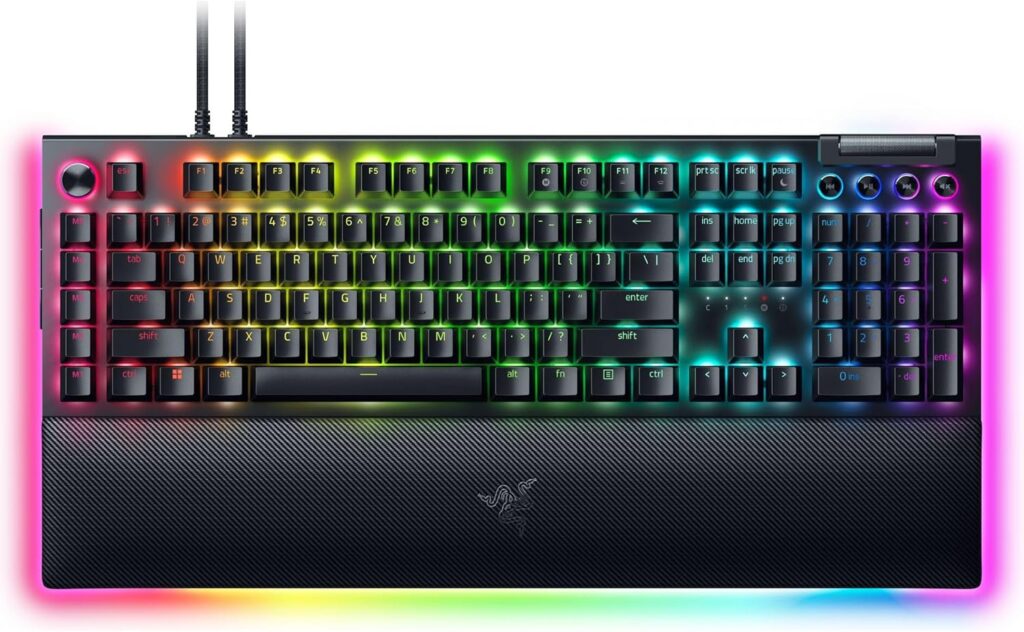
Best Gaming Mechanical — Razer BlackWidow V4 Pro
👉 Check price on Amazon 👉 Check price on Razer.com
- Switches: Razer Yellow (linear) or Green (clicky)
- Form Factor: Full size
- Features: Magnetic wrist rest, multi-function dial, USB passthrough
- Price: ~$150–$200
The pinnacle of gaming-focused mechanical keyboards. Razer’s Yellow switches are among the smoothest linear options available, and the build quality matches the price tag. For competitive gamers who want everything, this is it.
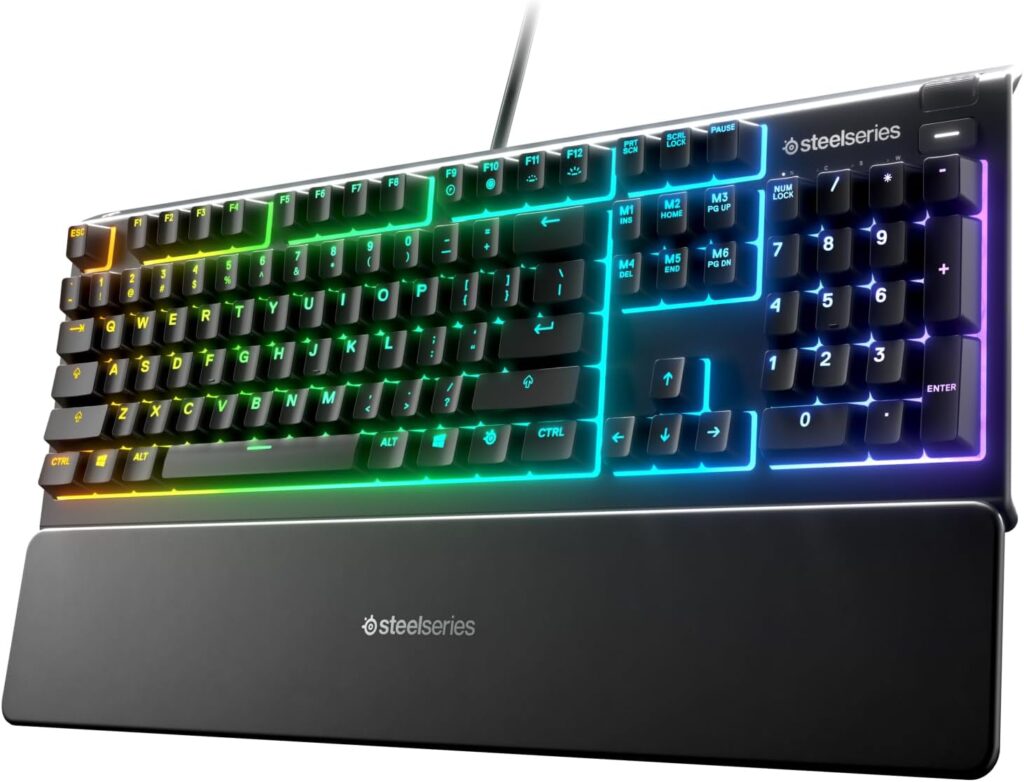
Best Gaming Membrane — SteelSeries Apex 3
👉 Check price on Amazon 👉 Check price on SteelSeries.com
- Switches: SteelSeries QX2 membrane
- Form Factor: Full size
- Features: Whisper quiet, IP32 water resistant, RGB
- Price: ~$45–$60
If you specifically want membrane — for noise reasons, shared space, or preference — the Apex 3 is the best gaming membrane keyboard available. It has proper anti-ghosting, excellent software, and a build quality that embarrasses most keyboards at this price.
📊 Full Comparison Table
| Keyboard | Type | Switches | Form Factor | Price |
|---|---|---|---|---|
| Redragon K552 Kumara | Mechanical | Linear/Clicky | TKL | ~$40 |
| Keychron K2 V2 | Mechanical | Gateron (hot-swap) | 75% | ~$90 |
| Razer BlackWidow V4 Pro | Mechanical | Razer Yellow/Green | Full | ~$180 |
| SteelSeries Apex 3 | Membrane | QX2 | Full | ~$50 |
🤔 The Verdict: Who Should Buy What?
Buy mechanical if you:
- Game more than 2 hours per day
- Play competitive multiplayer games
- Type a lot alongside gaming
- Want a keyboard that lasts 5–10 years
Stick with membrane if you:
- Game casually, 1–2 hours occasionally
- Share a room and need near-total silence
- Have a budget under $40
- Already have a working membrane and don’t notice issues
🔗 Related on TechPlayGrid
- 👉 Best Gaming Mouse for Large Hands — Top Picks 2026
- 👉 Best Gaming Setup Guide — Budget, Mid-Range & Premium
- 👉 How to Reduce Eye Strain During Long Gaming Sessions
❓ FAQ
Do pro gamers use mechanical keyboards? Virtually all competitive gamers use mechanical keyboards with linear switches (usually Red or equivalent). The consistency and durability are non-negotiable at that level.
Is membrane good enough for casual gaming? Absolutely. If you play story games, RPGs, or casual multiplayer a few hours a week, a quality membrane keyboard works perfectly fine.
What are hot-swap mechanical keyboards? Hot-swap keyboards let you pull out and replace individual switches without soldering. It’s the best feature for anyone new to mechanical keyboards — you can experiment with switch types without commitment.
Do mechanical keyboards help you aim better? No — keyboard type doesn’t affect mouse aiming. It affects typing speed, input consistency, and comfort during extended sessions.
Are 60% keyboards good for gaming? Yes, especially for FPS games where mouse space matters. However, you lose the numpad and function row, which can be inconvenient for productivity tasks.
Last updated: June 2026
⚠️ Affiliate Disclosure: TechPlayGrid participates in the Amazon Associates Program and affiliate programs including Razer and SteelSeries. We earn a commission on qualifying purchases at no extra cost to you.
🏷️ SEO Metadata
Title: Mechanical vs Membrane Keyboard: Which Is Worth It?
Meta Description: Mechanical or membrane keyboard for gaming — which actually matters? We break down performance, durability, price, and the best picks for every budget in 2026.
Tags: mechanical vs membrane keyboard, best gaming keyboard 2026, mechanical keyboard for gaming, membrane keyboard gaming, keychron k2, razer blackwidow, gaming keyboard buying guide
Post Summary: Mechanical vs membrane keyboards — it sounds like a spec debate, but it’s really a lifestyle question. This guide explains exactly how each type works, where the differences matter for gaming (and where they don’t), breaks down the best picks by budget from $35 to $200, and tells you clearly who should upgrade and who can save their money. If you’re buying your first gaming keyboard or considering an upgrade, this is the guide to read first.