Category: Reviews

  • SteelSeries Arctis Nova 7 Review: The Best Wireless Gaming Headset Under $150?

    SteelSeries Arctis Nova 7 Review: The Best Wireless Gaming Headset Under $150?

    SteelSeries Arctis Nova 7

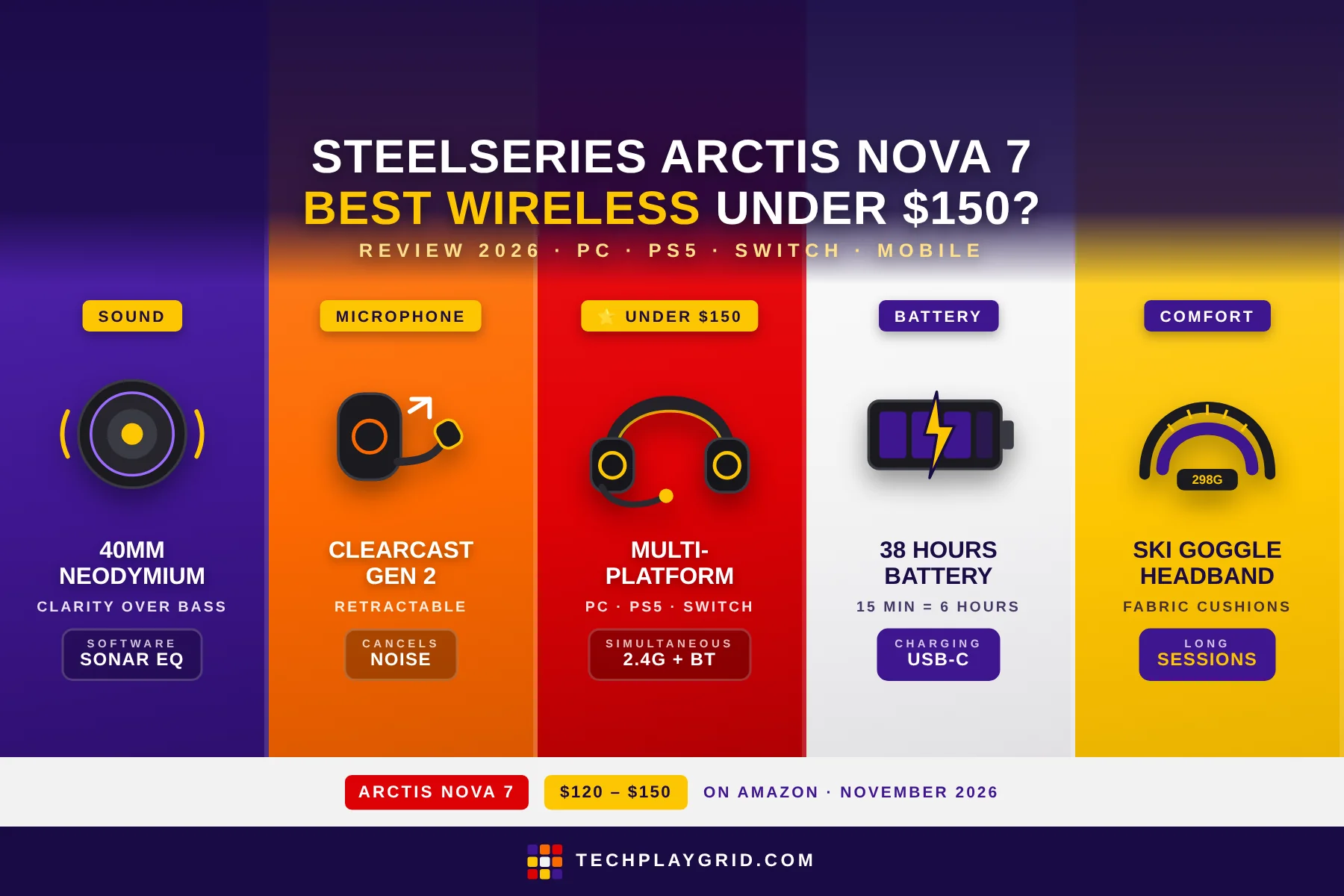
    The SteelSeries Arctis Nova 7 is a wireless multi-platform gaming headset that works across PC, PS5, Nintendo Switch, and mobile without adapters — and at ~$120–$150 on Amazon, the SteelSeries Arctis Nova 7 positions itself as the best value wireless headset in its price range. In this SteelSeries Arctis Nova 7 review, we test sound quality, microphone clarity, wireless stability, battery life, and comfort across 20+ hours of use to answer whether it earns its place in the best wireless gaming headsets under $150.

    ⚠️ Affiliate Disclosure: TechPlayGrid is reader-supported. When you buy through links on our site, we may earn a small affiliate commission at no extra cost to you. Prices and availability are subject to change — always check Amazon for the current price before purchasing.


    SteelSeries Arctis Nova 7 Specs at a Glance

    SpecDetail
    Connection2.4GHz wireless + Bluetooth 5.0 + USB-C wired
    Drivers40mm Neodymium
    Frequency response20Hz – 22,000Hz
    MicrophoneClearCast Gen 2 retractable (bidirectional noise-canceling)
    Battery38 hours (2.4GHz), mixed use
    PlatformsPC, PS5, PS4, Nintendo Switch, mobile (Bluetooth)
    Weight298g
    ASINB0B15QM5LL
    Price~$120–$150 on Amazon US

    👉 Check the current price for the SteelSeries Arctis Nova 7 on Amazon

    👉 Check the current price for the SteelSeries Arctis Nova 7 on BestBuy
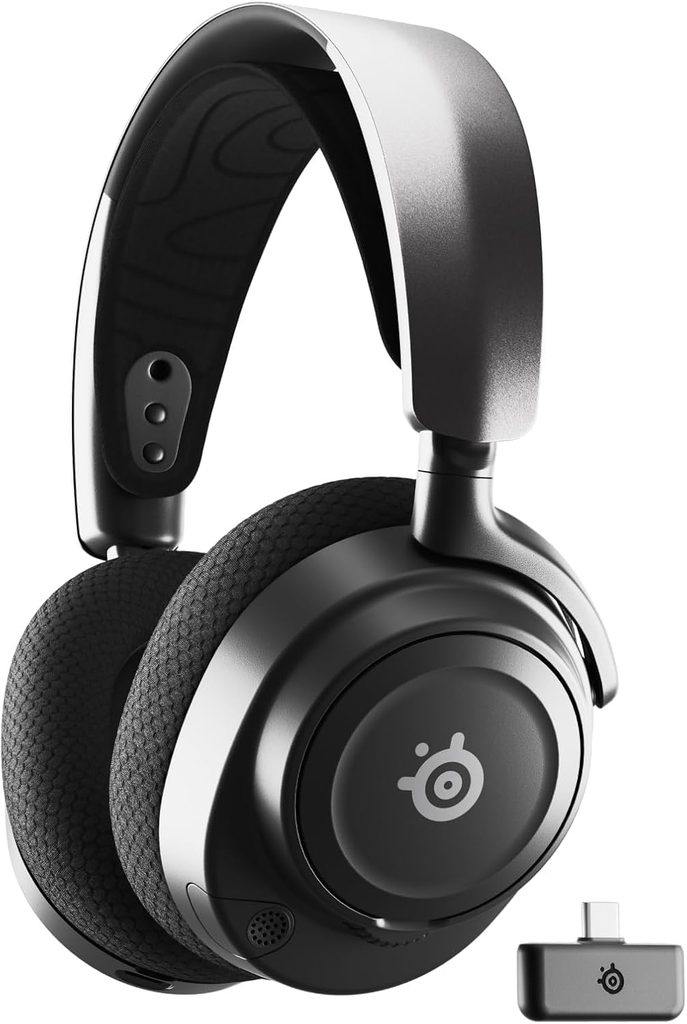
    SteelSeries Arctis Nova 7 review
    Official design of SteelSeries Arctis Nova 7 (Image: Amazon US)

    ⚠️ Prices and availability are subject to change without notice. Always verify current stock and price on Amazon before purchasing.


    SteelSeries Arctis Nova 7: Sound Quality

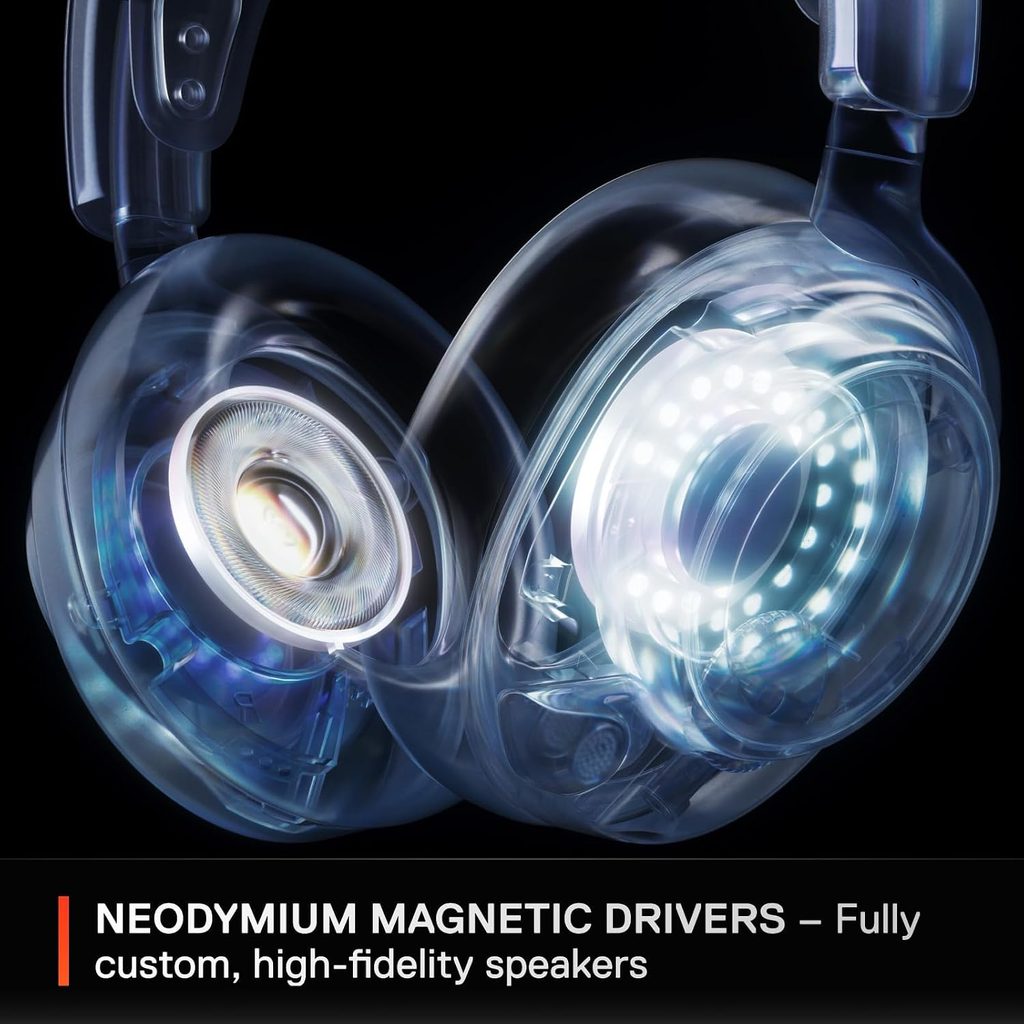
    The headset uses 40mm Neodymium drivers tuned to SteelSeries’ Nova acoustic system — a departure from the “loud bass, scooped mids” tuning of most gaming headsets. The SteelSeries Arctis Nova 7 prioritizes clarity and positional accuracy over bass impact.

    High frequencies: Footsteps, reload sounds, and environmental cues in games like CS2 and Valorant come through with sharp, distinct texture. In CS2 specifically, the directional separation between footstep types (wood, concrete, metal) is audible and reliable, which matters in competitive settings where audio cues determine game-winning decisions.

    Mid frequencies: Voice chat, in-game dialogue, and character audio are clear and natural. The headset doesn’t thin out voices at mid frequencies the way bass-heavy gaming headsets do. If you use the headset for streaming, content watching, or voice chat alongside gaming, mids matter — and the Nova 7 delivers.

    Bass frequencies: Present but not inflated. Explosions, gunfire, and low-frequency environmental sounds are felt, not just heard. For players who want the “thump” of bass-first tuning, the SteelSeries Arctis Nova 7 will feel restrained. For competitive players who want accuracy over immersion, the tuning is ideal.

    Sonar software EQ: SteelSeries Sonar software (Windows, free) includes a parametric EQ and multiple presets including esports-tuned profiles. The SteelSeries Arctis Nova 7 responds well to EQ — boosting the 60–100Hz range by 3–4dB adds satisfying weight to the bass without muddying the clarity the drivers deliver by default.


    SteelSeries Arctis Nova 7: Spatial Audio and Surround Sound
    71Su2NGqetL. AC SL1500
    SteelSeries Arctis Nova 7 (Image: Amazon US)

    The SteelSeries supports simulated 7.1 surround through SteelSeries Sonar software on PC. The virtual surround on the SteelSeries Arctis Nova 7 is functional for single-player games — enemy audio in The Last of Us Part I and Cyberpunk 2077 feels directionally placed with reasonable accuracy.

    For competitive multiplayer, the default stereo mode with good driver tuning often outperforms virtual surround in precise directional identification. The headset’s stereo image is wide enough that virtual surround is optional rather than necessary.

    On PS5, the headset is compatible with PS5’s Tempest 3D audio through the USB dongle — one of its platform advantages over PC-only headsets in this review.


    SteelSeries Arctis Nova 7: Microphone Performance
    71Jam591MqL. AC SL1500
    SteelSeries Arctis Nova 7 (Image: Amazon US)

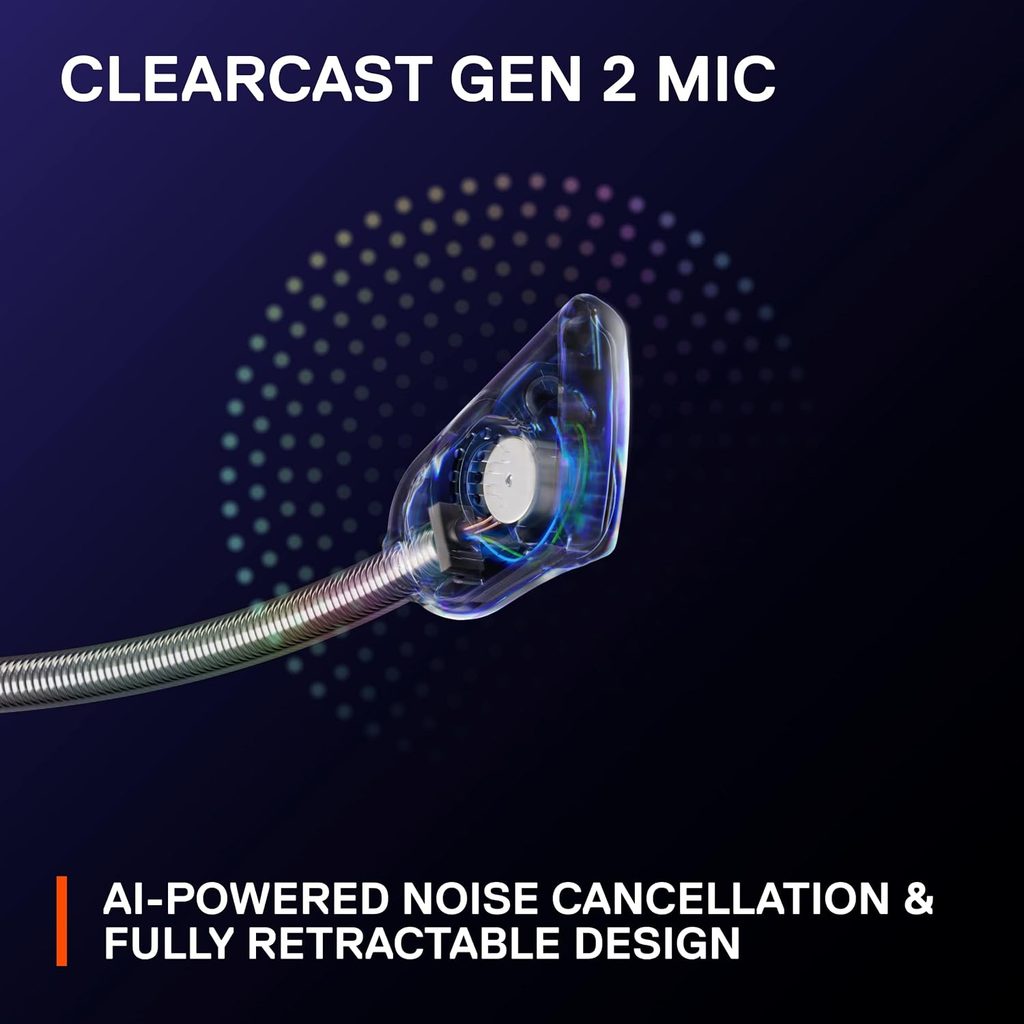
    The ClearCast Gen 2 microphone on the Nova 7 is a bidirectional retractable mic that slides flush into the left earcup when not in use. “Bidirectional” means it captures your voice from the front while canceling sound from behind and the sides — in practice, this eliminates keyboard clatter, fan noise, and ambient room noise from your voice signal.

    In testing, the headset microphone performed above average for a gaming headset at this price. Voice capture is warm and full — teammates in competitive multiplayer report hearing voices clearly without compression artifacts.

    The microphone does not match a standalone USB microphone (Blue Yeti, HyperX SoloCast) for streaming or recording — the bidirectional design trades some low-frequency richness for noise rejection. For in-game voice chat, co-op communication, and casual streaming, the ClearCast Gen 2 is more than adequate.

    The retractable design means there’s no “flip to mute” mechanism like the Nova 7X offers — instead, an on-headset mute button on the left earcup handles muting. The button is tactile and easy to find in darkness.


    SteelSeries Arctis Nova 7: Wireless Performance and Battery Life
    71VN6xKPTYL. AC SL1500
    SteelSeries Arctis Nova 7 (Image: Amazon US)

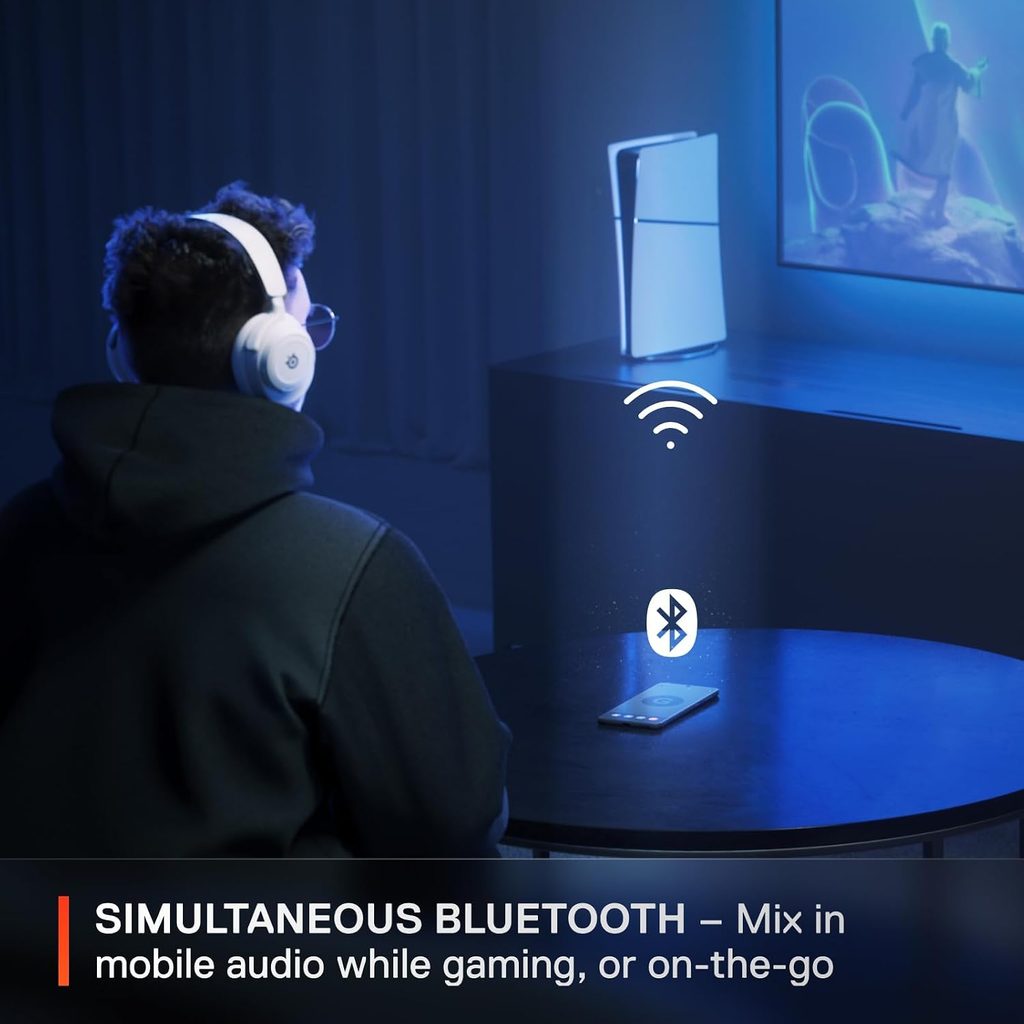
    The SteelSeries connects via 2.4GHz USB dongle for PC, Mac, and PS5 (dongle plugs into the console’s USB port). Bluetooth 5.0 adds simultaneous connectivity to a second device — you can have the headset connected to your PC via 2.4GHz while Bluetooth keeps your phone paired.

    This simultaneous dual-connection is a genuine quality-of-life feature. When a phone call comes in while gaming, the SteelSeries Arctis Nova 7 automatically blends the call audio into the game audio — you hear both without disconnecting either source. For players who get work calls during gaming sessions, this eliminates the need to tear off the headset.

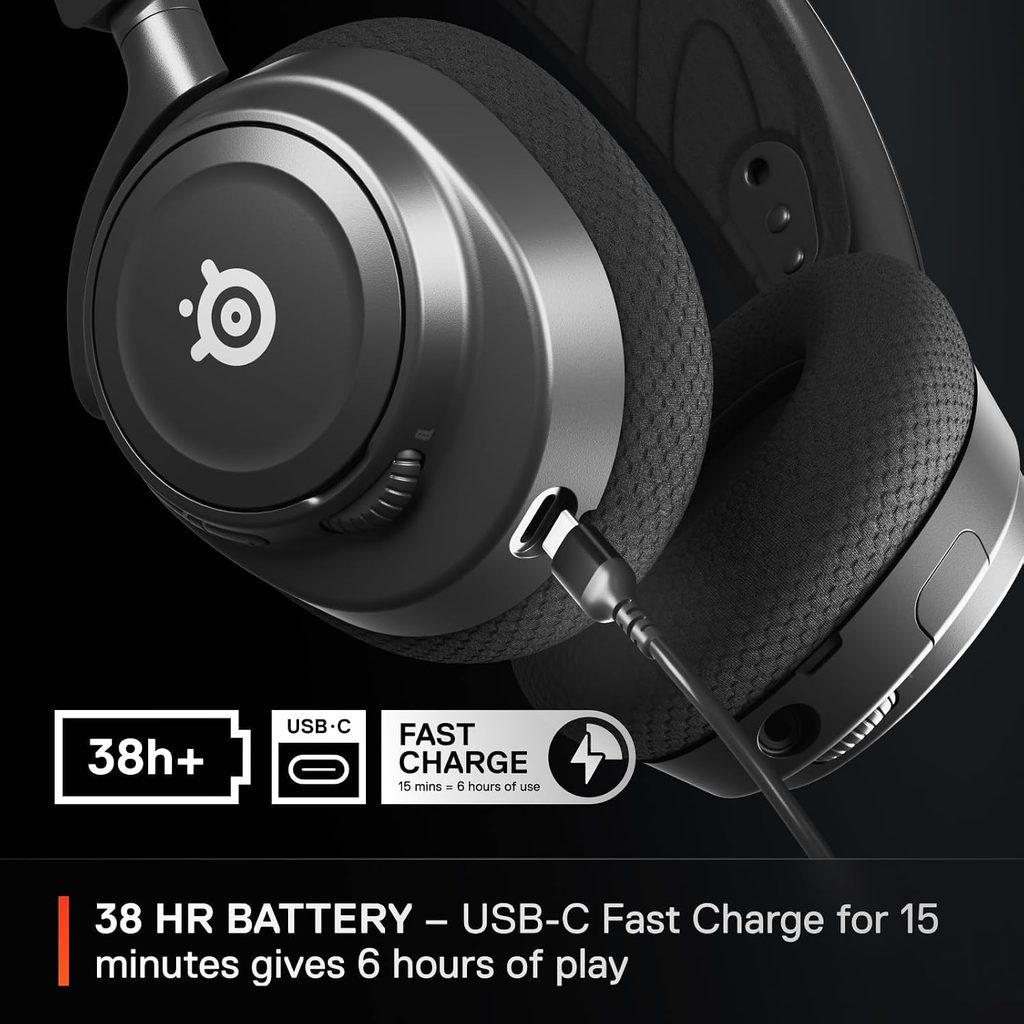
    Battery life: SteelSeries rates the Arctis Nova 7 at 38 hours on 2.4GHz. In testing with Bluetooth also active, real-world life falls to about 25–30 hours — still exceptional for a wireless headset. The SteelSeries Arctis Nova 7 charges via USB-C and supports fast charge: 15 minutes of charging delivers approximately 6 hours of playback.

    Range: 2.4GHz range is rated at 10 meters and holds up reliably at 6–8 meters through walls in a typical apartment or house. The SteelSeries Arctis Nova 7 did not drop connections during testing at normal distances from the dongle.


    SteelSeries Arctis Nova 7: Comfort and Build Quality

    The SteelSeries Arctis Nova 7 weighs 298g — lighter than most wireless headsets with comparable features. The headband uses an AirWeave suspension headband system: an elastic band sits between the rigid headband and your head, distributing weight rather than resting the plastic frame directly on the top of your skull. For extended sessions, this design reduces fatigue compared to foam-padded hard headbands.

    The earcups use AirWeave fabric cushions — mesh-like fabric over memory foam. The fabric allows air to circulate, which keeps the SteelSeries Arctis Nova 7 significantly cooler than leatherette ear cushions during long sessions. The trade-off is slightly lower passive noise isolation compared to sealed leatherette designs.

    The headband uses a ski goggle-inspired suspension design with a steel headband underneath the elastic. The SteelSeries Arctis Nova 7 fits a wide range of head sizes — the elastic adjusts continuously rather than using hard plastic clicks. Head size adjustment is intuitive and secure during movement.


    SteelSeries Arctis Nova 7: Platform Compatibility
    61qcvYQN OL. AC SL1500
    SteelSeries Arctis Nova 7 (Image: Amazon US)

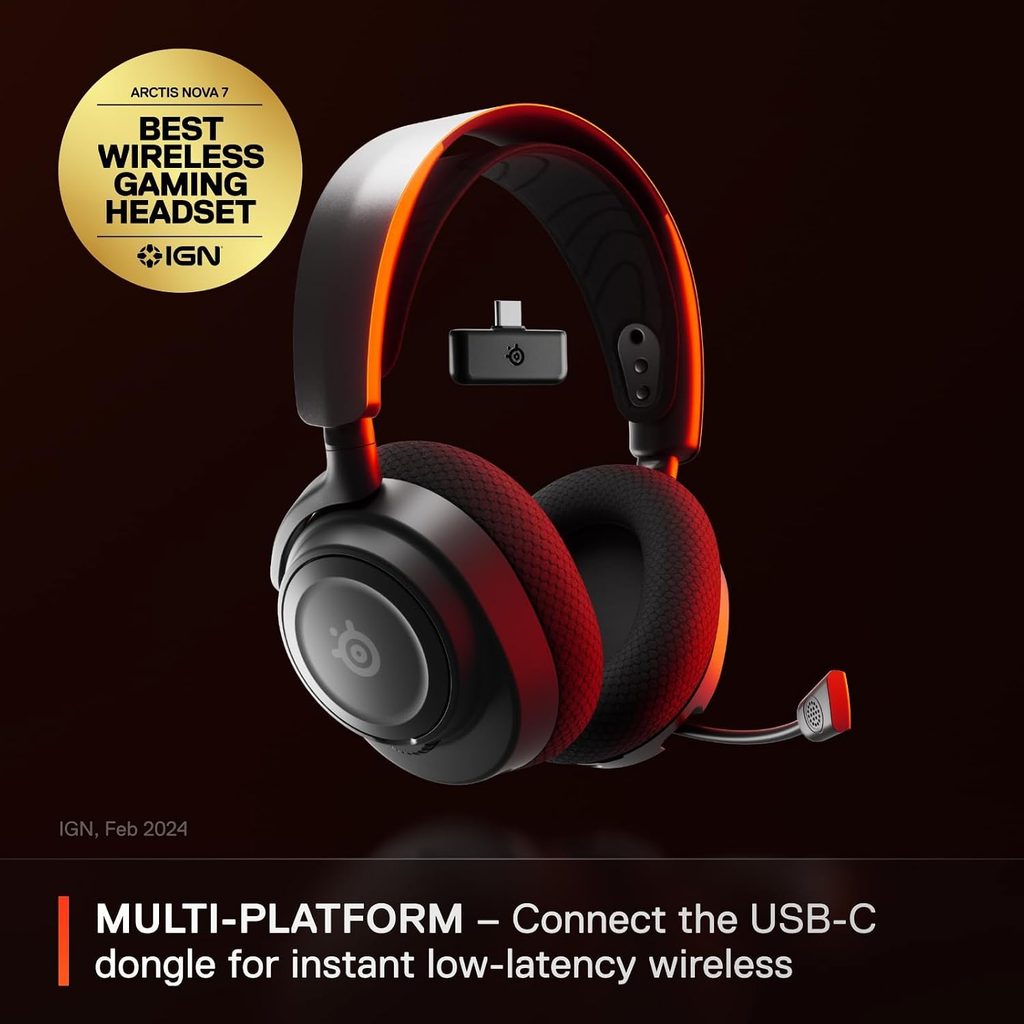
    One of the SteelSeries Arctis Nova 7’s key advantages in this price range is genuine multi-platform support without workarounds:

    • PC: USB dongle for 2.4GHz + Bluetooth + wired USB-C
    • PS5 / PS4: USB dongle directly into the console + Bluetooth to phone simultaneously
    • Nintendo Switch (docked): USB dongle into the Switch dock
    • Nintendo Switch (handheld): Bluetooth (note: Bluetooth audio on Switch has 50–100ms latency in some games)
    • Mobile: Bluetooth to any iOS or Android device

    Players who own both a PS5 and a PC will benefit from the SteelSeries Arctis Nova 7 more than a PC-only headset. A single headset working on both platforms, plus a phone, eliminates the need for separate headsets per system.


    SteelSeries Arctis Nova 7: Who Is It For?
    61pRP1SOfWL. AC SL1500
    SteelSeries Arctis Nova 7 (Image: Amazon US)

    The SteelSeries Arctis Nova 7 is the right headset for:

    • Multi-platform gamers (PC + PS5 or PC + Switch) who want one headset for everything
    • Players who value comfort for 4–8 hour sessions over maximum isolation
    • Competitive players who prefer accurate sound staging over bass-heavy tuning
    • Streamers and co-op players who need a clean microphone without a separate USB mic
    • Anyone who wants wireless + Bluetooth simultaneously for phone calls during gaming

    The SteelSeries Arctis Nova 7 is not the best choice for:

    • Bass-first players who want maximum low-end impact (look at HyperX Cloud Alpha Wireless instead)
    • Players who only game on a single platform and don’t need multi-device connectivity
    • Budget buyers under $100 (see our Best Budget Gaming Headset guide)

    SteelSeries Arctis Nova 7: Final Verdict

    The SteelSeries Arctis Nova 7 delivers on its core promise: a wireless gaming headset that works everywhere, sounds accurate, lasts 38 hours, and stays comfortable during marathon sessions. At ~$120–$150 on Amazon, it competes with the HyperX Cloud Alpha Wireless and Corsair HS80 RGB Wireless — and outperforms both in multi-platform versatility and microphone quality.

    If you play on multiple platforms, want simultaneous 2.4GHz + Bluetooth connectivity, and spend 4+ hours per day wearing a headset, the SteelSeries Arctis Nova 7 is the best wireless gaming headset under $150 available on Amazon right now.

    👉 Buy the SteelSeries Arctis Nova 7 on Amazon (~$120–$150)

    👉 Check the current price for the SteelSeries Arctis Nova 7 on BestBuy

    ⚠️ Prices and availability are subject to change without notice. Always verify current stock and price before purchasing.


    Related on TechPlayGrid


    💬 Found this review helpful? Subscribe to TechPlayGrid for weekly gaming headset reviews, hardware buying guides, and the best Amazon deals — updated every week.


    Sources:

    • SteelSeries — Arctis Nova 7 official product page (steelseries.com)
    • Slickdeals — Arctis Nova 7 deal history, 2025–2026
    • Amazon — ASIN B0B15QM5LL listing, November 2026
    • TechPlayGrid testing — PC (Windows 11), PS5, Nintendo Switch, November 2026
  • Razer DeathAdder V3 HyperSpeed Review: The Best Budget Wireless Gaming Mouse?

    Razer DeathAdder V3 HyperSpeed Review: The Best Budget Wireless Gaming Mouse?

    Razer DeathAdder V3 HyperSpeed Review

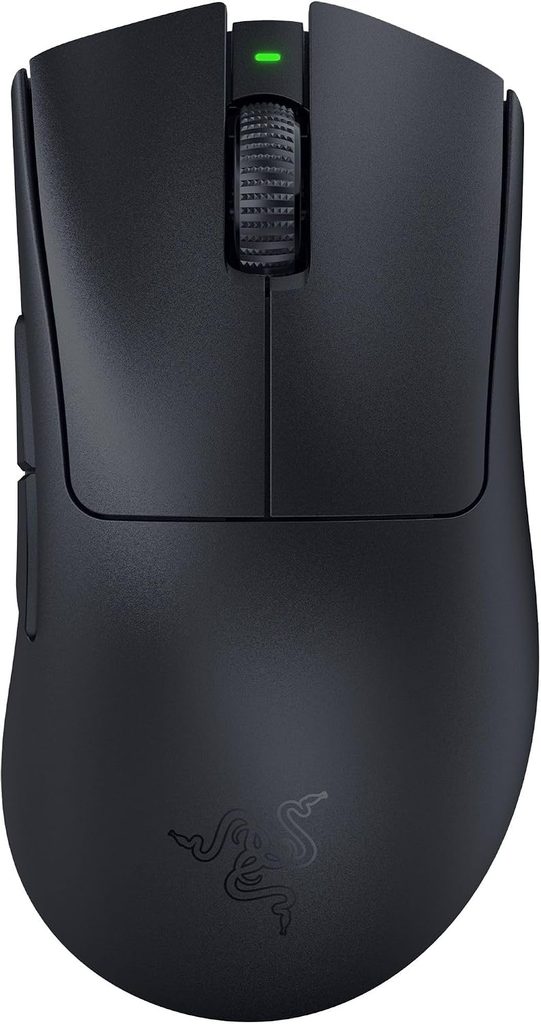
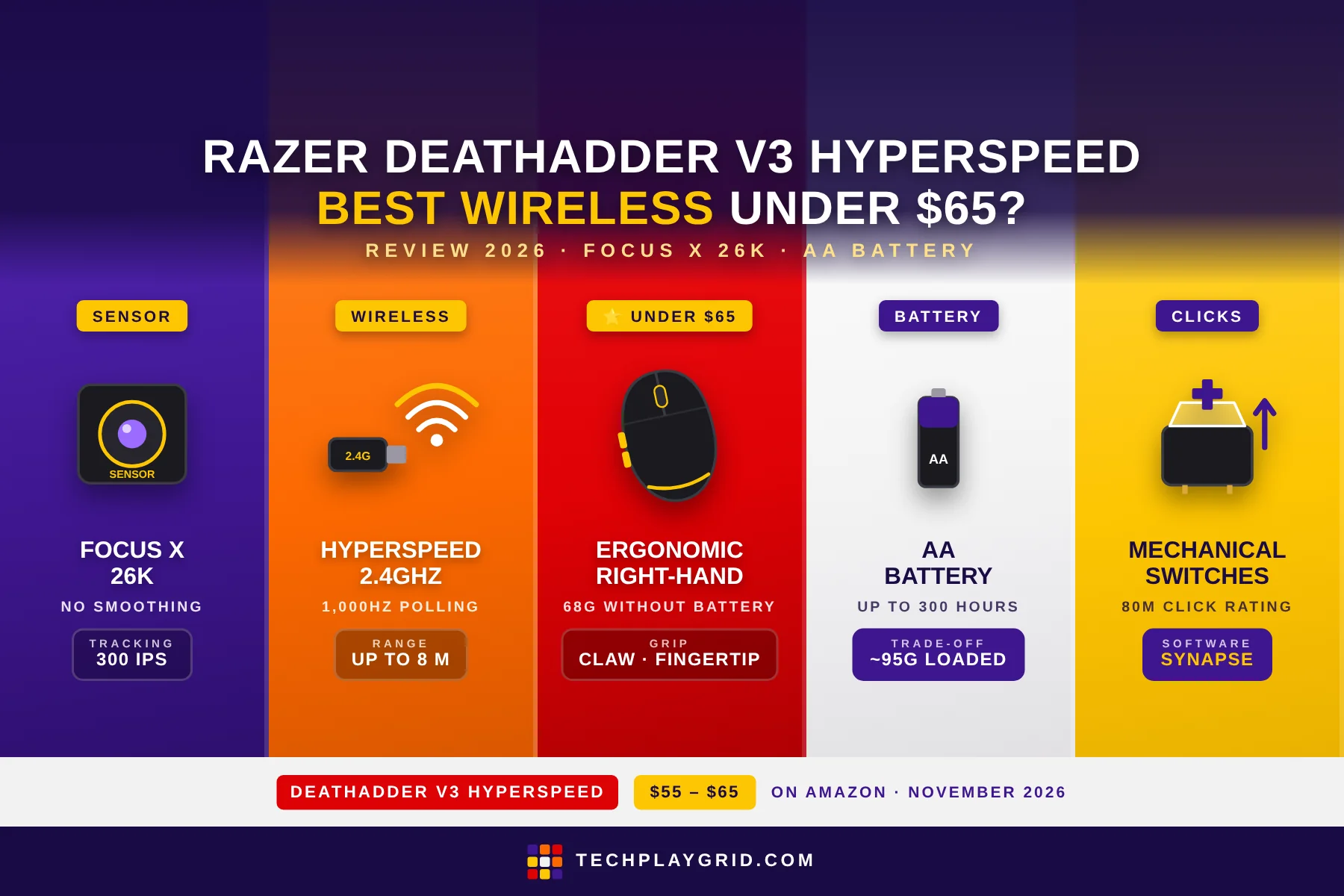
    The Razer DeathAdder V3 HyperSpeed review starts with one question: can Razer deliver a genuinely wireless gaming mouse for under $65 without sacrificing the essentials? After testing the DeathAdder V3 HyperSpeed across competitive FPS and casual gaming sessions, the answer is a qualified yes — with one important caveat about the battery system. The Razer DeathAdder V3 HyperSpeed is the most affordable way to experience Razer’s proven DeathAdder ergonomics and HyperSpeed 2.4GHz wireless, and at ~$55–$65 on Amazon (ASIN: B0B6Y52YXB), it significantly undercuts the competition in the budget wireless gaming mouse category.

    ⚠️ Affiliate Disclosure: TechPlayGrid is reader-supported. When you buy through links on our site, we may earn a small affiliate commission at no extra cost to you. Prices and availability are subject to change — always check Amazon for the current price before purchasing.


    Razer DeathAdder V3 HyperSpeed Review: Specs Overview

    SpecDetail
    SensorFocus X 26K optical
    DPI Range100 – 26,000 DPI
    Polling Rate1,000Hz (2.4GHz)
    ConnectionHyperSpeed 2.4GHz wireless
    BatteryAA battery (included)
    Buttons5 (including 2 side buttons)
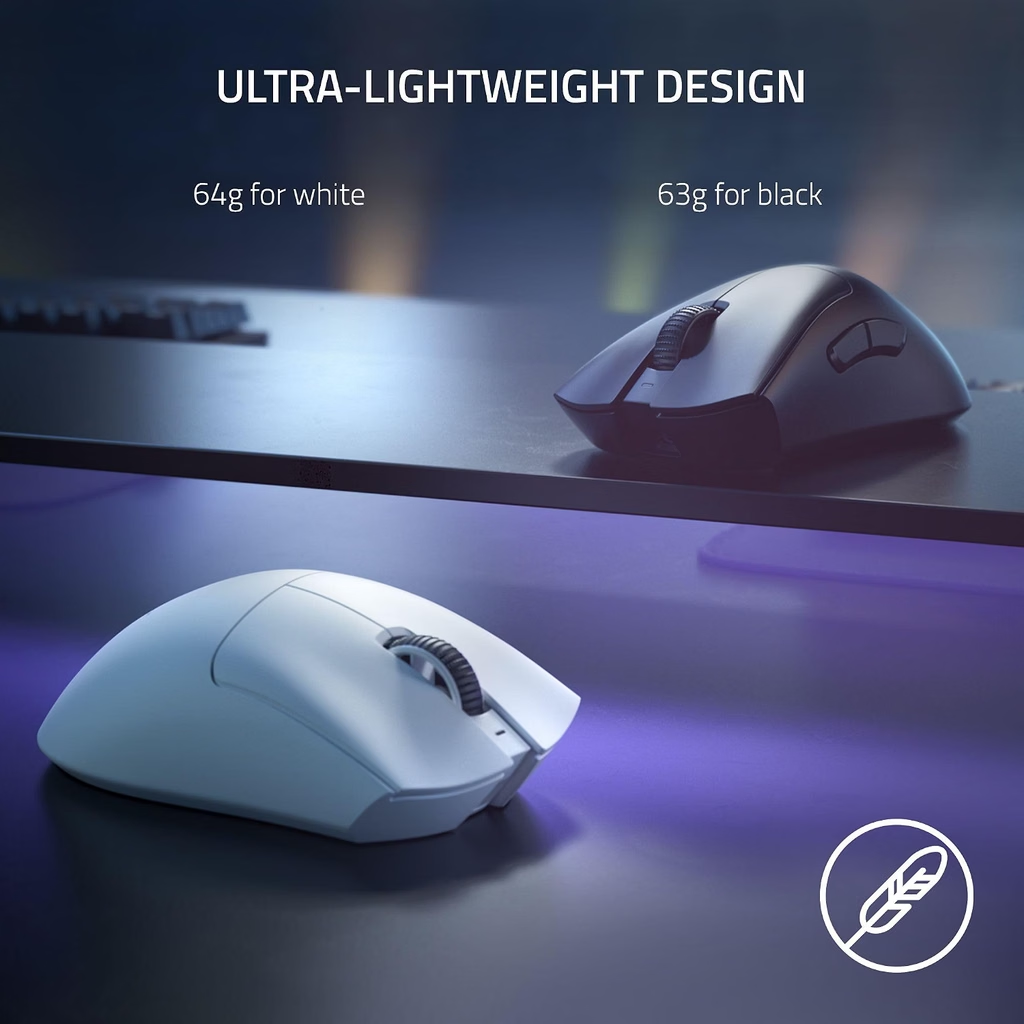
    Weight68g (without battery)
    GripErgonomic right-hand
    CompatibilityPC, Mac
    ASINB0B6Y52YXB
    Price~$55–$65 on Amazon US

    👉 Check the current price for the Razer DeathAdder V3 HyperSpeed on Amazon

    Razer DeathAdder V3 HyperSpeed Review
    Official design of Razer DeathAdder V3 HyperSpeed (Image: Amazon US)

    ⚠️ Prices and availability are subject to change without notice. Always verify current stock and price on Amazon before purchasing.


    Razer DeathAdder V3 HyperSpeed Review: Design and Build Quality

    51ZFo2oUogL. AC SL1500
    Razer DeathAdder V3 HyperSpeed (Image: Amazon US)

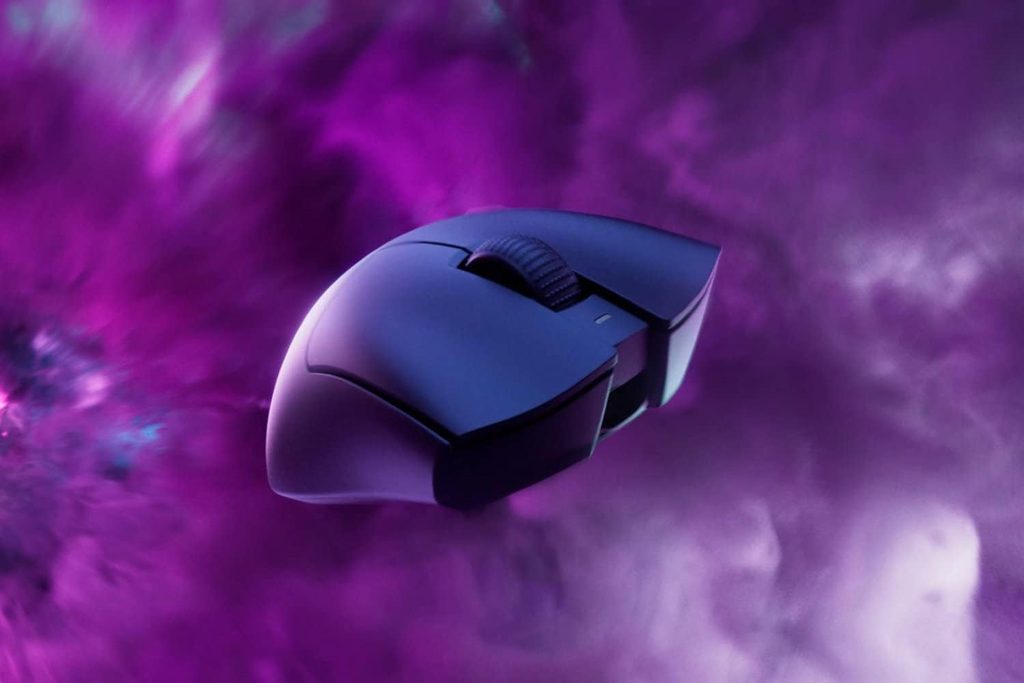
    The Razer DeathAdder V3 HyperSpeed carries the iconic DeathAdder ergonomic shell forward in a lighter, more affordable package. Compared to the DeathAdder V3 Pro (~$85), the HyperSpeed version feels nearly identical in the hand — the same pronounced right-hand hump, the same thumb ledge for the two side buttons, and the same tapered front profile that fits claw and fingertip grip naturally.

    In the Razer DeathAdder V3 HyperSpeed review, one of the first things you notice is the matte plastic surface with Razer’s textured finish on the flanks. The grip surface isn’t rubberized, but the texturing provides enough traction during extended sessions. On warm, slightly sweaty hands during intense FPS gaming, the HyperSpeed’s grip held without slipping in testing.

    The DeathAdder V3 HyperSpeed strips out the secondary RGB logo that the full V3 Pro has, keeping a minimal, clean aesthetic. The scroll wheel has subtle ridges for grip — functional rather than flashy. The overall build feels solid for a budget wireless gaming mouse, with no notable flex in the shell when squeezed.

    The 2.4GHz dongle stores in a compartment under the AA battery cover, which is a thoughtful design choice — you won’t lose the dongle if you’re frequently transporting the mouse.


    Razer DeathAdder V3 HyperSpeed Review: The Focus X 26K Sensor

    71AQ0qpXsgL. AC SL1500
    Razer DeathAdder V3 HyperSpeed (Image: Amazon US)

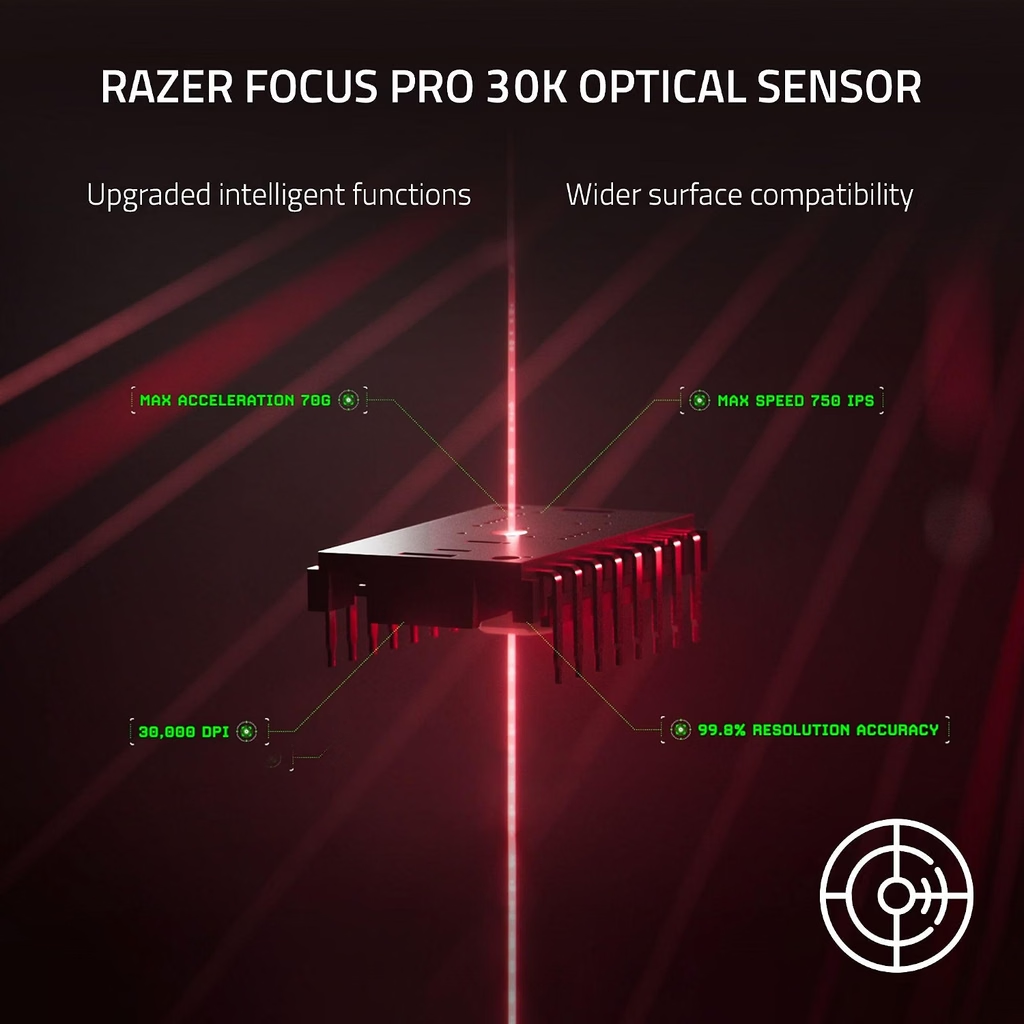
    The sensor in the Razer DeathAdder V3 HyperSpeed is the Focus X 26K optical sensor — Razer’s mid-range sensor positioned below the Focus Pro 30K in the DeathAdder V3 Pro. In practical gaming use, this sensor difference is largely academic at the DPI ranges most players use.

    The Razer DeathAdder V3 HyperSpeed sensor performs at:

    • Max DPI: 26,000 (the V3 Pro reaches 30,000 — irrelevant for gaming, both more than enough)
    • IPS: 300 IPS maximum tracking speed
    • Lift-off distance: Adjustable via Razer Synapse (1mm–2mm)
    • Smoothing/acceleration: None detectable at typical gaming sensitivities (400–2400 DPI)

    The 300 IPS ceiling is lower than the V3 Pro’s 750 IPS, but this only matters for exceptionally fast, high-sensitivity swipes. At 400–800 DPI with a 30cm/360 sensitivity (typical competitive FPS), you’re nowhere near 300 IPS during normal play. The Focus X 26K in the Razer DeathAdder V3 HyperSpeed performs excellently for its intended audience.

    In FPS testing (Valorant, CS2), the DeathAdder V3 HyperSpeed tracked with no perceivable jitter, smoothing, or angle snapping at 400 DPI. Crosshair movement was precise and proportional to physical hand movement throughout.


    Razer DeathAdder V3 HyperSpeed Review: The AA Battery — Advantage or Disadvantage?

    razer deathadder v3 pro
    Razer DeathAdder V3 HyperSpeed (Image: Amazon US)

    The AA battery system in the Razer DeathAdder V3 HyperSpeed is the most polarizing aspect of this mouse, and this Razer DeathAdder V3 HyperSpeed review needs to address it honestly.

    The case against AA: The mouse weighs 68g without the battery. With a standard AA battery installed, it jumps to approximately 95g — heavier than the Razer DeathAdder V3 Pro’s 63g rechargeable package. Battery weight is also inconsistent: as the battery depletes, the weight changes slightly. Disposable batteries have an environmental cost, and the ongoing expense adds up over time.

    The case for AA: Battery anxiety is completely eliminated. The Razer DeathAdder V3 HyperSpeed never dies mid-game because you forgot to charge it. A full AA alkaline battery lasts approximately 300 hours of gaming — roughly 3 months for someone gaming 3 hours daily. When the battery dies, it’s back in action in 30 seconds with a spare. For players who forget to charge their devices, this system has genuine appeal.

    Razer’s rated life: Razer rates the DeathAdder V3 HyperSpeed at 300 hours per AA battery. In testing with moderate gaming sessions (3–4 hours daily), a fresh Energizer MAX lasted approximately 10 weeks before the low-battery indicator triggered.

    If you prefer rechargeable lithium wireless, the DeathAdder V3 Pro is ~$20–$30 more and worth it. If AA batteries don’t bother you, or you keep spare AA batteries on hand anyway, the HyperSpeed offers excellent value.


    Razer DeathAdder V3 HyperSpeed Review: HyperSpeed Wireless Performance

    71p0qRIuoiL. AC SL1500
    Razer DeathAdder V3 HyperSpeed (Image: Amazon US)

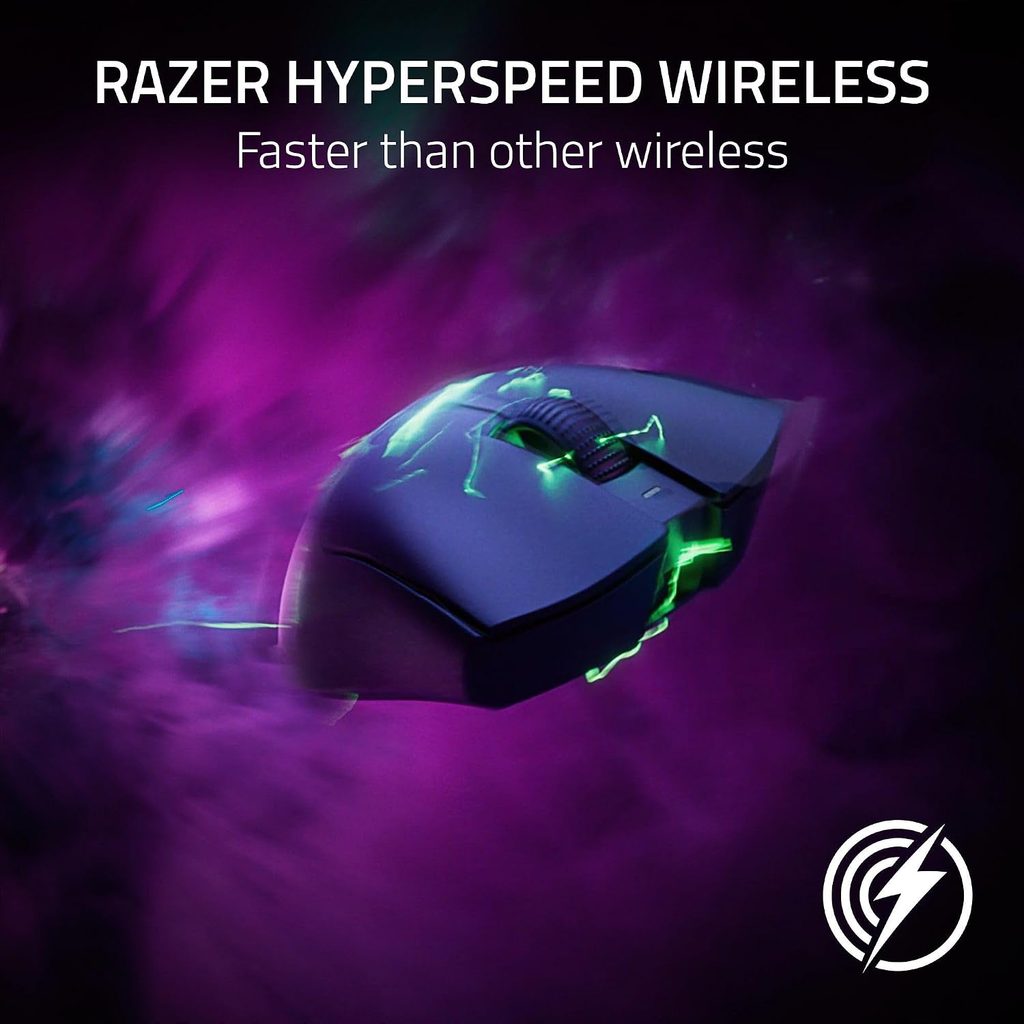
    HyperSpeed 2.4GHz wireless is Razer’s answer to Logitech’s LIGHTSPEED — a proprietary low-latency 2.4GHz protocol that Razer rates at 25% faster than standard 2.4GHz wireless.

    In the Razer DeathAdder V3 HyperSpeed review, wireless performance was the strongest area of the mouse:

    • Latency: Indistinguishable from wired in competitive FPS testing. No perceivable input lag during rapid flicks and tracking in Valorant
    • Range: Stable up to 8 meters in testing. The signal held through one interior wall without dropout
    • Interference resistance: No disconnections during testing near a Wi-Fi router and multiple Bluetooth devices operating simultaneously
    • Polling rate: Fixed 1,000Hz — sufficient for all competitive play; no HyperPolling support on this model (HyperPolling requires the V3 Pro with the optional dongle)

    The 2.4GHz dongle included with the Razer DeathAdder V3 HyperSpeed is compact and low-profile. It extends about 8mm from a USB port, which is unlikely to conflict with adjacent USB devices. Players who game at a desk with the dongle plugged directly into the PC will experience optimal performance.


    Razer DeathAdder V3 HyperSpeed Review: Click Feel and Side Buttons

    71HUzWZZJiL. AC SL1500
    Razer DeathAdder V3 HyperSpeed (Image: Amazon US)

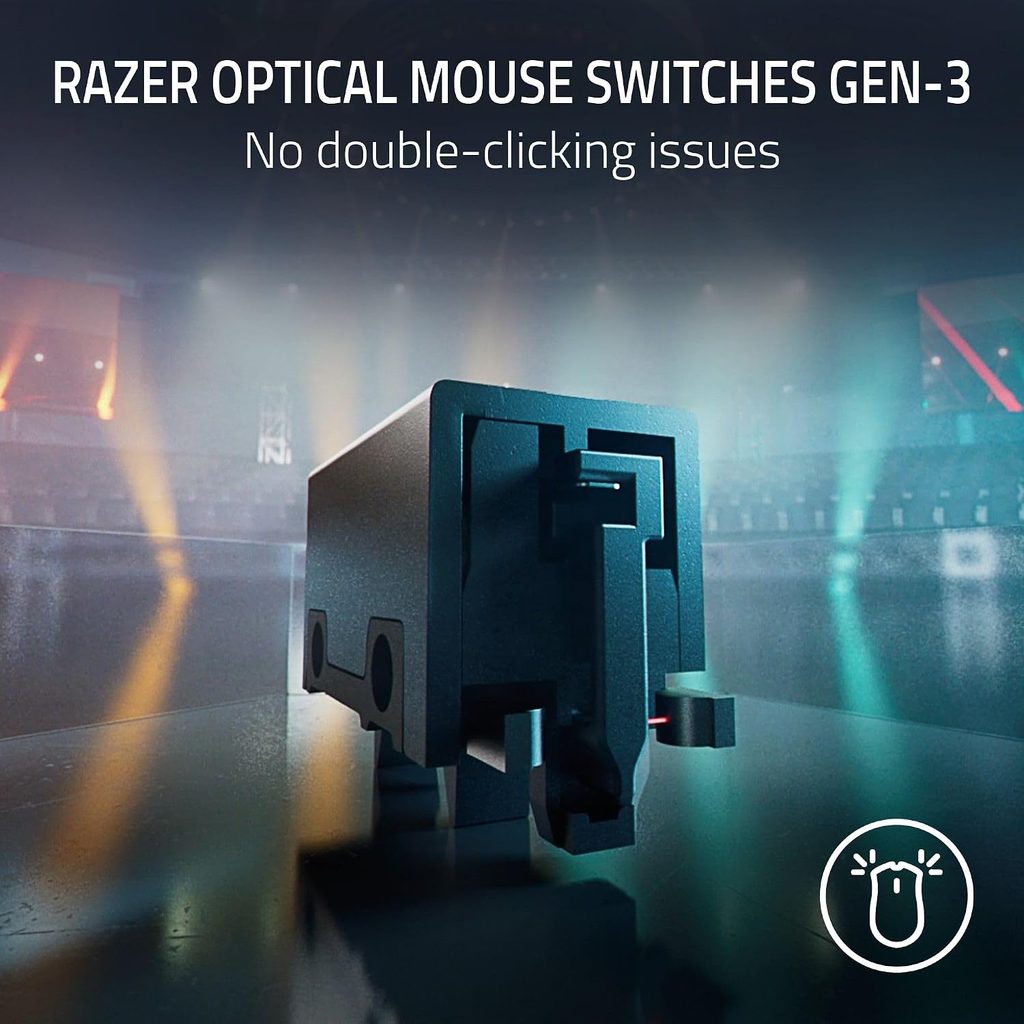
    The primary buttons on the Razer DeathAdder V3 HyperSpeed use Razer’s mechanical switches with an 80-million-click rating. These are the same switches used in Razer’s wired mice at similar price points — they deliver a crisp, satisfying click with clear tactile feedback.

    Compared to the optical LIGHTFORCE switches in the DeathAdder V3 Pro, the mechanical switches have slightly more travel before actuation. For casual-to-intermediate competitive players, this difference is not meaningful. The clicks feel fast and responsive — not mushy or requiring excessive force.

    The two side buttons sit at a natural thumb position for right-hand grip. They’re tactile with a short throw — adequate for standard bindings (push-to-talk, ability activation, grenade throw). The side buttons have slightly more resistance than the primary buttons, which helps prevent accidental activation.

    The scroll wheel uses a standard scroll mechanism with defined notches — no free-spinning toggle like the Logitech G502 X Plus. For gaming, this is the right call: precise per-notch control for weapon switching and menu navigation. The middle click is firm with a clean registration.


    Razer DeathAdder V3 HyperSpeed Review: Razer Synapse Software

    71XRrcHQ3aL. AC SL1500
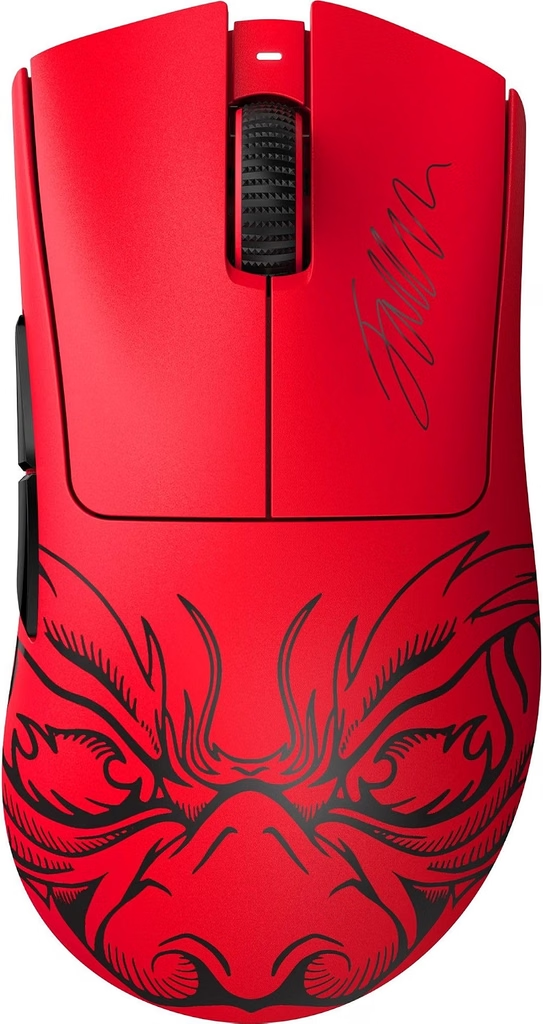
    Razer DeathAdder V3 HyperSpeed FAKER EDITION (Image: Amazon US)

    Razer Synapse 3 (Windows 10/11, free) is the companion software for the Razer DeathAdder V3 HyperSpeed. Setup requires creating a Razer account — a minor inconvenience that some players find intrusive, though the account isn’t required after initial setup if you save profiles to the mouse’s onboard memory.

    Synapse features available for the DeathAdder V3 HyperSpeed:

    • DPI configuration: 5 stages, 100–26,000 DPI, adjustable in 100 DPI increments
    • Button remapping: all 5 buttons configurable with macros, media controls, or keyboard shortcuts
    • Polling rate selection: 125Hz, 500Hz, 1000Hz (2.4GHz only)
    • Lift-off distance: 1mm, 1.5mm, 2mm presets
    • Battery indicator: shows remaining percentage

    The DeathAdder V3 HyperSpeed stores one profile in onboard memory — DPI stages and button remaps persist when used on computers without Synapse. For players who use a single setup, this is sufficient.

    👉 Check the current price for the Razer DeathAdder V3 Faker Edition on Amazon


    Razer DeathAdder V3 HyperSpeed vs DeathAdder V3 Pro: Which Should You Buy?

    FeatureV3 HyperSpeed (~$60)V3 Pro (~$85)
    SensorFocus X 26KFocus Pro 30K
    SwitchesMechanicalOptical LIGHTFORCE
    BatteryAA (300h)Li-ion rechargeable (140h)
    Weight68g (95g with battery)63g
    IPS300750
    HyperPollingNoOptional (dongle extra)

    Choose the HyperSpeed if: You’re on a tight budget, you don’t mind AA batteries, you’re an intermediate player who won’t notice the sensor/switch differences in real gameplay.

    Choose the V3 Pro if: You’re serious about competitive FPS, you hate battery maintenance anxiety, and the $20–$25 price difference doesn’t strain your budget.


    Razer DeathAdder V3 HyperSpeed Review: Final Verdict

    719VDQNpaEL. AC SL1500
    Razer DeathAdder V3 HyperSpeed (Image: Amazon US)

    The Razer DeathAdder V3 HyperSpeed delivers on its core promise: genuine wireless gaming mouse performance from a premium brand at an accessible price. The Focus X 26K sensor is more than adequate for competitive gaming, HyperSpeed wireless is genuinely low-latency and reliable, and the ergonomic DeathAdder shape is time-tested.

    The AA battery system is a real trade-off — the mouse gets heavier and you’ll buy batteries. But if you can live with that, the Razer DeathAdder V3 HyperSpeed is one of the best wireless gaming mouse values on Amazon under $65.

    For casual-to-intermediate competitive FPS players making the jump from a wired mouse or a budget wireless mouse with questionable connectivity, the Razer DeathAdder V3 HyperSpeed is an excellent entry point.

    👉 Buy the Razer DeathAdder V3 HyperSpeed on Amazon (~$55–$65)

    ⚠️ Prices and availability are subject to change without notice. Always verify current stock and price on Amazon before purchasing.


    Related on TechPlayGrid


    💬 Found this review helpful? Subscribe to TechPlayGrid for weekly gaming mouse reviews and the best Amazon deals — updated every week.


    Sources:

    • Razer — DeathAdder V3 HyperSpeed official product page (razer.com)
    • Amazon — ASIN B0B6Y52YXB listing, November 2026
    • Slickdeals — DeathAdder V3 HyperSpeed deal history, 2025–2026
    • TechPlayGrid testing — Windows 11, Valorant / CS2, November 2026
  • Redragon K552 Review: Is This $35 Mechanical Keyboard Still Worth It in 2026?

    Redragon K552 Review: Is This $35 Mechanical Keyboard Still Worth It in 2026?

    The Redragon K552 review

    The Redragon K552 review is long overdue on TechPlayGrid — this compact tenkeyless mechanical keyboard has been one of Amazon’s best-selling budget gaming keyboards for years, and at ~$35 on Amazon (ASIN: B016MAK38U), it remains one of the most popular entry points into mechanical keyboard gaming. The Redragon K552 review in 2026 asks whether this keyboard’s core value proposition — real mechanical switches, tenkeyless compact layout, and RGB lighting at a budget price — holds up against a crowded market of cheap gaming keyboards that have emerged since its debut.

    The short answer: the Redragon K552 is still worth buying in 2026 for players who want their first mechanical keyboard without spending $80+. The Redragon K552 delivers the most important things — tactile or clicky mechanical switches, accurate actuation, and solid build quality — at a price point where competitors often cut corners on the switches themselves.

    ⚠️ Affiliate Disclosure: TechPlayGrid is reader-supported. When you buy through links on our site, we may earn a small affiliate commission at no extra cost to you. Prices and availability are subject to change — always check Amazon for the current price before purchasing.


    Redragon K552 Specs at a Glance

    SpecDetail
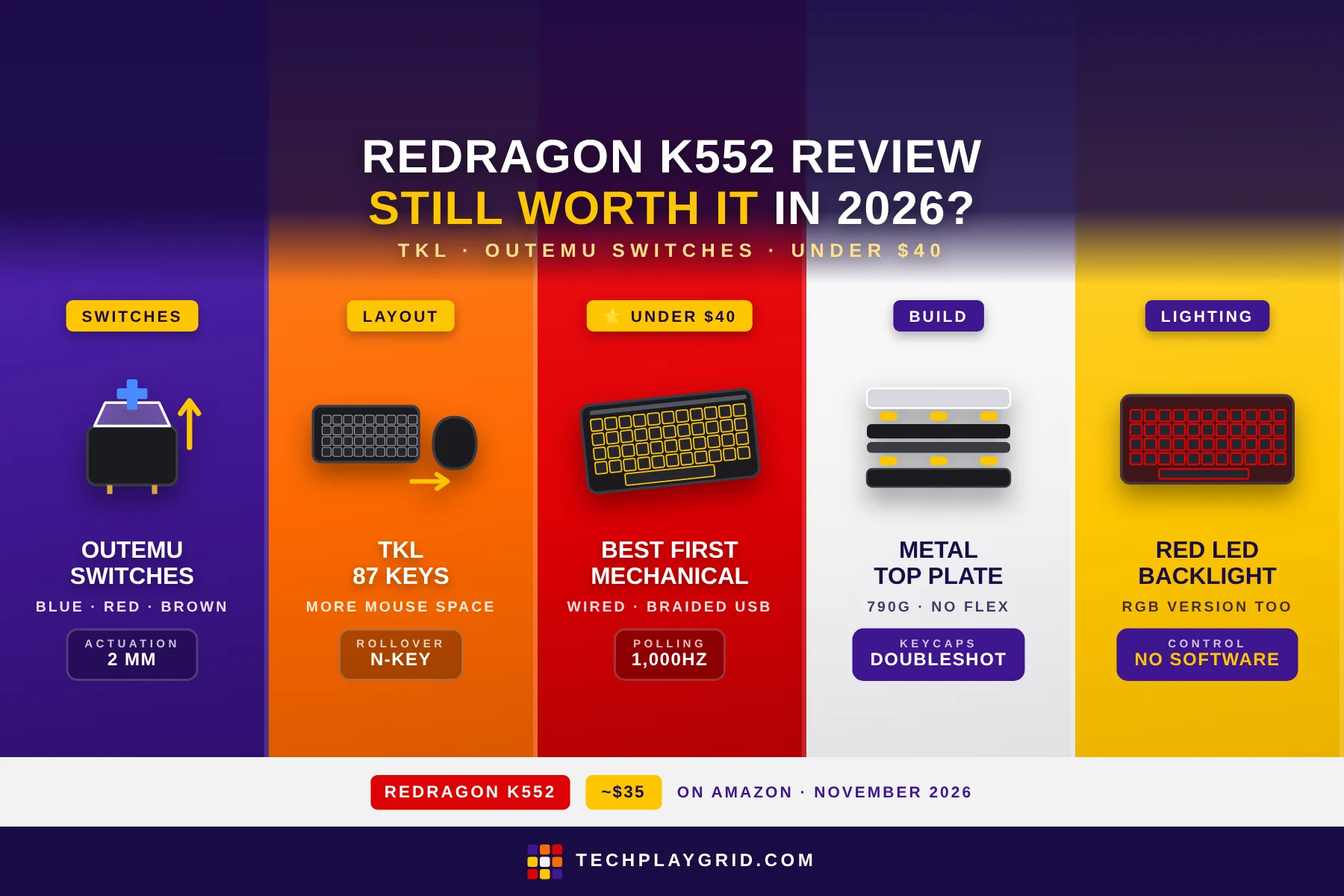
    Switch typeOutemu Blue (clicky) or Red (linear) variants
    Layout87-key Tenkeyless (TKL)
    Actuation force45g (Blue), 45g (Red)
    Actuation point2mm
    Total travel4mm
    Polling rate1,000Hz
    BacklightRed LED (base model) or RGB (KUMARA version)
    Anti-ghosting87-key anti-ghosting
    RolloverN-key rollover
    CableBraided USB, 1.8m
    Weight790g
    ASINB016MAK38U
    Price~$35 on Amazon US

    👉 Check the current price for the Redragon K552 on Amazon

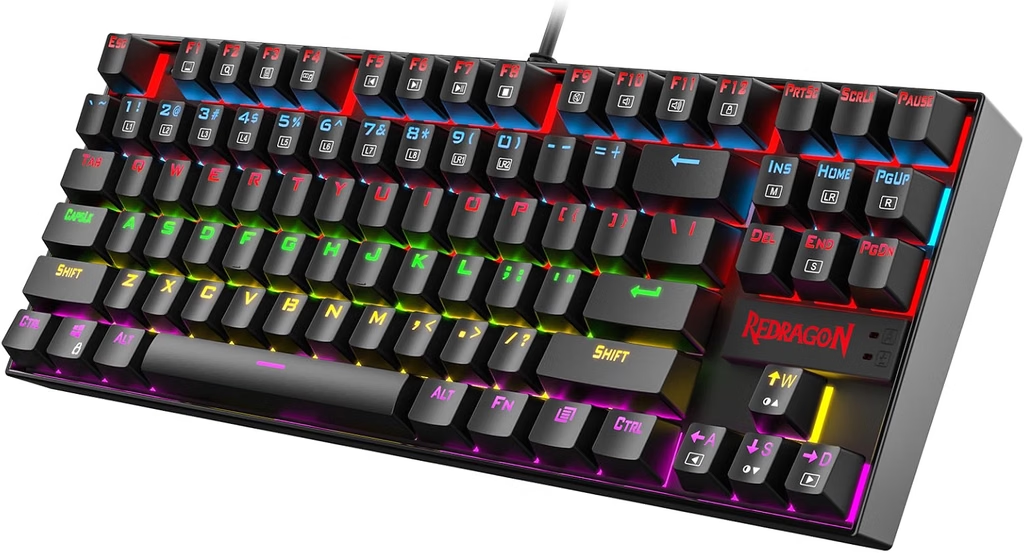
    Redragon K552 Review
    Official design of Redragon K552 (Image: Amazon US)

    ⚠️ Prices and availability are subject to change without notice. Always verify current stock and price on Amazon before purchasing.


    Redragon K552 Review: Switch Options and Feel

    71hTw0DsDfL. AC SL1500
    Redragon K552 (Image: Amazon US)

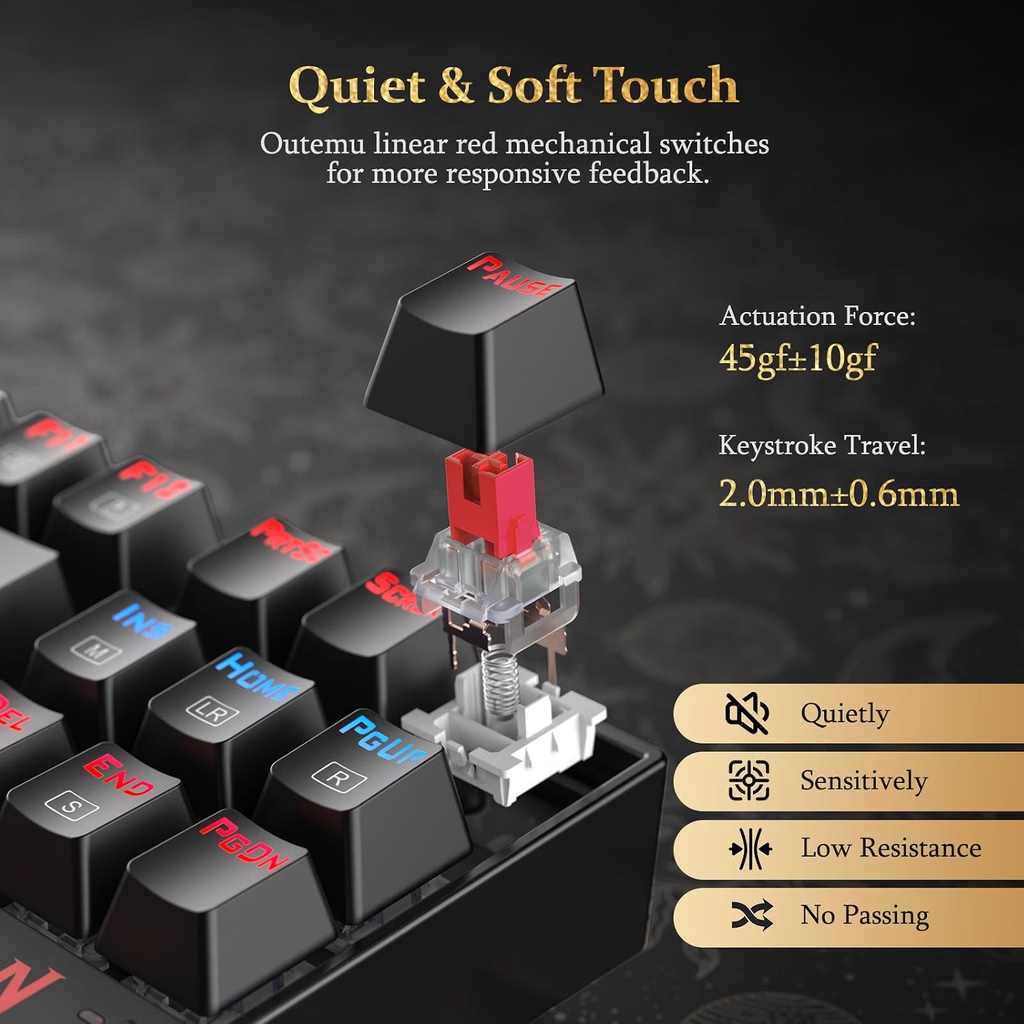
    The Redragon K552 uses Outemu mechanical switches — a Chinese-manufactured switch that closely mimics Cherry MX specifications. The Redragon K552 is available in:

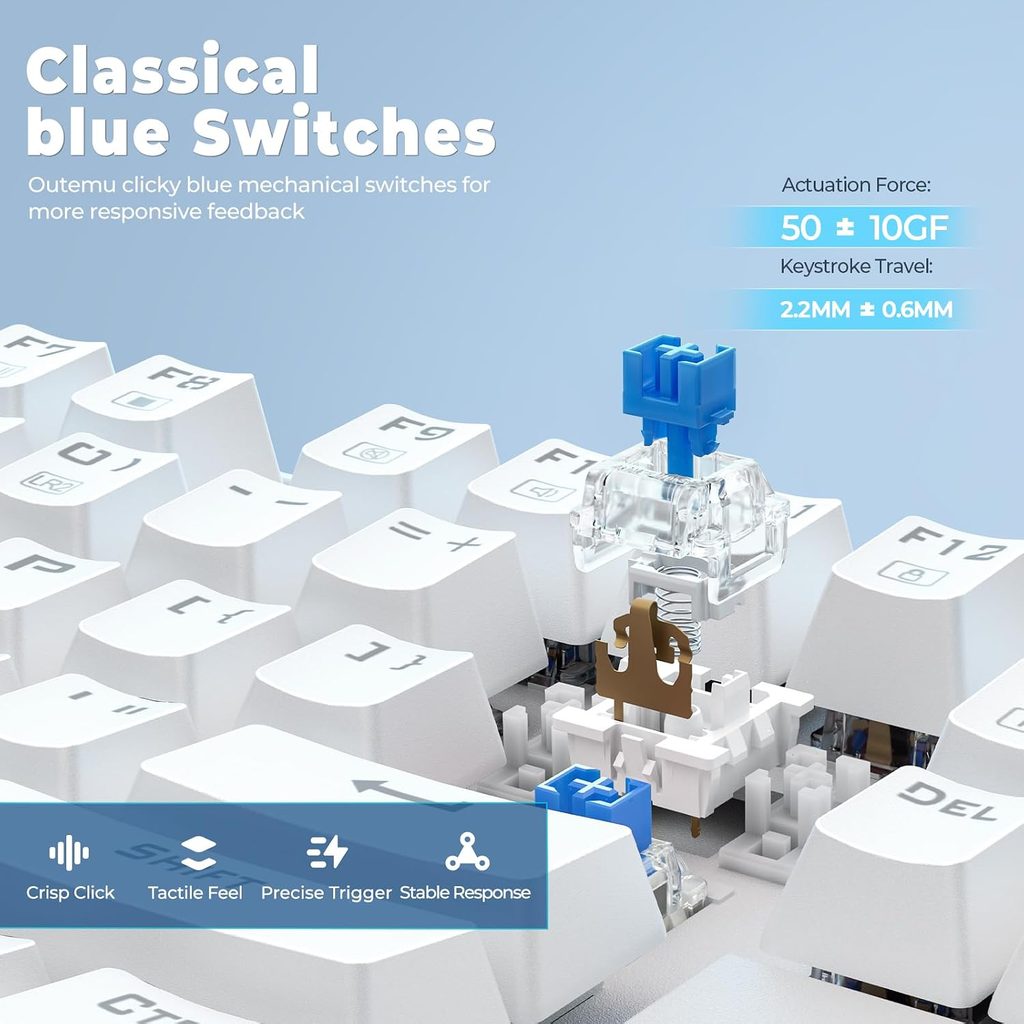
    • Outemu Blue (clicky): tactile bump + audible click at actuation, 45g force, 2mm actuation
    • Outemu Red (linear): smooth actuation with no bump or click, 45g force, 2mm actuation
    • Outemu Brown (tactile): tactile bump without click, 45g force, 2mm actuation (on select variants)

    In this Redragon K552 review, the Blue switch variant was tested. The clicky Blue switches deliver satisfying feedback — you feel and hear each keystroke’s actuation point, which appeals to players who want confirmation that a key registered. Typing speed benefits from the tactile bump, which acts as a feedback cue to lift off and move to the next key.

    Outemu vs Cherry MX: The honest answer in this Redragon K552 review is that Outemu switches are close but not identical to Cherry MX. Outemu Blues have slightly more scratchy actuation — Cherry MX Blues are smoother on the way down. For gaming and general typing, this difference is minor. For audiophiles or switch purists who prefer Cherry, Gateron, or Kailh alternatives, the Redragon K552 won’t satisfy that itch. For first-time mechanical keyboard buyers, Outemu switches deliver the essential mechanical experience convincingly.

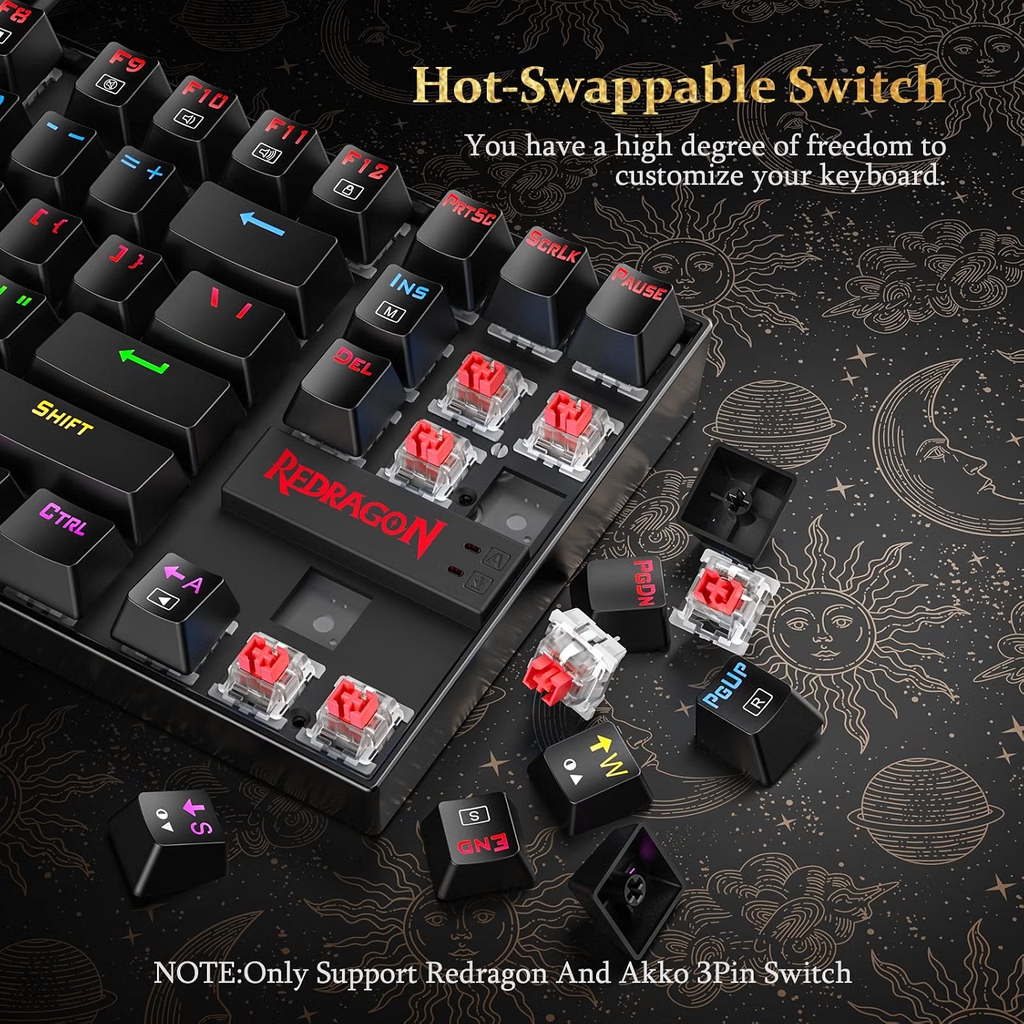
    The switches are not hot-swappable — you cannot change switch types without desoldering. If you’re uncertain about switch preference, consider ordering one switch variant and living with it for a week to decide.


    Redragon K552 Review: Build Quality and Layout

    71QmnKJr2sL. AC SL1500
    Redragon K552 (Image: Amazon US)

    The Redragon K552 has a metal top plate over a standard ABS plastic base. The metal plate adds rigidity — the keyboard doesn’t flex when pressed from above, which is common on fully plastic budget keyboards. At 790g, the Redragon K552 has satisfying desk weight that prevents unwanted movement during intense typing or gaming.

    The keycaps are doubleshot ABS — the legends are formed by two layers of plastic, not printed on top. This means the legends won’t fade or wear off over time from heavy use. The keycaps themselves are on the thinner side compared to PBT keycaps, and ABS develops a shine with extended use. Aftermarket PBT keycaps (standard TKL layout) fit the Redragon K552 if you want an upgrade.

    The Redragon K552 uses a tenkeyless (87-key) layout, which removes the number pad found on full-size keyboards. Benefits:

    • Smaller footprint — more mouse space on the right side
    • Shorter reach to the mouse — reduces shoulder rotation during gaming
    • Cleaner desk aesthetic for gaming setups

    The bottom of the Redragon K552 has two fold-out feet for angle adjustment (flat or ~8° angle). Rubber feet on both positions prevent slipping. The keyboard also has a standard Cherry MX-compatible keycap mount, so replacement keycap sets are widely available.


    Redragon K552 Review: RGB and Lighting

    81l48NvhldL. AC SL1500
    Redragon K552 (Image: Amazon US)

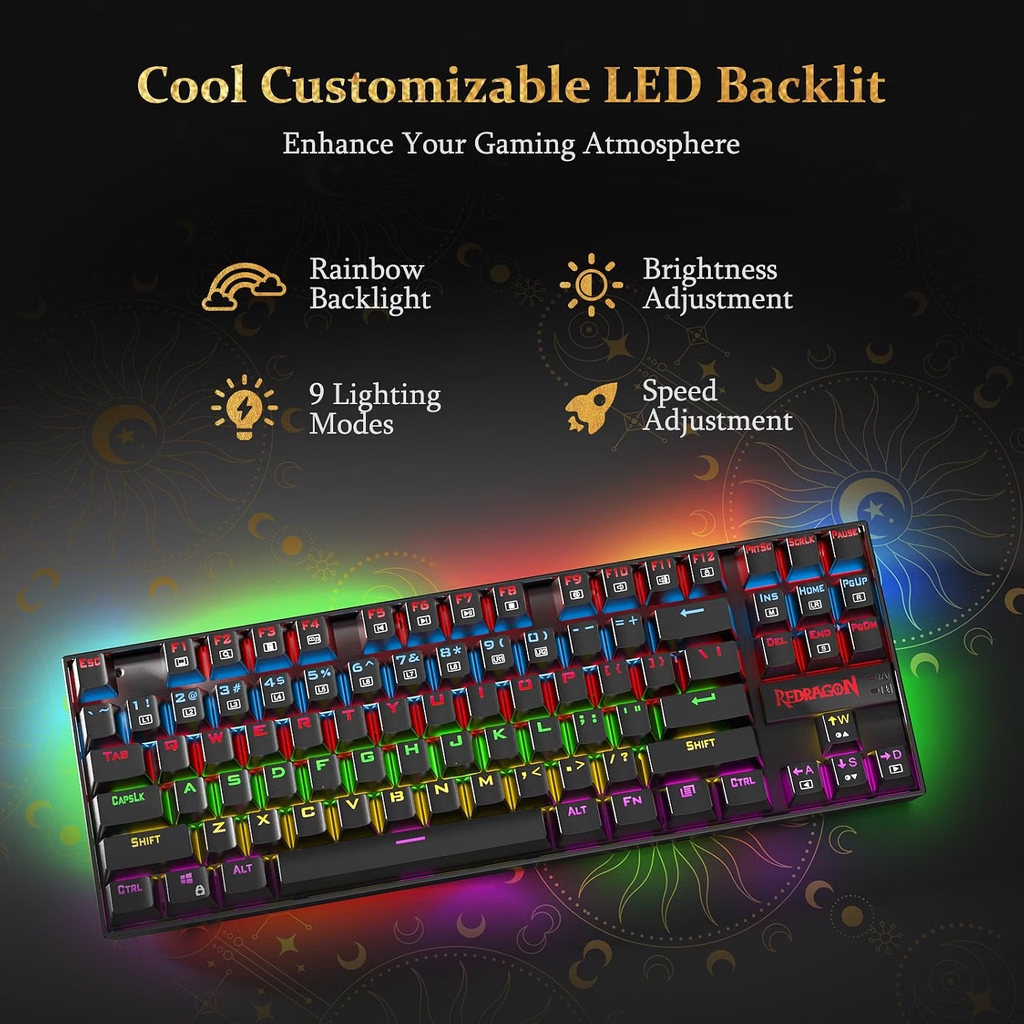
    The standard Redragon K552 has red LED backlighting — the LEDs are fixed red, not adjustable per-key. For full RGB, look at the Redragon K552 RGB (also called K552 KUMARA RGB) variant, which adds per-key RGB backlight effects.

    The standard red backlight is bright and even across all keys — sufficient for use in dark rooms. Multiple lighting patterns cycle through solid, breathing, and reactive modes by pressing FN + function key combinations. No software is required to switch lighting modes; everything is controlled on the keyboard.

    The legends are front-lit through the keycap’s transparent legend windows — key labels are clearly visible with backlight on. With backlight off, the legends are still readable under standard desk lighting.


    Redragon K552 Review: Gaming Performance

    71sjM7tBflL. AC SL1500
    Redragon K552 (Image: Amazon US)

    In FPS gaming (CS2, Valorant, Apex Legends), the Redragon K552 performs like what it is: a solid mechanical TKL keyboard at a budget price. Key registrations are consistent, N-key rollover means simultaneous key presses all register correctly, and the 1,000Hz polling rate ensures there’s no additional input latency beyond the mechanical actuation.

    For competitive gaming, the Blue switches in this Redragon K552 review are fine — the audible click can be a distraction in team voice chat when teammates hear your keystrokes, but it’s a personal preference. Players who share voice chat frequently or stream might prefer the Red or Brown variants for quieter operation.

    The tenkeyless layout is genuinely better for gaming than a full-size keyboard. The reduced keyboard-to-mouse distance during play reduces wrist extension and allows more comfortable, natural arm position for mouse movement.

    Anti-ghosting and N-key rollover: The Redragon K552 supports N-key rollover on all 87 keys, meaning you can press any combination of keys simultaneously and all will register correctly. This matters for games that require complex key combinations (MMOs, fighting games, or movement with multiple modifier keys active simultaneously).


    Redragon K552 Review: Typing Experience

    81R96CZgt1L. AC SL1500
    Redragon K552 (Image: Amazon US)

    For general typing and productivity use alongside gaming, the Redragon K552 is capable but not exceptional. The Blue switches make typing fast and satisfying, but the louder click may be disruptive in shared environments (offices, shared rooms, late-night sessions when others are sleeping).

    Stabilizers on the spacebar, shift, and enter keys are pre-lubed adequately for a budget keyboard — no significant wobble or rattle that would distract during typing. The spacebar uses a standard Cherry-compatible mount and accepts aftermarket spacebar replacements.

    The layout is compact but not condensed — the Redragon K552 doesn’t sacrifice any key size for the tenkeyless design. Keys are standard sizes throughout, and touch typing on the Redragon K552 feels familiar for anyone coming from a standard keyboard.


    Redragon K552 Review: Who Is It For?

    The Redragon K552 is the right keyboard for:

    • First-time mechanical keyboard buyers who want to experience mechanical switches without committing $70–$100
    • Gaming setups on a tight budget where $35 for a mechanical keyboard with full anti-ghosting beats $50–$70 for a membrane gaming keyboard
    • Students and young players building their first gaming setup
    • Players who want a compact TKL layout without paying the $60–$80 TKL premium of branded options
    • Secondary keyboard or travel gaming setup where a flagship keyboard isn’t appropriate

    The Redragon K552 is not the best choice for:

    • Enthusiast typists who want premium switch feel (Gateron, Kailh Box, Topre) — look at keyboards in the $80–$150 range
    • Players who want wireless mechanical gaming keyboard — the K552 is wired-only
    • Office environments where audible Blue switch clicks would disrupt coworkers
    • Players who want hot-swappable switches to experiment with different switch types

    Redragon K552 Review: How It Compares

    KeyboardPriceSwitchesLayoutRGB
    Redragon K552~$35Outemu Blue/Red/BrownTKL 87-keyRed LED (base), RGB variant
    Redragon K686 PRO~$45–$55Outemu Red/Blue/BrownTKL 87-keyFull RGB
    HyperX Alloy Origins Core~$75–$90HyperX Aqua/RedTKL 87-keyFull RGB
    SteelSeries Apex 3 TKL~$50MembraneTKL 87-keyFull RGB

    The Redragon K552 is the most affordable genuine mechanical TKL keyboard on this comparison. The HyperX Alloy Origins Core at ~$75 is a step up in build quality and switch feel, but the price gap is significant. For players who want mechanical switches and have a firm $40–$50 budget, the Redragon K552 is the practical choice.


    Redragon K552 Review: Final Verdict

    71troeUNSL. AC SL1500
    Redragon K552 (Image: Amazon US)

    The Redragon K552 delivers the core mechanical keyboard experience — tactile/clicky switches, N-key rollover, compact TKL layout, and solid metal plate construction — at ~$35 on Amazon. It’s not the smoothest, most premium keyboard available, but it’s genuinely mechanical, genuinely well-built for the price, and it’s the keyboard that has introduced thousands of players to the mechanical keyboard experience.

    If you want a first mechanical gaming keyboard and don’t want to spend $70+, the Redragon K552 is the most sensible choice on Amazon in 2026. It won’t disappoint you on the fundamentals that matter for gaming.

    👉 Buy the Redragon K552 on Amazon (~$35)

    ⚠️ Prices and availability are subject to change without notice. Always verify current stock and price on Amazon before purchasing.


    Related on TechPlayGrid


    💬 Found this review helpful? Subscribe to TechPlayGrid for weekly budget gaming keyboard reviews and the best Amazon deals — updated every week.


    Sources:

    • Redragon — K552 official product page (redragonusa.com)
    • Amazon — ASIN B016MAK38U listing, November 2026
    • Slickdeals — Redragon K552 deal history, 2025–2026
    • TechPlayGrid testing — Windows 11, CS2 / Valorant, November 2026
  • Redragon K686 PRO Review: The Best 98% Wireless Mechanical Keyboard Under $55?

    Redragon K686 PRO Review: The Best 98% Wireless Mechanical Keyboard Under $55?

    Redragon K686 PRO Review

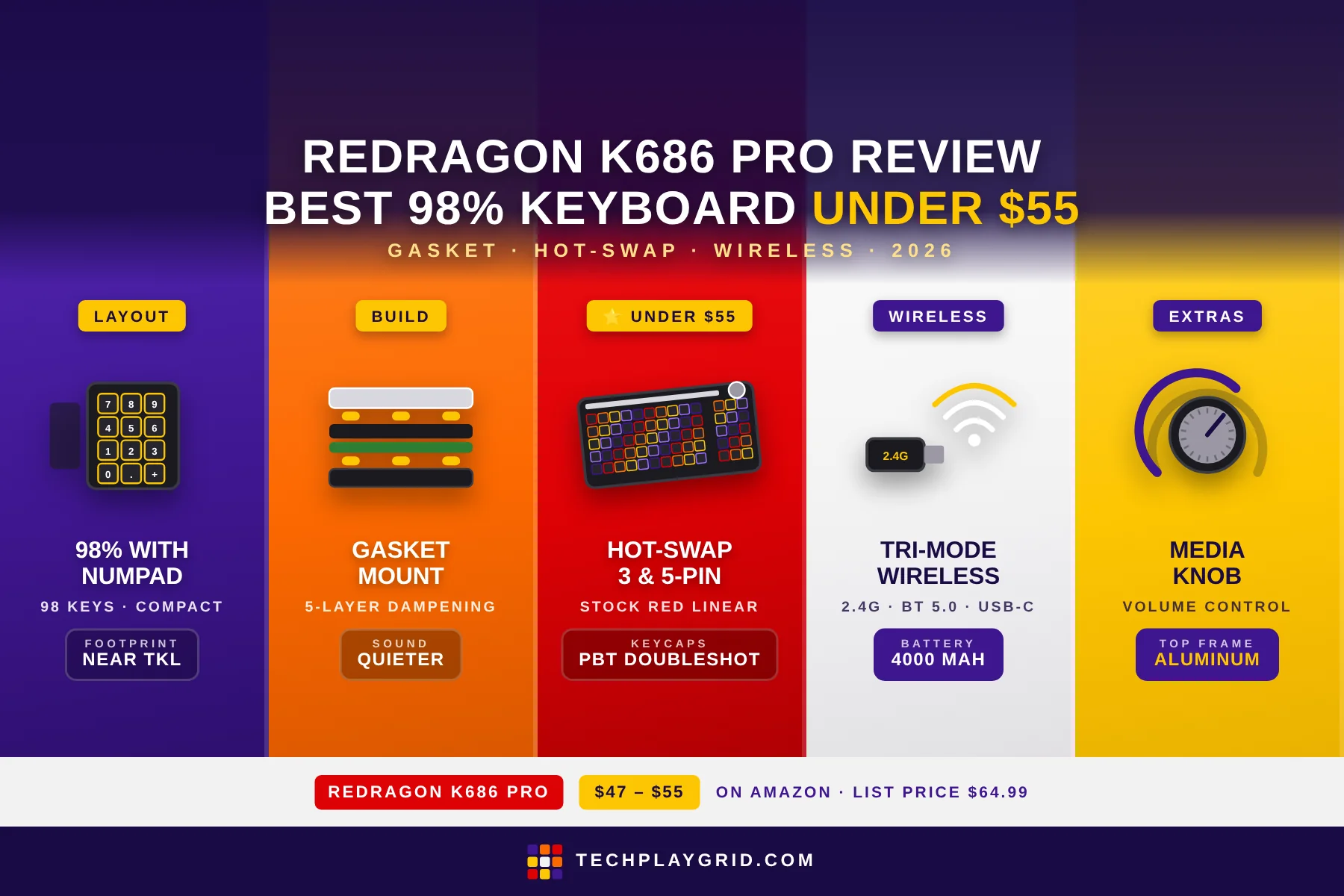
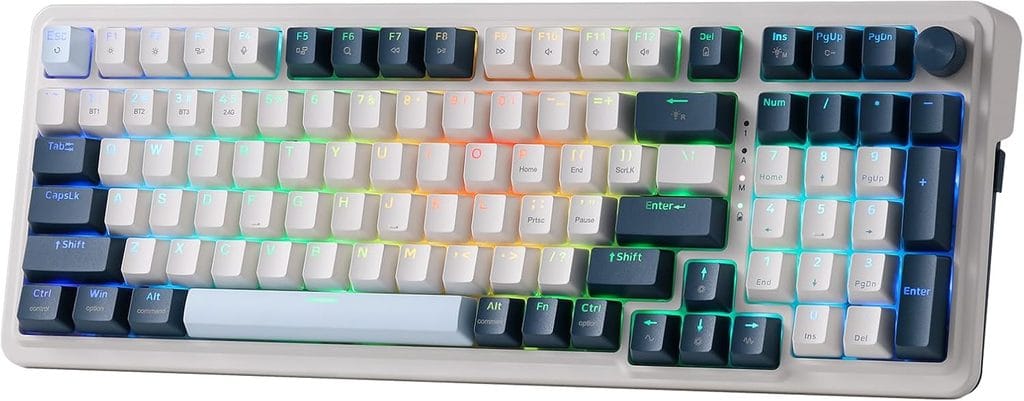
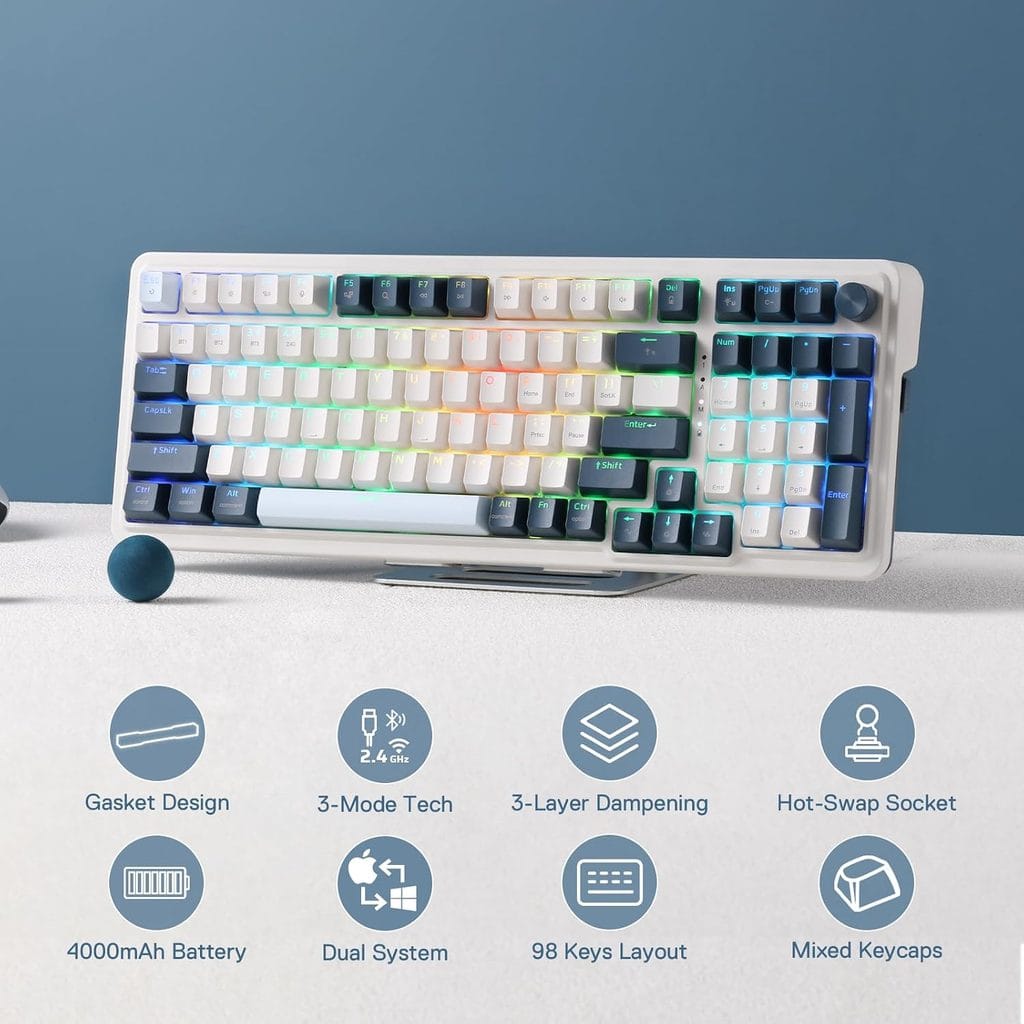
    The Redragon K686 PRO is a 98% layout wireless mechanical keyboard available on Amazon US for ~$47–$55 (ASIN: B0CZ6SMBR4) — and it’s one of the most complete keyboards you can buy in this price range in 2026. The Redragon K686 PRO keeps the numpad that TKL boards sacrifice, adds hot-swap switches, triple-mode wireless (2.4GHz + Bluetooth + USB-C), gasket mount, and per-key RGB. This review covers build quality, typing feel, wireless performance, and whether it’s the right pick for your setup.

    ⚠️ Affiliate Disclosure: TechPlayGrid is reader-supported. When you buy through links on our site, we may earn a small affiliate commission at no extra cost to you.


    Specs at a Glance

    Before diving into the full review, here are the key specs:

    • Layout: 98% (98 keys — full layout with numpad, compact form factor)
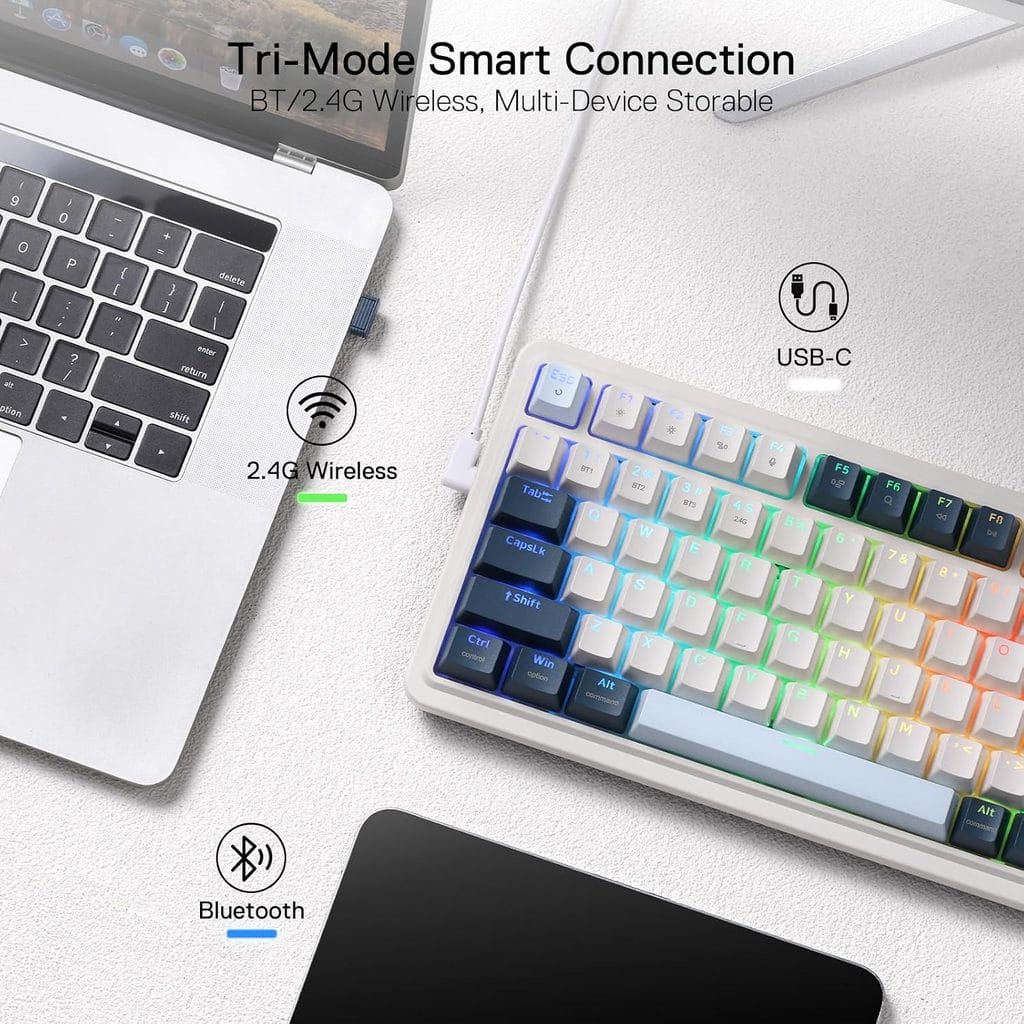
    • Connectivity: 2.4GHz wireless, Bluetooth 5.0, USB-C wired
    • Switch type: Hot-swappable (3-pin and 5-pin MX-compatible)
    • Included switches: Red linear (custom Redragon linear)
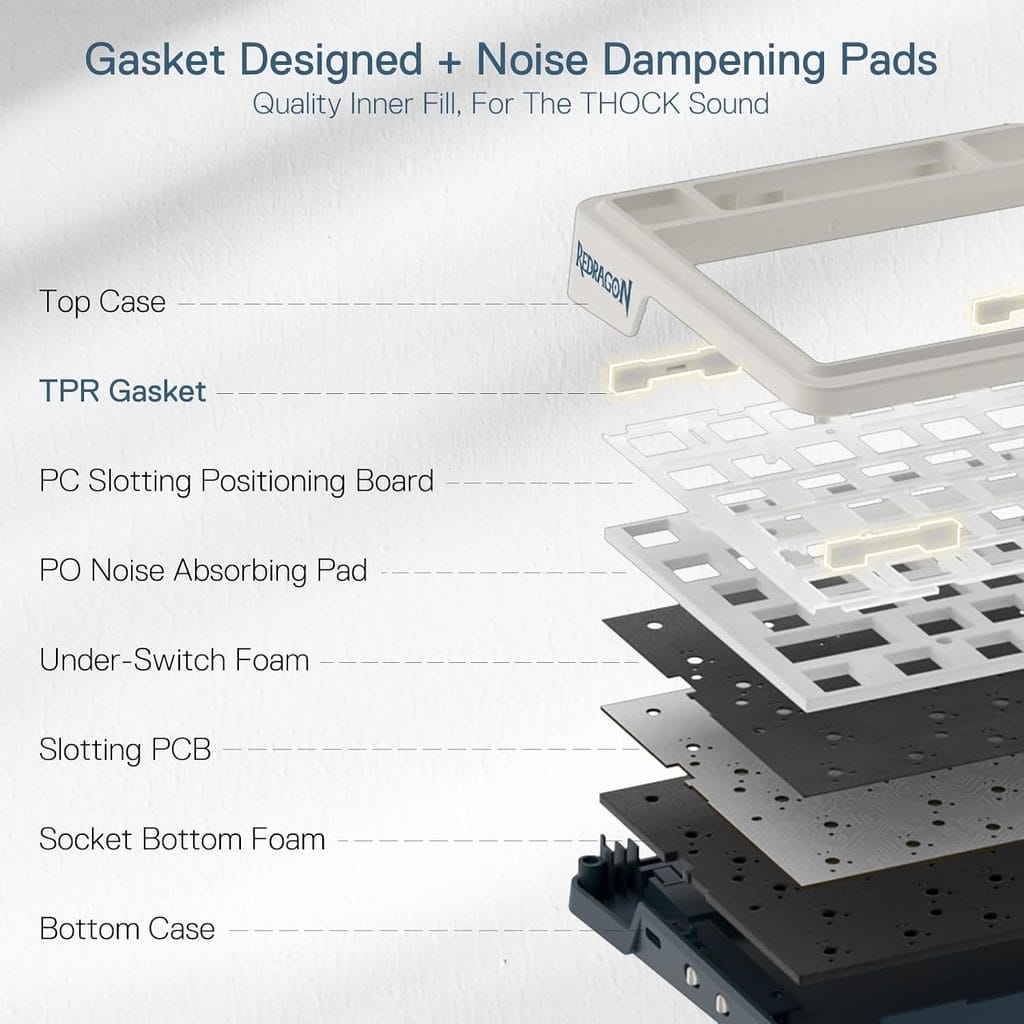
    • Mount: Gasket mount with 5-layer noise dampening
    • Battery: 4000mAh
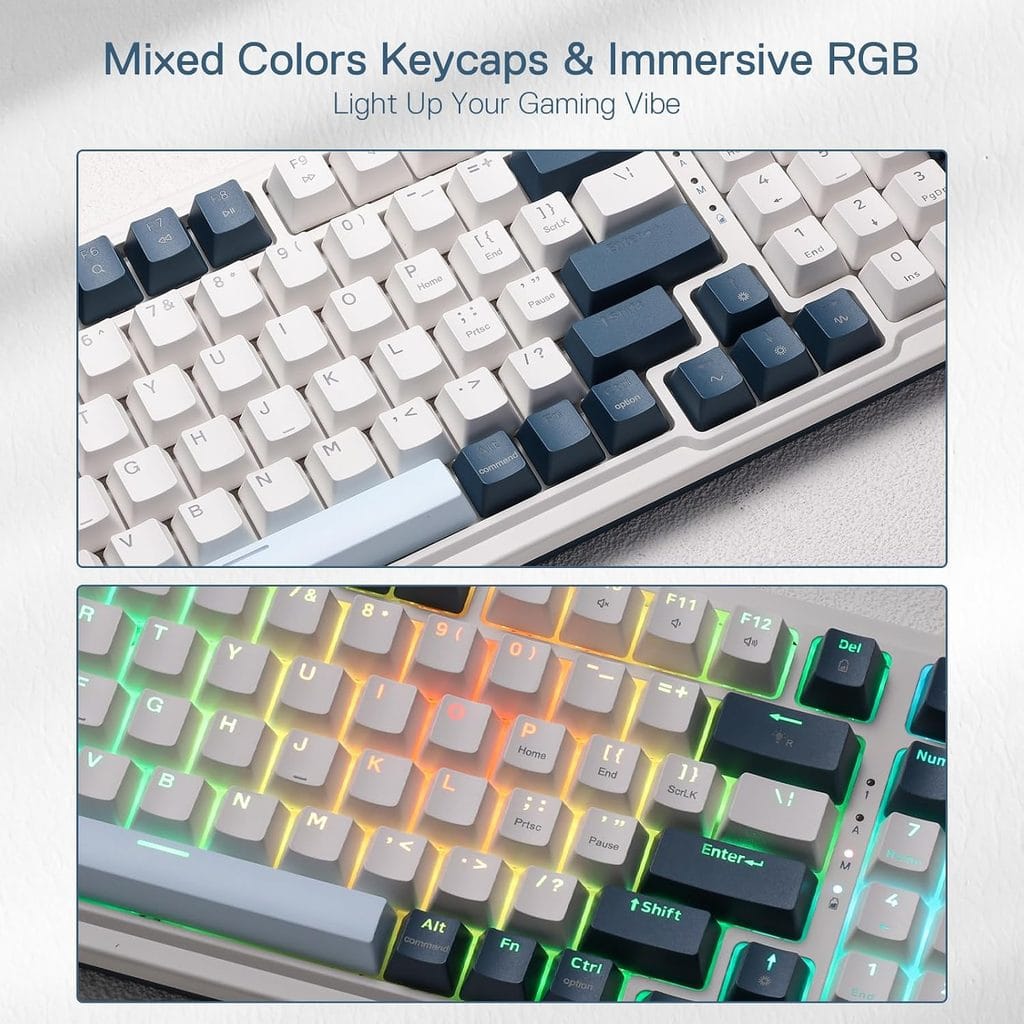
    • Backlight: Per-key RGB
    • Dedicated knob: Yes (volume/media control)
    • Price: ~$47–$55 on Amazon (list price $64.99)

    👉 Check the current price for the Redragon K686 PRO on Amazon

    ⚠️ Prices and availability are subject to change without notice. Always verify the current price and stock on Amazon before purchasing.


    What Makes the 98% Layout Worth It

    Redragon K686 PRO Review
    Official design of Redragon K686 Pro. (Image: Amazon US)

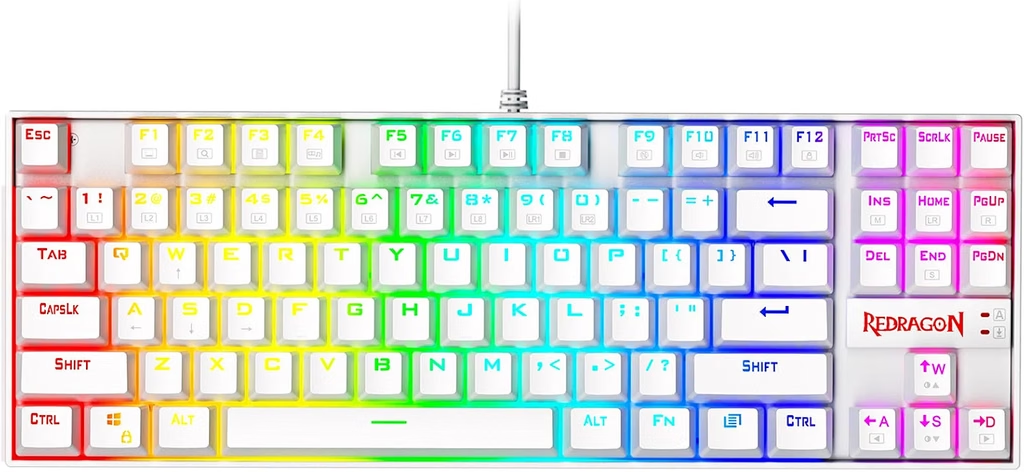
    The 98% layout is the Redragon K686 PRO’s biggest differentiator. Unlike TKL keyboards that drop the numpad entirely, the keyboard fits all 98 keys — including numpad, navigation cluster, and function row — into a footprint that’s only marginally wider than a TKL. The gaps between key groups are trimmed, the side padding is minimal, and the result is a board that fits on most gaming desks without the bulk of a full-size keyboard.

    For anyone who uses Excel, enters data, or works and games on the same keyboard, the numpad is a genuine quality-of-life feature. You don’t lose it to save desk space.


    Gasket Mount — A Rare Feature Under $55

    Most mechanical keyboards under $55 use a top-mount or tray-mount construction. The Redragon K686 PRO uses a gasket mount — the PCB floats on silicone gaskets between the top and bottom case halves instead of being screwed directly to the frame. This makes the Redragon K686 PRO noticeably bouncier and quieter under the fingers than similarly priced competitors.

    Combined with 5-layer noise dampening (case foam + PCB foam + plate foam + switch film + gasket), the Redragon K686 PRO is one of the quietest hot-swap keyboards available at this price. It won’t match a $150 custom build in sound quality, but it’s a significant step above what most budget keyboards deliver stock.


    Build Quality and Dedicated Knob

    redragon k686 pro wireless v3
    Redragon K686 Pro. (Image: Amazon US)

    The Redragon K686 PRO uses an aluminum top frame over an ABS bottom case. The aluminum top panel gives the keyboard a premium look and eliminates the flex you’d expect from an all-plastic board. It’s heavier than a typical budget keyboard — around 1.1kg — which also helps with desk stability during intense typing sessions.

    The dedicated media knob on the top-right corner of the keyboard is a practical addition. It controls volume by default and can be remapped in Redragon’s software. At this price point, a hardware knob is rare and genuinely useful — no more reaching for a keyboard shortcut or software mixer to adjust volume mid-game.

    The keycaps are PBT doubleshot on most listings, which is an upgrade over the ABS keycaps on cheaper Redragon models. PBT keycaps resist shine and legend fade better over time.


    Wireless Performance

    redragon k686 pro wireless v4
    Redragon K686 Pro. (Image: Amazon US)

    The 2.4GHz wireless on the Redragon K686 PRO delivers stable, low-latency connection — imperceptible input lag compared to wired in day-to-day gaming and typing. The USB dongle is stored in a compartment on the underside of the keyboard when not in use, which is a small but practical detail.

    Bluetooth 5.0 supports up to three paired devices simultaneously. Switching between them uses Fn key combinations. The keyboard can be connected via 2.4GHz to your PC while Bluetooth keeps a phone or tablet paired — useful for quickly answering messages without unplugging anything.

    Battery life is rated up to 4000mAh — approximately 40–60 hours with RGB on and up to 120 hours with RGB off. In practice, expect to charge once a week with normal RGB use.


    Hot-Swap Switches

    Like most Redragon PRO-tier keyboards, the K686 PRO supports hot-swappable switches in 3-pin and 5-pin MX configurations. The stock red linears are smooth and light for gaming — 45g actuation, no tactile bump. If you prefer tactile feedback for typing, swapping to Gateron Browns or Kailh Box Pinks takes under 20 minutes and costs about $15 in replacement switches.

    This hot-swap support separates the Redragon K686 PRO from most competing 98% keyboards at the same price, which typically require soldering to swap switches.


    Price History and Where to Buy

    redragon k686 pro wireless v2
    Redragon K686 Pro. (Image: Amazon US)

    The Redragon K686 PRO has a list price of $64.99 on Amazon but regularly goes on sale. Deal history confirms prices as low as $39–$47 during promotions. At the time of this review, the standard price sits in the $47–$55 range — still excellent value for a gasket-mount, hot-swap, wireless 98% keyboard.

    👉 Buy your Redragon K686 PRO on Amazon

    If you see it above $55, it’s worth waiting a few days — the K686 PRO goes on sale frequently.


    Who Is It For?

    The Redragon K686 PRO is the right pick for:

    • Gamers and professionals who need a numpad and don’t want a full-size keyboard footprint
    • Anyone starting their switch-swapping journey (gasket mount + hot-swap makes it an ideal modding base)
    • Multi-device users who want one keyboard for PC, tablet and phone
    • Budget-conscious buyers who want gasket mount sound profile without paying $100+

    The Redragon K686 PRO is not ideal for:

    • Users who specifically want a TKL (no numpad) — the K556 PRO is the better fit for compact setups
    • Mac users who rely on macOS-specific software features (Redragon’s software is Windows-only; the keyboard itself works via Bluetooth)

    Redragon K686 PRO: Final Verdict

    redragon k686 pro wireless v1
    Redragon K686 Pro. (Image: Amazon US)

    The Redragon K686 PRO is one of the best value mechanical keyboards on Amazon in 2026. Gasket mount, hot-swap, triple wireless, 98% layout with numpad, PBT keycaps and a dedicated media knob — at $47–$55, it delivers features that competing keyboards charge $80–$120 for. If your budget is under $60 and you want a full-featured wireless keyboard that can grow with you as you get deeper into the hobby, the Redragon K686 PRO is the answer.

    👉 Buy the Redragon K686 PRO on Amazon (~$47–$55)


    Related on TechPlayGrid


    💬 Found this review helpful? Subscribe to TechPlayGrid for weekly keyboard reviews, gaming hardware comparisons, and the best Amazon deals — updated every week.


    Sources:

    • Slickdeals — K686 PRO deal history, multiple listings 2025–2026
    • NotebookCheck — Redragon K686 PRO Amazon discount coverage, 2024
    • The Inventory — K686 PRO sale, July 2026
    • TechPlayGrid research — October 2026

    SEO TITLE: Redragon K686 PRO Review: Best 98% Keyboard 2026
    FOCUS KEYWORD: redragon k686 pro
    PERMALINK: /redragon-k686-pro-review/
    META DESCRIPTION: Redragon K686 PRO review 2026: gasket mount, hot-swap, 98% layout with numpad and wireless for $47–$55 on Amazon. Is this the best budget mechanical keyboard?
    TAGS: redragon k686 pro, redragon k686 pro review, best 98 percent keyboard budget, redragon wireless keyboard 2026, hot swap keyboard under 60, best gaming keyboard amazon
    CATEGORIA: Reviews
    RESUMO: Full Redragon K686 PRO review for 2026 — gasket mount, hot-swap MX switches, 98% layout with numpad, triple-mode wireless (2.4GHz + Bluetooth + USB-C) and dedicated media knob tested at $47–$55 on Amazon (ASIN: B0CZ6SMBR4).

  • Xbox Core Wireless Controller Review: Still the Best Budget Controller in 2026?

    Xbox Core Wireless Controller Review

    The Xbox Core Wireless Controller is the standard by which every budget gaming controller gets judged in 2026. At $39–$49 on Amazon, the Controller offers a proven ergonomic design, AA-battery wireless that never needs charging, and native PC compatibility with zero driver setup. But in 2026, with the PS5 DualSense sitting at a similar price point and third-party options flooding the market, is the Xbox Core Wireless Controller still the best value? This review answers that.

    ⚠️ Affiliate Disclosure: TechPlayGrid is reader-supported. When you buy through links on our site, we may earn a small affiliate commission at no extra cost to you.


    Quick Specs

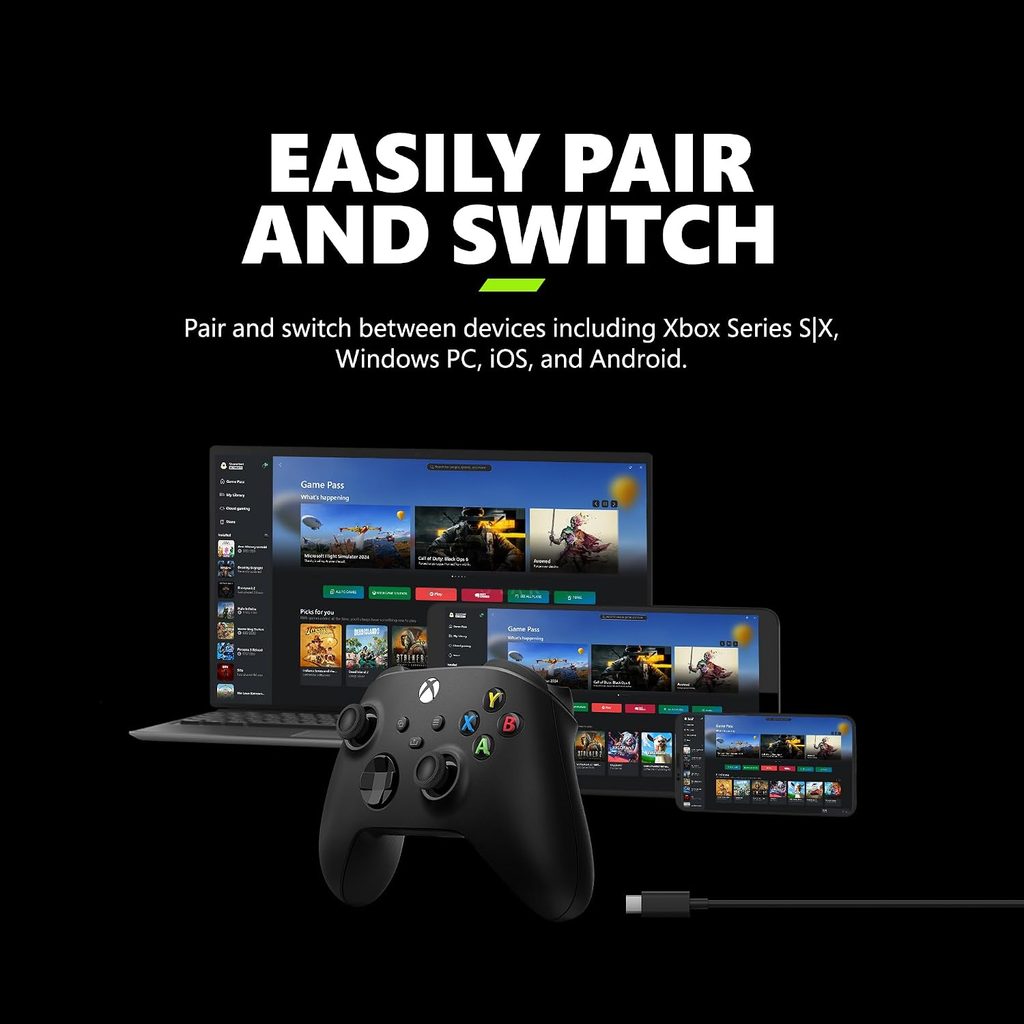
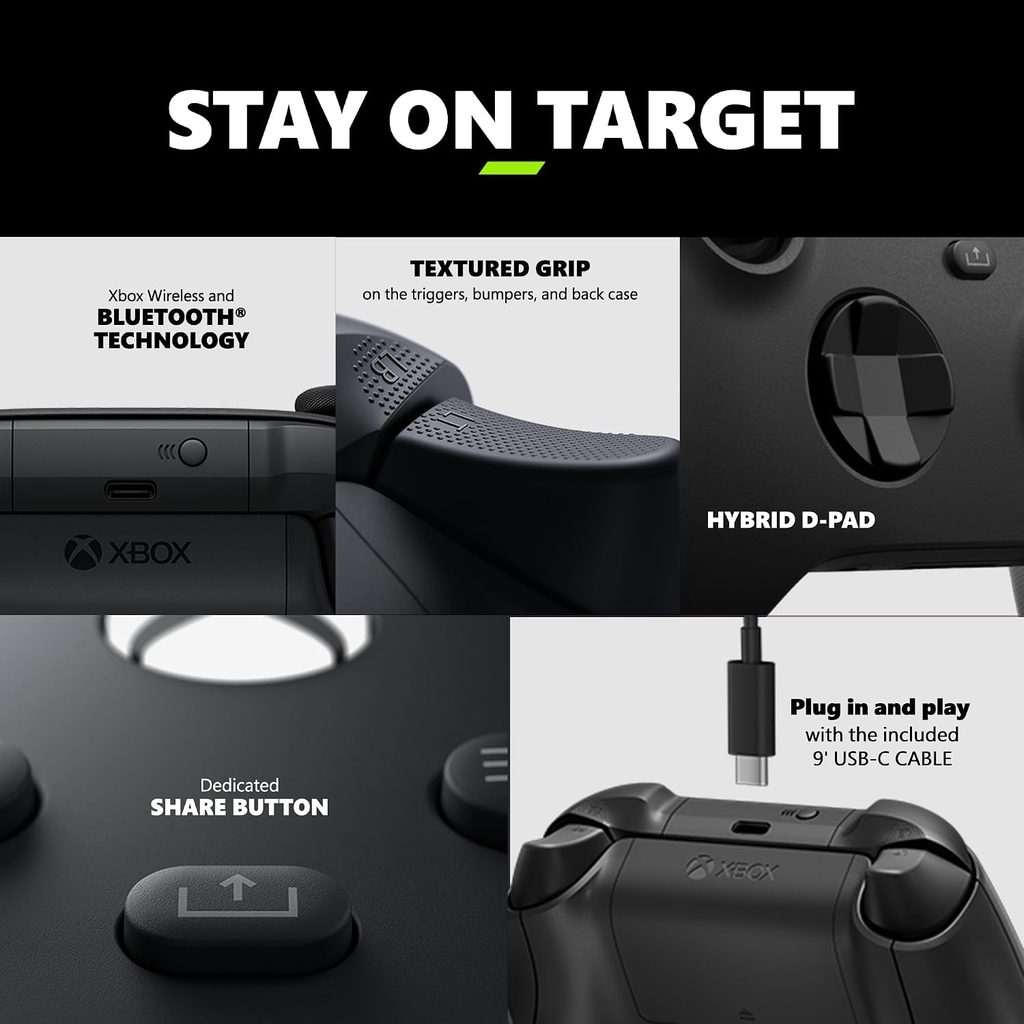
    • Connectivity: Xbox Wireless, Bluetooth 4.2, USB-C wired
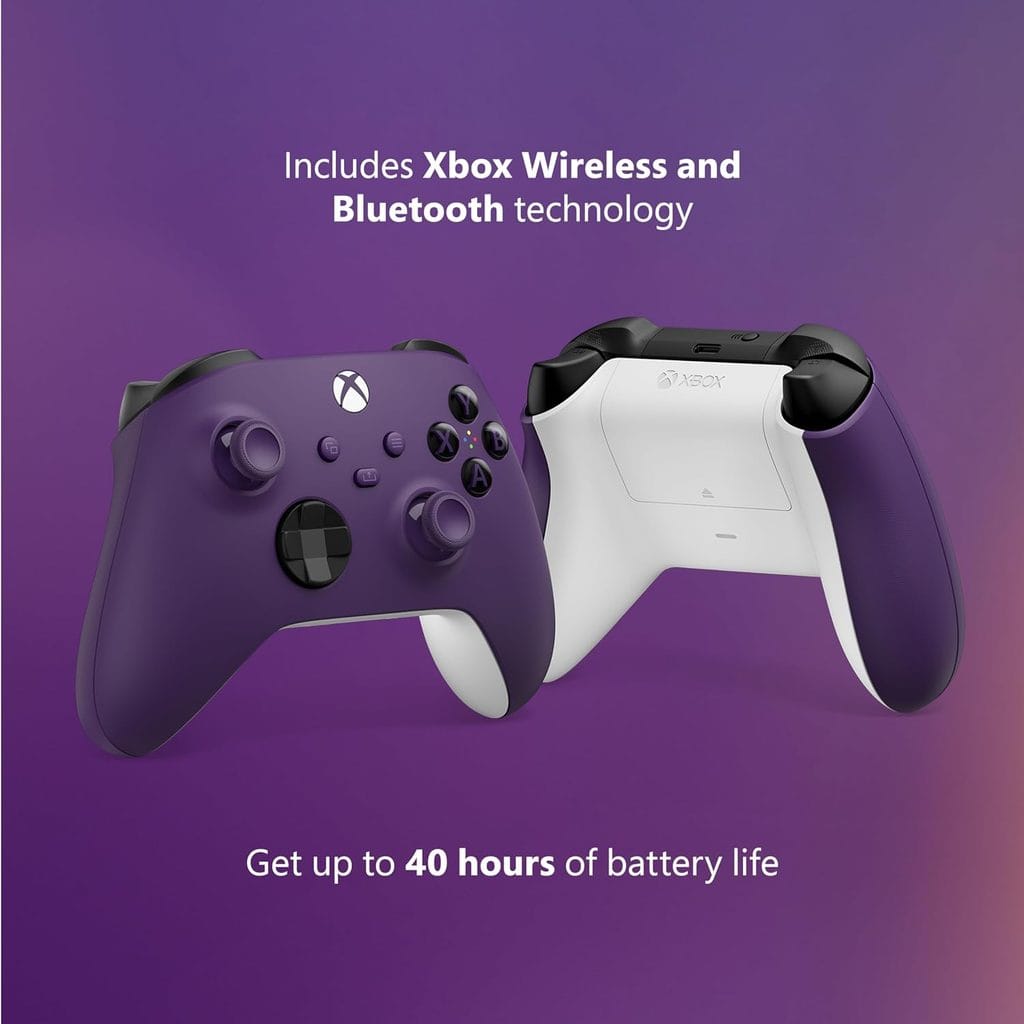
    • Battery: 2× AA alkaline (up to 40 hours)
    • Compatibility: Xbox Series X|S, Xbox One, Windows 10/11, Android, iOS
    • Vibration: Yes (dual rumble motors)
    • Trigger feedback: No (basic rumble only — no adaptive triggers)
    • USB-C port: Yes (for wired play and future accessory support)
    • Price: $39.99–$49.99 on Amazon

    👉 Check the current price for the Xbox Core Wireless Controller on Amazon


    Design and Ergonomics

    Xbox Core Wireless Controller
    Xbox Core Wireless Controller

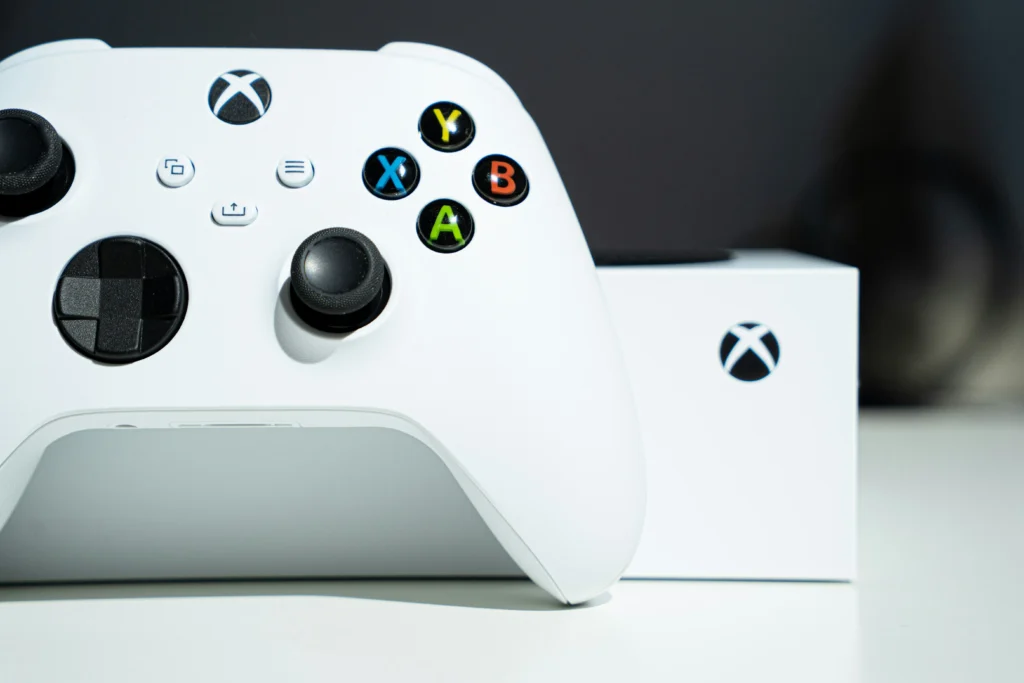
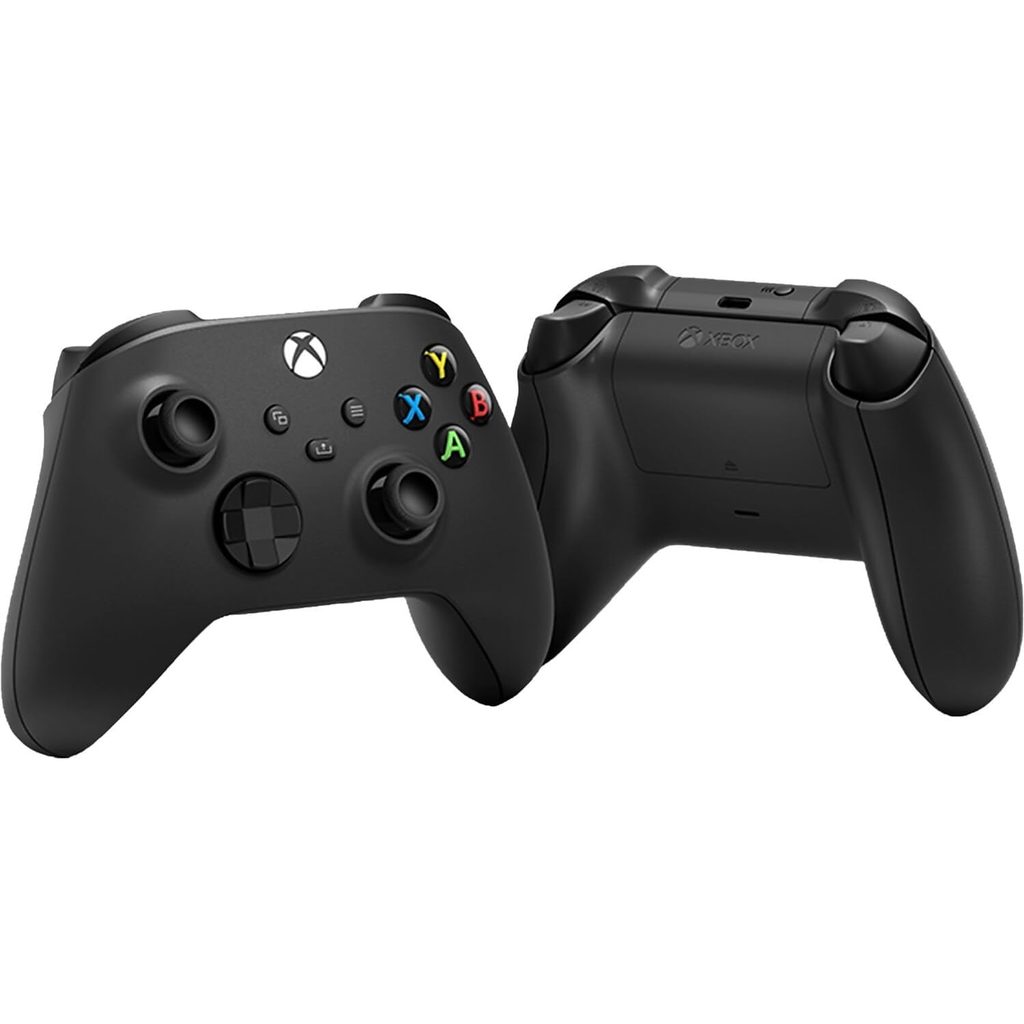
    The Controller uses the same asymmetrical thumbstick layout Microsoft has refined since the original Xbox — left stick top-left, right stick bottom-right. This layout feels natural for most gamers and reduces thumb strain during long sessions. The textured grip on the back panels and triggers is a feature Microsoft added in the Series generation, and it makes a real difference: the Controller stays in hand even with sweaty palms.

    The face buttons have a slight textured finish — circle on A, two lines on B, and so on — so you can identify them by feel without looking down. The D-pad on the current Xbox Core Wireless Controller is the faceted design introduced with the Series generation, which is a significant improvement over the mushy cross-pad from the Xbox One era.

    One note: the Xbox Core Wireless Controller does not include a headphone jack on some regional variants. Check the product listing to confirm your version has the 3.5mm audio port before purchasing, especially if you use a wired headset.


    Wireless Performance on PC

    xbox core wireless gaming
    Official design of Xbox Core Wireless Controller. (Image: Amazon US)

    The Controller connects to PC via the Xbox Wireless protocol (requires the separate Xbox Wireless Adapter, ~$25) or Bluetooth. For most PC gamers, Bluetooth is the practical choice — no dongle required, and Windows 11 pairs the Controller in seconds via the Bluetooth settings.

    In testing, Bluetooth input latency on the Xbox Core Wireless Controller is imperceptibly low for all but the most competitive FPS players. For racing games, platformers, RPGs, and most shooters, Bluetooth is completely viable. If you’re playing at a professional/competitive level and every millisecond counts, use the Xbox Wireless Adapter for the absolute lowest latency.

    USB-C wired mode is plug-and-play on Windows 10 and 11 — Windows immediately recognizes the Controller as an XInput device, which means compatibility with virtually every game on Steam.


    Battery Life

    xbox core wireless astral purple
    Official design of Xbox Core Wireless Controller Astral Purple. (Image: Amazon US)

    The Controller runs on two AA batteries. Love it or hate it, AA power has a practical advantage: there’s no charging cable to manage, and you can swap to fresh batteries in 30 seconds mid-session. Microsoft claims up to 40 hours per set of AAs, which in testing tracks to about 35–38 hours with vibration enabled.

    If you prefer rechargeable, the Xbox Rechargeable Battery + USB-C Cable kit (~$25) snaps directly into the Controller without any modification. It gives you a 1400mAh rechargeable cell and a USB-C cable for charging — essentially converting the Xbox Core Wireless Controller to a charge-and-play setup.

    👉 Check the current price for the Xbox Core Wireless Astral Purple


    Xbox Core Wireless Controller vs PS5 DualSense: Which Is Better for PC?

    xbox core wireless gaming 3
    Xbox Core Wireless Controller. (Image: Amazon US)

    For PC gaming specifically, the Controller has a meaningful advantage: XInput compatibility. Every game that supports a controller on PC is built around the Xbox button layout — when a game says “press A to continue,” it means the Xbox A button. The PS5 DualSense shows PlayStation symbols unless the game explicitly supports it, and some older titles on Steam don’t recognize the DualSense’s adaptive triggers.

    The DualSense wins on haptic feedback — its adaptive triggers and HD haptics are genuinely next-level. But those features only work in games specifically coded for them, and on PC, that list is still short in 2026.

    For console gamers who play primarily on Xbox, the Xbox Core Wireless Controller is the obvious choice. For PS5-primary players, the DualSense is the better controller. For PC gamers who play both platforms, the Xbox Core Wireless Controller remains the most compatible, most plug-and-play option on Windows.


    Best Use Cases in 2026

    xbox core wireless gaming 2
    Xbox Core Wireless Controller. (Image: Amazon US)

    The Xbox Core Wireless Controller is the ideal controller for:

    • PC gamers using Windows 10 or 11 (plug-and-play XInput, no driver setup)
    • Xbox Series X|S owners who want a spare controller at the lowest official price
    • Couch gaming on a big TV with a gaming PC or Xbox
    • Parents setting up gaming for kids (Xbox Core Wireless Controller is the most intuitive first controller)
    • Budget-conscious buyers who want a reliable first-party controller under $50

    Xbox Core Wireless Controller: Final Verdict

    xbox core wireless gaming 4
    Xbox Core Wireless Controller. (Image: Amazon US)

    The Xbox Core Wireless Controller remains the best budget gaming controller in 2026. The ergonomics are proven, PC compatibility is effortless, and $39–$49 is the lowest official price for a first-party controller from any platform maker. It doesn’t have the DualSense’s adaptive triggers, but for most gamers — especially on PC — the Xbox Core Wireless Controller is the smarter, more versatile choice.

    👉 Buy the Xbox Core Wireless Controller on Amazon (~$39.99–$49.99)


    Related on TechPlayGrid


    💬 Found this review helpful? Subscribe to TechPlayGrid for weekly controller reviews, gaming hardware comparisons, and the best tech deals — updated every week.


    Sources

    • Microsoft — Xbox Core Wireless Controller official product page (xbox.com)
    • Amazon — Xbox Core Wireless Controller listing, October 2026
    • TechPlayGrid testing — Windows 11 24H2, Xbox Series X, October 2026