Categoria: Games

  • Best Valorant Settings for Low-End PC — New FPS Boost Guide

    Best Valorant Settings for Low-End PC — New FPS Boost Guide


    Valorant was built to run on almost anything. Riot’s stated goal was 30 FPS on a machine from 2014 using integrated graphics — and they hit it. But “running” and “competitive” are two completely different things.

    If you’re dropping below 60 FPS on a laptop or older desktop, you’re losing spray control, increasing input lag, and giving up reaction advantage to every opponent on a modern rig. The good news: you don’t need expensive upgrades. These proven tweaks helped players jump from a painful 40 FPS to a buttery-smooth 120 FPS in Valorant in 2026. No gimmicks. Just smart settings that actually work.

    This guide creates a cluster with our Discord lag fix for Valorant — if you followed that guide already, start here for the graphics side of optimization.

    ⚠️ Affiliate Disclosure: TechPlayGrid is reader-supported. When you buy through links on our site, we may earn an affiliate commission at no extra cost to you.


    🔍 What “Low-End PC” Means for This Guide

    This guide is written for:

    Hardware ProfileDescription
    Integrated graphicsIntel HD/UHD, AMD Vega (no dedicated GPU)
    Entry GPUGTX 1050, GTX 1050 Ti, GTX 1060, RX 570, RX 580
    Mid-range aging GPUGTX 1660, RTX 2060 (struggling to hit 144 FPS)
    Low RAM8GB or less
    HDD storageTraditional hard drive (not SSD)

    If you have an RTX 3060 or RX 6600 and newer, follow our Fortnite FPS optimization guide — different game, same Windows tweaks apply.


    🎮 Step 1 — In-Game Video Settings (Biggest Impact, Free)

    Open Valorant → Settings → Video → General

    Resolution — The Single Largest FPS Gain

    Resolution is the priority: reducing pixel count first gives the single biggest gain on integrated graphics. 1280×720 alone takes most integrated setups from under 30 FPS to 45–60 FPS.

    Your SituationRecommended Resolution
    Dedicated GPU, struggling to hit 60 FPS1280 × 720 (16:9)
    Integrated graphics1280 × 720 or 1024 × 768 (4:3)
    Already hitting 60+ FPS, want moreStay at 1920 × 1080, optimize other settings

    Display Mode: Always Fullscreen Windowed and Borderless Window modes use more CPU for compositing. Fullscreen gives Valorant direct GPU access.

    Limit FPS — Set Per-State Caps:

    StateRecommended CapWhy
    In menus60 FPSSaves GPU heat for matches
    Background30 FPSFrees resources when tabbed out
    In matchUncapped or match your HzLet the GPU do its job
    AlwaysLeave uncappedConsistent pressure = consistent frames

    Full Graphics Settings Table

    Go to Settings → Video → Graphics Quality and apply these:

    SettingRecommended ValueFPS Impact
    Multithreaded RenderingON (if 4+ CPU cores)⭐⭐⭐⭐⭐ — Critical
    Material QualityLow⭐⭐⭐
    Texture QualityLow⭐⭐
    Detail QualityLow⭐⭐
    UI QualityLow
    VignetteOff
    V-SyncOFF⭐⭐⭐⭐ — Always off
    Anti-AliasingNone⭐⭐⭐
    Anisotropic Filtering1x⭐⭐
    Improve ClarityOff
    BloomOff⭐⭐
    DistortionOff⭐⭐
    Cast ShadowsOff⭐⭐⭐⭐

    💡 Pro Tip: Turning off Cast Shadows is a massive win. Shadows are among the most GPU-intensive effects in Valorant, and disabling them can boost your FPS by 15–25 frames depending on your system. And turning off Bloom and Distortion? These are purely cosmetic effects. They don’t help you spot enemies, they don’t improve gameplay, and they consume GPU resources. Turn them off without hesitation.


    🖥️ Step 2 — NVIDIA and AMD Specific Settings (Free)

    For NVIDIA GPU Users

    Open NVIDIA Control Panel → Manage 3D Settings → Program Settings → Add Valorant

    SettingValue
    Power Management ModePrefer Maximum Performance
    Low Latency ModeUltra
    Texture Filtering – QualityHigh Performance
    Threaded OptimizationOn
    Vertical SyncOff
    NVIDIA Reflex (in-game)On + Boost

    💡 Pro Tip: If you have an Nvidia card (GTX 900 series or newer), set NVIDIA Reflex to On + Boost. It keeps your GPU clock speeds high even when the game isn’t demanding much load, which significantly lowers input latency.

    For AMD GPU Users

    Open AMD Adrenalin → Gaming → Valorant (or Global Settings)

    SettingValue
    Radeon Anti-LagEnabled
    Radeon Image SharpeningOff (performance mode)
    Wait for Vertical RefreshOff
    Texture Filtering QualityPerformance

    ⚙️ Step 3 — Windows Tweaks (Free, 10 Minutes)

    Set Power Plan to High Performance

    1. Press Windows + R → type powercfg.cpl → Enter
    2. Select High Performance (or Ultimate Performance if available)
    3. If not visible, click “Show additional plans”

    ⚠️ Note: If you’re on a laptop, use High Performance only when plugged in. On battery, it drains charge very fast.

    Disable Windows Game Mode (Counterintuitive But Effective)

    As covered in our Fortnite FPS guide, Windows Game Mode can actually cause stutters by aggressively reallocating resources mid-game.

    1. Settings → Gaming → Game Mode → Off
    2. Also go to Gaming → Xbox Game Bar → Off

    Set Valorant to High Priority

    1. Launch Valorant and get into a match
    2. Press Ctrl + Shift + Esc → Task Manager → Details tab
    3. Right-click VALORANT-Win64-Shipping.exe → Set Priority → High

    Enable Hardware-Accelerated GPU Scheduling (Windows 11)

    1. Settings → System → Display → Graphics
    2. Change default graphics settings
    3. Toggle Hardware-accelerated GPU scheduling → On
    4. Restart PC

    🔧 Step 4 — Update Your GPU Drivers

    Outdated drivers are silent FPS killers. Both NVIDIA and AMD release regular driver updates that include game-specific optimizations for titles like Valorant. NVIDIA users: Download the latest Game Ready drivers from NVIDIA’s official driver page. Use the “Clean Installation” option to remove old driver remnants.

    For AMD: Download the latest Adrenalin Edition from amd.com/en/support.


    📊 Combined Settings Quick Reference

    CategoryKey ActionFPS Gain
    ResolutionDrop to 1280×720+30–60% on integrated/entry GPU
    Multithreaded RenderingON+15–25% on multi-core CPUs
    V-SyncOFFEliminates input lag cap
    Cast ShadowsOFF+15–25 FPS
    NVIDIA ReflexOn + BoostReduces input latency
    Power PlanHigh Performance+5–15% consistency
    GPU driversUpdate + clean install+5–20% depending on update
    Windows Game ModeOFFEliminates stutters

    💻 Still Under 60 FPS? These Upgrades Actually Help

    jogo valorant china sagefire
    For illustrative purposes only.  Valorant

    If you’ve applied every setting above and still can’t reach playable competitive FPS, your hardware is the ceiling.

    Upgrade 1 — Add More RAM (Most Impactful Under $50)

    FPS and Ping are different. FPS is your computer’s speed. If you have high ping, use an Ethernet cable instead of Wi-Fi and close bandwidth-heavy apps. If you’re below 8GB RAM, upgrading is the single most impactful hardware change under $50.

    👉 Corsair Vengeance 16GB DDR4 3200MHz — Amazon US 👉 Crucial 16GB DDR4 3200MHz — Amazon US

    Upgrade 2 — SSD Instead of HDD

    Valorant on an HDD has noticeably longer load times and map streaming hitches. A budget SATA SSD eliminates this entirely.

    👉 WD Green 480GB SATA SSD — Amazon US 👉 Kingston A400 480GB SSD — Amazon US

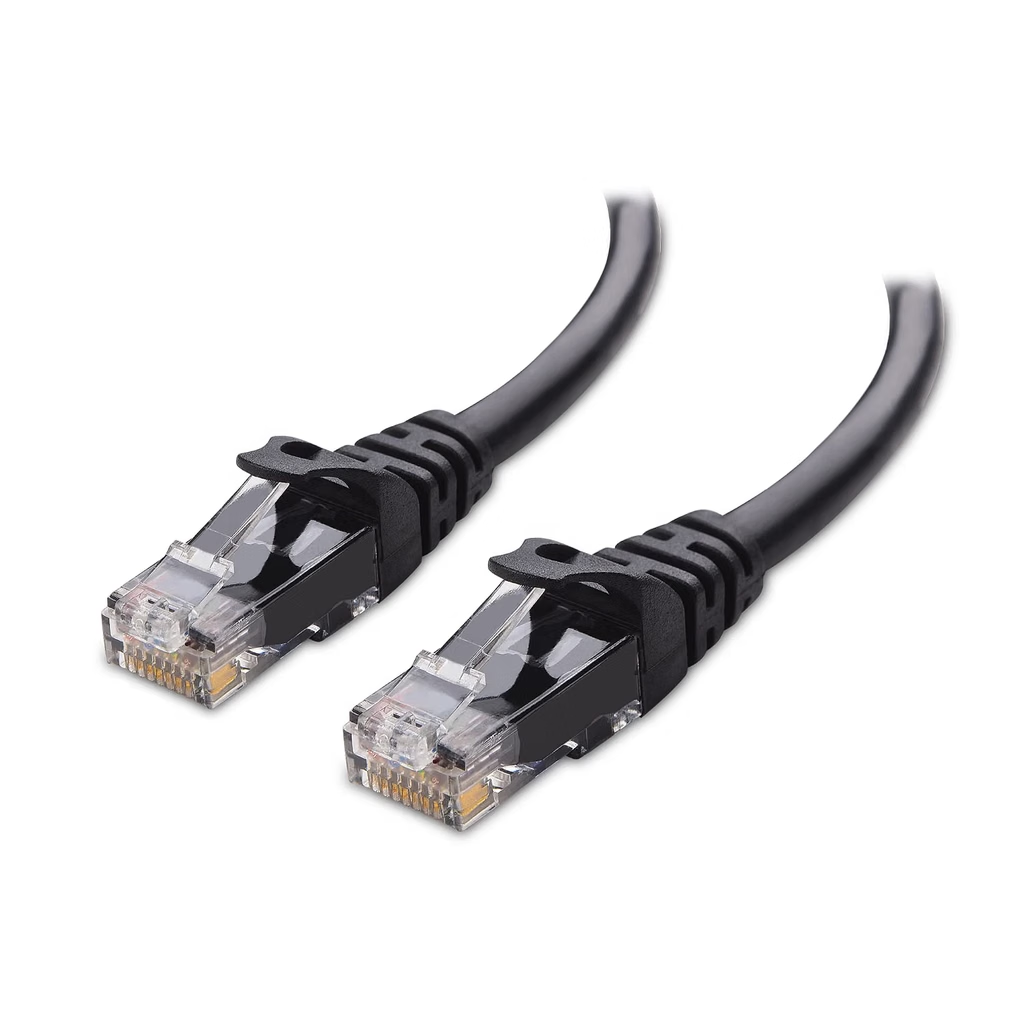
    Upgrade 3 — Ethernet Cable Instead of Wi-Fi

    Wi-Fi latency spikes are the #1 cause of high ping in Valorant. A direct Ethernet connection eliminates this.

    👉 Cat 8 Ethernet Cable 25ft — Amazon US

    Upgrade 4 — 144Hz Monitor

    If you’re pushing 100+ FPS but gaming on a 60Hz display, you’re not seeing any of those extra frames.

    👉 Best 144Hz Monitor Under $300 — TechPlayGrid


    🔗 Related on TechPlayGrid


    ❓ FAQ

    What is the minimum spec to play Valorant competitively in 2026? Valorant was built from the ground up to run on hardware your parents might have thrown out. Riot’s stated design goal was 30 FPS on a machine from 2014 using integrated graphics. For competitive play, however, you need a stable 60+ FPS — ideally 144+. An Intel Core i5 with 16GB RAM and a GTX 1060 or equivalent can hit 144 FPS with the settings in this guide.

    Does Multithreaded Rendering really make that much difference? Yes — especially on older quad-core CPUs. Multithreaded Rendering: Turn this ON if you have 4+ cores. It’s crucial. It distributes rendering work across all cores instead of hammering a single one.

    Will lowering resolution make enemies harder to see? At 720p on a small monitor (24″ or less), enemies are still clearly visible — Valorant’s character design uses high-contrast colors specifically to remain legible at low resolutions. The trade-off in frame rate is almost always worth it for competitive play.

    Is it worth playing Valorant on integrated graphics? Yes, with the settings in this guide. 1280×720 alone takes most integrated setups from under 30 FPS to 45–60 FPS. On Intel UHD 630 or AMD Vega 8, you can realistically hit 60 FPS and play competitively with tweaks.

    Does turning off V-Sync cause screen tearing? Yes, it can cause visible horizontal tearing. If this bothers you, use an FPS cap via the in-game limiter instead (set to your monitor’s refresh rate minus 3 FPS). V-Sync causes massive input lag and caps your frames below your monitor’s potential. The trade-off is almost never worth it in a competitive shooter.


    Last updated: July 2026 | Verified for Valorant Episode 10 / 2026 Act

    ⚠️ Affiliate Disclosure: TechPlayGrid participates in the Amazon Associates Program and other affiliate programs. We earn a commission on qualifying purchases at no extra cost to you.


    🏷️ SEO Metadata

    Title: Best Valorant Settings for Low-End PC — New FPS Boost Guide

    Meta Description : Struggling under 60 FPS in Valorant? These new in-game settings, Windows tweaks, and GPU configs can double your frames on any low-end PC. Free guide for 2026.

    Tags: best valorant settings low end pc 2026, valorant fps boost low end, valorant settings for weak pc, how to get more fps valorant, valorant 60fps low end, valorant settings guide 2026, valorant performance boost no upgrade

    Post Summary: Valorant is designed to run on old hardware — but “running” and “competitive” are two very different things. This guide covers every free setting that matters in 2026: switching to the optimal resolution, enabling Multithreaded Rendering, disabling Cast Shadows and V-Sync, configuring NVIDIA Reflex or AMD Anti-Lag, and applying key Windows tweaks like Power Plan and disabling Game Mode. Hardware upgrade options (RAM, SSD, Ethernet) are included at the end for players who’ve hit their software ceiling.

  • Free Fire Travando no Celular? 8 Soluções Gratuitas (2026)

    Free Fire Travando no Celular? 8 Soluções Gratuitas (2026)


    Você está no 1v1 final, o gás fechando, mira travada no inimigo — e a tela congela. Quando volta, você já está no lobby. Ninguém merece.

    A boa notícia: é possível otimizar o Free Fire em celulares Android sem recorrer a aplicativos de terceiros, que podem comprometer sua conta. A maioria dos casos de travamento tem solução gratuita — e este guia apresenta as 8 mais eficazes, em ordem de impacto, baseadas em pesquisa atualizada para 2026.

    ⚠️ Aviso de Afiliados: O TechPlayGrid é financiado pelos leitores. Quando você compra através dos nossos links, podemos ganhar uma comissão sem custo extra para você.


    🔍 Por Que o Free Fire Trava?

    FreeFire. Imagem de divulgação site oficial.

    Antes de agir, identifique a causa. Há dois tipos principais de travamento:

    TipoComo identificarCausa
    Travamento de hardwareTrava no menu, na ilha de treino, desde o começo da partidaCelular fraco, RAM cheia, superaquecimento
    Travamento de redeRoda liso e de repente tudo “adianta” — personagens pulamConexão instável, ping alto

    💡 Dica Pro: Se o jogo engasga já no menu ou na ilha de treino, é o celular. Se ele roda liso até uma briga de Clash Squad e aí o seu personagem teleporta pra trás, é a rede. Identifique qual é o seu antes de aplicar os fixes.


    ✅ Fix 1 — Ajuste as Configurações Gráficas no Próprio Jogo

    Tempo: 3 minutos | Custo: Grátis | Impacto: ⭐⭐⭐⭐⭐

    Este é o fix com maior impacto individual. Desce a qualidade gráfica do Ultra HD ou HD para um preset mais leve e mantém a taxa de quadros no mais alto que o menu deixar.

    Configurações recomendadas no Free Fire para celular fraco:

    ConfiguraçãoValor Recomendado
    GráficosSuave (celular fraco) ou Balanceado (celular médio)
    Taxa de QuadrosAlto (60 FPS) ou Ultra (90 FPS se disponível)
    Estabilizador de TaxaAtivado
    SombrasDesativado
    Modo DaltonismoDesativado (se não precisar)
    Efeito de PerspectivaDesativado

    💡 Dica Pro: Nunca coloque os gráficos no máximo tentando ter a imagem mais bonita. No Free Fire competitivo, a tela de 120Hz faz diferença na hora de virar a câmera rápido para encontrar o inimigo. A taxa de quadros alta sempre vale mais do que a qualidade visual.


    ✅ Fix 2 — Limpe o Cache do Free Fire

    Tempo: 2 minutos | Custo: Grátis | Impacto: ⭐⭐⭐⭐⭐

    O cache acumula arquivos temporários corrompidos que causam travamentos e falhas de carregamento. A Garena recomenda limpar o cache do jogo como primeiro passo oficial de suporte para travamentos.

    Passo a passo (Android):

    1. Feche o Free Fire completamente
    2. Vá em Configurações → Aplicativos (ou “Gerenciar Apps”)
    3. Encontre Free Fire na lista
    4. Toque em Armazenamento
    5. Toque em Limpar cache (não toque em “Limpar dados” — isso apaga suas configurações)
    6. Reinicie o celular e abra o Free Fire

    ✅ Fix 3 — Feche Todos os Apps em Segundo Plano

    Tempo: 1 minuto | Custo: Grátis | Impacto: ⭐⭐⭐⭐

    WhatsApp, Instagram, YouTube em segundo plano consomem RAM — e o Free Fire compete por essa memória toda vez que carrega uma nova área do mapa.

    Como fechar:

    1. Toque no botão de Recentes (quadrado ou gesto de swipe)
    2. Feche todos os aplicativos abertos
    3. Abra o Free Fire sem abrir nenhum outro app antes

    💡 Dica Pro: Feche os apps em segundo plano antes de cair na fila para o Free Fire MAX ter RAM para as texturas. Isso vale especialmente para aparelhos com 4GB ou 6GB de RAM.


    ✅ Fix 4 — Não Jogue com o Celular Carregando

    Tempo: Imediato | Custo: Grátis | Impacto: ⭐⭐⭐⭐

    Este fix surpreende muita gente. Evite jogar com o celular carregando, pois isto o aquece mais, causando uma perda de desempenho. Quando o celular superaquece, o processador reduz a velocidade automaticamente (thermal throttling) para se proteger — e é exatamente isso que causa queda de FPS progressiva durante a partida.

    O calor destrói o FPS. Sempre jogue sem a capa se estiver carregando. A capa de silicone impede a dissipação de calor.

    Regras anti-superaquecimento:

    • Carregue o celular antes da sessão de jogo, não durante
    • Retire a capinha ao jogar (especialmente capas grossas de silicone)
    • Não jogue em superfícies que retêm calor (cama, travesseiro, sofá de tecido)
    • Prefira superfícies duras e planas que dissipam calor

    ✅ Fix 5 — Ative as Opções de Desenvolvedor e Aceleração por GPU

    Tempo: 5 minutos | Custo: Grátis | Impacto: ⭐⭐⭐⭐

    Esta opção ajuda a otimizar os gráficos 2D com a GPU do seu dispositivo, potencializando o desempenho durante a gameplay.

    Como ativar (Android):

    1. Vá em Configurações → Sobre o telefone
    2. Toque em Número de compilação 7 vezes seguidas (ativa as Opções de Desenvolvedor)
    3. Volte para Configurações → Sistema → Opções de Desenvolvedor
    4. Ative Renderização GPU forçada para aceleração 2D (Force GPU Rendering)
    5. Ative também Limite de processos em segundo plano → Definir para No máximo 2 processos

    ⚠️ Atenção: As Opções de Desenvolvedor são recursos avançados. Só altere o que está descrito acima — mexer em outras configurações pode instabilizar o sistema.


    ✅ Fix 6 — Conecte ao Wi-Fi mais próximo do roteador (ou use dados móveis 4G/5G)

    Tempo: Imediato | Custo: Grátis | Impacto: ⭐⭐⭐⭐

    Se o seu travamento é de rede (personagem que teletransporta), a distância do roteador é a causa mais comum.

    Caso esteja jogando via Wi-Fi (o que é mais recomendado), tente se posicionar o mais próximo do Modem, evitando o máximo de obstáculos e paredes entre os dois. Ficar próximo ao modem garante um melhor sinal e menos oscilações, garantindo uma conexão de melhor qualidade.

    Ordem de prioridade de conexão:

    1. Wi-Fi próximo ao roteador — melhor estabilidade
    2. 4G/5G com sinal forte — alternativa válida se o Wi-Fi for fraco
    3. Wi-Fi distante com paredes e obstáculos — pior opção, causa pings altos

    ✅ Fix 7 — Libere Espaço de Armazenamento Interno

    Tempo: 5 minutos | Custo: Grátis | Impacto: ⭐⭐⭐

    O Free Fire atualiza e fica mais pesado toda temporada. Não compre celulares com 64GB de armazenamento. O mínimo para jogar com tranquilidade em 2026 é 128GB. Com pouco espaço livre, o jogo não consegue gravar arquivos temporários — causando stutters durante o carregamento de novas áreas.

    Meta: Mantenha pelo menos 2–3GB livres para o Free Fire funcionar corretamente.

    Como liberar espaço rápido:

    • Delete fotos e vídeos antigos do WhatsApp (maior causa de armazenamento cheio)
    • Use o Google Fotos para fazer backup e apagar as mídias do celular
    • Desinstale apps que você não usa
    • Em Configurações → Armazenamento, use a limpeza automática do Android

    ✅ Fix 8 — Atualize o Free Fire e o Sistema Android

    Tempo: 5 minutos | Custo: Grátis | Impacto: ⭐⭐⭐

    Versões desatualizadas do Free Fire podem ter bugs de desempenho que já foram corrigidos nas atualizações mais recentes. O mesmo vale para o Android — atualizações do sistema frequentemente melhoram o gerenciamento de memória e thermal throttling.

    Para atualizar o Free Fire:

    1. Abra a Play Store → Seus jogos e apps
    2. Encontre o Free Fire → Atualizar

    Para atualizar o Android:

    1. Configurações → Sobre o telefone → Atualização do sistema
    2. Instale qualquer atualização disponível

    📊 Resumo dos Fixes por Impacto

    FixImpactoTempoCusto
    Ajustar gráficos no jogo⭐⭐⭐⭐⭐3 minGrátis
    Limpar cache do Free Fire⭐⭐⭐⭐⭐2 minGrátis
    Fechar apps em 2º plano⭐⭐⭐⭐1 minGrátis
    Não jogar carregando⭐⭐⭐⭐ImediatoGrátis
    Ativar GPU nas Dev Options⭐⭐⭐⭐5 minGrátis
    Posição próxima ao Wi-Fi⭐⭐⭐⭐ImediatoGrátis
    Liberar armazenamento⭐⭐⭐5 minGrátis
    Atualizar FF e Android⭐⭐⭐5 minGrátis

    📱 Ainda Travando? Pode Ser a Hora de Trocar de Celular

    Free Fire. Imagem de divulgação site oficial.

    Se você aplicou todos os fixes acima e o jogo ainda trava, o hardware do seu celular é o limite real.

    A regra de ouro é: fuja de celulares com apenas 4GB de RAM se você quer jogar competitivamente. Eles até rodam o jogo no primeiro mês, mas assim que você encher o aparelho de fotos e vídeos de WhatsApp, o jogo vai começar a fechar sozinho.

    O que você precisa para o Free Fire rodar bem em 2026:

    • RAM: Mínimo 6GB (8GB ideal)
    • Tela: 90Hz ou 120Hz (faz diferença real na hora de mirar)
    • Processador: Snapdragon 6xx ou Dimensity 6xxx ou superior
    • Armazenamento: 128GB mínimo

    🛒 Celulares Verificados para Free Fire — Amazon.com.br e KaBuM

    🥇 Melhor Custo-Benefício — Xiaomi Redmi Note 14 4G

    Tela AMOLED 120Hz, Helio G99-Ultra, 8GB RAM, 256GB

    O Xiaomi Redmi Note 14 4G é o melhor barato para Free Fire: tela AMOLED de 120Hz, Helio G99-Ultra com 8GB de RAM e 256GB de armazenamento. Roda Free Fire a 60 FPS no máximo de gráficos.

    👉 Xiaomi Redmi Note 14 — Amazon.com.br 👉 Xiaomi Redmi Note 14 — KaBuM


    🥈 Melhor Premium Custo-Benefício — POCO X7 Pro 5G

    Dimensity 8400-Ultra, AMOLED 120Hz, 6000 mAh, IP68

    O POCO X7 Pro se posiciona bem para quem busca os melhores celulares custo-benefício para jogos 2026, priorizando desempenho em jogos pesados e competitivos.

    👉 POCO X7 Pro — Amazon.com.br 👉 POCO X7 Pro — KaBuM


    🥉 Melhor Bateria — Samsung Galaxy M35 5G

    Dimensity 6100+, 6GB RAM, bateria 6000 mAh, até 9h de jogo contínuo

    O Samsung Galaxy M35 5G garante até 9 horas de jogatina contínua, sendo uma das melhores baterias da categoria. O desempenho é suficiente para rodar Free Fire no gráfico Alto sem travamentos.

    👉 Samsung Galaxy M35 5G — Amazon.com.br 👉 Samsung Galaxy M35 5G — KaBuM


    💡 Acessórios que ajudam no desempenho

    Cooler Clip para celular — reduz temperatura durante partidas longas: 👉 Cooler Gamer para Celular — Amazon.com.br 👉 Cooler Gamer Clip — KaBuM

    Fone com P2 + adaptador USB-C — comunicação sem lag de Bluetooth: 👉 Headset Gamer P2 para Celular — Amazon.com.br


    🔗 Relacionados no TechPlayGrid


    ❓ FAQ

    Aplicativos de booster de RAM realmente ajudam no Free Fire? A maioria não ajuda e alguns podem comprometer sua conta. É importante otimizar sem recorrer a aplicativos de terceiros, que podem comprometer sua conta. Os fixes nativos do Android neste guia são mais seguros e igualmente eficazes.

    Qual gráfico usar no Free Fire para não travar? Para celulares com menos de 6GB de RAM: Suave + Taxa de Quadros Alta. Para 6–8GB RAM: Balanceado + Taxa Alta. Para 8GB+ com processador bom: HD + 60 FPS ou mais.

    Por que o Free Fire trava mais depois de uma atualização? Novas atualizações frequentemente adicionam conteúdo que exige mais do hardware. Aplicar os fixes de gráfico (Fix 1) e limpar o cache (Fix 2) logo após cada atualização resolve a maioria dos casos.

    Jogar no 4G é melhor que no Wi-Fi? Depende. Um 4G/5G forte e estável pode ter ping menor que um Wi-Fi fraco com interferência. O Wi-Fi é melhor quando você está próximo do roteador. O 4G é melhor quando o Wi-Fi é instável ou você está longe do modem.

    Quantos GB de RAM são necessários para jogar Free Fire sem travar em 2026? Para jogos, o ideal é que o celular tenha pelo menos 6GB de RAM, garantindo desempenho fluido na maioria dos títulos populares. Um celular de 4GB de RAM consegue rodar Free Fire, mas pode travar quando o armazenamento está cheio.


    Última atualização: julho de 2026 | Testado no Android 14 e 15

    ⚠️ Aviso de Afiliados: O TechPlayGrid participa do Programa de Associados da Amazon.com.br e outros programas de afiliados. Ganhamos comissão em compras qualificadas sem custo extra para você.


    🏷️ Metadados SEO

    Título: Free Fire Travando no Celular? 8 Soluções Gratuitas

    Meta Descrição: Free Fire travando no celular em 2026? Veja 8 fixes gratuitos testados — de limpar cache a ajustar gráficos — antes de pensar em trocar de aparelho. Passo a passo.

    Tags: free fire travando celular, como resolver lag free fire 2026, free fire lento android, fix free fire travando, free fire cache limpar, otimizar celular free fire, free fire fps baixo android, como melhorar desempenho free fire

    Parágrafo de Resumo: Se o Free Fire está travando no seu celular em 2026, há uma boa chance de a causa ser software — não hardware. Este guia apresenta 8 soluções gratuitas em ordem de impacto: ajuste de gráficos no jogo, limpeza de cache, fechamento de apps em segundo plano, controle de temperatura, ativação da aceleração por GPU nas Opções de Desenvolvedor, posicionamento em relação ao Wi-Fi, liberação de armazenamento e atualização do sistema. Se nada resolver, apresentamos os três celulares com melhor custo-benefício para Free Fire em 2026, verificados na Amazon.com.br e na KaBuM.

  • How to Fix FPS Drops in Fortnite — No Upgrade Needed

    How to Fix FPS Drops in Fortnite — No Upgrade Needed


    Your Fortnite runs fine in the lobby. Then the match starts, build fights heat up, and suddenly your frames crater. You die before you can even react. Sound familiar?

    The frustrating reality: most Fortnite FPS drops are caused by software settings, not weak hardware. A GTX 1060 that barely hits 45 FPS in default settings can realistically reach 80–100+ FPS with the right tweaks — no new hardware required.

    This guide follows the same format as our Discord lag fix for Valorant that helped thousands of players: free fixes first, ordered by impact, hardware upgrades only if nothing else works.

    ⚠️ Affiliate Disclosure: TechPlayGrid is reader-supported. When you buy through links on our site, we may earn an affiliate commission at no extra cost to you.


    🔍 Why Does Fortnite Drop FPS?

    For illustrative purposes only. Fortnite

    Before fixing anything, identify the root cause. FPS drops in Fortnite in 2026 come from four main culprits:

    CauseSymptomFix Category
    Wrong rendering modeLow FPS across the boardIn-game settings
    CPU bottleneckGPU sits under 80% while FPS tanksSettings + Windows tweaks
    Background apps eating resourcesFPS drops mid-match, not in menusWindows
    Thermal throttlingFPS fine at first, then drops after 10–15 minHardware maintenance

    💡 Pro Tip: Before changing any setting, enable the FPS counter. In Fortnite: Settings → Video → Show FPS → On. If your FPS drops only during fights, it’s a CPU spike. If it drops constantly, it’s a settings or rendering issue.


    ✅ Fix 1 — Switch to Performance Mode (Biggest Single Gain)

    Time: 2 minutes | Difficulty: Easy | Impact: ⭐⭐⭐⭐⭐

    Fortnite’s Performance Mode uses a simplified rendering pipeline that bypasses DirectX 11/12 overhead entirely. On most PCs — especially older or mid-range hardware — this single change can double FPS on budget GPUs. A GTX 1060 at 45 FPS can realistically hit 80–100+ FPS.

    How to enable:

    1. Open Fortnite → Settings (gear icon) → Video
    2. Find Rendering Mode
    3. Change to Performance Mode
    4. Restart Fortnite completely (required for the change to take effect)

    💡 Pro Tip: Performance Mode uses simplified rendering and lower-detail assets. On mid-range PCs it often doubles FPS versus DX12. Restart the game after switching. View Distance is the one setting worth keeping up — it affects what you can actually see in fights.


    ✅ Fix 2 — Apply These In-Game Settings (Free +15–40% FPS)

    Time: 5 minutes | Difficulty: Easy | Impact: ⭐⭐⭐⭐⭐

    Once you’re in Performance Mode, these settings maximize your FPS. Set shadows, Nanite and Ray Tracing to OFF, effects and post-processing to Low, NVIDIA Reflex ON + Boost, and 3D Resolution to 100% at 1920×1080.

    Full recommended settings table:

    SettingRecommended ValueWhy
    Rendering ModePerformanceBiggest FPS gain
    3D Resolution100% (drop to 80% if needed)Reduces pixel load
    View DistanceMedium or FarAffects gameplay visibility
    ShadowsOffOne of the most GPU-intensive effects
    Anti-AliasingOffExpensive, minimal benefit in Performance Mode
    TexturesLowReduces VRAM pressure
    EffectsLowGPU savings during fights
    Post ProcessingLowApplies filters that cost frames
    V-SyncOffAdds input lag; use frame cap instead
    Ray TracingOffOnly for very high-end GPUs
    NVIDIA ReflexOn + BoostReduces input latency significantly
    FPS CapMatch your monitor HzPrevents unnecessary GPU load

    ✅ Fix 3 — Lower Your Mouse Polling Rate

    Time: 2 minutes | Difficulty: Easy | Impact: ⭐⭐⭐⭐

    This one surprises most players. Most gaming mice default to a 1000Hz polling rate. This means your mouse sends 1000 signals per second to your CPU even when you’re just moving it slightly. During fights, this extra load adds up. If your FPS drops specifically when moving your camera, try dropping the polling rate to 500Hz in your mouse software. Many players see immediate improvement.

    Check your mouse’s software (Logitech G HUB, Razer Synapse, SteelSeries GG) and change the polling rate from 1000Hz to 500Hz.


    ✅ Fix 4 — Clear Shader Cache

    Time: 3 minutes | Difficulty: Easy | Impact: ⭐⭐⭐⭐

    Fortnite uses Unreal Engine 5, which compiles shaders as you play. After Windows or GPU driver updates, the shader cache can become corrupted or outdated, causing stutters and FPS spikes — especially at the start of matches.

    For NVIDIA:

    1. Open NVIDIA Control Panel
    2. Go to Manage 3D Settings
    3. Click Shader Cache Size → Set to Unlimited
    4. Then clear the existing cache: Windows Search → %localappdata%\NVIDIA\DXCache → Delete contents

    For AMD:

    1. Open AMD Adrenalin
    2. Go to Performance → Shader Cache
    3. Click Reset Shader Cache

    ✅ Fix 5 — Disable Xbox Game Bar and Background Apps

    Time: 3 minutes | Difficulty: Easy | Impact: ⭐⭐⭐⭐

    Windows runs several processes in the background that compete with Fortnite for CPU and RAM resources.

    Disable Xbox Game Bar:

    1. Press Windows + IGaming → Xbox Game Bar
    2. Toggle Off

    Close background apps before playing:

    1. Press Ctrl + Shift + Esc → Task Manager
    2. End tasks for: browsers, Discord (or switch to phone), Spotify, Steam downloads, Windows Update
    3. Right-click on Fortnite process → Set Priority → High

    ⚠️ Warning: Only set Fortnite to “High” priority, not “Real Time.” Real Time can destabilize Windows.


    ✅ Fix 6 — Enable XMP/EXPO in BIOS (If Your RAM Isn’t Running at Rated Speed)

    Time: 5 minutes | Difficulty: Medium | Impact: ⭐⭐⭐⭐

    This is one of the most overlooked fixes. Most PCs ship with RAM running at 2133MHz even if the sticks are rated for 3200MHz or faster. Enabling XMP (Intel) or EXPO (AMD) tells the motherboard to run the RAM at its advertised speed — and in Fortnite, this directly improves frame pacing.

    1. Restart PC → Press Delete or F2 to enter BIOS
    2. Find XMP or EXPO setting (usually under Advanced Memory or OC settings)
    3. Enable it → Save and exit

    💡 Pro Tip: This is free and safe. XMP/EXPO profiles are tested by the RAM manufacturer and won’t damage your system.


    ✅ Fix 7 — Update GPU Drivers (But Don’t Always Use the Newest)

    Time: 5–10 minutes | Difficulty: Easy | Impact: ⭐⭐⭐

    Driver updates matter, but not every new driver is better. Some GPU driver updates break Fortnite specifically. If your FPS dropped after a Windows or GPU driver update, that’s your answer. Roll back to the previous driver version and test.

    To update safely:

    • NVIDIA: Download Game Ready drivers from nvidia.com → Use “Custom” install → Check “Clean Installation”
    • AMD: Download Adrenalin Edition from amd.com → Use factory reset option

    To roll back:

    • Device Manager → Display Adapters → Right-click GPU → Properties → Driver → Roll Back Driver

    ✅ Fix 8 — Check for Thermal Throttling

    Time: 5 minutes | Difficulty: Easy | Impact: ⭐⭐⭐⭐

    If your FPS starts fine and then drops after 10–15 minutes, your CPU or GPU is overheating and throttling performance to protect itself.

    Download MSI Afterburner (free) and monitor:

    • CPU temperature: Should stay under 85°C
    • GPU temperature: Should stay under 85°C

    If temps hit 90°C+:

    1. Clean dust from PC fans and vents with compressed air
    2. Ensure PC has adequate airflow (not inside a tight desk enclosure)
    3. Check that all case fans are spinning

    📊 Fix Priority Cheat Sheet

    FixImpactTimeDifficulty
    Switch to Performance Mode⭐⭐⭐⭐⭐2 minEasy
    Apply optimized in-game settings⭐⭐⭐⭐⭐5 minEasy
    Lower mouse polling rate to 500Hz⭐⭐⭐⭐2 minEasy
    Clear shader cache⭐⭐⭐⭐3 minEasy
    Disable Xbox Game Bar + close apps⭐⭐⭐⭐3 minEasy
    Enable XMP/EXPO in BIOS⭐⭐⭐⭐5 minMedium
    Update or roll back GPU drivers⭐⭐⭐10 minEasy
    Check thermal throttling⭐⭐⭐⭐5 minEasy

    💻 Still Dropping Frames? Consider These Hardware Upgrades

    For illustrative purposes only. Fortnite

    If you’ve applied every fix above and still can’t hit consistent frames, your hardware is the true bottleneck.

    Option A — Add More RAM (Under $50)

    Only if RAM is your bottleneck. If Task Manager shows usage above 90% while gaming, more RAM will help. If usage is below 80%, adding more will not improve FPS. However, enabling XMP/EXPO to run your existing RAM at its rated speed almost always helps frame times.

    Fortnite + Windows + background apps ideally need 16GB.

    👉 Corsair Vengeance 16GB DDR4 3200MHz — Amazon US 👉 Kingston Fury Beast 16GB DDR4 — Amazon US

    Option B — Upgrade to an SSD (If You’re on HDD)

    Playing Fortnite on a hard drive causes asset streaming issues — textures load slowly, which causes hitching and stutters. An SSD eliminates this entirely.

    👉 Samsung 870 EVO 500GB SATA SSD — Amazon US 👉 WD Blue SN580 1TB NVMe SSD — Amazon US

    Option C — Upgrade Your Monitor

    If you’re pushing 200+ FPS but gaming on a 60Hz monitor, you’re not seeing any of those extra frames. A 144Hz display is the minimum for competitive Fortnite.

    👉 Best 144Hz Monitor Under $300 for PS5 and Xbox — TechPlayGrid


    🔗 Related on TechPlayGrid


    ❓ FAQ

    Why does my Fortnite FPS drop only during fights? This is a CPU spike, not a GPU issue. Fortnite’s build system and player physics are CPU-heavy. During intense fights with multiple players building and shooting, CPU usage spikes. Fix 2 (optimized settings) and Fix 5 (closing background apps and prioritizing Fortnite in Task Manager) address this directly.

    Does Performance Mode make Fortnite look bad? Performance mode remains mandatory for competitive play in 2026. Epic has refined it significantly — the visual downgrade is minimal compared to launch, but the performance gains are still 40–60% in complex scenarios.

    Should I use DX11, DX12, or Performance Mode? Performance Mode for maximum FPS on most systems, DX12 if you want better visuals with shader pre-compilation, DX11 mainly as a fallback for stability issues.

    Will a VPN help with Fortnite FPS drops? No — VPNs address ping (network latency), not FPS (local rendering performance). They’re separate issues.

    My FPS is fine but the game still feels laggy — why? This is likely a frame pacing issue, not an FPS problem. A high average frame rate can hide a miserable experience. A single bad frame can wreck the illusion of smoothness even when the average looks healthy. Enable V-Sync off, use an FPS cap, and enable NVIDIA Reflex or AMD Anti-Lag to address this.


    Last updated: July 2026 | Fixes verified for Fortnite Chapter 6

    ⚠️ Affiliate Disclosure: TechPlayGrid participates in the Amazon Associates Program and other affiliate programs. We earn a commission on qualifying purchases at no extra cost to you.


    🏷️ SEO Metadata

    Title : How to Fix FPS Drops in Fortnite — No Upgrade Needed

    Meta Description : Fortnite FPS dropping mid-fight? These 8 free fixes — starting with Performance Mode — can double your frames without buying new hardware. Step-by-step guide for 2026.

    Tags: fortnite fps drops fix, fortnite performance mode 2026, how to fix lag fortnite pc, boost fps fortnite no upgrade, fortnite low end pc settings, fortnite fps boost 2026, fix fortnite stuttering

    Post Summary: Fortnite FPS drops during fights are one of the most common PC gaming complaints in 2026 — and most of them are fixable without spending a cent. This guide walks through 8 free fixes in order of impact: switching to Performance Mode (which can double frames on older GPUs), applying the optimal in-game settings, clearing shader cache, lowering mouse polling rate, enabling XMP in BIOS, and checking for thermal throttling. Hardware upgrade options are included at the end for players who’ve exhausted the free fixes.

  • 10 Best Hiding Tips for Meccha Chameleon

    10 Best Hiding Tips for Meccha Chameleon


    Meccha Chameleon is one of the most creative hide-and-seek games on Steam: you and your friends spawn as plain white stick figures, and hiders have a prep window to paint themselves and blend into the map before seekers come hunting. Simple concept — but surviving every round takes real craft.

    The players who vanish each round aren’t just picking a dark corner. They understand light, shape, texture, and how the seeker’s eye actually works. Here are the 10 best tips to become virtually unfindable.

    ⚠️ Affiliate Disclosure: TechPlayGrid is reader-supported. When you buy through links on our site, we may earn an affiliate commission at no extra cost to you.


    🦎 Tip 1 — Master the Eyedropper Tool First

    meccha chameleon imagem divulgação site
    For illustrative purposes only. Meccha Chamelon Official Website

    Before worrying about hiding spots, master your most important tool. Press F to open the paint menu and use the eyedropper to sample the exact color of the surface you plan to hide against.

    Rather than eyeballing a color and hoping for the best, point the eyedropper at the exact wall or object you’re hiding against — it copies that color precisely. Lighting shifts color more than you’d expect, so sample the actual surface you’ll press against, not a similar-looking one across the room.

    💡 Pro Tip: Grab a base tone, a shadow tone, and a highlight from the real surface — not just one flat color. Real surfaces have variation, and matching that variation is what makes you disappear.


    🦎 Tip 2 — Don’t Ignore Metallic and Roughness Sliders

    meccha chameleon foto de divulgação site oficial
    For illustrative purposes only. Meccha Chamelon Official Website

    Most beginners color-match reasonably well and still get spotted. The reason is almost always the metallic and roughness settings.

    Almost everyone ignores the metallic and roughness sliders — they control how your body catches light. A perfect color on a glossy body still shines wrong against a matte wall, and that’s a common reason a “perfect” hide still gets spotted.

    If you’re trying to hide next to a smooth, brightly-colored object like a balloon, dial down the roughness while slightly increasing the metallic to give yourself a light sheen. Or, if you’re blending into featureless, solid-colored wallpaper, turn both sliders all the way down.


    🦎 Tip 3 — Budget Your Prep Time Ruthlessly

    The prep window feels longer than it is, and the most common way to get caught is wasting it.

    Lock your hiding zone in the first third of prep time, sample your colors straight away, and use everything left to refine your edges and settle your pose. Players who hold out for the perfect spot are still half-painted when the hunt begins — and a half-painted body is a free tag.

    Plan your hiding spot before you touch the paint tool, not after.


    🦎 Tip 4 — Break Your Silhouette

    meccha chameleon foto divulgação site oficial
    For illustrative purposes only. Meccha Chamelon Official Website

    Color-matching alone won’t save you if you still look like a person. Seekers learn to scan for human shapes, not just foreign colors.

    Crouch, lie down, flatten against a wall, or pull an awkward emote that bends you into something that isn’t person-shaped. Each map tends to favor a type: low objects everywhere, crouch; a wide open room, lying flat might be what saves you. Stop being a color chameleon and start being a shape chameleon.


    🦎 Tip 5 — Never Hide in the Same Spot Twice

    meccha chamelon foto divulgação site oficial
    For illustrative purposes only. Meccha Chamelon Official Website

    The first rule of any good hide-and-seeker is to never hide in the same place twice. No matter how good of a spot you found the first time, if you’re still playing with the same people, they will definitely get wise to you if you try to hide there more than once.

    Rotate your spots every round. Even your best hiding place becomes a liability after it’s been found once.


    🦎 Tip 6 — Look Up (And Hide Up There)

    meccha chameleon foto divulgação site oficial
    For illustrative purposes only. Meccha Chamelon Official Website

    There’s an old adage in gaming: “gamers don’t look up.” Both in games and in real life, many people just don’t make a habit of looking directly upward — which means you’ve got an entire sub-category of hiding places you can generally rely on.

    Rafters, shelves, beams, tops of doorframes — go vertical whenever the map allows it. Seekers will sweep the floor-level spots first and often move on without ever raising their camera.


    🦎 Tip 7 — Lock Your Pose and Stay Completely Still

    meccha chameleon foto de divulgação site oficial
    For illustrative purposes only. Meccha Chamelon Official Website

    Paint is half the job. The other half is patience.

    Once you’ve chosen the pose that fits your disguise, commit to it and stop moving. Micro-movement is the single biggest tell an experienced seeker watches for — one twitch of the camera or an adjusted angle and they’ve got you. Settle, and trust the paint.

    Once frozen, stay completely still. Movement breaks even a perfect disguise. Freeze and hold — patience wins rounds.


    🦎 Tip 8 — Use the Wedge Trick (Carefully)

    meccha chameleon foto de divulgação site oficial
    For illustrative purposes only. Meccha Chamelon Official Website

    Wedging yourself between a wall and a large object is a classic high-percentage hide — but Meccha Chameleon has an anti-exploit system.

    When you wedge yourself somewhere or attempt to bury yourself in scenery, the game may give you a warning that you’re too covered for your hiding place to be fair. If you remain in this particular spot for too long, the game will reveal you to seekers automatically.

    The trick: if you get a cover warning, adjust your position in small increments until you find a spot that’s still wedged but doesn’t trigger the warning. It takes experimentation, but it works more often than you’d expect.


    🦎 Tip 9 — Match the Pattern, Not Just the Shade

    meccha chameleon foto de divulgação steam
    For illustrative purposes only. Meccha Chamelon – Steam

    Flat-color matches are detectable. What makes truly invisible hiders invisible is pattern replication.

    The most effective hiders replicate the full texture of the surface they’re blending into — matching lighting by applying brighter tones on lit sides and darker tones on shadowed sides to give actual depth rather than a flat painted look. Copy full patterns: checkered floors, tile grids, wallpaper designs, and wood grain all need their density and alignment matched to your character’s position.


    🦎 Tip 10 — Use Nearby Bad Hiders as Cover

    meccha chameleon foto divulgação steam
    For illustrative purposes only. Meccha Chamelon – Steam

    This is the most counterintuitive tip — and one of the most effective.

    If a nearby hider has slapped on a loud, sloppy disguise, that’s good news for you — stay exactly where you are. Seekers pounce on the obvious decoy first and often leave the whole area satisfied it’s clear, walking straight past your far better hide on the way out.

    Don’t move away from a bad hider nearby. Let them absorb the seeker’s attention while you stay perfectly still and perfectly camouflaged right next to them.


    📊 Hiding Tips Priority Table

    TipDifficultyImpact
    Master the eyedropperEasy⭐⭐⭐⭐⭐
    Metallic & roughness slidersEasy⭐⭐⭐⭐⭐
    Budget prep timeEasy⭐⭐⭐⭐⭐
    Break your silhouetteMedium⭐⭐⭐⭐
    Never repeat spotsEasy⭐⭐⭐⭐
    Hide up highEasy⭐⭐⭐⭐
    Lock pose, stay stillEasy⭐⭐⭐⭐⭐
    Master the wedgeMedium⭐⭐⭐
    Match full patternHard⭐⭐⭐⭐⭐
    Use bad hiders as coverEasy⭐⭐⭐

    🎮 Bonus: Game Modes Change the Strategy

    Your approach should shift with the game mode. Normal mode (Classic Hide and Seek), seekers race a timer, so hiders just need to outlast it. In Increasing Oni (Infection), caught hiders join the hunters, so the seeking side snowballs — survive early and the map gets crowded. In Double (Speed Hunt), everyone hides then everyone seeks, so a fast, clean disguise matters more than a perfect slow one.

    Know which mode you’re in before committing to your strategy.

    Affiliate Links

    Check out the best laptops for playing Meccha Chameleon – Amazon


    🔗 Related on TechPlayGrid


    ❓ FAQ

    Is Meccha Chameleon available on consoles? No — as of mid-2026, Meccha Chameleon is a Windows-only Steam game ($5.99). Console ports haven’t been announced.

    How many players does Meccha Chameleon support? Lobbies run from 2 to 10 players. The game is best with a full group on voice chat.

    What’s the best map for beginners? The Mansion and Indoor Country maps are the most forgiving for learning the mechanics, with plenty of surfaces to match and corners to hide in.

    Can seekers find hiders who are perfectly still? Yes — experienced seekers use the parallax technique: strafing side-to-side to spot objects that shift against the background. A real wall stays fixed; a hider pressed against it often shifts slightly.

    Is there a single-player mode? No — Meccha Chameleon is multiplayer-only and requires an internet connection.


    Last updated: June 2026

    ⚠️ Affiliate Disclosure: TechPlayGrid participates in the Amazon Associates Program and other affiliate programs. We earn a commission on qualifying purchases at no extra cost to you.


    🏷️ SEO Metadata

    Title: 10 Best Hiding Tips for Meccha Chameleon

    Meta Description: Want to stay hidden every round in Meccha Chameleon? These 10 proven hiding tips cover paint tools, poses, spot rotation, and pattern matching to outsmart any seeker.

    Tags: meccha chameleon tips, meccha chameleon hiding guide, how to hide meccha chameleon, meccha chameleon steam, hide and seek game tips, meccha chameleon beginner guide

    Post Summary: Meccha Chameleon’s hide-and-seek gameplay is deceptively deep — and the players who survive every round know tricks that go far beyond picking a dark corner. This guide breaks down the 10 most impactful hiding tips, from mastering the eyedropper and matching surface textures to breaking your silhouette, never repeating spots, and using nearby sloppy hiders as decoy cover. Whether you’re brand new or getting found too fast, these tips will make you significantly harder to catch.

  • How to Fix Discord Lag While Playing Valorant (Without Buying New Hardware)

    How to Fix Discord Lag While Playing Valorant (Without Buying New Hardware)


    You’re mid-match in Valorant, peeking a corner — and suddenly your Discord call cuts out, your frames tank, or your voice starts robot-chopping through the mic. Your teammates can’t hear callouts. You die. You tilt.

    Sound familiar?

    This is one of the most common complaints from PC gamers, and the good news is: most of the fixes are completely free and take under 10 minutes. We’ll walk you through every solution, from the easiest to the most advanced. Only at the very end will we suggest any hardware upgrades — and only if you truly need them.

    ⚠️ Affiliate Disclosure: TechPlayGrid is reader-supported. When you buy through links on our site, we may earn an affiliate commission at no extra cost to you.


    🔍 Why Does Discord Lag While Playing Valorant?

    Before fixing anything, let’s understand why this happens. There are three main culprits:

    CauseWhat It Does
    CPU/RAM bottleneckYour PC struggles to run both Valorant and Discord simultaneously
    Network congestionYour router can’t prioritize voice traffic over game data
    Discord settingsDefault settings aren’t optimized for gaming

    Valorant is a competitive shooter — it’s demanding on CPU and network. Discord’s voice processing also uses CPU cycles. When they fight for resources, one (or both) suffers.


    ✅ Step-by-Step Fixes (Free, Software Only)

    🛠️ Fix 1 — Lower Discord’s Hardware Acceleration

    Time: 1 minute | Difficulty: Easy

    Discord uses your GPU to render its interface by default. This sounds helpful, but in practice it competes with Valorant for GPU resources.

    1. Open Discord → Settings (gear icon)
    2. Go to Advanced
    3. Toggle Hardware AccelerationOFF
    4. Restart Discord

    💡 Pro Tip: This single fix resolves the lag for most users. Do this first before anything else.


    🛠️ Fix 2 — Change Discord’s Audio Subsystem

    Time: 2 minutes | Difficulty: Easy

    Discord’s default audio subsystem (“Standard”) can cause conflicts with games. Switching to Legacy often fixes voice cutting out.

    1. Discord → Settings → Voice & Video
    2. Scroll down to Audio Subsystem
    3. Change from Standard to Legacy
    4. Restart Discord

    🛠️ Fix 3 — Set Discord and Valorant Process Priorities in Windows

    Time: 3 minutes | Difficulty: Medium

    Windows doesn’t automatically know which apps matter most. You can manually tell it to prioritize Valorant (game performance) and give Discord just enough CPU to function smoothly.

    1. Launch both Valorant and Discord
    2. Press Ctrl + Shift + Esc to open Task Manager
    3. Go to the Details tab
    4. Right-click VALORANT-Win64-Shipping.exe → Set Priority → High
    5. Right-click Discord.exe → Set Priority → Below Normal

    ⚠️ Warning: Setting Valorant to “Real Time” priority can cause system instability. “High” is the sweet spot.


    🛠️ Fix 4 — Disable Windows Game Mode (Counterintuitive But Effective)

    Time: 1 minute | Difficulty: Easy

    Windows Game Mode sounds great in theory, but it can actually cause stutters by aggressively reallocating resources mid-game.

    1. Press Windows + IGaming → Game Mode
    2. Toggle Game ModeOFF
    3. Reboot your PC

    🛠️ Fix 5 — Flush Your DNS and Renew IP

    Time: 2 minutes | Difficulty: Easy

    Stale DNS cache can cause both Valorant and Discord to have unstable connections. This clears it out.

    1. Press Windows + R → type cmd → Run as Administrator
    2. Paste these commands one by one:
    ipconfig /flushdns
    ipconfig /release
    ipconfig /renew
    netsh winsock reset
    
    1. Restart your PC

    🛠️ Fix 6 — Enable Quality of Service (QoS) on Your Router

    Time: 5–10 minutes | Difficulty: Medium

    QoS tells your router to prioritize certain types of traffic — in this case, your game and voice data — over other household bandwidth hogs (Netflix, cloud backups, etc.).

    1. Open your browser and go to your router’s admin panel (usually 192.168.0.1 or 192.168.1.1)
    2. Log in (check the sticker on your router for default credentials)
    3. Find QoS or Traffic Priority settings
    4. Set Gaming or Voice/VoIP to highest priority

    💡 Pro Tip: Not all routers have QoS. If yours doesn’t, it might be time for a router upgrade — more on that below.


    🛠️ Fix 7 — Disable Discord’s Noise Suppression (Krisp)

    Time: 1 minute | Difficulty: Easy

    Discord’s built-in Krisp noise suppression is AI-powered and surprisingly CPU-hungry. If your PC is older, this alone can cause stutters.

    1. Discord → Settings → Voice & Video
    2. Under Noise Suppression, select None or Krisp (light)
    3. Alternatively, disable Echo Cancellation if not needed

    🛠️ Fix 8 — Optimize Valorant’s In-Game Settings for Better CPU Headroom

    Time: 5 minutes | Difficulty: Easy

    Freeing up CPU cycles inside Valorant gives Discord more room to breathe.

    Recommended settings in Valorant:

    SettingRecommended Value
    Limit FPS on BatteryOn
    Limit FPS in MenusOn (set to 60)
    Limit FPS in BackgroundOn (set to 30)
    Multithreaded RenderingOn
    Material QualityLow
    Texture QualityLow
    Detail QualityLow
    UI QualityLow
    Bloom / DistortionOff

    💡 Pro Tip: Valorant pros play on these exact low settings — not because their PCs can’t handle more, but because it maximizes frame rate consistency and reduces input lag.


    📊 Fix Priority Cheat Sheet

    FixImpactTimeDifficulty
    Disable Hardware Acceleration⭐⭐⭐⭐⭐1 minEasy
    Change Audio Subsystem to Legacy⭐⭐⭐⭐1 minEasy
    Set Process Priority⭐⭐⭐⭐3 minMedium
    Disable Game Mode⭐⭐⭐1 minEasy
    Flush DNS⭐⭐⭐2 minEasy
    Enable Router QoS⭐⭐⭐⭐⭐10 minMedium
    Disable Krisp⭐⭐⭐1 minEasy
    Optimize Valorant Settings⭐⭐⭐⭐5 minEasy

    💻 Still Lagging? Maybe It’s Time for a Hardware Upgrade

    If you’ve done everything above and still experience lag, your hardware is likely the bottleneck. Here’s what to look at:

    Option A — Upgrade Your Router

    If multiple people share your internet and QoS isn’t available on your current router, a Wi-Fi 6 router with proper QoS is a game-changer.

    👉 Best Gaming Routers Under $150 — Amazon 👉 TP-Link Archer AX5400 — Best Budget Wi-Fi 6 Router

    Option B — Switch to Wired (Ethernet)

    Wi-Fi adds latency and instability. A single Ethernet cable to your PC can cut your ping by 10–30ms and eliminate most voice call drops.

    👉 Cat 8 Ethernet Cable 25ft — Amazon

    Option C — Add More RAM

    Valorant + Discord + Windows background processes need at least 16GB RAM. If you have 8GB, upgrading is the single most impactful hardware change you can make under $50.

    👉 Corsair Vengeance 32GB DDR4 — Amazon

    Option D — Upgrade Your Headset/Microphone

    Sometimes Discord voice issues come from a low-quality microphone creating feedback loops. A headset with a cardioid mic and built-in noise cancellation eliminates that entirely.

    👉 Best Gaming Headsets Under $100 — TechPlayGrid Guide 👉 SteelSeries Arctis Nova 3 — Editor’s Pick


    ❓ FAQ

    Why does my Discord cut out only during Valorant matches? Valorant is CPU-intensive during active matches. The spike in CPU usage leaves less headroom for Discord’s voice processing. Fixes 1, 2, and 3 above address this directly.

    Is it safe to set Valorant to High priority in Task Manager? Yes, “High” is safe. Avoid “Real Time” — that can destabilize Windows.

    Does running Discord as Administrator help? Sometimes. Right-click the Discord shortcut → Run as Administrator and test it.

    Will a VPN help with Valorant lag? Generally no — VPNs add a routing hop that increases latency. Only use a gaming VPN if your ISP is specifically throttling gaming traffic.

    Can I use Discord on my phone instead to save PC resources? Yes! Joining Discord voice chat on your phone via Wi-Fi is a great workaround while you troubleshoot. It offloads all audio processing from your PC entirely.


    Last updated: June 2026

    ⚠️ Affiliate Disclosure: TechPlayGrid participates in the Amazon Associates Program and other affiliate programs. We earn a small commission on qualifying purchases at no extra cost to you. Our recommendations are always based on honest research and testing.

  • Xbox Games Showcase 2026: Evento insano, saiba tudo

    Xbox Games Showcase 2026: Evento insano, saiba tudo

    A Microsoft tinha uma missão clara neste sábado: provar que o Xbox está de volta. E durante pouco mais de uma hora de show, entregou exatamente isso — datas confirmadas, exclusivos declarados, franquias ressuscitadas e algumas surpresas genuínas que aqueceram o coração de quem torcia pela plataforma.

    O Xbox Games Showcase 2026 encerrou o fim de semana do Summer Game Fest da melhor forma possível. Se você perdeu ao vivo, este é o seu guia completo.

    🎮 Aliás, este showcase foi apenas um dos eventos da semana mais quente do ano para os games. Veja o que mais foi revelado no State of Play da Sony: State of Play Junho 2026 — God of War Laufey, Wolverine e tudo mais


    🎬 Como Foi o Evento

    logo xbox showcase verde

    O show durou aproximadamente 60 minutos e foi conduzido com um ritmo bem cadenciado — sem longas pausas e com transições ágeis entre os títulos. A grande aposta temática da Microsoft foi clara desde os primeiros minutos: o retorno dos exclusivos.

    A Xbox anunciou que Gears of War: E-Day e Clockwork Revolution serão exclusivos de console Xbox — e deixou claro que não se trata de exclusividade temporária. Essa declaração, feita logo no início do evento, deu o tom de toda a apresentação e respondeu a uma das críticas mais frequentes da comunidade nos últimos anos: a de que o Xbox havia abandonado a identidade de plataforma com jogos únicos.

    No geral, o showcase equilibrou bem revelações inéditas e atualizações de títulos já anunciados. No entanto, para quem esperava grandes surpresas completamente novas, o evento foi mais sólido do que explosivo — o que, dado o contexto de reconstrução da marca, já é uma vitória.


    ✅ Os Grandes Destaques

    🔴 Gears of War: E-Day — Exclusivo Confirmado para Outubro

    O headliner absoluto da noite. Gears of War: E-Day terá lançamento confirmado para 6 de outubro de 2026 e será exclusivo de console Xbox Series X|S e PC. O gameplay mostrado no showcase, que colocou Marcus Fenix e Dom Santiago em roupas civis durante o caótico Dia da Emergência, arrancou aplausos da plateia — e com razão.

    Logo após o showcase principal, o Gears of War: E-Day Direct aprofundou o combate, mostrando o icônico loop de emergência dos inimigos retornando, além de um modo PvP com mapas inspirados em batalhas clássicas, split-screen local para dois jogadores, e um novo modo cooperativo chamado Foreword Siege, para 12 jogadores.

    As pré-vendas já estão disponíveis, e quem garantir o jogo agora tem acesso antecipado à Open Beta, que começa em 6 de agosto de 2026.

    Por que importa: E-Day é o primeiro grande exclusivo de console Xbox em anos. Se a Microsoft quer recuperar a narrativa de “razão para ter um Xbox”, esse jogo é o ponto de partida.

    👉 Garanta seu Xbox Series X para estar pronto para outubro: Ver na Amazon


    🟡 Fable — Data Finalmente Confirmada (Mas Não em 2026)

    Fable terá lançamento em 23 de fevereiro de 2027, com acesso antecipado para compradores da Premium Edition a partir de alguns dias antes. O trailer mostrou a introdução de Isabel, a Heroína de Wraithmarsh, e o tom do jogo ficou claro: humor inteligente, combate com peso — comparado por quem viu aos jogos modernos de God of War — e um mundo de fantasia rico e detalhado.

    A primeira expansão de Fable já foi confirmada: chama-se Order of the Hero e estará incluída na Premium Edition do jogo.

    Vale ressaltar que o adiamento de 2026 para 2027 já havia sido comunicado anteriormente, portanto, para quem acompanhava, a data de fevereiro foi um alívio — pelo menos chegou.

    Por que importa: Fable é a maior aposta do Xbox em RPG de mundo aberto desde os tempos áureos da franquia original. O trailer convenceu até os céticos.


    🟡 Halo Campaign Evolved — Julho Chegando Rápido

    Halo Campaign Evolved, o remake do primeiro Halo, chega em 28 de julho de 2026, com até cinco dias de acesso antecipado a partir de 23 de julho para quem fizer pré-venda. O jogo estará disponível no Xbox, Steam e PlayStation, além de estar incluído no Game Pass Ultimate e PC Game Pass no primeiro dia.

    O showcase revelou ainda três novas missões exclusivas do remake — prequelas à campanha original que se passam um ano antes dos eventos do jogo, com sequências de combate espacial inéditas que prometem ser um dos momentos mais marcantes da experiência.


    🟢 Persona 6 — Anunciado, Vibes de Persona 3

    Uma das maiores surpresas da noite para os fãs de JRPG. Persona 6 foi anunciado, e os primeiros visuais e o tom do jogo remetem muito mais a Persona 3 do que ao estilo vibrante de Persona 5 — o que dividiu a comunidade, mas gerou enorme expectativa entre os fãs do capítulo mais sombrio da franquia.


    🟢 Persona 4 Revival — Data Confirmada

    Persona 4 Revival, o remake do clássico amado pelos fãs, finalmente ganhou data de lançamento — e as reações foram entusiastas. Um dos JRPGs mais queridos da história, agora com visuais completamente renovados.


    🟢 Call of Duty: Modern Warfare 4 — Modo DMZ de Volta

    Call of Duty: Modern Warfare 4 teve grande presença no showcase, com o foco na revelação do modo DMZ de extração, ambientado em um novo mapa de larga escala na Coreia. O jogo chega em 23 de outubro de 2026, e um playtest está programado para julho — uma oportunidade de experimentar antes de comprar.


    🟢 Clockwork Revolution — Exclusivo para 2027

    Clockwork Revolution, o RPG steampunk da inXile Entertainment, foi confirmado para 2027 como exclusivo de console Xbox. O trailer introduziu personagens principais e ambientes em primeira pessoa, além de revelar uma trama centrada em um golpe — detalhes que deixaram os fãs do gênero bastante animados.


    🟢 Spyro: A Realm Beyond — O Dragão Roxo Está de Volta

    Spyro: A Realm Beyond foi revelado para primavera de 2027 — o primeiro jogo completamente novo da franquia em 18 anos. O trailer mostrou o dragão roxo icônico e novos elementos de gameplay aéreo. Uma daquelas revelações que fazem o coração de quem cresceu nos anos 90 e 2000 acelerar.


    🟢 Minecraft Dungeons 2 — Setembro

    Minecraft Dungeons 2 chega em 29 de setembro de 2026, com novos ambientes, inimigos e customização de personagem. Para os fãs do dungeon crawler original, é uma continuação bem-vinda.


    🟢 Resonance: A Plague Tale Legacy — Agosto

    A Plague Tale ganha uma prequela com Resonance: A Plague Tale Legacy, da Asobo Studio, seguindo uma nova protagonista chamada Sophia. O jogo chega em 27 de agosto de 2026.


    🟢 DOOM: The Dark Ages — Revelations DLC

    DOOM: The Dark Ages recebe conteúdo adicional chamado Revelations, chegando em 7 de julho de 2026, com novas armas — incluindo uma lança que agarra inimigos — puzzles mais profundos e novos demônios.


    🟢 Castlevania: Belmont’s Curse — Outubro

    Castlevania: Belmont’s Curse, ambientado 23 anos após os eventos de Dracula’s Curse, foi confirmado para 15 de outubro de 2026. A Motion Twin, criadora de Dead Cells, está por trás do projeto — o que levantou as expectativas consideravelmente.


    🟢 Xbox Series X25 — Hardware Comemorativo

    Para celebrar os 25 anos do Xbox, a Microsoft anunciou o Xbox Series X25 Limited Edition e o Xbox Wireless Controller X25 Special Edition, ambos inspirados no console verde translúcido original, com lançamento previsto para novembro de 2026.

    👉 Fique de olho no lançamento do Xbox X25 Limited Edition: Acompanhe na Amazon


    🟢 Outros Anúncios

    • Wo Long 2: Wings of Ember (Team Ninja) — action-RPG, início de 2027
    • State of Decay 3 — finalmente confirmado para 2027 após anos sem novidades
    • Metro 2039 — confirmado para fevereiro de 2027
    • Crazy Taxi: World Tour (SEGA) — 2027
    • Age of Empires 4 — nova expansão com Vikings e Escoceses no outono de 2026
    • The Elder Scrolls Online — nova expansão com Guilda dos Ladrões nos mares e submarina

    ❌ O Que Não Apareceu (e Doeu)

    OD — Overdose (Kojima) — Silêncio Preocupante

    A grande ausência da noite. O misterioso projeto de Hideo Kojima em parceria com a Microsoft — anunciado no The Game Awards 2023 — não deu as caras. Com o falecimento de Udo Kier, ator ligado ao projeto, o futuro de OD permanece incerto, e a ausência no showcase alimentou ainda mais as especulações sobre seu status de desenvolvimento.

    Fallout 3 Remaster — Rumores Não Confirmados

    Insiders apontavam para uma revelação de Fallout 3 Remaster no evento, mas o projeto não apareceu. A Bethesda se limitou ao DLC de DOOM, deixando fãs da franquia pós-apocalíptica sem novidades.

    Sem Novidades de Forza

    Para uma marca que foi citada como prioridade no showcase de 2025, Forza brilhou pela ausência total em 2026. Nenhuma novidade sobre Forza Motorsport ou Horizon.


    🏆 Nota do TechPlayGrid

    CategoriaAvaliação
    Variedade de jogos⭐⭐⭐⭐⭐
    Revelações inéditas⭐⭐⭐⭐
    Datas confirmadas⭐⭐⭐⭐⭐
    Retorno dos exclusivos⭐⭐⭐⭐⭐
    Nota geralA-

    Foi o melhor Xbox Games Showcase em anos. A combinação de datas concretas, exclusivos declarados e revelações genuínas como Persona 6 e Spyro entregou exatamente o que a comunidade precisava ver. A ausência de OD e Forza impede a nota máxima, mas o show cumpriu — e superou — as expectativas razoáveis.


    Conclusão

    O Xbox Games Showcase 2026 foi uma declaração de intenções. A Microsoft não apenas mostrou jogos — mostrou uma direção. Exclusivos de verdade, franquias ressuscitadas, datas reais. Outubro e fevereiro de 2027 já são datas marcadas no calendário de qualquer jogador Xbox.

    Para quem ainda não tem um Xbox Series X e está de olho em Gears of War: E-Day, Halo Campaign Evolved e o que está por vir, este é definitivamente o momento de considerar a compra.

    🎮 Quer acompanhar todos os lançamentos que vêm por aí? Leia também nosso resumo completo do State of Play da Sony, com God of War Laufey e muito mais: State of Play Junho 2026 — Tudo Que Foi Revelado

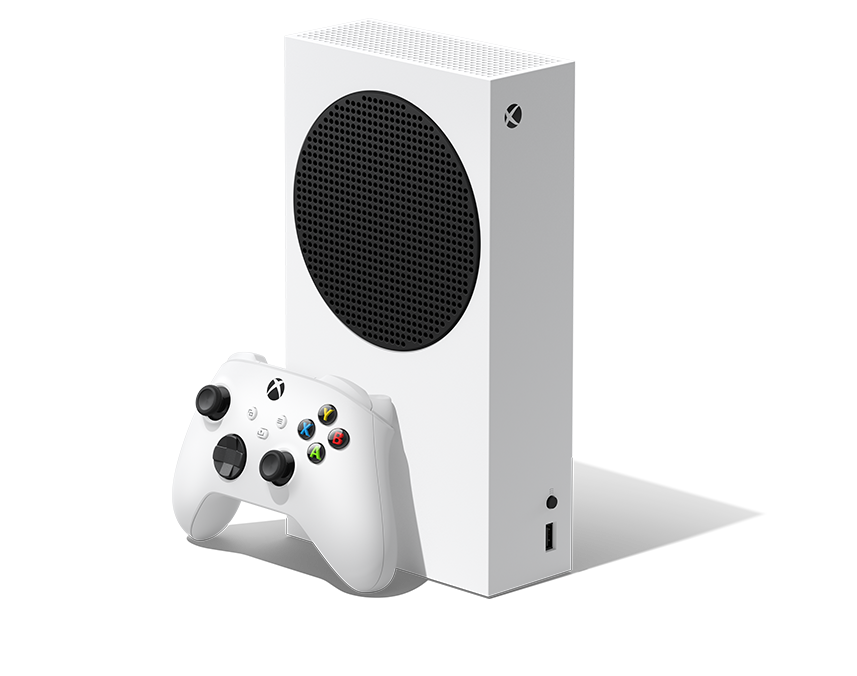
    E para estar pronto para outubro, garanta seu Xbox Series S: Ver na Amazon

    Qual foi o anúncio que mais te surpreendeu no Xbox Showcase? Comenta aqui embaixo! 👇


    (Os links acima são de afiliado. Ao comprar através deles, você ajuda a manter o TechPlayGrid sem custo extra para você — obrigado!)


    Fontes: Xbox Wire, Game Informer, GamesRadar, GameSpot, Tom’s Guide, Level Up, PC Gamer

  • State of Play Junho 2026: God of War: Laufey, Wolverine e tudo mais

    State of Play Junho 2026: God of War: Laufey, Wolverine e tudo mais

    A Sony prometeu mais de 60 minutos de anúncios — e dessa vez entregou. O State of Play de 2 de junho de 2026 abriu a semana do Summer Game Fest com força total, colocando em campo desde gameplay inédito de Marvel’s Wolverine até a revelação bombástica que encerrou o show: God of War Laufey. Entre um e outro, surpresas genuínas, datas confirmadas e, claro, algumas ausências que deixaram a comunidade frustrada.

    Se você perdeu o evento ao vivo, este resumo tem tudo que importa — incluindo nossa análise honesta sobre o que funcionou e o que decepcionou.

    🎮 Aliás, este State of Play foi apenas o aperitivo. O Summer Game Fest começa nesta semana com muito mais anúncios. Veja nosso guia completo com datas, horários e o que esperar: Summer Game Fest 2026 — Tudo Que Você Precisa Saber


    🎬 Como foi o Evento

    wolverine gameplay
    Foto: Marvel’s Wolverine – Playstatoin Blog

    O show durou pouco mais de 60 minutos e foi estruturado de forma inteligente: abriu com o jogo mais aguardado do momento (Wolverine), encheu o meio com anúncios de datas e surpresas bem-vindas, e encerrou com uma bomba que ninguém esperava tão cedo. A cadência foi bem mais fluida do que nos State of Plays anteriores de 2026, e a variedade de gêneros agradou públicos diferentes.

    No entanto, há uma ressalva importante: boa parte do que foi mostrado já havia sido anunciado anteriormente. Por isso, para quem esperava um show de revelações inéditas do começo ao fim, a sensação foi de que o evento ficou um pouco aquém do hype gerado.


    ✅ Os Grandes Destaques

    🔴 God of War Laufey — A Revelação da Noite (e do Ano?)

    Guardada estrategicamente para o final, a revelação de God of War Laufey foi o momento mais impactante do evento — e provavelmente um dos mais marcantes do ano nos games. O jogo confirma o que os rumores sugeriam: Kratos sai de cena e sua esposa Faye assume o papel de protagonista, enfrentando o caos da vida após a morte no reino dos deuses.
    Na história, após acordar inesperadamente em uma terra estranha depois de seu funeral, Faye descobre que os planos que ela colocou em prática para proteger Kratos e Atreus estão agora em risco. Sendo assim, o que parecia apenas uma prequela se revela como algo muito mais denso e conectado à saga principal.

    A apresentação incluiu impressionantes 20 minutos de gameplay, mostrando Faye explorando ruínas atmosféricas e belissimamente renderizadas enquanto abate inimigos com sua espada com agilidade e elegância.

    Em termos de combate, a mudança em relação a Kratos é perceptível — e bem-vinda. Faye empunha uma espada mágica e usa magia com um estilo rápido, gracioso e eficiente, exatamente como imaginávamos com base nas memórias que Kratos guarda dela e no lore adicional de God of War Ragnarök. Segundo a Sony, o combate foi desenvolvido para ser familiar aos fãs dos jogos modernos da franquia, porém com DNA clássico da era grega — Faye tem mais mobilidade do que Kratos, podendo alternar entre combate no chão e no ar.

    A mitologia expandiu de forma surpreendente. O trailer de gameplay mostra o deus da guerra tibetano Begtse e a deusa egípcia Sekhmet como antagonistas, sugerindo que múltiplas mitologias de todo o mundo serão exploradas no jogo. Isso representa um salto enorme no escopo da franquia.

    Em relação ao elenco, os nomes são de peso. Deborah Ann Woll (conhecida por Daredevil) interpreta Faye, enquanto Jack Quaid dá voz a Phranque, descrito como um “cubo cósmico curioso com uma disposição sincera”, e Perlina Lau interpreta Rue, uma guardiã encantada em forma de fita.

    Quanto à data de lançamento, ainda não há confirmação oficial. Com base no volume de gameplay já mostrado, a expectativa da comunidade é que o jogo chegue no final de 2027 no mínimo.

    📌 Fique ligado: em breve nossa próxima postagem será um mergulho completo em God of War Laufey — história, gameplay, personagens e tudo que já sabemos. Ative as notificações para não perder!


    🟡 Marvel’s Wolverine — Gameplay Brutal e Jean Grey Confirmada

    O show abriu com uma sequência estendida de gameplay de Marvel’s Wolverine, onde Logan invade um complexo inimigo em um segmento que deixou claro o quão visceral e sangrento será o combate. Além disso, dois novos mutantes foram confirmados, junto com os detalhes de pré-venda do jogo. Jean Grey foi apresentada como aliada de combate de Logan — uma adição que abre possibilidades narrativas enormes.
    O lançamento está confirmado para 15 de setembro de 2026, exclusivamente para PS5.


    🟢 Control Resonant — Data Confirmada

    A Remedy finalmente confirmou a data de lançamento de Control Resonant: 24 de setembro de 2026. Para quem aguarda o retorno ao universo Bureau of Control desde o primeiro jogo, setembro vai ser um mês e tanto.


    🟢 Until Dawn 2 — Surpresa Bem-Vinda

    Until Dawn 2 fez sua estreia no evento, com foco em um grupo de caçadores de fantasmas. O jogo chega ao PS5 em 2027 e, apesar de não ter sido o título mais badalado da noite, foi uma das revelações que mais agradou quem gosta de terror narrativo.

    🟢 Rayman Legends Retold — O Retorno Improvável

    Depois de anos de ausência, Rayman voltou com Rayman Legends Retold, um remake do aclamado jogo de plataforma de 2013. A recepção foi positiva, especialmente entre quem cresceu jogando os títulos clássicos da Ubisoft. Uma grata surpresa que ninguém esperava.


    🟢 Onimusha: Way of the Sword — Data e Demo Disponível

    A Capcom confirmou que Onimusha: Way of the Sword chega em 25 de setembro de 2026, e uma demo já está disponível para download. Para quem é fã da franquia samurai histórica da Capcom, esse é o momento de testar antes de comprar.


    🟢 Silent Hill: Townfall — Vivo e com Data

    Silent Hill: Townfall ganhou um novo trailer, confirmando que o jogo não será adiado para evitar conflito com o lançamento de GTA VI. Boas notícias para os fãs da franquia de terror da Konami.


    🟢 Tomb Raider: Legacy of Atlantis — Anunciado para 2027

    Um novo Tomb Raider foi confirmado, mas com data prevista para 2027 — o que gerou reação mista na comunidade. Por um lado, a franquia está de volta. Por outro, ainda é espera longa.


    🟢 Dune: Awakening — Chegando ao Console

    Dune: Awakening, o jogo de sobrevivência em mundo aberto baseado na série de ficção científica, chega ao console com um novo modo single-player em 22 de setembro de 2026.


    🟢 Marvel Tōkon: Fighting Souls — Novos Personagens

    O game de luta Marvel Tōkon: Fighting Souls anunciou três novos personagens: Magneto, Duende Verde e Carnificina — um trio que vai agitar o meta competitivo do jogo, previsto para 6 de agosto de 2026.


    ❌ O Que Não Apareceu (e Doeu)

    Intergalactic: The Heretic Prophet — Ausência Preocupante

    Esse foi o maior vazio do evento. A ausência de Intergalactic, o novo jogo da Naughty Dog, foi a maior decepção para muitos espectadores. O jogo foi revelado no The Game Awards 2024 e desde então praticamente sumiu do radar. Com o Summer Game Fest logo na sequência, resta torcer para que a Naughty Dog apareça por lá.

    Sem Surpresas Verdadeiramente Inéditas

    Parte da comunidade sentiu que o evento foi ligeiramente decepcionante, considerando o alto nível de hype gerado antes da transmissão. A maioria dos jogos já era conhecida, e as revelações genuinamente novas foram poucas — com God of War Laufey sendo a grande exceção.


    🏆 Nota do TechPlayGrid

    CategoriaAvaliação
    Variedade de jogos⭐⭐⭐⭐
    Revelações inéditas⭐⭐⭐
    Datas confirmadas⭐⭐⭐⭐⭐
    Momento de impacto (GoW Laufey)⭐⭐⭐⭐⭐
    Nota geralB+

    Foi um bom State of Play — não extraordinário, mas sólido. A quantidade de datas confirmadas para o segundo semestre de 2026 é animadora, e God of War Laufey sozinho justifica toda a transmissão. A ausência de Intergalactic e a escassez de revelações completamente inéditas são os pontos negativos que impedem uma nota mais alta.


    Conclusão

    O State of Play de junho de 2026 cumpriu o prometido: mais de 60 minutos de conteúdo com datas, revelações e, no final, uma bomba chamada God of War Laufey. Portanto, se você estava acompanhando com expectativas realistas, saiu satisfeito. Se esperava uma avalanche de novidades do zero, talvez tenha ficado um pouco aquém do desejado.

    De qualquer forma, setembro e outubro de 2026 prometem ser meses devastadores para o bolso — Wolverine, Control Resonant, Onimusha e Dune: Awakening chegando praticamente juntos é coisa demais para qualquer carteira aguentar.

    🎮 E a semana não para por aí. O Summer Game Fest acontece nesta quinta-feira (5 de junho) com cerca de 40 jogos — e o Xbox Games Showcase vem logo na sequência no sábado. Veja nosso guia completo: Summer Game Fest 2026 — Datas, Horários e O Que Esperar

    E você? Já garantiu um Playstation 5 para esperar por esses lançamentos? Veja na Amazon.

    Qual foi o anúncio que mais te empolgou no State of Play? Comenta aqui embaixo! 👇


    (Os links acima são de afiliado. Ao comprar através deles, você ajuda a manter o TechPlayGrid sem custo extra para você — obrigado!)


    Fontes: PlayStation Blog, Tom’s Guide, GameSpot, Kotaku, GamesRadar, Push Square, Sportskeeda

  • Summer Game Fest 2026: Dates, Times, What to Expect, and the Most Anticipated Games

    Summer Game Fest 2026: Dates, Times, What to Expect, and the Most Anticipated Games

    The most electrifying week of the year for gaming is almost here. Summer Game Fest 2026 takes place on June 5, and with it comes dozens of announcements, trailers, world premieres, and that one-of-a-kind feeling of never knowing what’s going to appear on screen next. If you want to follow everything without missing a beat, this guide is for you.


    What Is Summer Game Fest?

    For those who are new to the event, Summer Game Fest is the biggest gaming showcase of the North American summer — and, in practice, the successor to the now-defunct E3. Organized by Geoff Keighley (the same person behind The Game Awards), the event brings together game announcements from major publishers and independent studios from around the world.

    In 2025, the closing moment was the announcement of Resident Evil Requiem, which stunned the audience. In 2026, therefore, expectations are even higher for the “one more thing” that Keighley always saves for the very end.


    📅 Full SGF 2026 Schedule

    Summer Game Fest is not just a single event — on the contrary, it’s an entire week packed with showcases and presentations. With that in mind, here is the complete schedule with times in ET (Eastern Time):

    DateEventTime (ET)
    Mon, June 1The Mix, Black Voices in Gaming & othersFrom 12 PM
    Tue, June 2PlayStation State of Play5 PM
    Wed, June 4Women Led Games Showcase3 PM
    Wed, June 4Latin American Games Showcase1 PM
    Thu, June 5Summer Game Fest Live2 PM
    Thu, June 5Day of the DevsRight after SGF Live
    Fri, June 6Regional and themed showcasesThroughout the day
    Sat, June 7Xbox Games Showcase10 AM
    Sat, June 7Gears of War: E-Day DirectRight after Xbox Showcase
    Sat, June 7PC Gaming Show12 PM
    Sat, June 7Deutsche Indie Showcase2 PM
    Sun, June 8India Games Showcase8 AM
    Sun, June 8The Game BusinessThroughout the day

    💡 Tip: Save these times and turn on reminders on the Summer Game Fest YouTube and Twitch channels so you don’t miss any live reveals.


    🎬 Where to Watch

    Summer Game Fest 2026 will be streamed live and free on the following platforms:

    • YouTube — The Game Awards official channel
    • Twitch — Summer Game Fest official channel
    • Steam — dedicated in-platform broadcast
    • X (Twitter) — integrated stream

    In addition, the main event takes place in person at the Dolby Theatre in Los Angeles, with tickets available on the venue’s website for those who want to be there in the audience.


    ⭐ What to Expect from SGF Live (June 5)

    The main show, hosted by Geoff Keighley and Lucy James (GameSpot and Giant Bomb), is expected to run for approximately two hours and will feature around 40 games. The official lineup is still largely under wraps; however, based on confirmed announcements and high-credibility rumors, there is plenty to be excited about.

    ✅ Confirmed

    • Marvel’s Wolverine (PS5) — the headline act of the event. After its appearance at the June 2 State of Play, an extended gameplay trailer is expected at SGF, showing off Insomniac’s brutal combat system and the character’s movement mechanics in detail. The game is confirmed for September 15, 2026.
    • Playable demos — Xbox has already confirmed that the following titles will have demos available during SGF Play Days (June 6–8): Valor Mortis, Erosion, Don’t Fret, and Way to the Woods.
    • Latin American Games Showcase — taking place on June 4, this showcase features around 80 Latin American games, making it the largest edition in the event’s history. Among the confirmed titles are the Brazilian game Sigils of Nightfall, Chile’s Colorbound, and productions from Argentina and Puerto Rico.

    🔥 Rumors and Expectations

    • Resident Evil Code Veronica Remake (Capcom) — Capcom used SGF 2025 to reveal Resident Evil Requiem. For 2026, strong rumors point to the announcement of a Code Veronica remake or a major content expansion for Requiem.
    • God of War: Faye Spin-off (Santa Monica Studio) — one of the most exciting rumors of the season. This is said to be a prequel focused on Faye, Atreus’ mother, exploring Norse mythology before the events of God of War (2018).
    • Intergalactic: The Heretic Prophet (Naughty Dog) — Naughty Dog’s next project, kept under tight wraps. SGF could be the stage for the game’s first gameplay reveal.
    • The Witcher 4 (CD Projekt Red) — following last year’s impressive technical demo, players are hungry for story and gameplay details. SGF is a strong candidate for this reveal.
    • Mass Effect (BioWare) — rumors suggest BioWare may show up with updates on the next Mass Effect.
    • Assassin’s Creed Black Flag Resynced (Ubisoft) — a possible new appearance for Ubisoft’s remake of the classic title.
    • Fable (Xbox/Playground Games) — the Xbox Games Showcase on June 7 is widely expected to finally reveal a release date for Fable, one of the most anticipated games in the Xbox lineup.
    • OD — Overdose (Kojima Productions/Xbox) — new details on Hideo Kojima’s mysterious project in partnership with Microsoft could appear at either SGF or the Xbox Showcase.

    🎮 Xbox Games Showcase (June 7)

    The Xbox Games Showcase takes place on June 7 at 10 AM ET, immediately followed by the Gears of War: E-Day Direct — a dedicated presentation for the new chapter in the Gears franchise, with gameplay already confirmed.

    In terms of expectations, the 2026 Xbox Showcase needs to deliver. Microsoft has been under increasing pressure to show concrete results from its studios. As a result, names like Fable, OD, and potential surprises from Bethesda (The Elder Scrolls? Fallout?) are at the top of the community’s wish list.


    🎮 PlayStation State of Play (June 2)

    Technically ahead of SGF, the PlayStation State of Play takes place on June 2 at 5 PM ET with a confirmed focus on Marvel’s Wolverine. In addition, rumors point to other PS5 exclusive titles making appearances, including possible updates on a God of War spin-off centered on Faye.


    🎮 What About Nintendo?

    Nintendo has not yet officially confirmed participation in the June 2026 season. In 2025, the company sat out due to the Switch 2 launch. However, industry insiders suggest there may be a Nintendo surprise close to the start of SGF. Among fan hopes are updates on The Duskbloods (FromSoftware for Switch 2) and other major Switch 2 titles.


    🌎 Special Highlight: Latin American Games Showcase

    For players from Latin America, the Latin American Games Showcase on June 4 at 1 PM ET deserves special attention. With 80 games in the lineup, this is the largest edition in the showcase’s history — and a clear sign that the Latin American game development scene is growing fast and gaining global recognition.


    📺 How to Make the Most of SGF at Home

    To fully enjoy Summer Game Fest from home, a comfortable setup makes all the difference. After all, you’re looking at several hours of streaming across multiple days. For that reason, here are a few products that can level up your experience:

    • 🎧 Gaming headset — hear every trailer in full detail: 👉 Sen on Amazon
    • 🖥️ 144Hz gaming monitor — ready for when those demos drop: 👉 See on Amazon
    • 🎮 Xbox controller for PC — many announced games will have playable demos right after the showcase: 👉 See on Amazon
    • 💺 Gaming chair — comfort for the long haul: 👉 See on Amazon

    (The links above are affiliate links. Buying through them supports TechPlayGrid at no extra cost to you — thank you!)


    Conclusion: The Most Important Gaming Week of the Year

    Summer Game Fest 2026 is, without a doubt, one of the two most anticipated events on the gaming calendar — alongside The Game Awards in December. With Marvel’s Wolverine confirmed, strong rumors around Resident Evil and God of War, and the Xbox Showcase immediately following, this week has everything it takes to be historic.

    Stay tuned to TechPlayGrid: as soon as Summer Game Fest wraps up, we’ll publish a complete recap with every announcement and trailer so you don’t miss a thing.

    Have you seen our post about GTA VI yet? GTA VI: Release Date Confirmed, Characters, Price, and Everything You Need to Know Before November

    What are you most hoping to see at SGF 2026? Let us know in the comments! 👇Follow us on Instagram!


    Sources: Summer Game Fest (summergamefest.com), GamesRadar, Última Ficha, Nos Bastidores, Portal Tela, Insider Gaming, Nintendo Life

  • Summer Game Fest 2026: Datas, Horários, Jogos e tudo mais.

    Summer Game Fest 2026: Datas, Horários, Jogos e tudo mais.

    A semana mais eletrizante do ano para os games está chegando. O Summer Game Fest 2026 acontece em 5 de junho, e com ele vêm dezenas de anúncios, trailers, estreias mundiais e aquela sensação insubstituível de não saber o que vai aparecer na próxima tela. Se você quer acompanhar tudo sem perder nada, este guia é para você.


    O Que é o Summer Game Fest?

    Para quem ainda não conhece, o Summer Game Fest é o maior evento de games do verão norte-americano e, na prática, o sucessor da antiga E3, que encerrou suas atividades definitivamente. Organizado por Geoff Keighley (o mesmo criador do The Game Awards), o evento reúne anúncios de jogos de grandes publishers e estúdios independentes do mundo inteiro.

    Em 2025, o encerramento do show foi o anúncio de Resident Evil Requiem, que chocou o público. Em 2026, portanto, a expectativa é ainda maior para o “one more thing” que Keighley vai guardar para o final.


    📅 Calendário Completo do SGF 2026

    O Summer Game Fest não é apenas um único evento — pelo contrário, é uma semana inteira repleta de showcases e apresentações. Sendo assim, confira abaixo o calendário completo com os horários em Brasília:

    DataEventoHorário (Brasília)
    Seg, 1º de junhoThe Mix, Black Voices in Gaming e outrosA partir das 16h
    Ter, 2 de junhoPlayStation State of Play18h
    Qua, 4 de junhoWomen Led Games Showcase20h
    Qua, 4 de junhoLatin American Games Showcase18h
    Qui, 5 de junhoSummer Game Fest Live18h
    Qui, 5 de junhoDay of the DevsLogo após o SGF Live
    Sex, 6 de junhoShowcases regionais e temáticosAo longo do dia
    Sáb, 7 de junhoXbox Games Showcase14h
    Sáb, 7 de junhoGears of War: E-Day DirectLogo após o Xbox Showcase
    Sáb, 7 de junhoPC Gaming Show16h
    Sáb, 7 de junhoDeutsche Indie Showcase18h
    Dom, 8 de junhoIndia Games Showcase12h
    Dom, 8 de junhoThe Game BusinessAo longo do dia

    💡 Dica: marque todos esses horários na agenda e ative os lembretes nos canais do YouTube e Twitch do Summer Game Fest. Assim, você não perde nenhuma revelação ao vivo.


    🎬 Onde Assistir

    O Summer Game Fest 2026 será transmitido ao vivo e gratuitamente nas seguintes plataformas:

    • YouTube — canal oficial do The Game Awards
    • Twitch — canal oficial do Summer Game Fest
    • Steam — transmissão dedicada dentro da plataforma
    • X (Twitter) — transmissão integrada

    Além disso, o evento principal acontece presencialmente no Dolby Theatre, em Los Angeles, com ingressos disponíveis no site do teatro para quem quiser estar na plateia.


    ⭐ O Que Esperar do SGF Live (5 de junho)

    O show principal, apresentado por Geoff Keighley e Lucy James (GameSpot e Giant Bomb), deve durar cerca de duas horas e contará com aproximadamente 40 jogos. A lista oficial ainda está sob sigilo, mas com base em confirmações e rumores de alta credibilidade, há muita coisa boa a caminho.

    ✅ Confirmados

    • Marvel’s Wolverine (PS5) — o grande headliner do evento. Após ser revelado no State of Play de 2 de junho, espera-se um trailer focado em gameplay estendido no SGF, detalhando o sistema de combate brutal da Insomniac e o sistema de movimentação do personagem. O lançamento está confirmado para 15 de setembro de 2026.
    • Demos jogáveis — a Xbox já confirmou que os seguintes títulos terão demos disponíveis durante o SGF Play Days (6–8 de junho): Valor Mortis, Erosion, Don’t Fret e Way to the Woods.
    • Latin American Games Showcase — acontece em 4 de junho com cerca de 80 jogos latino-americanos na programação, a maior edição da história do evento. Entre os confirmados estão o brasileiro Sigils of Nightfall, o chileno Colorbound e produções de Argentina e Porto Rico.

    🔥 Rumores e Expectativas

    • Resident Evil Code Veronica Remake (Capcom) — a Capcom usou o SGF 2025 para revelar Resident Evil Requiem. Em 2026, circulam rumores fortes sobre o anúncio do remake de Code Veronica ou de uma expansão de conteúdo para o Requiem.
    • God of War: Faye Spin-off (Santa Monica Studio) — um dos rumores mais empolgantes da temporada. Trata-se de uma prequela focada em Faye, a mãe de Atreus, explorando a mitologia nórdica antes dos eventos de God of War (2018).
    • Intergalactic: The Heretic Prophet (Naughty Dog) — o próximo projeto da Naughty Dog, mantido em grande sigilo. O SGF pode ser o palco para a primeira revelação de gameplay do jogo.
    • The Witcher 4 (CD Projekt Red) — após a demo técnica impressionante lançada em 2025, os jogadores querem mais detalhes sobre a história e o gameplay. O SGF é um candidato forte para essa revelação.
    • Mass Effect (BioWare) — rumores indicam presença da BioWare com novidades sobre o próximo Mass Effect.
    • Assassin’s Creed Black Flag Resynced (Ubisoft) — possível nova aparição do remake do clássico da Ubisoft.
    • Fable (Xbox/Playground Games) — o Xbox Games Showcase de 7 de junho é o cenário mais esperado para a data de lançamento de Fable, um dos jogos mais aguardados do catálogo Xbox.
    • OD — Overdose (Kojima Productions/Xbox) — novidades sobre o misterioso jogo de Hideo Kojima em parceria com a Microsoft podem aparecer tanto no SGF quanto no Xbox Showcase.

    🎮 Xbox Games Showcase (7 de junho)

    O Xbox Games Showcase acontece em 7 de junho, às 14h no horário de Brasília, e logo em seguida vem o Gears of War: E-Day Direct — uma apresentação dedicada exclusivamente ao novo capítulo da franquia Gears, com gameplay confirmado.

    Em termos de expectativa, o Xbox Showcase de 2026 precisa ser grande. A Microsoft vem sendo pressionada a mostrar resultados concretos dos seus estúdios, e nomes como Fable, OD, e possíveis novidades da Bethesda (The Elder Scrolls? Fallout?) estão na lista de desejos da comunidade.


    🎮 PlayStation State of Play (2 de junho)

    Tecnicamente antes do SGF, o State of Play da Sony acontece em 2 de junho às 18h e já está confirmado com foco em Marvel’s Wolverine. Além disso, rumores indicam aparição de outros títulos exclusivos PS5, incluindo possíveis novidades sobre um spin-off de God of War focado em Faye.


    🎮 E a Nintendo?

    A Nintendo ainda não confirmou participação na temporada de junho de 2026. Em 2025, a empresa ficou fora devido ao lançamento do Switch 2. No entanto, insiders do mercado afirmam que pode haver uma surpresa da Nintendo perto do início do SGF. Entre as esperanças dos fãs estão novidades sobre The Duskbloods (FromSoftware para Switch 2) e outros títulos grandes da plataforma.


    🌎 Destaque Especial: Latin American Games Showcase

    Para quem é do Brasil ou da América Latina, vale atenção especial ao Latin American Games Showcase, que acontece em 4 de junho, às 18h, com 80 jogos na programação. Entre os destaques confirmados está o brasileiro Sigils of Nightfall, além de produções do Chile, Argentina e Porto Rico. É a maior edição da história do evento — e uma prova de que a indústria de games latino-americana está crescendo de forma expressiva.


    📺 Como Aproveitar Melhor o SGF em Casa

    Para curtir o Summer Game Fest da melhor forma possível, um setup confortável faz toda a diferença. Afinal, são várias horas de transmissão ao longo de dias seguidos. Por isso, confira alguns produtos que podem transformar a sua experiência:

    • 🎧 Headset gamer — para ouvir cada trailer no detalhe: 👉 Ver no Amazon
    • 🖥️ Monitor gamer 144Hz — para quando os jogos estiverem disponíveis: 👉 Ver no Amazon
    • 🎮 Controle Xbox para PC — muitos dos jogos anunciados terão demos logo após o evento: 👉 Ver no Amazon
    • 💺 Cadeira gamer — conforto para maratonar os showcases: 👉 Ver no Amazon

    (Os links acima são de afiliado. Ao comprar através deles, você ajuda a manter o TechPlayGrid sem custo extra para você — obrigado!)


    Conclusão: A Semana Mais Importante do Ano Para os Games

    O Summer Game Fest 2026 é, sem dúvida, o evento mais aguardado do calendário gamer — ao lado do The Game Awards em dezembro. Com Marvel’s Wolverine confirmado, rumores fortíssimos de Resident Evil e God of War, além do Xbox Showcase logo na sequência, esta semana tem tudo para ser histórica.

    Fique ligado no TechPlayGrid: assim que o Summer Game Fest terminar, publicaremos o resumão completo com todos os anúncios e trailers para você não perder nada. Acompanhe também por novidades através do nosso Instagram.

    Já leu o nosso artigo sobre GTA VI? GTA VI: Data, Protagonistas, Preço e Tudo Que Você Precisa Saber

    O que você mais espera ver no SGF 2026? Conta nos comentários! 👇


    Fontes: Summer Game Fest (summergamefest.com), GamesRadar, Última Ficha, Nos Bastidores, Portal Tela, Insider Gaming

  • GTA VI: Release Date Confirmed, Characters, Price, and Everything You Need to Know Before November

    GTA VI: Release Date Confirmed, Characters, Price, and Everything You Need to Know Before November

    If you’re a gamer, you already know: the wait is almost over. Rockstar Games has officially confirmed that Grand Theft Auto VI (GTA VI) launches on November 19, 2026 — and the hype has never been higher. After two delays and more than a decade since GTA V, the franchise is about to redefine what an open-world game can be. Again.

    In this article, we break down everything that’s been confirmed: protagonists, story, platforms, estimated price, and what to expect from the massive marketing campaign rolling out in the coming months. Let’s get into it.


    Over a Decade in the Making

    GTA V launched in 2013 and became one of the best-selling games in history, with over 200 million copies sold. The pressure on its successor is immense and Rockstar knows it.

    GTA VI first trailer dropped in December 2023 and broke YouTube records almost immediately. The second trailer arrived in May 2025, diving deeper into the story of the two protagonists. Since then, calculated silence — until now.

    The November 19, 2026 release date was confirmed directly by Take-Two Interactive CEO Strauss Zelnick during a financial results conference in May 2026. No more delays. The game is in its final polish phase.


    The Protagonists: Meet Lucia and Jason

    For the first time in the mainline GTA series, the game features a playable female protagonist. And it goes even further: there are two main characters with intertwined storylines.

    Lucia Caminos

    Lucia is a recently released ex-convict, fresh out of the Leonida State Penitentiary. Shaped by family loyalty and hard choices, she’s looking for financial stability and a way out of the life — but crime keeps finding her. She’s the most central and compelling character in the narrative.

    Jason Duval

    Jason grew up around grifters in the Leonida Keys, joined the military to escape his troubled past, and now works for local traffickers. His encounter with Lucia changes everything — turning what starts as a simple heist into something much bigger.

    Together, the two form a modern Bonnie and Clyde-style duo, with a narrative that blends intense action and genuine emotional depth.


    Vice City Is Back — Bigger Than Ever

    The game is set in the fictional state of Leonida, inspired by Florida, with Vice City (Miami’s fictional counterpart) as the main urban setting. But the map goes well beyond the city: expect swampy wetlands, rural roads, small inland towns, and an environmental variety the series has never seen before.

    Rockstar invested heavily in new technology to build a living world: dynamic day/night cycles, NPCs with unique behaviors, and a city that reacts to your actions. The level of detail already visible in the trailers — graffiti on walls, mansion parties, bayou chase sequences — is just a taste of what’s coming.


    Platforms: Consoles First, PC Later

    At launch in November 2026, GTA VI will be available for:

    • PlayStation 5
    • Xbox Series X/S

    A PC version has no confirmed date. Following Rockstar’s historical pattern (GTA IV and GTA V both came to PC significantly later than consoles), a PC release is expected somewhere between 6 months to a year after the console launch. Take-Two’s CEO confirmed the PC version will “eventually” arrive.

    💡 Affiliate tip: Not on a PS5 or Xbox Series X/S yet? Now’s the time to get ready. Check out the best deals available:


    Price: How Much Will GTA VI Cost?

    The official price has not been confirmed by Rockstar. However, leaks and retailer listings point to a price above the current standard:

    • Leaks from an Indian digital store listed the Xbox Series X/S version at around US$ 124
    • A Swiss retailer previously listed it at US$ 100
    • Take-Two CEO Strauss Zelnick stated the price will be “fair for what players receive,” hinting the premium cost is justified by the game’s scale

    Whatever the final number, GTA VI will likely be the most expensive game of the generation — and probably the best-selling one too.

    💡 Pro tip: Add the game to your wishlist on PlayStation Store or Xbox and set up price alerts. As soon as pre-orders open (expected around June 2026), you’ll be ready to lock in the best deal.


    What to Expect in the Coming Months

    GTA VI’s full marketing campaign is expected to kick off around June 21, 2026, with the highly anticipated Trailer 3 and the global opening of pre-orders. Rockstar’s strategy this time appears heavily digital — social media, YouTube, and content creators — rather than the TV-heavy campaigns of previous eras.

    With the 2026 FIFA World Cup taking place in the United States starting in June, there’s strong speculation that Rockstar will use the event’s global audience as a backdrop for the game’s biggest marketing push. If pre-orders open in June and marketing explodes during the World Cup, the path to the November launch is looking very deliberate.

    Expect: a new trailer, pre-order dates, possible gameplay footage, and a content flood across every platform.


    Is It Worth the Wait? Our Take

    With over a decade of development, two strategic delays in the name of quality, and a studio that already delivered GTA V and Red Dead Redemption 2, the odds of GTA VI disappointing are slim. Rockstar has a track record of exceeding expectations — and this time the bar has been set even higher.

    If you’re into open-world games, story-driven narratives, and cinematic production values, November 19, 2026 is a date to circle on your calendar.


    Gear Up for GTA VI

    Want to experience GTA VI at its absolute best? Here are some products that will take your setup to the next level:

    • 🎮 DualSense Controller (PS5) — feel every impact with haptic feedback: 👉 See on Amazon
    • 🎧 Gaming Headset — full immersion in Vice City’s soundscape: 👉 See on Amazon
    • 📺 4K TV — GTA VI was built to be played in high resolution: 👉 See on Amazon
    • 💾 External SSD for PS5/Xbox — the game will almost certainly demand a lot of storage: 👉 See on Amazon

    (The links above are affiliate links. Buying through them supports TechPlayGrid at no extra cost to you — thank you!)


    Final Thoughts

    GTA VI is, without question, the most anticipated release of the generation. With Lucia and Jason as protagonists, a reimagined Vice City, cutting-edge technology, and what promises to be the franchise’s most mature narrative yet, November 2026 is going to be a landmark moment for gaming.

    Stay tuned to TechPlayGrid for all the updates: when Trailer 3 drops, when pre-orders go live, and as soon as the PC date is confirmed — you’ll hear it here first.

    What are you most excited about in GTA VI? Drop it in the comments! 👇 or Follow us on Instagram


    Sources: Take-Two Interactive, Rockstar Games, ShowMeTech, Critical Hits, ALM Corp