
Introduction: The Inevitable Controller Flaw
Few issues in modern console and PC gaming are as universally frustrating as stick drift. You are playing a precision-based game, and suddenly your in-game camera begins creeping upward or your character moves without any physical input. This hardware defect affects millions of gamepads, including the PlayStation DualSense, Nintendo Switch Joy-Cons, and standard Xbox controllers.
When experiencing stick drift on PC, many players wonder whether they can fix their controller software or if it is time to purchase a alternative built for longevity. In this guide, we explore the mechanical causes of stick drift, outline potential temporary fixes, and compare modern anti-drift controllers vs traditional gamepads to help you maintain a reliable gaming setup.
⚠️ Affiliate Disclosure: TechPlayGrid is reader-supported. When you buy through links on our site, we may earn an affiliate commission at no extra cost to you.
Why Analog Sticks Develop Drift
The Mechanics of Potentiometers
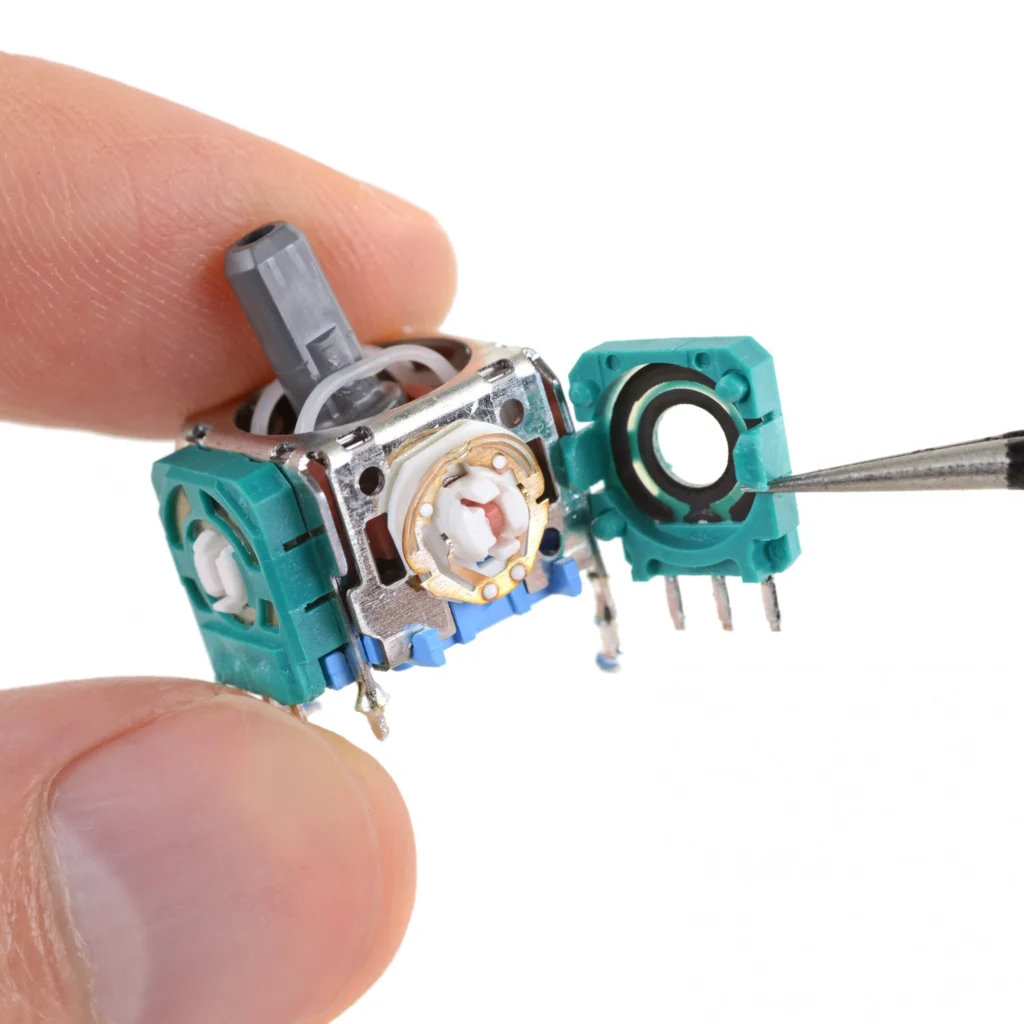
Traditional analog joysticks rely on components called potentiometers. Inside the assembly, small metal wiper arms slide physically across resistive carbon tracks to translate movement into electrical signals.
Over time, two things inevitably happen:
- Friction Wear: Physical friction slowly grinds away the carbon track.
- Debris Accumulation: Microscopic plastic dust and wear debris settle inside the sensor housing, disrupting the electrical contact.
How to Fix DualSense Drift: Step-by-Step Methods
Method 1: Adjusting Software Deadzones
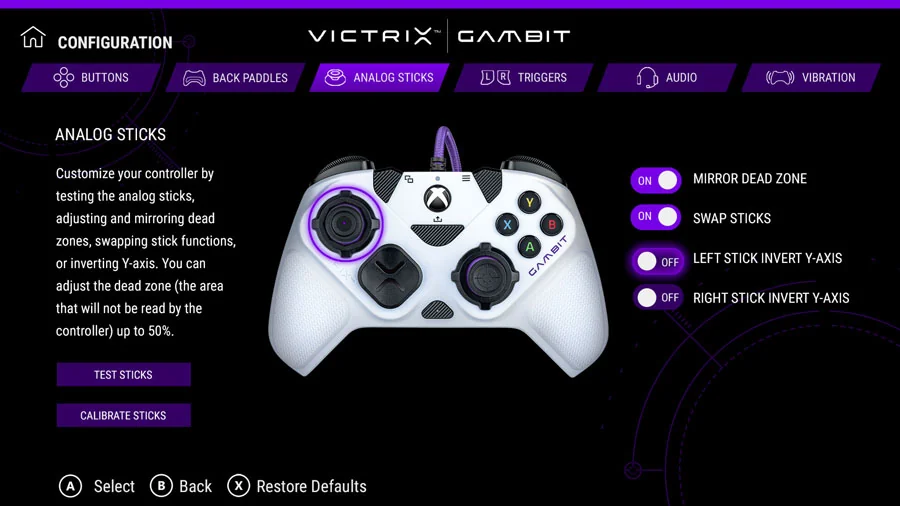
The easiest temporary workaround on PC is adjusting your stick “deadzone” through Steam Input or in-game settings. Increasing the inner deadzone tells the computer to ignore small mechanical movements near the center. While this hides minor drift, it decreases your aiming sensitivity and responsiveness.
Method 2: Cleaning with Isopropyl Alcohol
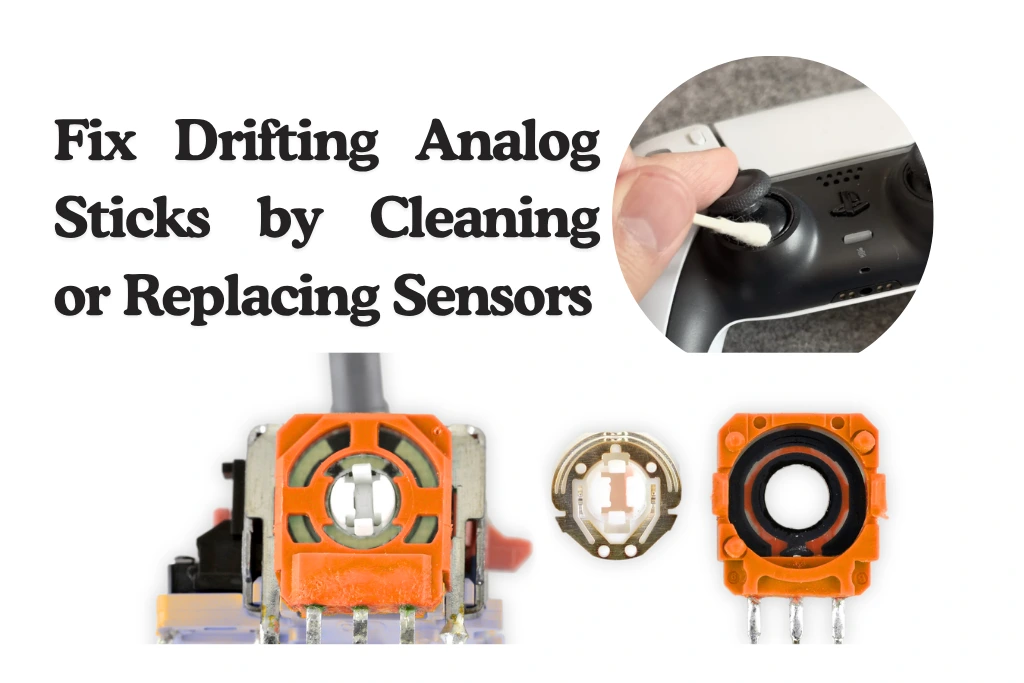
If dust is the culprit, turn off your controller, apply a few drops of 99% isopropyl alcohol around the base of the analog thumbstick, and rotate it repeatedly. Allow it to dry completely before turning it back on. This may temporarily flush out dust, but it will not restore worn-out carbon tracks.
Method 3: Hardware Replacement
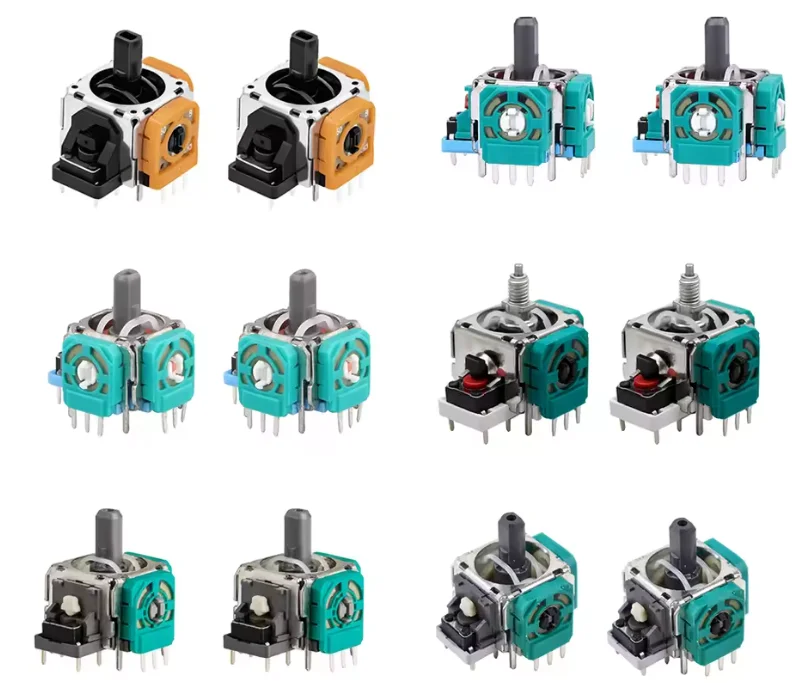
Replacing a DualSense potentiometer requires completely disassembling the controller and desoldering a 14-pin module from the motherboard. For non-technical users, replacing the entire controller is often more practical.
The Permanant Solution: Hall Effect Controllers
Instead of physical wipers, new Hall Effect analog sticks use permanent magnets and electromagnetic sensors to detect movement. Because no physical parts touch within the sensor mechanism, physical friction is impossible—eliminating the mechanical cause of stick drift entirely.
Top Hall Effect Controllers for PC
Option 1: 8BitDo Ultimate Wireless Controller
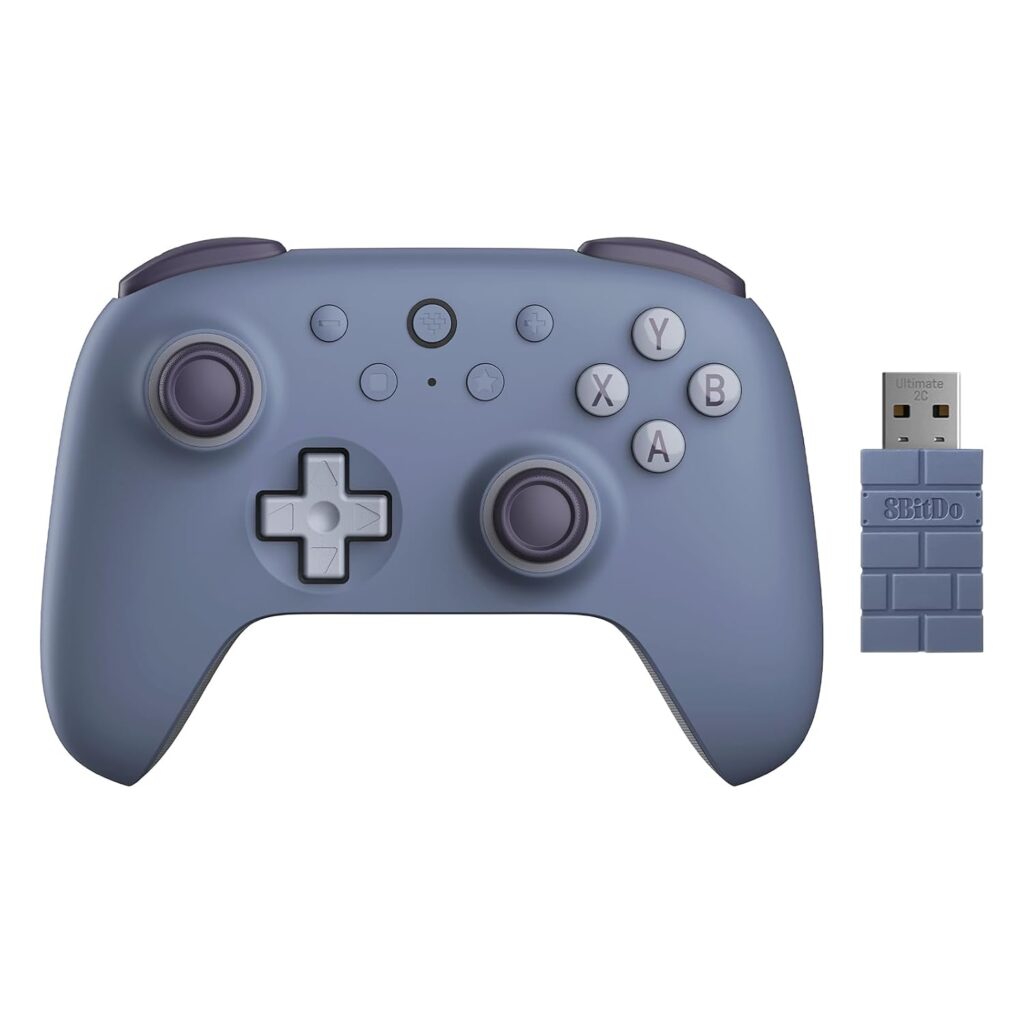
The 8BitDo Ultimate is widely regarded as one of the best overall wireless gamepads for PC players.
- Key Features: Hall Effect joysticks and triggers, included charging dock, 2.4GHz wireless dongle, and two remappable rear paddles.
- Where to Buy: [Amazon]
Option 2: GameSir G7 SE Wired Controller
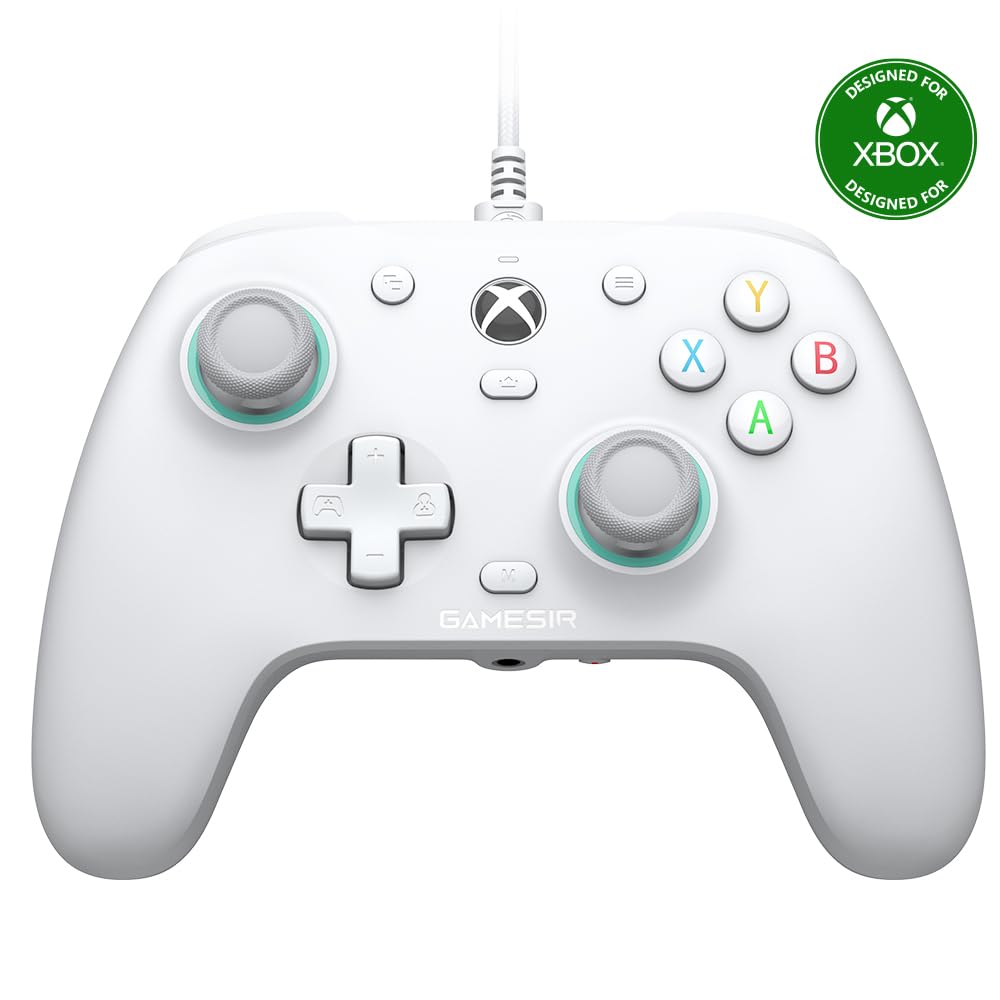
Officially licensed for Xbox and Windows, the GameSir G7 SE offers premium anti-drift features at an accessible price.
- Key Features: Hall Effect sticks, quick-latching rear buttons, raw polling rate adjustments, and anti-friction glide rings around the sticks.
- Where to Buy: [Amazon]
Feature Comparison: Traditional vs Hall Effect
| Controller Model | Stick Sensor Technology | Connection Type | Rear Buttons | Includes Dock |
| Sony DualSense | Potentiometer (Wears out) | Bluetooth / USB-C | No | Sold Separately |
| 8BitDo Ultimate | Hall Effect (No Friction) | 2.4GHz / Bluetooth | Yes (2) | Included |
| GameSir G7 SE | Hall Effect (No Friction) | Wired USB-C | Yes (2) | N/A |
Option 3: Sony DualSense Wireless Controller
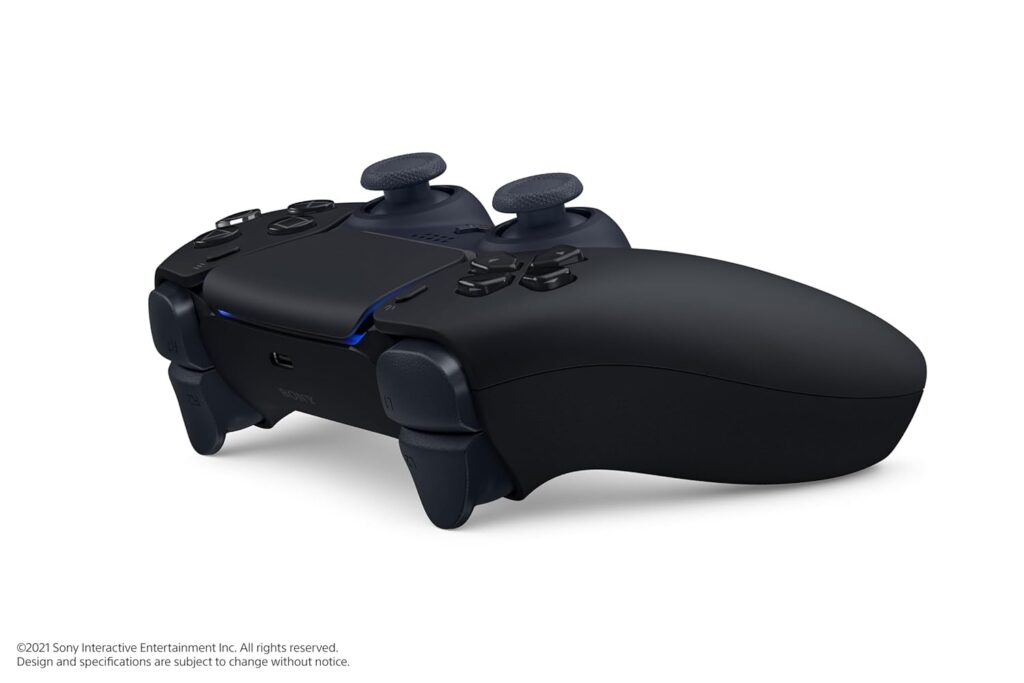
- Where to Buy: [Amazon]
- Read our post about Sony DualSense here.
Frequently Asked Questions (FAQ)
Does Sony offer Hall Effect sticks in the DualSense Edge?
No. The premium DualSense Edge uses traditional potentiometers. However, Sony designed the Edge with swappable stick modules ($20 each) so you can replace them when they wear out.
Will Hall Effect sticks work natively on PC games?
Yes. Modern Hall Effect controllers operate using standard XInput protocols, meaning Windows and Steam recognize them as native Xbox controllers without requiring extra software setup.
🔗 Related on TechPlayGrid
- 👉 PS5 Controller Drifting? Fix It Before You Buy New
- 👉 Best Budget PC Controller Under $50 — No Drift (2026)
- 👉 Small Room Gaming Setup: Best Gear Under $500 (2026)
- 👉 Reduce Eye Strain in Long Gaming Sessions: Tips & Gear
Final Verdict
If your DualSense has mild drift, cleaning it or adjusting software deadzones may grant temporary relief. However, if you are tired of dealing with hardware degradation, switching to a dedicated Hall Effect controller like the 8BitDo Ultimate or GameSir G7 SE ensures no drift issues will interrupt your gameplay ever again.
- Focus Keyword: fix dualsense drift vs best pc controllers
- Tags: DualSense, Stick Drift, Hall Effect, PC Controller, 8BitDo Ultimate, GameSir G7 SE
- Meta Description: Learn how to fix DualSense drift on PC and discover the best new Hall Effect controllers from 8BitDo and GameSir featuring zero stick drift.
- Summary: A comprehensive troubleshooting guide explaining the causes of stick drift on PlayStation DualSense controllers. We cover software deadzone adjustments, cleaning methods, and compare long-lasting Hall Effect alternatives available on Amazon US.