Tag: gamesir nova lite 2

  • Best PC Gaming Gifts Under $50 โ€” No Guesswork for 2026

    Best PC Gaming Gifts Under $50 โ€” No Guesswork for 2026

    The Best PC Gaming Gifts Under $50 Still Exist in 2026 โ€” You Just Need to Know Where to Look

    Finding the best PC gaming gifts under $50 in 2026 is harder than it sounds. The market is full of products that look impressive on packaging but underdeliver in practice. This guide skips the guesswork and focuses on five accessories that PC gamers actually use every day โ€” all verified in stock on Amazon US, all priced under $50, and all chosen because they solve a real problem rather than add clutter to a desk.

    Whether you are buying for someone else or treating yourself, these picks fit every type of PC gamer without needing to know their exact setup.

    โš ๏ธ Affiliate Disclosure: TechPlayGrid is reader-supported. When you buy through links on our site, we may earn an affiliate commission at no extra cost to you.

    Why Accessories Beat Games as Gifts Every Time

    Best PC Gaming Gifts
    Best PC Gaming Gifts

    Games are personal. A gamer who already owns the title you bought, or dislikes the genre, has no use for it. Accessories, on the other hand, solve universal problems โ€” a better mouse improves aim in any game, a larger mousepad benefits every genre, a headset works with every platform.

    The other advantage of accessories is longevity. A game is played and finished. A good mouse or keyboard is used for three to five years. That means a $30 gift continues delivering value long after a $30 game would have been forgotten.

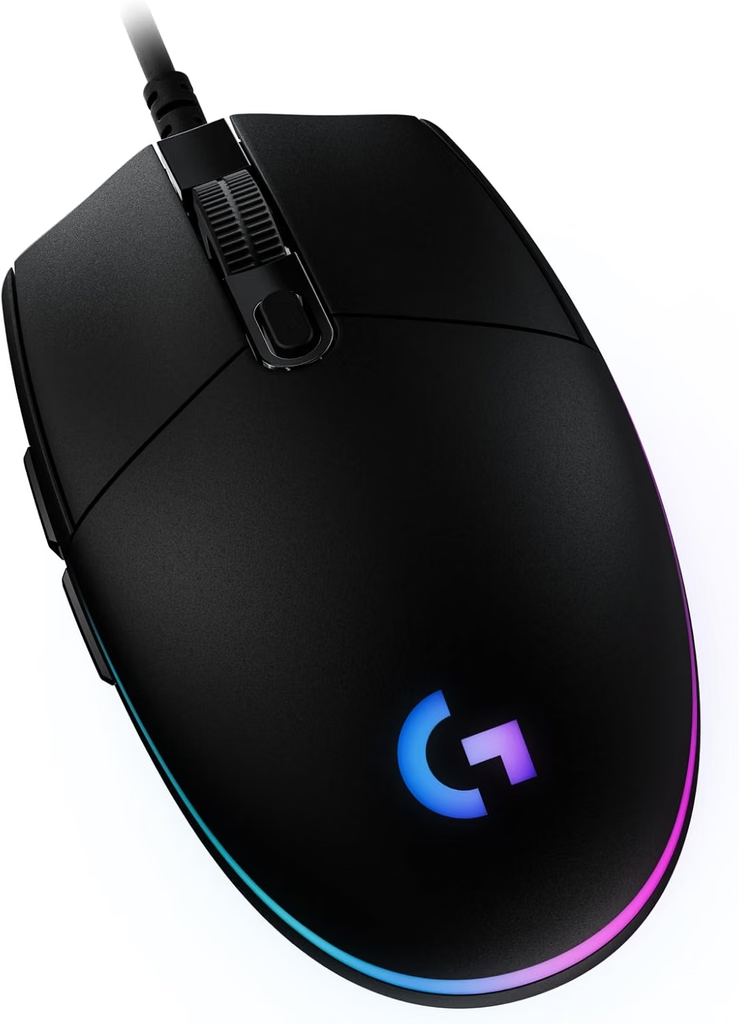
    Gift 1 โ€” Logitech G203 Wired Gaming Mouse (~$25โ€“$30)

    Logitech G203
    Official design of the Logitech G203 Lightsync. (Image: Amazon US))

    The Logitech G203 is the most consistent recommendation for a first gaming mouse, and for good reason. It uses a high-precision optical sensor with 8,000 DPI and 1000Hz polling rate โ€” the same standards found in mice that cost significantly more. The symmetrical design works for both hands and most grip styles, and the six programmable buttons cover everything a competitive or casual gamer needs.

    At $25โ€“$30, it is one of the few gifts in this price range where the recipient will likely use it daily for years. Logitech’s driver support across Windows versions means it remains functional and software-configurable long after purchase.

    For a deeper look at how it compares to other options in this category, see our Best Gaming Mouse for FPS Under $50 guide.

    ๐Ÿ‘‰ Where to Buy: [Check Current Price on Amazon]

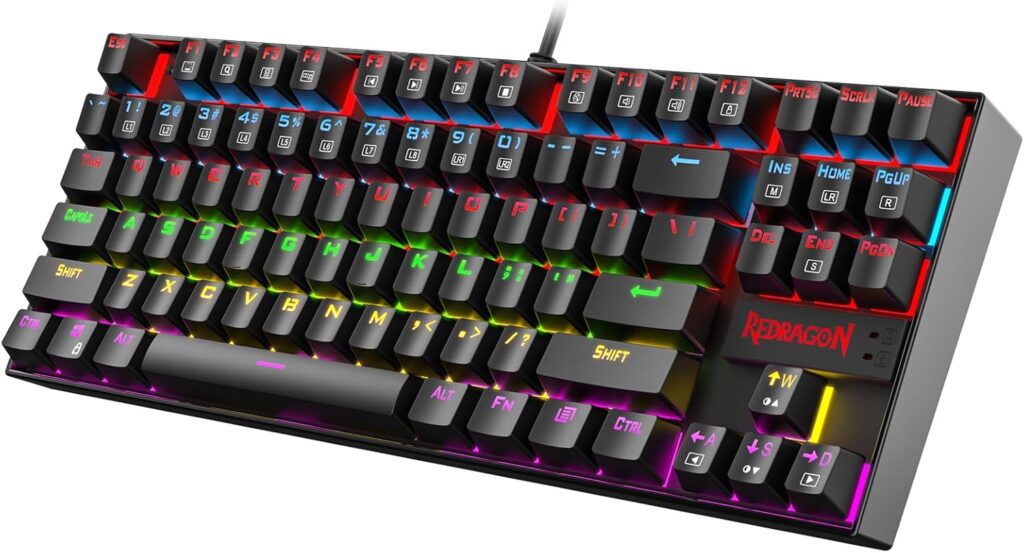
    Gift 2 โ€” Redragon K552 Kumara TKL Mechanical Keyboard (~$35โ€“$45)

    Redragon K552
    Official design of the Redragon K552 Kumara RGB TKL. (Image: Amazon US)

    For a gamer still using a membrane keyboard, the Redragon K552 Kumara is the most impactful peripheral upgrade available under $50. It uses genuine mechanical switches โ€” either Red (linear, quiet, fast) or Blue (clicky, tactile, satisfying) โ€” with per-key RGB backlighting and full N-Key Rollover anti-ghosting.

    The TKL layout (no numpad) keeps the footprint compact, freeing desk space for mouse movement โ€” a practical advantage in any gaming setup. At under $45, it is the entry point to an entirely different typing and gaming experience that the recipient will notice immediately.

    For more on what makes mechanical keyboards worth it, see our Mechanical vs Membrane Keyboard guide.

    ๐Ÿ‘‰ Where to Buy: [Check Current Price on Amazon]

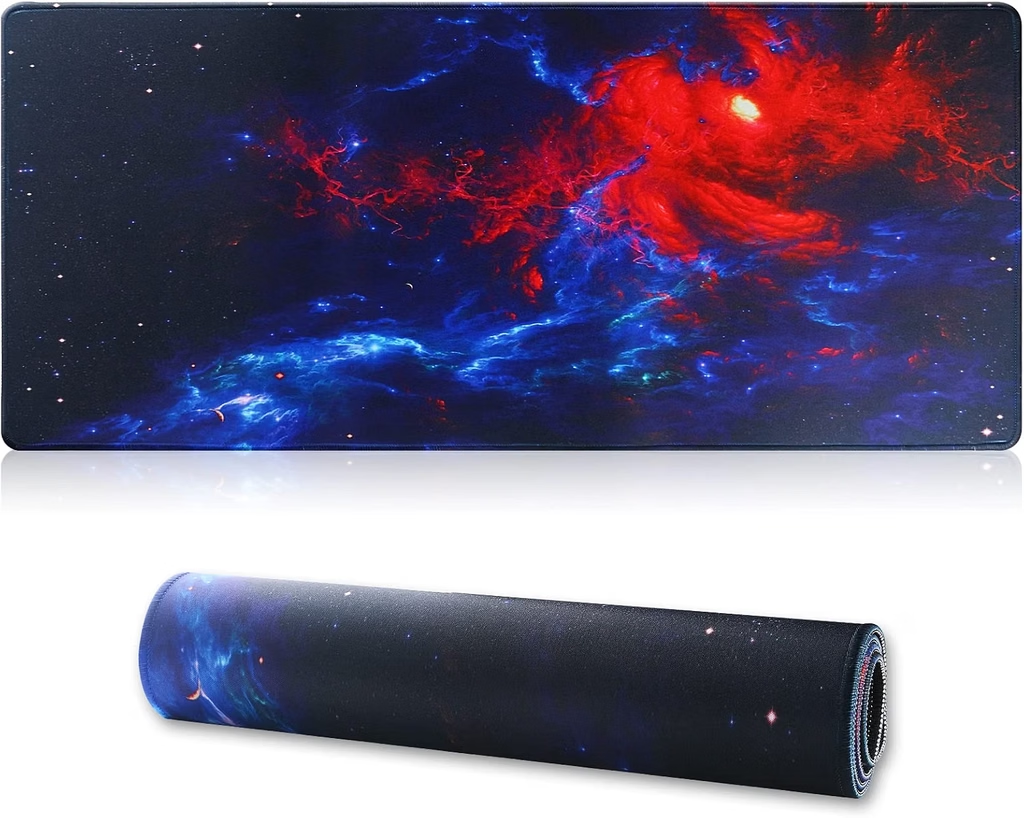
    Gift 3 โ€” Extended XL Gaming Mousepad (~$15โ€“$25)

    jahosin extend mousepad
    Official design of an Extended XL Gaming Mousepad. (Image: Amazon US)

    An extended gaming mousepad is the gift that transforms how a desk feels to use. At 800ร—300mm or larger, it covers both the mouse and keyboard area with a single continuous surface โ€” eliminating the friction inconsistency between a mousepad and a bare desk, and giving the mouse uninterrupted tracking range.

    It is also the most universally compatible gift on this list. It works with every mouse, every keyboard, and every desk. A stitched edge keeps the fabric from fraying, and a rubber base prevents it from shifting during intense gameplay. At $15โ€“$25, it is one of the highest value-per-dollar accessories available.

    ๐Ÿ‘‰ Where to Buy: [Check Current Price on Amazon]

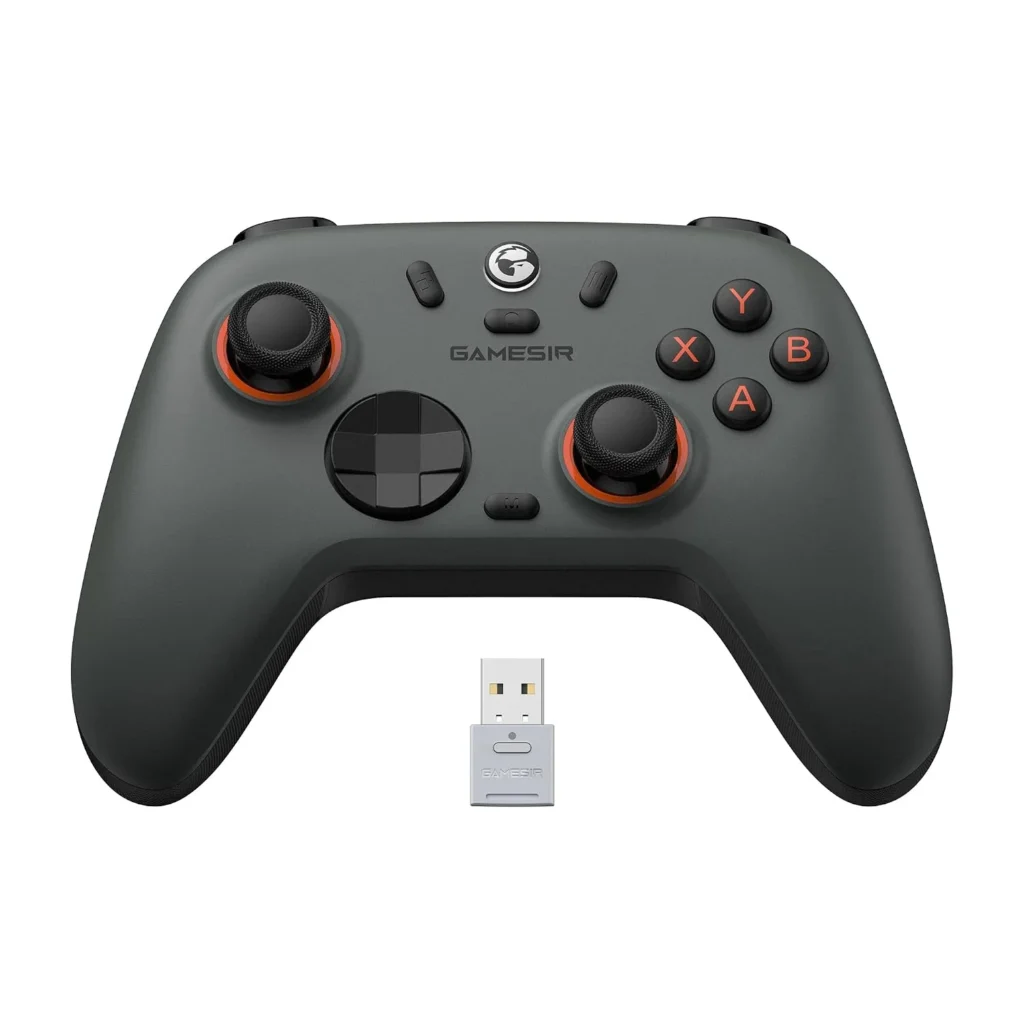
    Gift 4 โ€” GameSir Nova Lite 2 Controller (~$27โ€“$35)

    gamesir nova 2
    Official design of the GameSir Nova Lite 2. (Image: Amazon US)

    For PC gamers who enjoy RPGs, platformers, racing games, or fighting games, a controller is the peripheral that makes the biggest difference in how those genres feel to play. The GameSir Nova Lite 2 stands out in the under-$35 category because it uses Hall Effect joysticks โ€” magnetic sensors that eliminate the stick drift that affects most budget controllers over time.

    It connects via 2.4GHz dongle, Bluetooth, or USB-C wired, supports PC, Nintendo Switch 2, Steam Deck, and Android, and includes a 1000Hz polling rate. For the price, the feature set is genuinely unusual. It is a controller the recipient can use for years without the drift problem that usually defines the budget category.

    For a full comparison of Hall Effect controllers, see our Best Budget PC Controller Under $50 โ€” No Drift guide.

    ๐Ÿ‘‰ Where to Buy: [Check Current Price on Amazon]

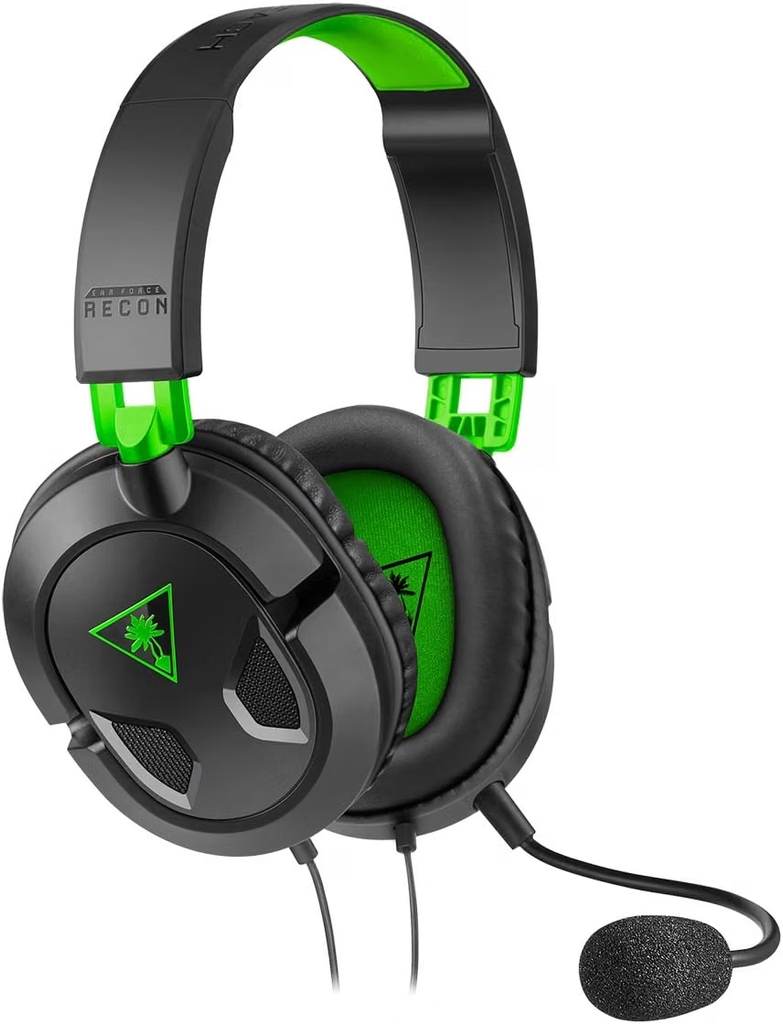
    Gift 5 โ€” Turtle Beach Recon 50 Wired Headset (~$25โ€“$30)

    turtle beach recon 50
    Official design of the Turtle Beach Recon 50. (Image: Amazon US)

    The Turtle Beach Recon 50 is the safest headset gift under $30 on Amazon. It connects via 3.5mm audio jack, which means it works immediately with PC, PS5, Xbox, Nintendo Switch, and mobile โ€” no setup, no drivers, no compatibility concerns. The 40mm drivers produce clear audio that is noticeably better than laptop or monitor speakers, and the removable microphone allows the headset to double as regular headphones.

    For someone gaming without a dedicated headset, or replacing a broken one, this is the most friction-free gift option in this guide. It simply works, on everything, out of the box.

    For options with more audio performance, see our Best Wireless Gaming Headset Under $100 for PC and PS5 guide.

    ๐Ÿ‘‰ Where to Buy: [Check Current Price on Amazon]

    โš ๏ธ Prices and product availability are subject to change without notice. Always verify the current price and stock on the retailer’s website before purchasing.

    Quick Reference โ€” All Five Gifts at a Glance

    GiftBest ForPrice RangeWorks With
    Logitech G203 MouseAny PC gamer~$25โ€“$30PC (any OS)
    Redragon K552 KeyboardGamers on membrane~$35โ€“$45PC
    Extended XL MousepadAny desk setup~$15โ€“$25Universal
    GameSir Nova Lite 2 ControllerRPG / platformer / racing fans~$27โ€“$35PC, Switch 2, Android
    Turtle Beach Recon 50 HeadsetAnyone without a gaming headset~$25โ€“$30PC, PS5, Xbox, Switch, Mobile

    Final Verdict

    For a gamer who has no dedicated gaming mouse, the Logitech G203 is the single highest-impact gift under $30. For a gamer still on a membrane keyboard, the Redragon K552 delivers the most noticeable daily improvement. For the gamer who seems to have everything, the Extended Mousepad is the one peripheral almost no one buys for themselves despite using it every session.

    If you know they play story games, RPGs, or fighting games on PC, the GameSir Nova Lite 2 is the pick that will surprise them most. And for a safe, universally compatible choice that works on any platform, the Turtle Beach Recon 50 never goes wrong.

    ๐Ÿ”— Related on TechPlayGrid

    Sources

    • Amazon US โ€” Verified availability and pricing, September 2026
    • PC Gamer, “Best gaming accessories 2026” โ€” pcgamer.com
    • findingdulcinea.com, “10 Best Gaming Gifts Under $50 for PC Enthusiasts (September 2026)” โ€” findingdulcinea.com

    Focus Keyword: best PC gaming gifts under $50 2026

    SEO Title: Best PC Gaming Gifts Under $50 โ€” No Guesswork for 2026

    Permalink: best-pc-gaming-gifts-under-50-no-guesswork-2026

    Meta Description: The best PC gaming gifts under $50 in 2026 โ€” five picks verified on Amazon US that any gamer will actually use. Mouse, keyboard, mousepad, controller, and headset covered.

    Tags: best pc gaming gifts under 50, gaming gifts 2026, gaming accessories under 50, gift ideas for gamers, logitech g203 gift, redragon k552 gift, gamesir nova lite 2

    Category: Hardware

    Post Summary: Finding the right gaming gift under $50 in 2026 means choosing accessories over games โ€” peripherals last years and work with any setup. This guide covers five picks verified on Amazon US: the Logitech G203 gaming mouse (~$25), Redragon K552 Kumara TKL mechanical keyboard (~$40), Extended XL mousepad (~$20), GameSir Nova Lite 2 Hall Effect controller (~$30), and Turtle Beach Recon 50 wired headset (~$28). Each entry includes direct Amazon search links, a final verdict by gamer profile, and internal links to the full comparison guides for each product category.
  • Best Budget PC Controller Under $50 โ€” No Drift (2026)

    Best Budget PC Controller Under $50 โ€” No Drift (2026)


    For years, buying a budget PC controller meant accepting one unavoidable tradeoff: stick drift. The potentiometer-based joysticks used in most controllers โ€” including the official Xbox and PlayStation pads โ€” wear out over time and start registering phantom inputs. It’s annoying in single-player games. It’s game-breaking in competitive ones.

    In 2026, that tradeoff is gone. Hall effect technology, once locked behind enterprise-grade and high-end gaming peripherals, has finally trickled down to the sub-$50 market. You can now grab drift-resistant, wireless, programmable gamepads for less than a new AAA game, with performance that matches controllers costing twice as much.

    This guide covers the best budget PC controllers under $50 with Hall effect sticks โ€” all verified on Amazon US as of July 2026, all drift-proof by design.

    โš ๏ธ Affiliate Disclosure: TechPlayGrid is reader-supported. When you buy through links on our site, we may earn an affiliate commission at no extra cost to you.


    ๐Ÿค” Why Hall Effect Sticks Are the Only Thing That Matters in 2026

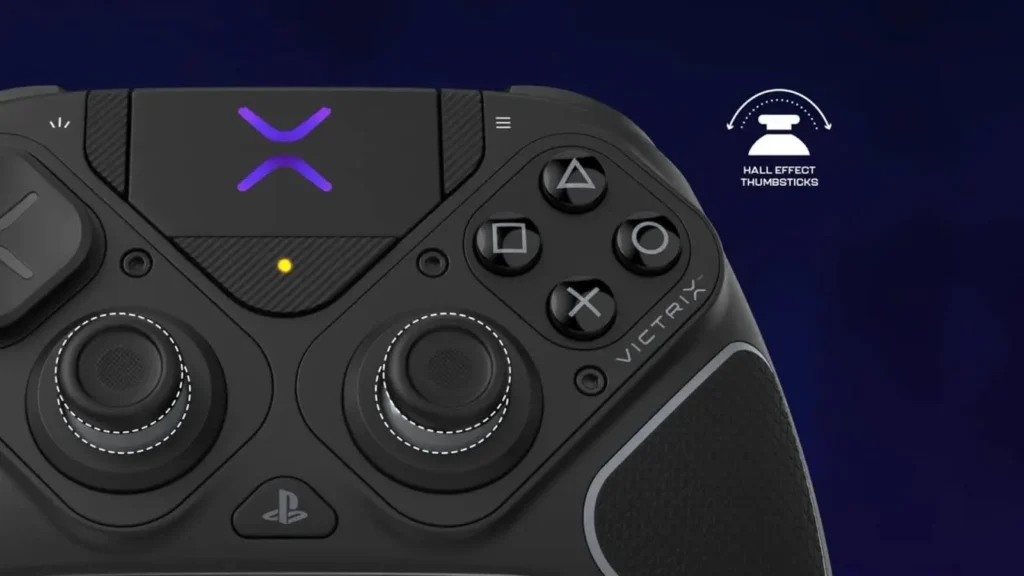
    AFgXFlJD7DV6sGdLwfEuafZrJ22N9xI 9968ef54 eda9 4910 a80f cf08ee0c8e2e
    Photo credit: https://www.turtlebeach.com/blog.

    Before jumping into picks, here’s the one spec you need to understand.

    Traditional Potentiometer Sticks (Most Controllers)

    Standard joysticks use a resistive contact between a wiper and a carbon track. Every movement wears down that contact. Nearly all $70+ controllers still use potentiometer sticks that eventually drift. Several sub-$50 controllers have already switched to Hall Effect technology โ€” and that makes them better long-term investments than official gamepads at twice the price.

    Hall Effect Sticks (The New Standard)

    Hall effect joysticks use magnets and a sensor instead of physical contacts. There is no surface-to-surface wear. The stick reads position from the magnetic field without touching anything.

    FeaturePotentiometer SticksHall Effect Sticks
    How it worksResistive contact (wears down)Magnetic field (no contact)
    Drift riskHigh after 6โ€“18 months of heavy useVirtually zero
    Used inXbox Core, DualSense, most budget padsGameSir, GuliKit, 8BitDo (2026)
    Lifespan2โ€“4 years (heavy use)5โ€“10+ years
    Price premiumโ€”Near-zero in 2026 sub-$50 market

    ๐Ÿ’ก Pro Tip: If you’ve ever had a PS5 DualSense drift, you experienced potentiometer failure firsthand. Our PS5 Controller Drift guide covers the fixes โ€” but with Hall effect controllers, that guide becomes irrelevant. The drift never happens.


    ๐Ÿ† Best Budget PC Controllers Under $50 โ€” No Drift (Amazon US, July 2026)


    ๐Ÿฅ‡ Best Overall โ€” GameSir Nova Lite 2

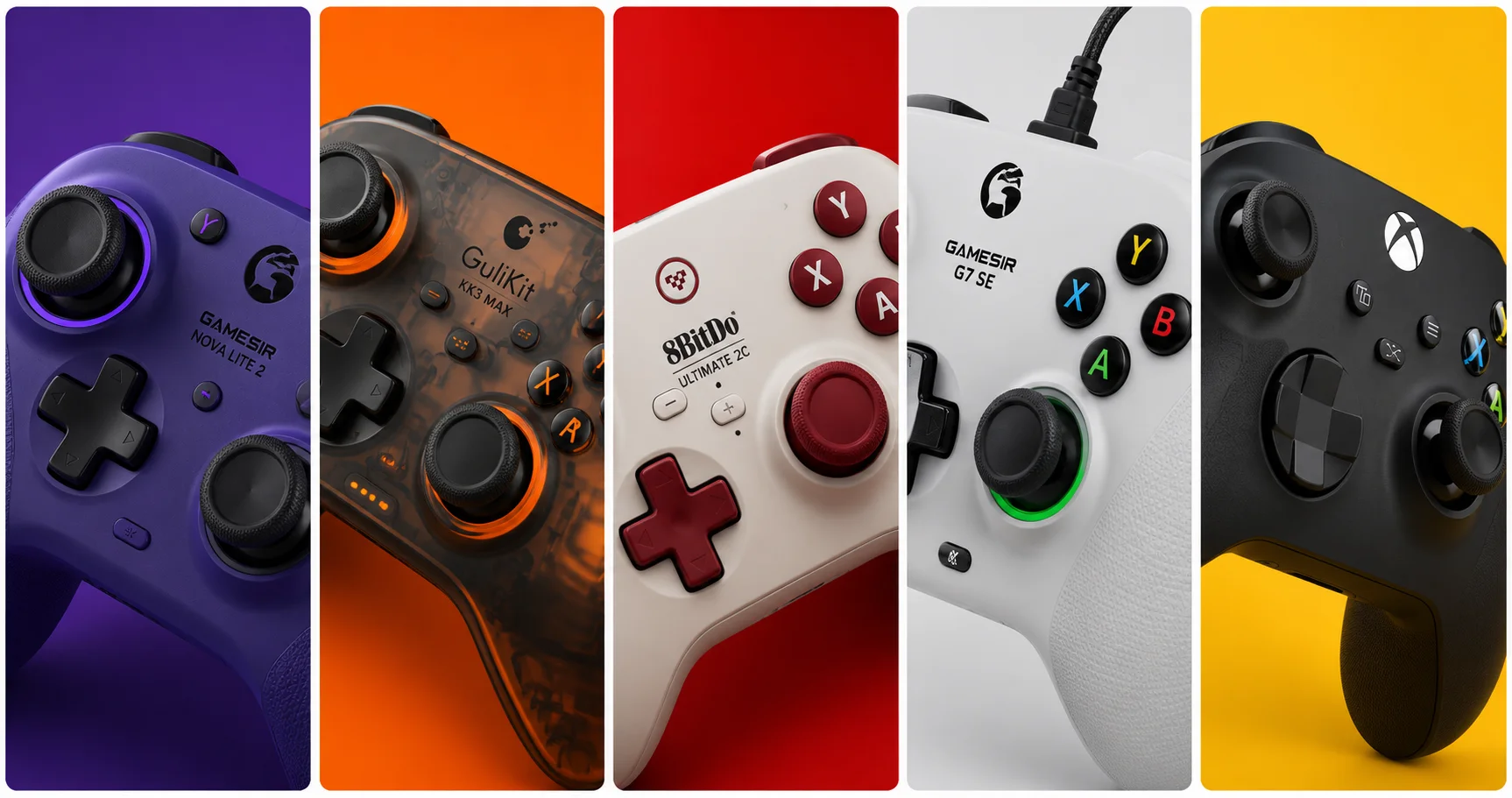
    gamesir nova 2
    Official design of the GameSir Nova Lite 2 (Image: Amazon US)

    ๐Ÿ‘‰ GameSir Nova Lite 2 โ€” Amazon US

    Why it’s #1: The GameSir Nova Lite is the best budget controller for PC gaming, and that’s not just because it’s cheap. There are plenty of options in the sub-$30 price range, but few have as good a feature set. You get proper Hall effect thumbsticks, so stick drift will never be an issue. Plus, it comes with a low-latency 2.4GHz dongle, which is far more suitable for faster gaming than Bluetooth โ€” which it also supports. The Nova Lite 2 builds on this with Hall effect triggers in addition to sticks, and a 1000Hz polling rate that matches premium controllers.

    SpecDetail
    Hall EffectSticks โœ… + Triggers โœ…
    Connection2.4GHz dongle + Wired USB-C
    Polling Rate1000Hz (wired and wireless)
    Remappable Buttonsโœ… Yes
    PlatformPC / Switch / Steam Deck / Android
    Weight~205g
    Price Range~$27โ€“$35

    Pros:

    • Hall effect on both sticks AND triggers โ€” rare at this price
    • 1000Hz polling matches flagship controllers at 3โ€“4x the cost
    • Triple connectivity: 2.4GHz dongle, USB-C wired, Bluetooth
    • Plug-and-play on Windows โ€” no driver installation required
    • Remappable buttons via GameSir app

    Cons:

    • No gyroscope
    • Primarily a PC/Switch controller โ€” not Xbox-native for console

    Best for: PC gamers who want the best performance per dollar and plan to use the controller for years without drift.


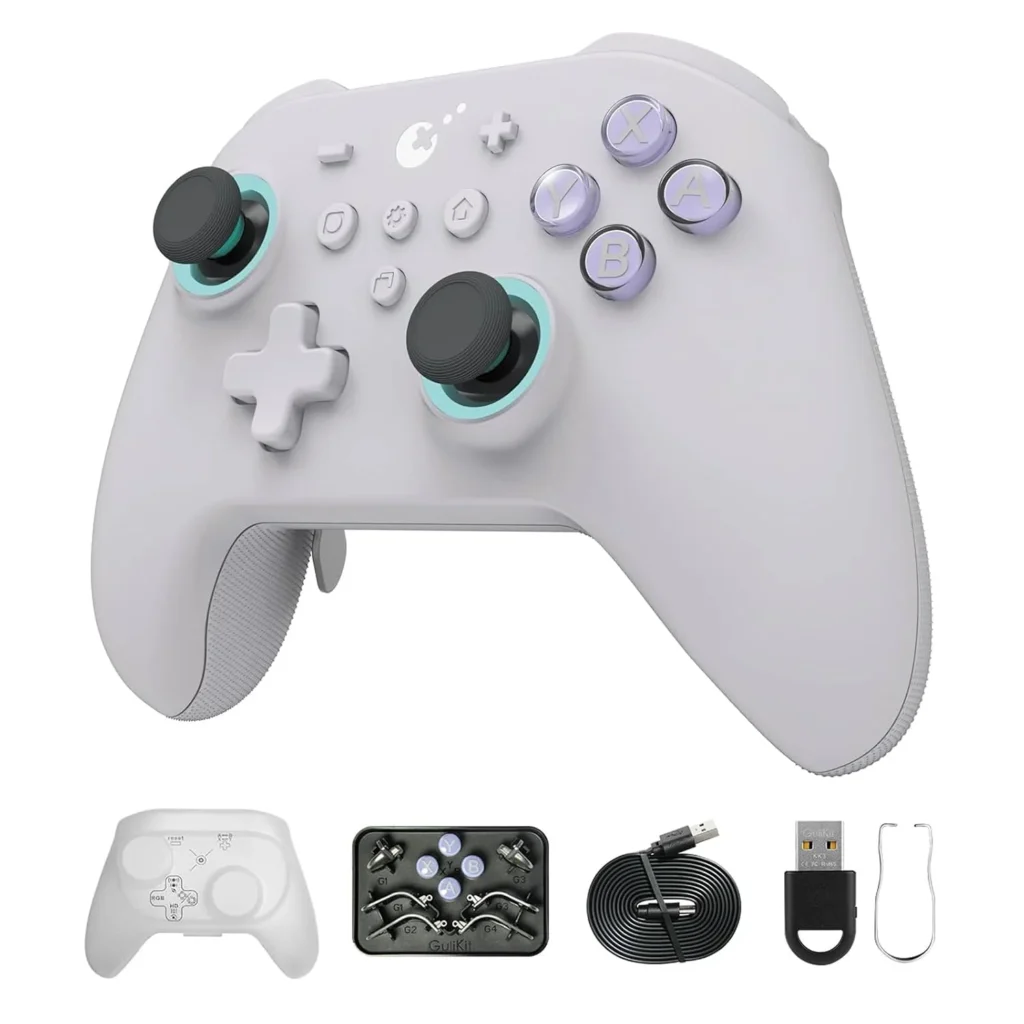
    ๐Ÿฅˆ Best Feature Set โ€” GuliKit KK3 Max

    gulikit kk3
    Official design of the GuliKit KK3 Max. (Image: Amazon US)

    ๐Ÿ‘‰ GuliKit KK3 Max โ€” Amazon US

    Why it’s here: The GuliKit KK3 Max is a “budget” PC and Nintendo Switch controller with magnetic thumbsticks, trigger locks, a comfortable layout, and a turbo button. At around $45โ€“$50, it’s the most feature-rich controller under $50 on the market โ€” and everything that makes it remarkable comes from GuliKit’s proprietary Hall effect technology.

    GuliKit KK3 Max is equipped with new-gen Hall magnetic joysticks with anti-stick drift and smooth control, with high precision at level 2200 for more delicate micro-control. The patented SmartTrigger technology lets you instantly switch between digital triggers for ultra-fast firing in FPS games, and analog triggers for pressure-sensitive control in racing games.

    SpecDetail
    Hall EffectSticks โœ… + Triggers โœ… (SmartTrigger)
    Connection2.4GHz HyperLink + Bluetooth + Wired
    Polling Rate1000Hz (wired and wireless)
    Back Paddles4 detachable metal paddles
    Gyroscope6-axis โœ…
    PlatformSwitch / Switch 2 / PC / Android / iOS / Steam Deck
    Price Range~$45โ€“$55

    Pros:

    • Best Hall effect implementation at this price (Level 2200 precision)
    • 4 detachable metal back paddles โ€” feature usually found in $150+ elite controllers
    • SmartTrigger switchable between digital (FPS) and analog (racing) โ€” no other controller under $100 does this
    • 6-axis gyroscope for motion aiming
    • Switch 2 Wake-Up function

    Cons:

    • Slightly above $50 at standard pricing (watch for sales)
    • More complex than casual gamers need

    Best for: Gamers who want elite features at a fraction of the cost โ€” especially Switch 2 and PC hybrid setups.


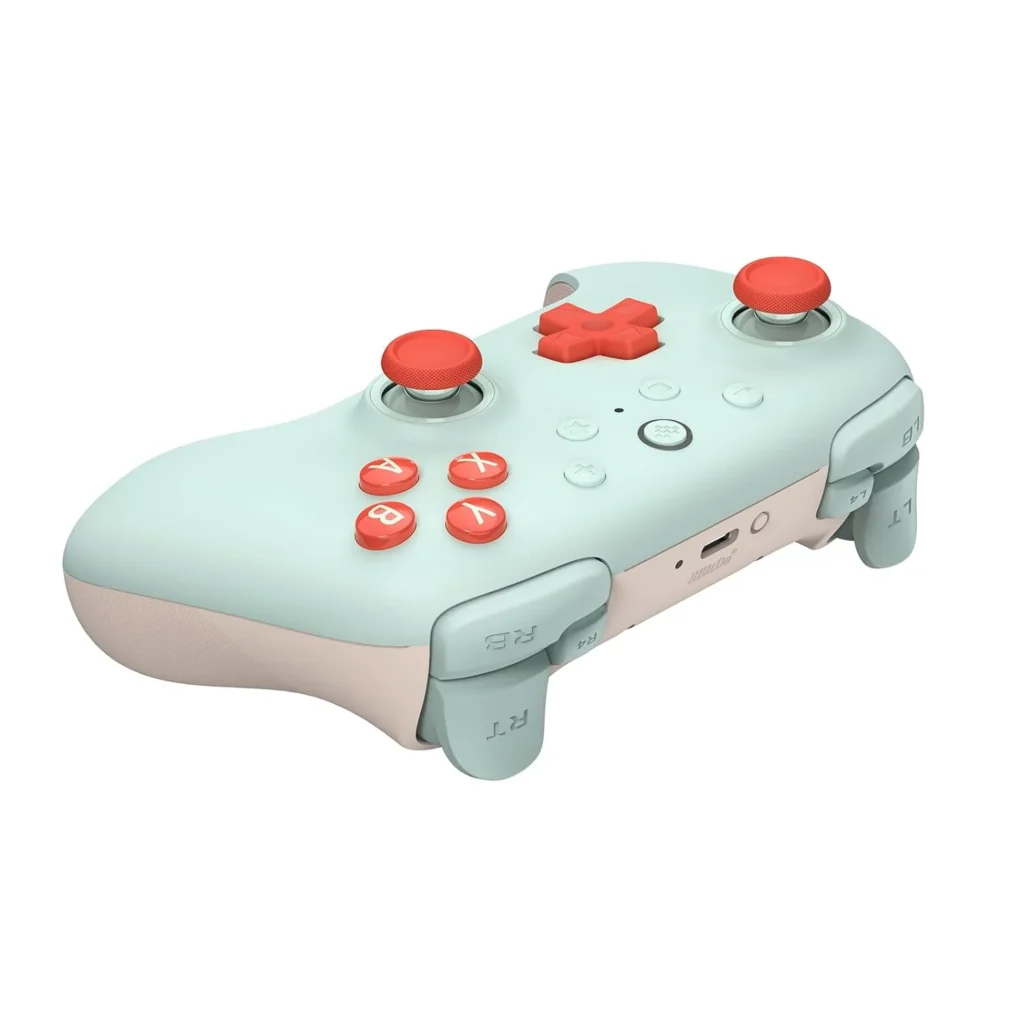
    ๐Ÿฅ‰ Best Wireless Value โ€” 8BitDo Ultimate 2C

    8bitdo ultimate 2c
    Official design of the 8BitDo Ultimate 2C. (Image: Amazon US)

    ๐Ÿ‘‰ 8BitDo Ultimate 2C โ€” Amazon US

    Why it’s here: The 8BitDo Ultimate 2C is the most impressive budget controller of 2026. It packs Hall Effect sticks and triggers, 2.4GHz wireless via dongle, USB-C charging, and compatibility with PC, Switch, and Android. Build quality feels closer to $70 than $40 โ€” the face buttons have crisp tactile feedback and the grips are textured well. Input lag via USB averages 4.8ms. Via 2.4GHz dongle it’s 7.2ms. Both figures match or beat the Nintendo Switch Pro Controller at less than half the price.

    SpecDetail
    Hall EffectSticks โœ… + Triggers โœ…
    Connection2.4GHz dongle + USB-C wired
    Polling Rate1000Hz
    Remappable BumpersL4/R4 extra bumpers โœ…
    PlatformPC (Windows) / Android
    BatteryUSB-C rechargeable
    Price Range~$30โ€“$40

    Pros:

    • Hall effect sticks and triggers โ€” virtually zero drift risk
    • 1000Hz polling rate beats most $60โ€“$80 controllers
    • Extra L4/R4 remappable bumpers
    • 8BitDo’s software (Ultimate Software) is best-in-class for button remapping
    • Extremely competitive pricing โ€” frequently under $30 on sale

    Cons:

    • No Bluetooth (dongle only for wireless)
    • PC and Android only โ€” no Nintendo Switch support on this specific model
    • No rumble in the 2C variant

    Best for: PC-only gamers who want the best wireless latency at the lowest possible price.


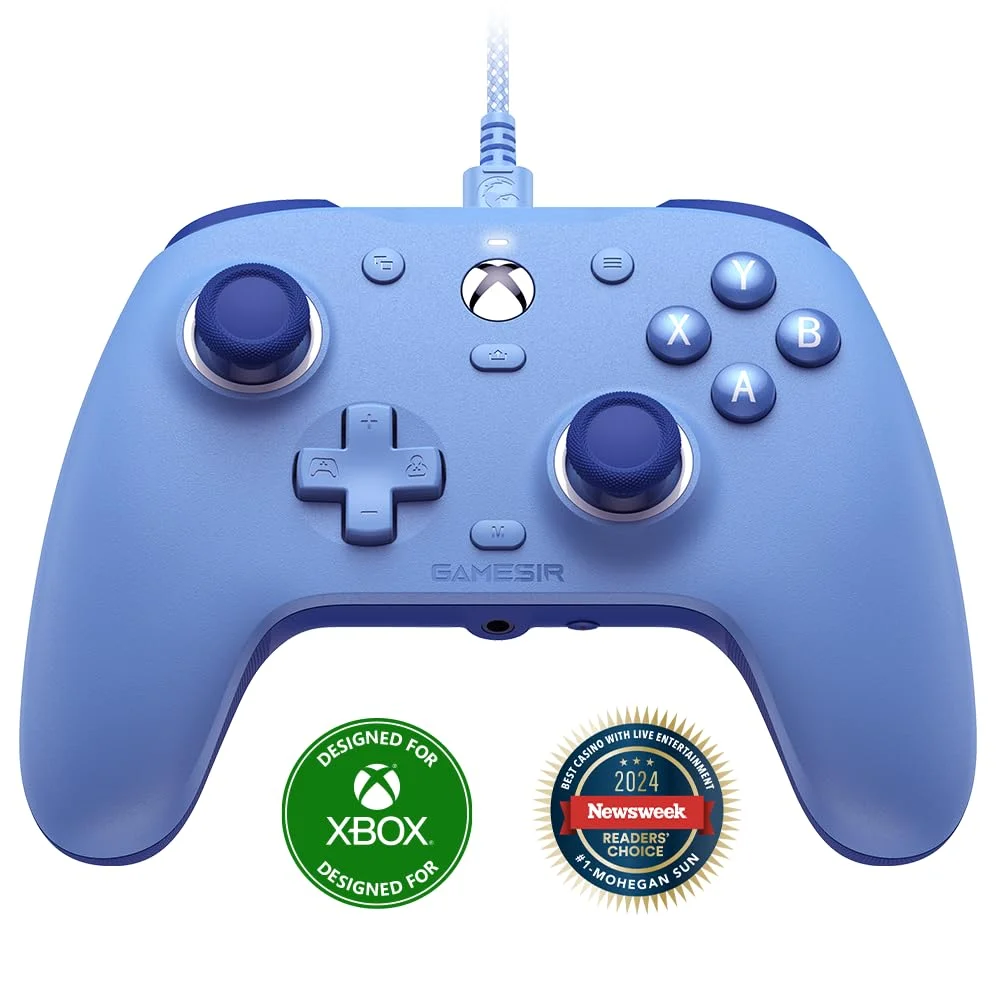
    ๐ŸŽฏ Best Wired Budget Pick โ€” GameSir G7 SE

    gamesir g7
    Official design of the GameSir G7 SE. (Image: Amazon US)

    ๐Ÿ‘‰ GameSir G7 SE โ€” Amazon US

    Why it’s here: The G7 SE solves the most critical pain point for budget buyers: stick drift. During our testing marathon, it showed zero signs of drift after 35 hours of simulated gameplay โ€” something most sub-$40 controllers can’t claim. Customers praise the controller’s value for money as a budget-friendly Hall effect device. One customer notes it feels like an Xbox controller in their hands.

    If you don’t need wireless and want zero-latency wired performance, the G7 SE is the pick. It uses a standard Xbox layout, meaning Windows recognizes it instantly without any driver setup โ€” the same plug-and-play experience as an official Xbox controller.

    SpecDetail
    Hall EffectSticks โœ…
    ConnectionWired USB-A
    LayoutXbox-style (Windows native)
    Customizable Face Platesโœ… Yes
    PlatformPC / Xbox
    Price Range~$35โ€“$45

    Pros:

    • Wired means zero latency and no battery management
    • Xbox layout = instant Windows compatibility
    • Hall effect sticks eliminate drift entirely
    • Interchangeable face plates for personalization
    • Solid build quality for the price

    Cons:

    • Wired only โ€” no wireless option
    • Triggers are standard potentiometer (not Hall effect on this model)

    Best for: Desk PC gamers who prefer a cable and want an Xbox-compatible controller without the Xbox price.


    ๐Ÿ’ก Honorable Mention โ€” Xbox Core Controller

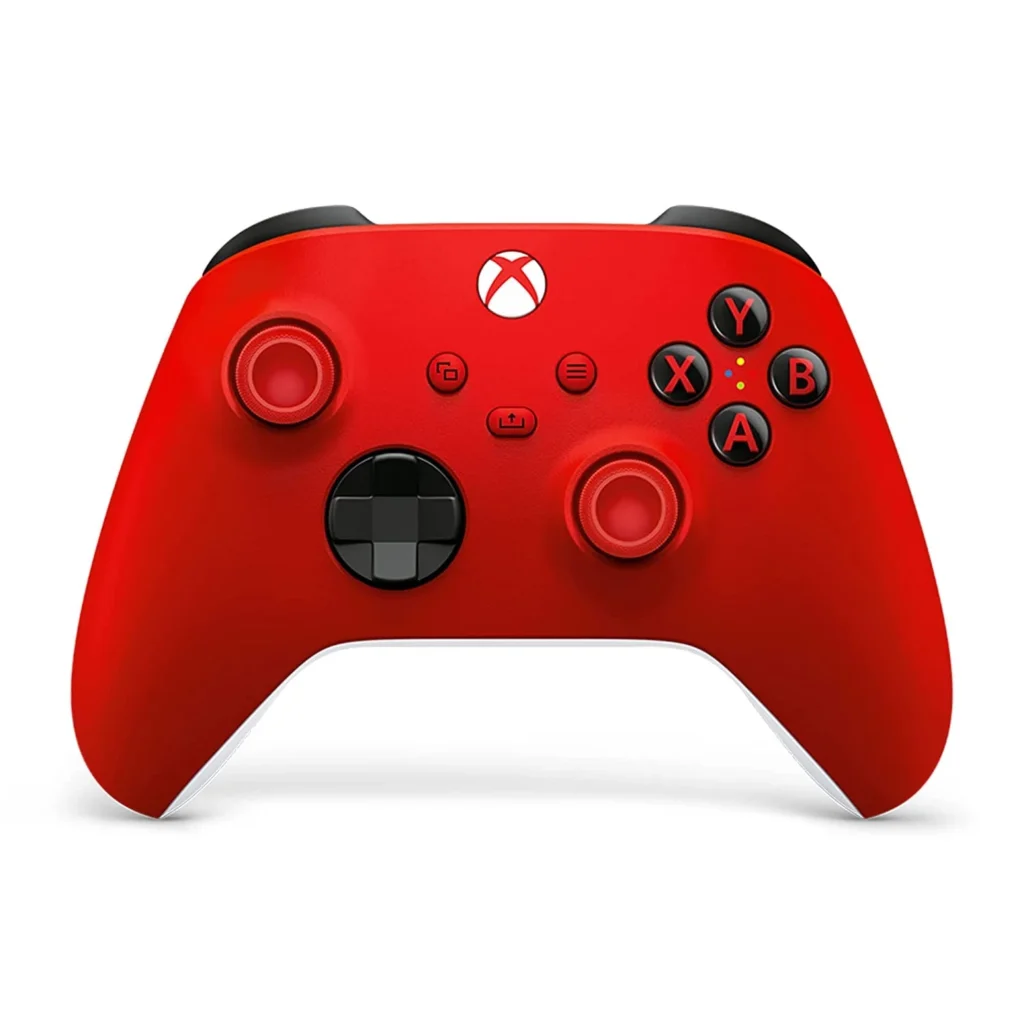
    xbox core controller
    Official design of the Xbox Core Controller. (Image: Amazon US)

    ๐Ÿ‘‰ Xbox Core Wireless Controller โ€” Amazon US

    A word on the “official” option: Our #1 pick for overall PC gaming in 2026 is the Xbox Core. It’s the best-supported controller on Windows, recognized by virtually every game, and the gold standard for layout comfort. However, at $60 and with standard potentiometer sticks, it costs more than every pick above while being more prone to drift. We include it here as a reference: if budget isn’t your concern and you want maximum game compatibility, it’s the safe choice. But for pure value and longevity, the Hall effect options above are objectively better investments.


    ๐Ÿ“Š Full Comparison Table

    ControllerHall EffectWirelessPolling RateBack PaddlesPlatformPrice
    GameSir Nova Lite 2Sticks + Triggers2.4GHz + BT1000HzโŒPC/Switch/Android~$30
    GuliKit KK3 MaxSticks + Triggers2.4GHz + BT1000Hzโœ… 4 paddlesPC/Switch 2/Android/iOS~$50
    8BitDo Ultimate 2CSticks + Triggers2.4GHz1000Hzโœ… L4/R4PC/Android~$35
    GameSir G7 SESticks onlyโŒ WiredNative USBโŒPC/Xbox~$40
    Xbox CoreโŒ Standardโœ… WirelessStandardโŒPC/Xbox/PS5~$60

    ๐Ÿค” Which Controller Should You Buy?

    • Best all-around under $35: โ†’ GameSir Nova Lite 2 โ€” Hall effect sticks and triggers, 1000Hz, three connection modes
    • Best feature set under $50: โ†’ GuliKit KK3 Max โ€” back paddles, SmartTrigger, gyro, Switch 2 compatible
    • Best pure wireless for PC: โ†’ 8BitDo Ultimate 2C โ€” lowest latency at this price, 1000Hz dongle wireless
    • Best wired option: โ†’ GameSir G7 SE โ€” Xbox layout, instant Windows compatibility, zero drift
    • Best if game compatibility is paramount: โ†’ Xbox Core Controller (accepts the drift risk for plug-and-play ubiquity)

    ๐ŸŽฎ Which Games Need a Controller vs. Mouse and Keyboard?

    Not every game benefits from a controller. Here’s the quick guide:

    GenreController Better?Notes
    Platformersโœ… YesAnalog movement is essential
    Fighting gamesโœ… YesD-pad precision matters
    Racing gamesโœ… YesAnalog triggers for throttle control
    Action-adventure / RPGโœ… YesMore comfortable for long sessions
    FPS / TPS (competitive)โŒ Mouse/KB winsAim assist helps on console, less so on PC
    Strategy / RTSโŒ Mouse/KB winsClicking precision is fundamental
    Indie / casualโœ… UsuallyDepends on the game

    ๐Ÿ”— Related on TechPlayGrid


    โ“ FAQ

    What is Hall effect and why does it prevent drift?

    Hall effect joysticks use magnets instead of physical resistive contacts. Nearly all $70+ controllers still use potentiometer sticks that eventually drift. Several sub-$50 controllers have switched to Hall Effect technology โ€” making them better long-term investments than official gamepads at twice the price. Since there’s no surface wear, the sensor never degrades and drift never develops.

    Do Hall effect controllers work on all PC games?

    Yes โ€” these controllers present themselves to Windows as standard XInput or DirectInput devices. Any game that supports a controller works with them. Some (like the GameSir G7 SE) use native Xbox layout for the broadest compatibility.

    Is 1000Hz polling rate actually noticeable in gaming?

    For competitive games, yes. Standard controllers poll at 125Hz (8ms delay). 1000Hz polling means 1ms delay โ€” a significant reduction in input lag that’s perceptible in fast-paced games like Fortnite, Rocket League, or fighting games where frame-perfect inputs matter.

    Are budget controllers good for fighting games?

    Fighting game communities are embracing Hall effect controllers for tournaments because they eliminate stick drift accusations. The GameSir Nova Lite 2 and GuliKit KK3 Max are both used by competitive players specifically because of their reliable, accurate inputs.

    Can I use these controllers on Steam Deck?

    Yes โ€” the GameSir Nova Lite 2, GuliKit KK3 Max, and 8BitDo Ultimate 2C all support Steam Deck either via 2.4GHz dongle or USB-C wired connection.

    Do these work with Nintendo Switch 2?

    The GuliKit KK3 Max specifically includes Switch 2 Wake-Up function and full Switch 2 compatibility. The GameSir Nova Lite 2 works with Switch via Bluetooth and its 2.4GHz dongle. The 8BitDo Ultimate 2C is PC/Android only.


    Last updated: July 2026 | Products verified on Amazon US

    โš ๏ธ Affiliate Disclosure: TechPlayGrid participates in the Amazon Associates Program and other affiliate programs. We earn a commission on qualifying purchases at no extra cost to you.


    ๐Ÿท๏ธ SEO Metadata

    Title : Best Budget PC Controller Under $50 โ€” No Drift (2026)

    Meta Description: Best budget PC controllers under $50 with no drift in 2026 โ€” Hall effect sticks, 1000Hz polling, wireless. All picks verified on Amazon US. No more stick drift ever.

    Tags: best budget pc controller 2026, gaming controller under 50, no drift pc controller, hall effect controller budget, gamesir nova lite 2, gulikit kk3 max, 8bitdo ultimate 2c, best cheap pc gamepad 2026

    Post Summary: In 2026, you no longer have to spend $60โ€“$80 on an official Xbox or PlayStation controller to get a reliable, drift-free gaming experience on PC. Hall effect joystick technology has reached the sub-$50 market, and the options are genuinely impressive. This guide covers four verified picks on Amazon US โ€” the GameSir Nova Lite 2 (best overall under $35), GuliKit KK3 Max (best feature set with back paddles and SmartTrigger under $50), 8BitDo Ultimate 2C (best wireless latency for PC-only gamers), and GameSir G7 SE (best wired Xbox-layout option) โ€” all with Hall effect sticks that eliminate stick drift permanently by design.