
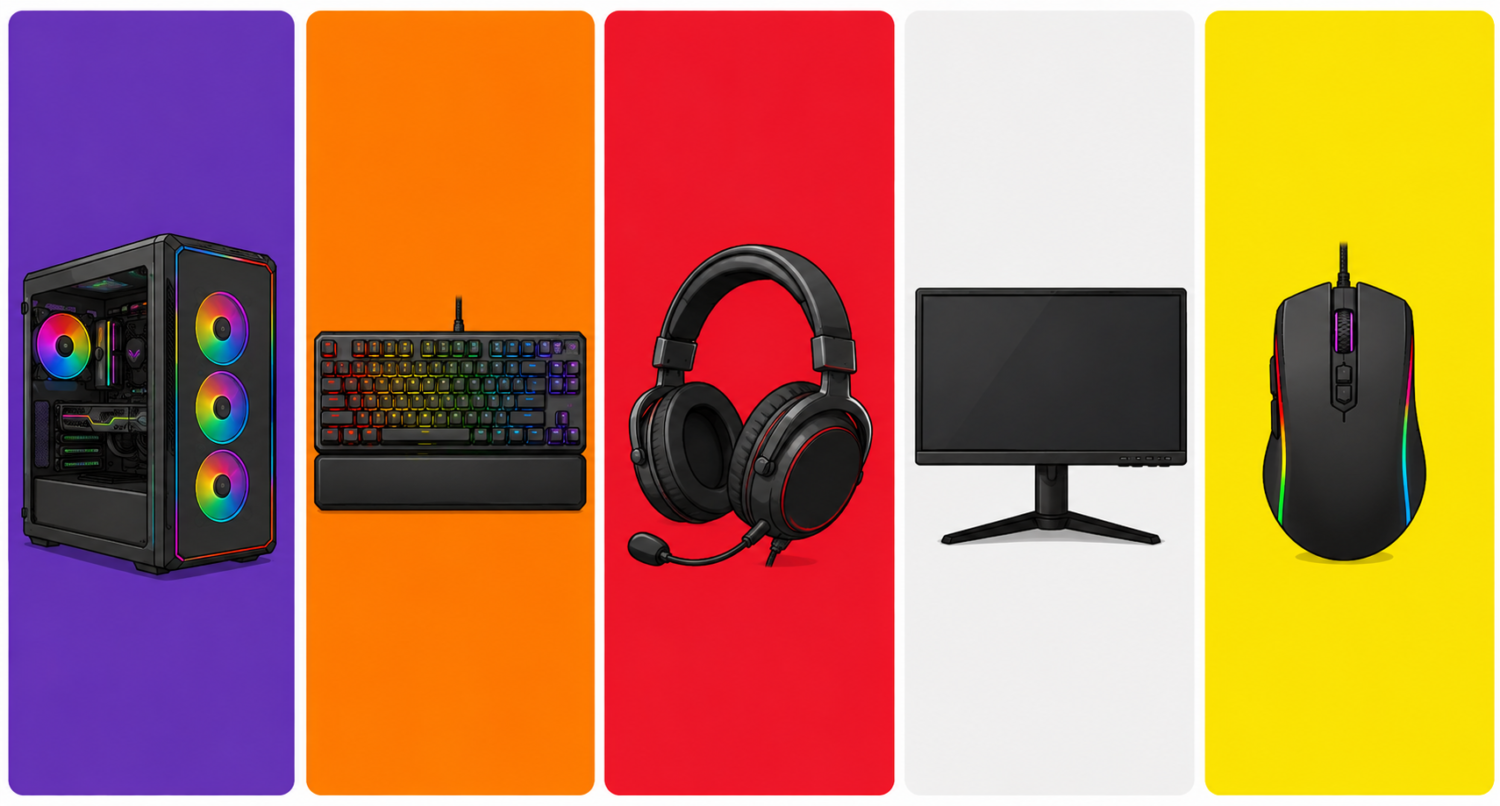
From $500 to $2,000+: Build your dream gaming setup at any budget
Estimated reading time: 12 minutes
Whether you’re a casual gamer who just wants a comfortable space to play after work or a competitive streamer looking to build a professional-grade battle station, one thing is clear: your gaming setup matters. The right gear doesn’t just look good — it reduces fatigue, improves reaction times, and makes every session more enjoyable.
In this guide, we break down everything you need to build the ultimate gaming setup in 2026, from the desk and chair to the monitor, lighting, and audio. We’ll cover three budget tiers so you can build smart at any price point.
Why Your Gaming Setup Matters More Than Ever
Gaming in 2026 isn’t a hobby you do at a cramped desk on a wobbly chair anymore. With the global gaming audience surpassing 3.6 billion players and the U.S. market leading in both revenue and innovation, the standards for what a proper gaming space should look like have risen dramatically.
More people are spending 3 to 6+ hours a day in front of their setups — and that kind of screen time demands real ergonomic investment. A bad chair can cause chronic back pain. A low-refresh monitor can literally make you lose competitive matches. Harsh lighting strains your eyes after an hour.
The good news? You don’t need to spend a fortune. Let’s break it down by tier.
🎮 Budget Tiers at a Glance
| Tier | Budget | Who It’s For |
|---|---|---|
| 🥉 Starter | ~$500 | First-time setup, casual gamers |
| 🥈 Mid-Range | ~$1,000–$1,200 | Everyday competitive players |
| 🥇 Premium | $1,800–$2,500+ | Streamers, esports enthusiasts, WFH gamers |
🖥️ 1. Gaming Monitor: The Most Important Purchase You’ll Make
Your monitor is the window to every game you play. No other upgrade delivers as immediate and noticeable an improvement as going from a 60Hz standard screen to a high-refresh gaming display.
What to Look For in 2026
- Refresh rate: 144Hz minimum for casual play; 240Hz or higher for competitive FPS titles like Valorant and CS2
- Resolution: 1080p for budget builds, 1440p (QHD) for the sweet spot between performance and image quality, 4K for cinematic single-player experiences
- Panel type: IPS for color accuracy and wide viewing angles; VA for deep blacks; TN for the fastest response times
- Response time: 1ms is ideal for competitive gaming
- HDR: HDR400 is the entry point; HDR600 and above actually makes a visible difference
Our Picks by Budget
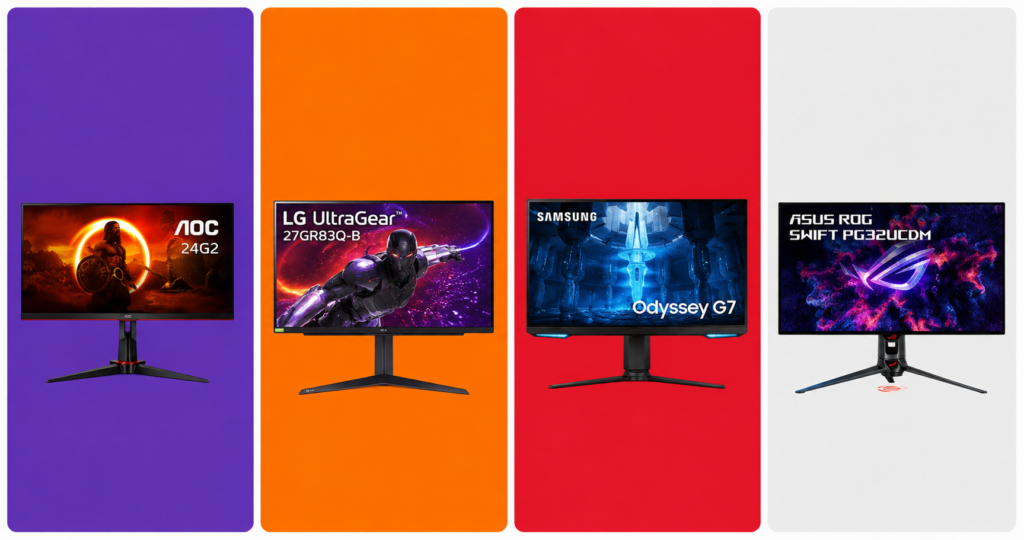
🥉 Starter (~$150–$180) The AOC 24G2 remains one of the best value 1080p 144Hz IPS monitors on the market. Fast, accurate colors, and widely available. 👉 AOC 24G2 on Amazon
🥈 Mid-Range (~$300–$380) The LG 27GR83Q-B at 27-inch 1440p 240Hz IPS hits the perfect balance for competitive and story-driven gaming alike. Stunning colors out of the box. 👉 LG 27GR83Q-B on Amzon
🥇 Premium (~$600–$900) The Samsung Odyssey G7 32″ OLED or ASUS ROG Swift PG32UCDM deliver a jaw-dropping 4K experience with ultra-fast refresh rates for serious enthusiasts. 👉 Samsung Odyssey G7 / ASUS ROG Swift on Amazon
Pro Tip: Always prioritize refresh rate over resolution if you play competitive multiplayer games. A 1080p 240Hz monitor will beat a 4K 60Hz screen for your kill-death ratio every single time.
🪑 2. Gaming Chair: Your Back Will Thank You
After spending thousands on a PC and monitor, most gamers cheap out on their chair — and then spend years dealing with lower back pain. Don’t be that person.
What to Look For
- Lumbar support: Adjustable, ideally with a separate pillow or built-in curve
- Armrest adjustability: 4D armrests (up/down, side/side, forward/back, pivot) are the gold standard
- Seat depth and width: Make sure it fits your body type
- Material: Fabric breathes better than PU leather; PU leather is easier to clean
- Tilt and recline: Look for at least 120–160° recline for gaming sessions that run long
Our Picks by Budget
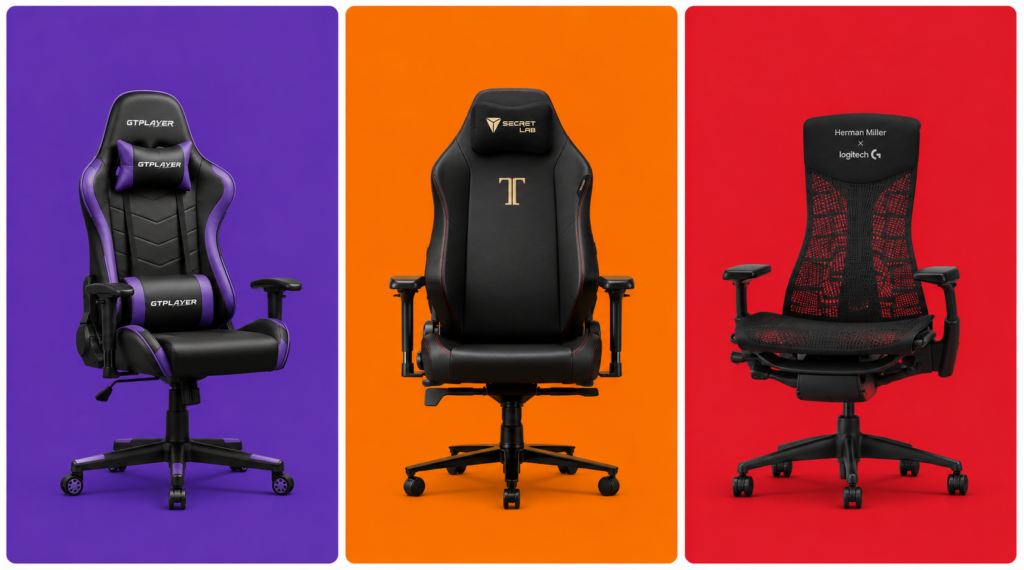
🥉 Starter (~$150–$200) The GTPLAYER Gaming Chair offers surprisingly solid lumbar support and build quality at a very accessible price for a first gaming chair. 👉 GTPLAYER Gaming Chair on Amazon
🥈 Mid-Range (~$350–$500) The Secretlab Titan Evo is the most recommended chair in the gaming community for a reason — impeccable build quality, cold-cure foam that doesn’t flatten after a year, and genuinely good ergonomics. Available in multiple sizes (Small, Regular, XL). 👉 Secretlab Titan Evo on Amazon
🥇 Premium (~$700–$1,400) If you want to go full professional, the Herman Miller x Logitech Embody blends Herman Miller’s legendary ergonomics with gaming-specific design. Built to last 12+ years. 👉 Herman Miller Embody Gaming — Herman Miller or Amazon
Pro Tip: Measure your desk height before buying a chair. Ideally your elbows should rest at a 90° angle while your feet are flat on the floor. Add a footrest (~$30 on Amazon) if your desk isn’t height-adjustable.
🗂️ 3. Gaming Desk: Your Command Center
Your desk anchors the entire setup. In 2026, the biggest trend is the rise of sit-stand desks (also called standing desks), which have moved from office furniture into gaming setups thanks to their flexibility and health benefits.
What to Look For
- Size: At minimum 55 inches wide for a dual-monitor or ultrawide setup; 63+ inches if you want room to spare
- Depth: 27–30 inches gives you proper monitor distance without feeling cramped
- Cable management: Built-in grommets, under-desk trays, or cable channels are hugely valuable for keeping things clean
- Weight capacity: If you’re mounting multiple monitors or a heavy setup, check the load rating
- Motorized vs. fixed: A height-adjustable electric desk changes your life if you also work from home
Our Picks by Budget
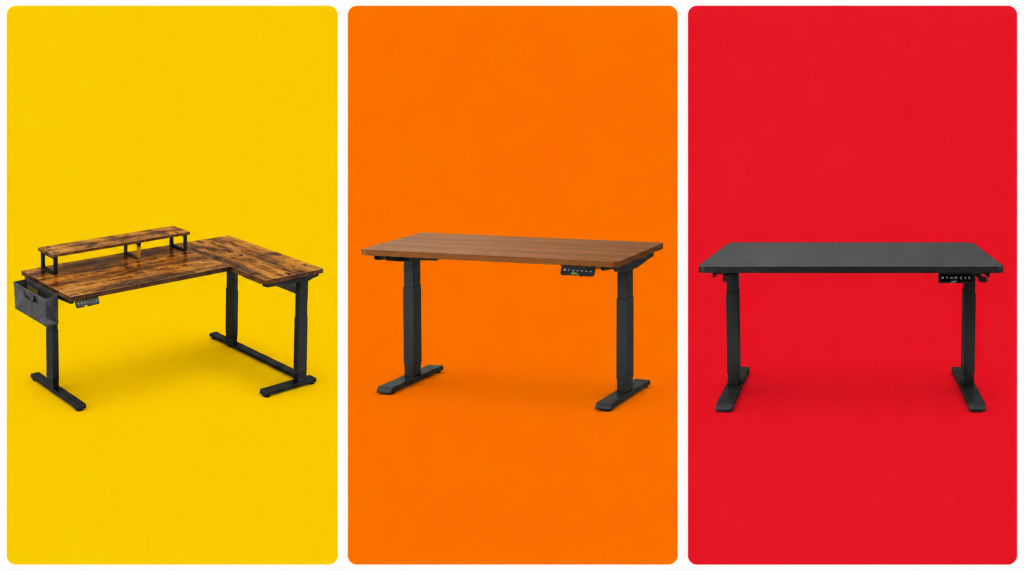
🥉 Starter (~$80–$130) The Bestier L-Shaped Desk gives you maximum surface space at a budget price. Solid for most setups. Cable grommets included. 👉 Bestier L-Shaped Desk on Amazon
🥈 Mid-Range (~$300–$450) The Flexispot E7 is the go-to recommendation for gamers who want a motorized sit-stand desk without breaking the bank. Dual-motor system, quiet, and rock solid at full height. 👉 Flexispot E7 on Amazon or Flexispot.com
🥇 Premium (~$800–$1,200) The Uplift V2 Commercial or Autonomous SmartDesk Pro represent the premium tier — deeper customization, better build materials, and longer warranties. Worth it if you’ll be at your desk 8+ hours a day. 👉 Uplift V2 on Amazon
🖱️ 4. Peripherals: Mouse, Keyboard & Headset
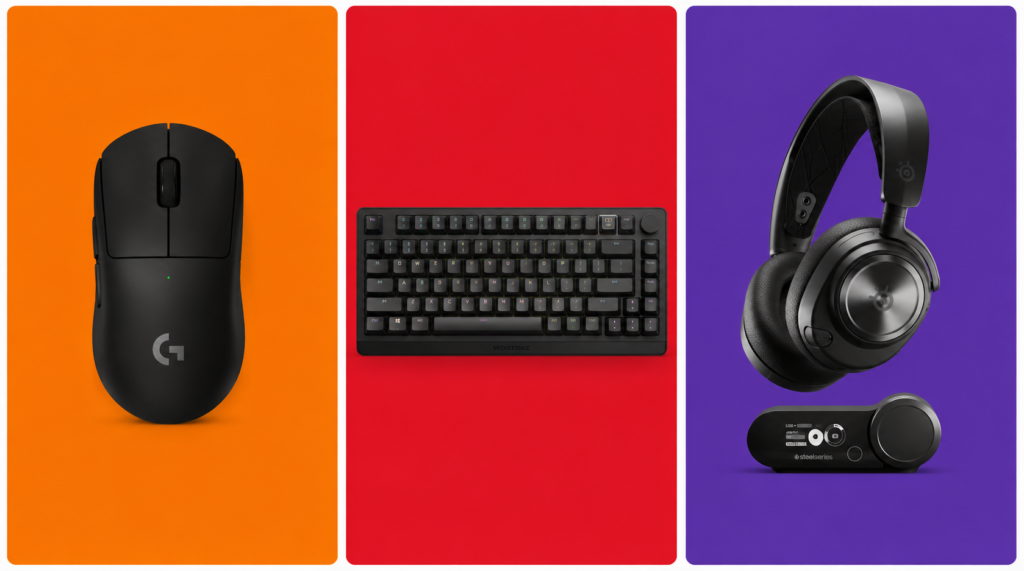
No gaming setup is complete without a great set of peripherals. These directly impact your performance and comfort every single session.
Gaming Mouse
Look for a mouse with a high-quality optical sensor, a weight that fits your grip style, and wireless if your budget allows (wireless gaming mice in 2026 have zero perceptible lag).
Starter (~$30–$50): Logitech G305 — Wireless, lightweight, 12,000 DPI sensor. Unbeatable value. 👉 Logitech G305 on Amazon
Mid-Range (~$80–$110): Razer DeathAdder V3 HyperSpeed — Ergonomic masterclass, ultra-accurate sensor, up to 300 hours battery life. 👉 Razer DeathAdder V3 on Amazon or Razer.com
Premium (~$150–$160): Logitech G Pro X Superlight 2 — The choice of top esports professionals. 60g, HERO 2 sensor, virtually flawless tracking. 👉 Logitech G Pro X Superlight 2 on Amazon
Gaming Keyboard
Starter (~$40–$60): Redragon K552 Kumara — Compact TKL layout, clicky blue switches, solid build for the price. 👉 Redragon K552 on Amazon
Mid-Range (~$130–$170): Razer Huntsman V3 Pro — Analog optical switches with rapid trigger support. A must-have for competitive FPS players. 👉 Razer Huntsman V3 Pro on Amazon
Premium (~$200–$250): Wooting 80HE — Hall effect rapid trigger, USB polling at 8000Hz, and a devoted esports following. The technical ceiling of mechanical keyboards in 2026. 👉 Wooting 80HE on Amazon
Gaming Headset
Starter (~$50–$70): HyperX Cloud Stinger 2 — Comfortable, decent sound stage, plug-and-play. Great for beginners. 👉 HyperX Cloud Stinger 2 on Amazon
Mid-Range (~$130–$180): SteelSeries Arctis Nova 7 — Wireless, 38-hour battery, solid surround sound. Works on PC, PS5, Switch 2, and mobile. 👉 SteelSeries Arctis Nova 7 on Amazon
Premium (~$280–$350): SteelSeries Arctis Nova Pro Wireless — Dual wireless (2.4GHz + Bluetooth), swappable battery system, and active noise cancellation. The flagship for serious gamers. 👉 SteelSeries Arctis Nova Pro Wireless on Amazon
💡 5. RGB Lighting: Set the Mood, Reduce Eye Strain
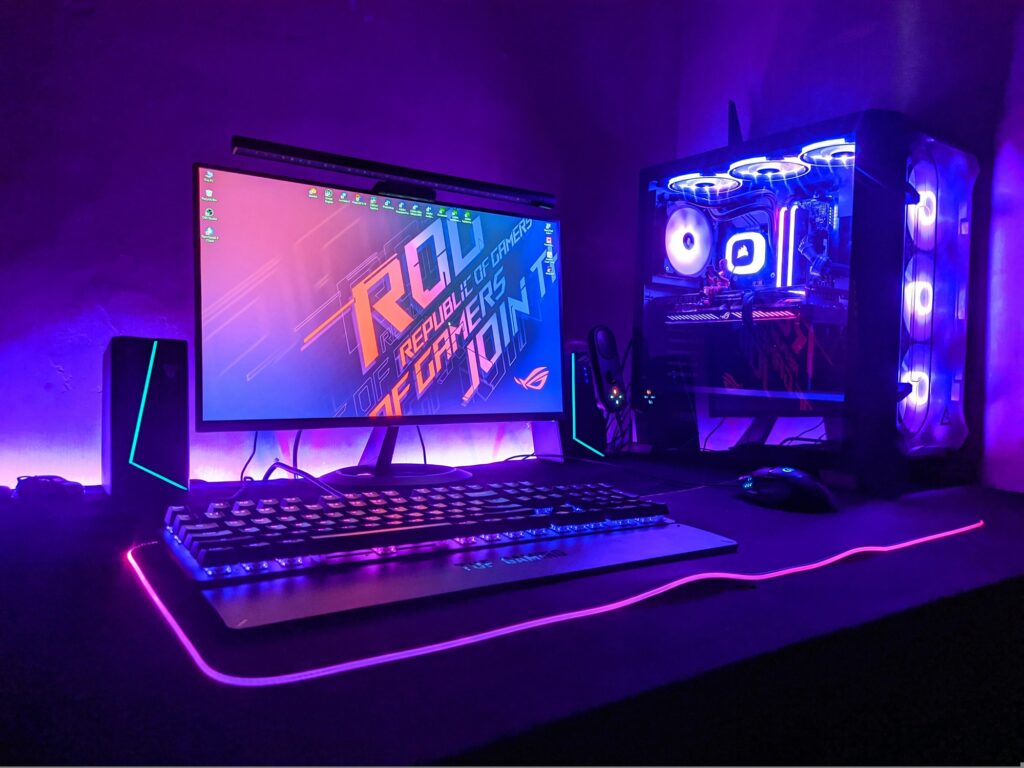
RGB gets a bad reputation for being purely cosmetic, but proper ambient lighting in a gaming room actually reduces eye strain significantly by balancing the brightness difference between your monitor and the surrounding environment.
Must-Have Lighting Pieces
Bias Lighting (behind your monitor): The Govee TV Backlight strips are affordable, sync with your on-screen content via camera or HDMI passthrough, and create a stunning halo effect that makes colors pop. 👉 Govee TV Backlight T2 on Amazon
Desk LED Strip: Govee M1 RGBIC Strips or Philips Hue Play Gradient offer millions of color combinations and app control for full customization. 👉 Govee M1 / Philips Hue Play on Amazon
Smart Key Light / Ring Light (for streamers): The Elgato Key Light Air is the industry standard for clean, even lighting that makes your face look professional on stream or video calls. 👉 Elgato Key Light Air on Amazon
Pro Tip: Set your bias lighting to a warm white or soft blue (~5500–6500K) during long sessions. It’s much easier on the eyes than pure RGB cycling effects, which look great in photos but cause fatigue over time.
🔌 6. Don’t Forget These Essentials
These are the often-overlooked items that complete a serious gaming setup:
Monitor Arm (~$30–$120): Frees up desk space and puts your screen at the perfect ergonomic height. The Ergotron LX is the community favorite. 👉 Ergotron LX on Amazon
Gaming Router (~$100–$300): For competitive online gaming, a Wi-Fi 6E or Wi-Fi 7 router makes a real difference. The ASUS ROG Rapture GT-BE98 is the top-tier pick for dedicated gamers. 👉 ASUS ROG Rapture on Amazon
UPS / Surge Protector: Protect your entire setup from power surges and unexpected outages. The APC Back-UPS Pro 1500VA is a reliable, trusted option. 👉 APC Back-UPS Pro on Amazon
XL Mousepad (~$20–$40): A large desk mat unifies your setup aesthetically and gives your mouse consistent tracking across the entire desk. The SteelSeries QcK XXL is the most popular choice among competitive players. 👉 SteelSeries QcK XXL on Amazon
🏆 Full Setup Recommendations by Budget
🥉 Starter Setup — ~$500
| Item | Pick | Price |
|---|---|---|
| Monitor | AOC 24G2 (1080p 144Hz) | ~$160 |
| Chair | Homall Gaming Chair | ~$180 |
| Desk | Bestier L-Shaped | ~$110 |
| Mouse | Logitech G305 | ~$35 |
| Keyboard | Redragon K552 | ~$45 |
| Headset | HyperX Cloud Stinger 2 | ~$50 |
| Mousepad | Amazon Basics XL | ~$15 |
| Total | ~$595 |
🥈 Mid-Range Setup — ~$1,100
| Item | Pick | Price |
|---|---|---|
| Monitor | LG 27GP850-B (1440p 165Hz) | ~$330 |
| Chair | Secretlab Titan Evo | ~$450 |
| Desk | Flexispot E7 (standing desk) | ~$370 |
| Mouse | Razer DeathAdder V3 HyperSpeed | ~$90 |
| Keyboard | Razer Huntsman V3 Pro | ~$150 |
| Headset | SteelSeries Arctis Nova 7 | ~$150 |
| Lighting | Govee TV Backlight + Strips | ~$60 |
| Mousepad | SteelSeries QcK XXL | ~$30 |
| Total | ~$1,630 |
🥇 Premium Setup — ~$2,500+
| Item | Pick | Price |
|---|---|---|
| Monitor | Samsung Odyssey G7 32″ OLED | ~$800 |
| Chair | Herman Miller x Logitech Embody | ~$995 |
| Desk | Uplift V2 Commercial | ~$950 |
| Mouse | Logitech G Pro X Superlight 2 | ~$155 |
| Keyboard | Wooting 80HE | ~$220 |
| Headset | SteelSeries Arctis Nova Pro Wireless | ~$320 |
| Lighting | Philips Hue Play Gradient + Key Light Air | ~$250 |
| Monitor Arm | Ergotron LX | ~$120 |
| Router | ASUS ROG Rapture GT-BE98 | ~$280 |
| Total | ~$4,090 |
Final Thoughts
Building a great gaming setup in 2026 doesn’t require spending $4,000 all at once. Start with the fundamentals — a decent monitor, a chair that won’t destroy your back, and a desk that fits your space. Then upgrade piece by piece as your budget allows.
The single best bang-for-your-buck upgrade for most gamers is the chair. It’s the one thing you’ll feel immediately, every single session. Once you sit in a proper gaming chair with lumbar support and 4D armrests, going back is painful — literally.
Happy gaming. Build smart.
This post contains affiliate links. If you purchase through our links, we may earn a small commission at no extra cost to you. We only recommend products we genuinely stand behind.
Tags: gaming setup 2026, best gaming chair, gaming desk guide, gaming monitor buying guide, RGB lighting setup, gaming peripherals, budget gaming setup, ultimate battle station