Tag: PC Gaming

  • Best Dual Monitor Mounts for Heavy Displays (2026)

    Best Dual Monitor Mounts for Heavy Displays (2026)

    Introduction: Reclaiming Your Desk Real Estate

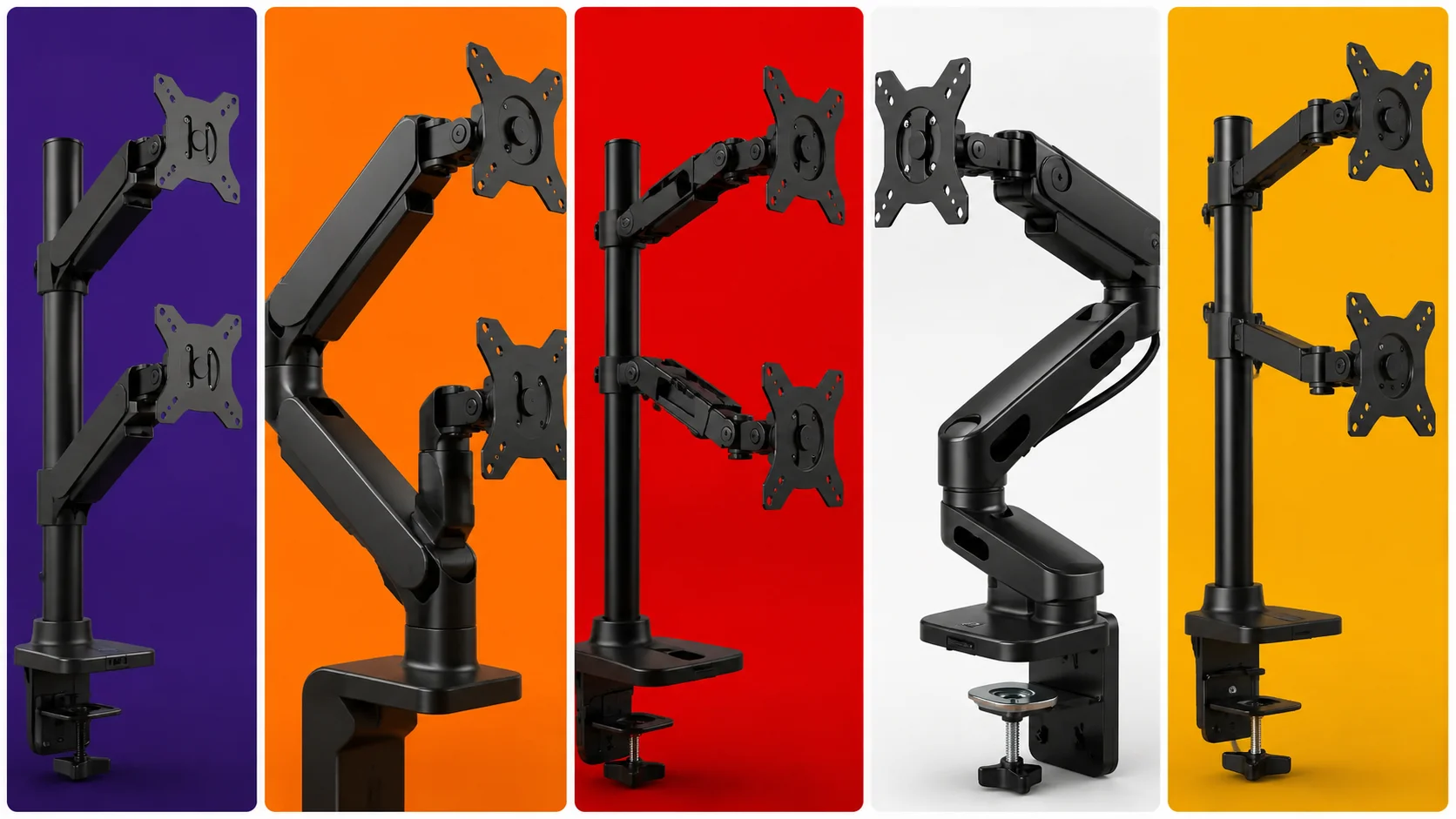
    A best dual monitor mounts configuration is one of the most effective upgrades for boosting productivity and gaming immersion. Side-by-side screens allow content creators, programmers, and gamers to multitask effortlessly. However, utilizing the original factory plastic stands that come with your monitors creates a massive footprint, cluttering your desk space and limiting your ability to adjust screen height, tilt, and distance.

    Upgrading to a dedicated heavy-duty dual-monitor arm eliminates desk clutter by elevating both displays on a single sturdy pillar or clamp mechanism. This not only frees up valuable surface area for your mousepad and accessories but also allows you to adjust your screens to exact eye level, preventing neck strain and fatigue. In this guide, we evaluate the best dual monitor mounts available on Amazon capable of supporting large 27-inch to 32-inch gaming displays securely.

    Key Factors to Consider Before Buying a Monitor Arm

    Gas Spring vs. Mechanical Spring Mechanisms

    Best Dual Monitor Mounts

    Monitor arms utilize either gas-filled cylinders or mechanical steel coil springs to counterbalance monitor weight. Gas spring arms provide smoother, effortless single-touch adjustments in height and angle, whereas mechanical spring arms offer extreme long-term structural durability without the risk of gas cylinder pressure loss over time.

    Weight Capacity and VESA Compatibility

    Before purchasing any mount, you must check the weight of your monitors (excluding their original stands) and verify their VESA mounting pattern (typically 75x75mm or 100x100mm). Overloading a budget arm beyond its specified weight limit will cause your screens to tilt downward or sag continuously onto your desk surface.

    โš ๏ธ Affiliate Disclosure: TechPlayGrid is reader-supported. When you buy through links on our site, we may earn an affiliate commission at no extra cost to you.

    Top Contender 1: HUANUO Dual Monitor Mount
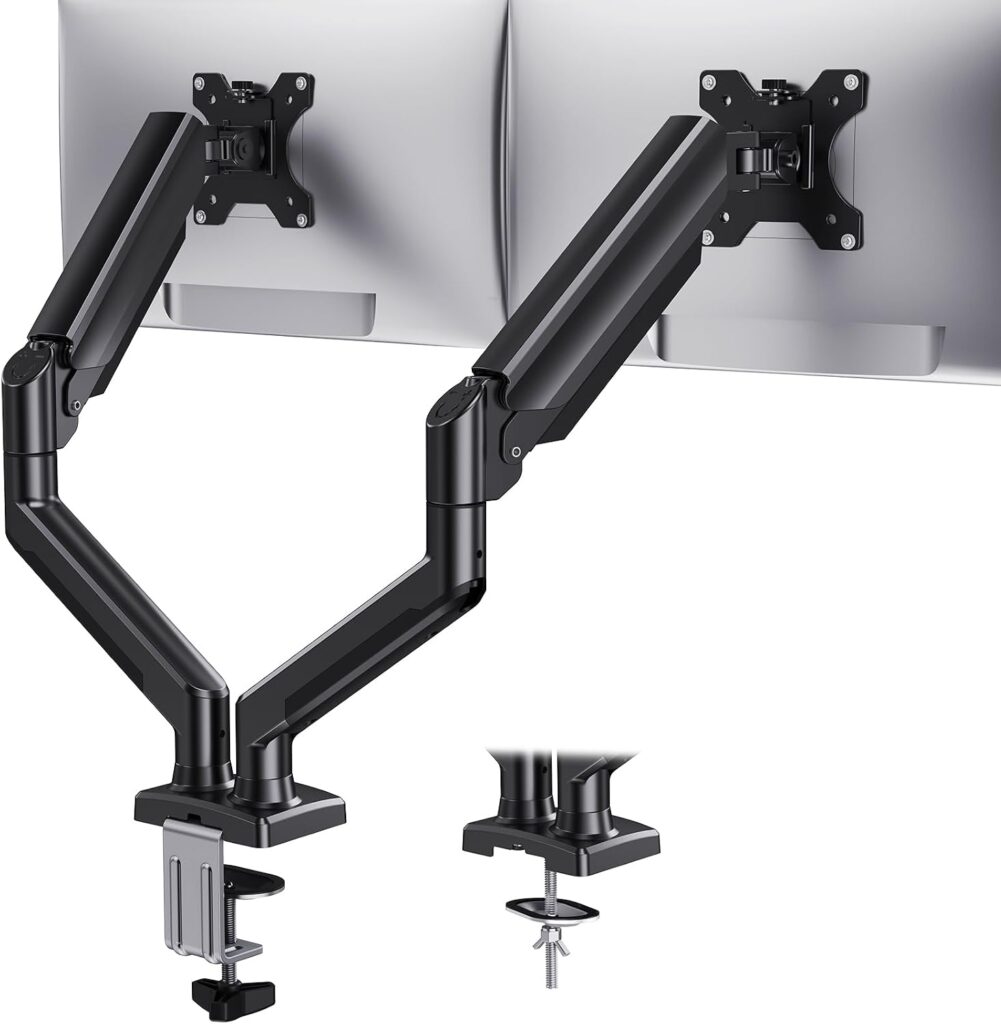
    HUANUO Mount
    Official design of the HUANUO Dual Monitor Mount (Image: Amazon US)

    The HUANUO Dual Monitor Mount is one of the most trusted and versatile gas-spring monitor arms on the market for medium-to-heavy displays.

    Build Quality and Ergonomics

    Constructed with premium automotive-grade gas springs, this mount easily holds two screens ranging from 13 to 32 inches, supporting up to 19.8 lbs (9 kg) per arm. It features full 360-degree screen rotation (allowing you to set one monitor vertically), 180-degree swivel, and a generous height adjustment range. Integrated cable management channels along the underside of the arms keep power and display cables completely hidden from view.

    Top Contender 2: VIVO Dual Desk Mount (STAND-V002)
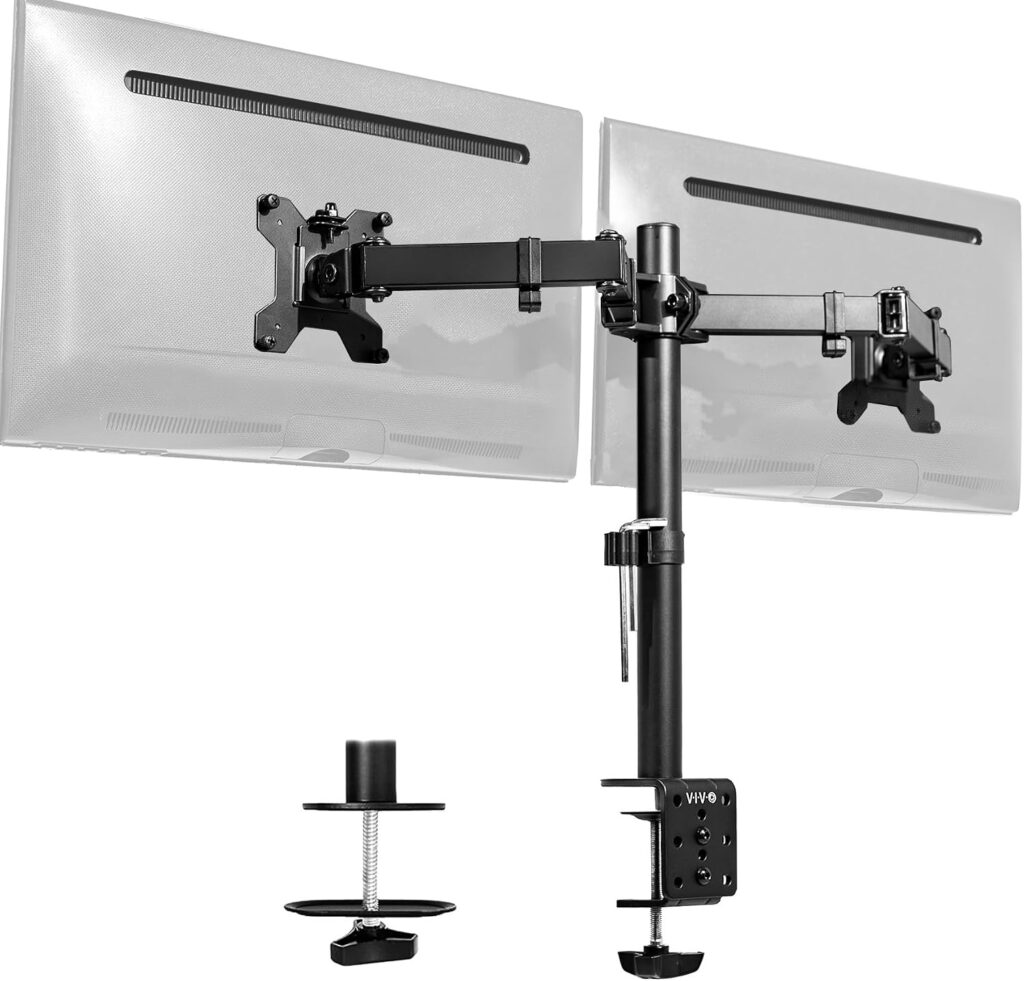
    VIVO StandV002
    Official design of the  VIVO Stand-V002. (Image: Amazon US)

    For users seeking rock-solid stability on a budget without needing frequent height adjustments, the VIVO STAND-V002 mechanical mount is a classic favorite.

    Build Quality and Ergonomics

    Built from heavy-duty steel and die-cast aluminum, the VIVO STAND-V002 supports two monitors up to 32 inches and 22 lbs (10 kg) per arm. Rather than using fluid gas springs, both arms lock securely onto a central steel center pole via heavy-duty clamps. Once you set your preferred height during assembly, your monitors remain locked in place with zero wobble or drifting, making it extremely reliable for heavy gaming monitors.

    Top Contender 3: Ergotron LX Dual Stacking Arm
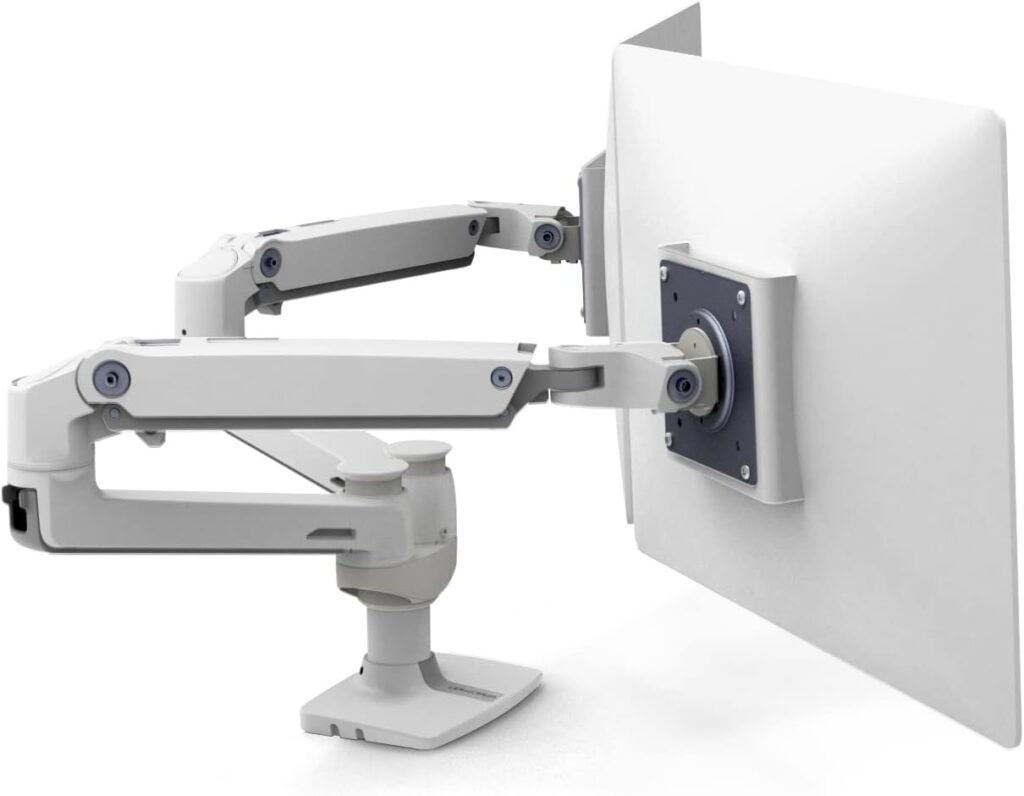
    Ergotron LX Dual
    Official design of the Ergotron LX Dual. (Image: Amazon US)

    If you own ultra-premium, heavy gaming monitors and demand studio-grade engineering, the Ergotron LX Dual Arm represents the absolute pinnacle of mount design.

    Build Quality and Ergonomics

    Engineered with polished aluminum and patented Constant Force spring technology, the Ergotron LX offers fluid, effort-free adjustment that lasts for years. It supports heavy displays up to 20 lbs (9 kg) per arm and is tested to pass 10,000 motion cycles. Its versatile arm architecture allows for side-by-side positioning or stacking one monitor directly above the other, which is ideal for streaming setups.

    Specifications Comparison

    Mount ModelMechanism TypeWeight Capacity (Per Arm)Supported Screen SizesCable Management
    HUANUO Dual MountGas Spring19.8 lbs (9 kg)13″ to 32″Integrated Snap-In Channels
    VIVO STAND-V002Mechanical / Center Pole22.0 lbs (10 kg)13″ to 32″Cable Clips Included
    Ergotron LX DualConstant Force Spring20.0 lbs (9.1 kg)Up to 32″Cable Routing Loops

    Frequently Asked Questions (FAQ)

    What is the difference between C-Clamp and Grommet mounting?

    A C-Clamp secures the mount by tightening onto the back edge of your desk. A Grommet mount bolts directly through a cable hole drilled into the desktop surface. Most quality monitor mounts include hardware for both attachment methods in the box.

    Can I mount a curved gaming monitor on these arms?

    Yes, as long as the monitor features a standard VESA plate attachment and its total weight does not exceed the arm’s specified weight limit. Curved displays push the center of gravity forward, so ensure you tighten the tilt tension bolt adequately during installation.

    Final Verdict

    If you require an ultra-premium, lifetime-grade arm for expensive displays, the Ergotron LX delivers unmatched craftsmanship. However, for 90% of gamers and remote workers seeking fluid gas-spring height adjustments, a clean desk layout, and robust structural support, the HUANUO Dual Monitor Mount delivers the best performance and value available today.

    ๐Ÿ”— Related on TechPlayGrid

    • Focus Keyword: best dual monitor mounts for heavy displays
    • Tags: Monitor Arm, Dual Monitor Mount, Desk Setup, HUANUO, VIVO, Ergonomics, PC Gaming
    • Meta Description: Discover the best dual monitor mounts for heavy 27-inch displays. Compare gas spring and steel mounts from HUANUO, VIVO, and Ergotron on Amazon.
    • Summary: A comprehensive technical guide analyzing dual monitor mounting arms for heavy gaming displays. We compare gas spring versus mechanical mechanisms, weight limits, VESA compatibility, and ergonomics across top models on Amazon US.

  • Best New Wireless Gaming Mice Under $100

    Best New Wireless Gaming Mice Under $100

    Freedom Without Breaking the Bank

    For years, competitive gamers refused to use wireless mice. The early wireless models were heavy, suffered from noticeable signal latency, and frequently disconnected mid-game. Today, that narrative has completely flipped. Modern wireless transmission technology is so fast that it matchesโ€”and in some cases beatsโ€”the response times of traditional wired connections.

    However, finding a high-performance wireless mouse often comes with a steep price tag, with many flagship models costing $150 or more. The good news is that you do not need to spend fortune to enjoy untethered precision. In this comprehensive guide, we examine the best new options currently available under $100 on amazonense US that offer exceptional battery life, top-tier optical sensors, and flawless tracking for your gaming setup.

    โš ๏ธ Affiliate Disclosure: TechPlayGrid is reader-supported. When you buy through links on our site, we may earn an affiliate commission at no extra cost to you.

    Key Features to Consider Before Buying

    8618939 mouse 6920467

    Weight and Ergonomics

    The weight of a gaming mouse directly impacts your control and fatigue levels during extended sessions. Competitive first-person shooter (FPS) players generally prefer ultra-lightweight designs (under 70 grams) for quick flick shots, while players who enjoy strategy or MMO titles often prefer slightly heavier, feature-packed ergonomic shapes.

    Optical Sensors and Polling Rates

    A mouse sensor tracks physical movement across your desk pad. Look for sensors offering high DPI (Dots Per Inch) acceleration capabilities and zero mechanical spin-outs. The standard polling rate for modern gaming mice is 1000Hz (1ms response time), which is ideal for both casual and competitive play.

    Top Contender 1: Razer Basilisk V3 X HyperSpeed

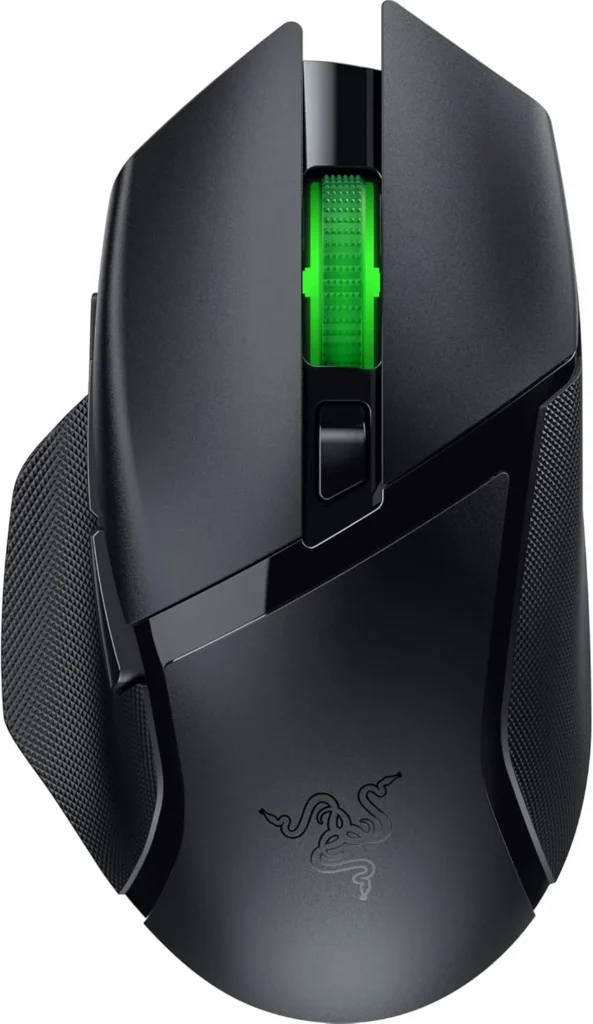
    razerbasiliskv3x
    Official design of the Razer Basilisk V3 X HyperSpeed. (Image: Amazon US)

    If you prefer an ergonomic, right-handed shape with thumb support, the Razer Basilisk V3 X HyperSpeed is one of the most versatile wireless mice available in this price bracket.

    Performance and Battery Life

    Equipped with Razer’s Advanced 18K Optical Sensor and Gen-2 Mechanical Switches, the Basilisk V3 X offers incredible accuracy. Its defining feature is battery versatility: using a single AA battery, it can last up to 235 hours on 2.4GHz ultra-fast wireless or up to 535 hours on Bluetooth mode.

    Top Contender 2: HyperX Pulsefire Haste 2 Wireless

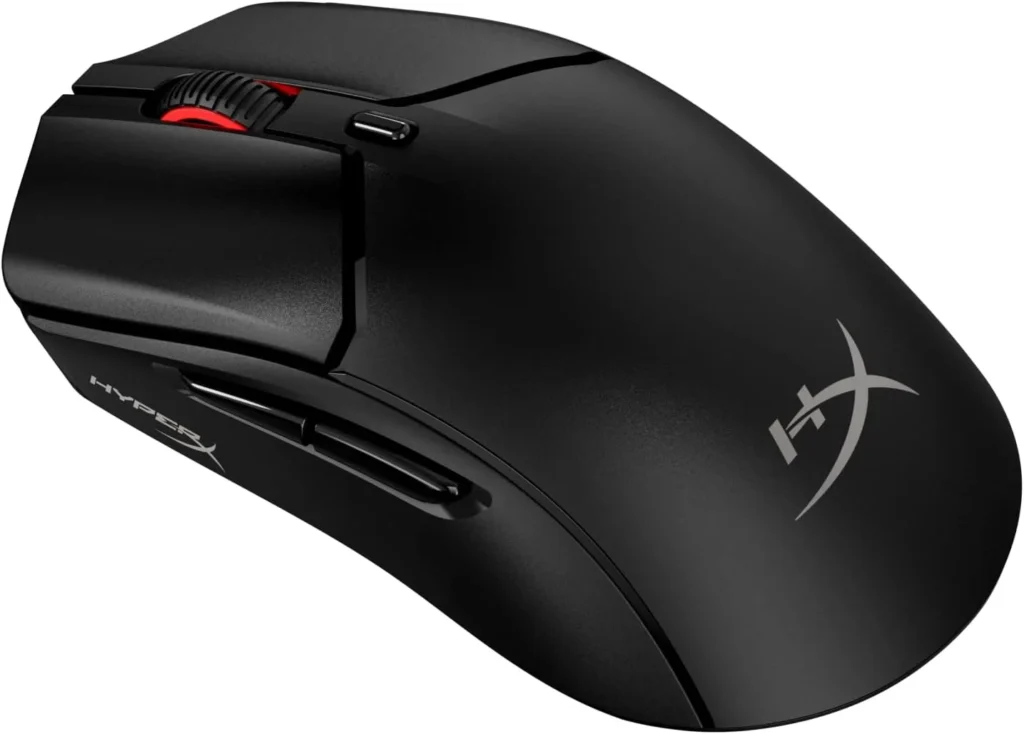
    hyperxpulsefirehaste2
    Official design of the HyperX Pulsefire Haste 2 Wireless. (Image: Amazon US)

    For gamers who prioritize speed and low weight above everything else, the HyperX Pulsefire Haste 2 Wireless delivers elite performance at a competitive price.

    Performance and Ultra-Lightweight Design

    Weighing in at just 61 grams without resorting to a honeycomb outer shell, the Haste 2 Wireless glides effortlessly. It features the custom HyperX 26K Sensor, custom micro switches rated for up to 100 million clicks, and offers up to 100 hours of battery life on a single USB-C charge.

    Top Contender 3: Logitech G305 LIGHTSPEED

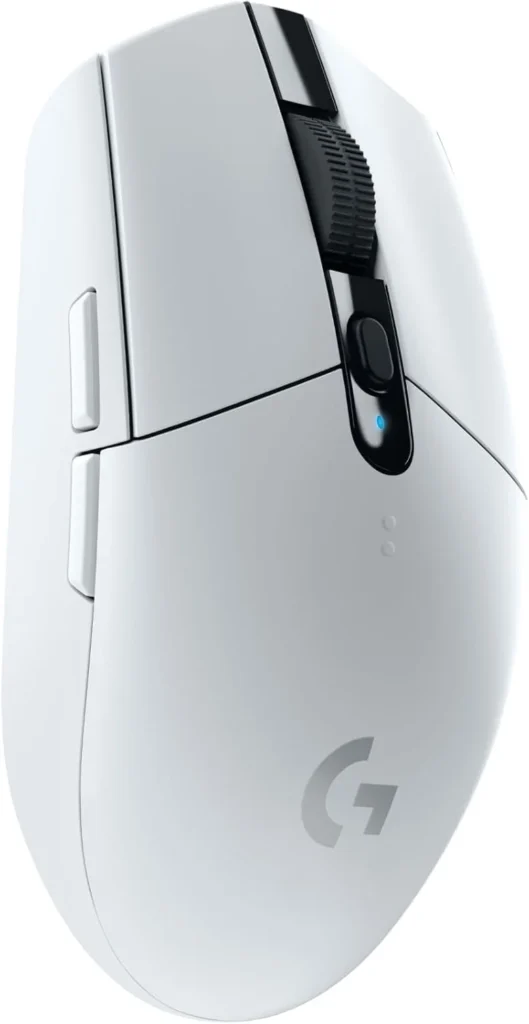
    logitechlightspeed305
    Official design of the Logitech G305 Lightspeed. (Image: Amazon US)

    No discussion about budget wireless mice is complete without mentioning the iconic Logitech G305 LIGHTSPEED.

    Performance and Value

    Featuring Logitech’s legendary HERO sensor and classic symmetrical egg-shaped chassis, the G305 remains a staple in the gaming community. Powered by a single AA battery providing up to 250 hours of continuous gameplay, it offers unbeatable value for players seeking proven reliability.

    Comparative Breakdown

    Mouse ModelWeightSensorConnectionBattery Life
    Razer Basilisk V3 X~110gRazer 18K Optical2.4GHz / BluetoothUp to 535h (AA)
    HyperX Pulsefire Haste 261gHyperX 26K Sensor2.4GHz / Bluetooth / CableUp to 100h (Rechargeable)
    Logitech G30599gHERO 12K Sensor2.4GHz LIGHTSPEEDUp to 250h (AA)

    Frequently Asked Questions (FAQ)

    Is Bluetooth good enough for competitive gaming?

    No. Bluetooth has inherent latency and a lower polling rate (usually 125Hz). Always use the included 2.4GHz USB receiver (dongle) for playing fast-paced games. Save Bluetooth mode for productivity and laptop browsing to preserve battery life.

    Should I choose AA batteries or an internal rechargeable battery?

    AA battery models offer massive battery life and allow you to swap in a fresh battery instantly without needing a charging cable. Rechargeable models reduce continuous battery costs and allow the mouse to be built much lighter.

    Final Verdict

    If you want an ultra-lightweight mouse tailored for competitive FPS games, the HyperX Pulsefire Haste 2 Wireless is the clear winner. However, if you want an all-around ergonomic mouse for work and long gaming sessions, the Razer Basilisk V3 X HyperSpeed offers unrivaled features and battery endurance for under $100.

    • Focus Keyword: best wireless gaming mouse under 100
    • Tags: Wireless Mouse, Gaming Mouse, Razer Basilisk, HyperX Pulsefire, Logitech G305, PC Gaming
    • Meta Description: Discover the best new wireless gaming mice under $100. Compare top picks from Razer, HyperX, and Logitech for low latency and high battery life.
    • Summary: An educational buyer’s guide reviewing high-performance wireless gaming mice under $100. We detail weight preferences, optical sensors, battery types, and compare top models on Amazon US to help gamers make an informed choice.

    ๐Ÿ”— Related on TechPlayGrid

  • Wooting vs Razer: Best for New Pros

    Wooting vs Razer: Best for New Pros

    Introduction: The Rapid Trigger Revolution

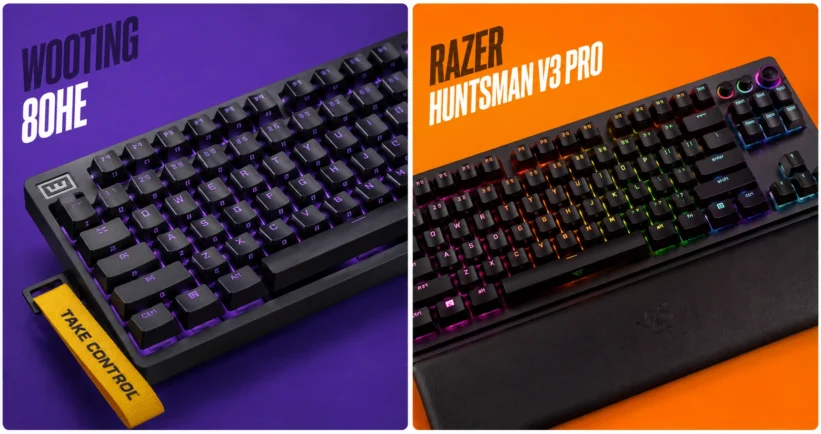
    If you want to dominate in competitive tactical shooters like Valorant or Counter-Strike 2, relying on a standard mechanical keyboard is no longer enough. The new standard for esports professionals and aspiring ranked grinders is magnetic switches, specifically those equipped with Rapid Trigger technology. But when it comes to finding the absolute best performance for your desk, the conversation almost always boils down to a heavyweight matchup: the Wooting 80HE vs the Razer Huntsman V3 Pro.

    In this comprehensive guide, we will break down everything you need to know about these two titans. We will look at their switch technology, software capabilities, build quality, and how they fit into the ultimate gaming setup in 2026.

    โš ๏ธ Affiliate Disclosure: TechPlayGrid is reader-supported. When you buy through links on our site, we may earn an affiliate commission at no extra cost to you.

    What is Rapid Trigger Technology?

    Video credit: rtings.com

    Before diving into the comparison, it is crucial to understand what you are paying for. Traditional mechanical switches actuate (register a keypress) at a fixed point and must travel back up past a specific reset point before you can press the key again.

    Rapid Trigger changes the game entirely. Using Hall Effect (magnetic) sensors, the keyboard constantly tracks the exact physical depth of the switch. The moment you start lifting your finger, the key resets. The moment you press down again, it actuates. This allows for near-instantaneous strafing, counter-strafing, and movement adjustments, which are critical in games where stopping perfectly still is required for accurate shooting.

    Deep Dive: Wooting 80HE

    Video credits: Wooting

    The Wooting 80HE represents the pinnacle of community-driven keyboard design. Following the massive success of the 60HE, Wooting introduced the 80% layout (TKL without the wasted space) to cater to gamers who still need arrow keys and function rows.

    Performance and Switches

    The 80HE utilizes the Lekker magnetic switches. These switches offer an actuation range from 0.1mm to 4.0mm, adjustable per key. The tracking is incredibly smooth, and with an 8000Hz polling rate, the input delay is virtually nonexistent.

    The Software: Wootility

    Wootingโ€™s biggest advantage is its software. Wootility is entirely web-based, meaning you do not need to install bloatware on your PC to configure your keyboard. You can adjust actuation curves, set up advanced macros, and save profiles directly to the keyboard’s onboard memory in seconds.

    ๐Ÿ‘‰ You can find the Wooting 80HE in Wooting

    Deep Dive: Razer Huntsman V3 Pro

    81XP54BIpQL. AC SL1500
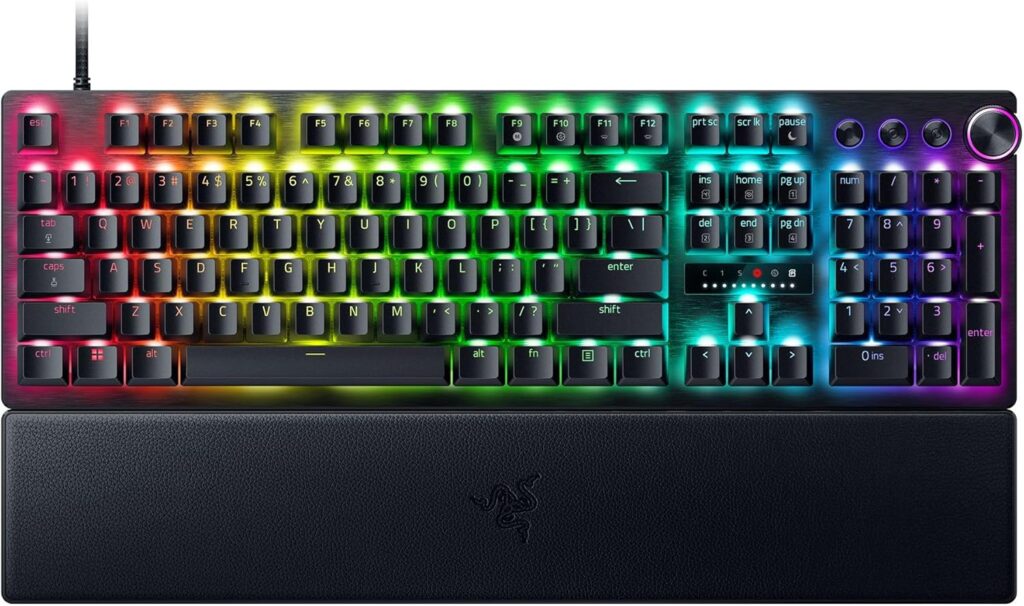
    Official design of the Razer Huntsman V3 Pro. (Image: Amazon US)

    Razer has been a staple in the peripheral market for decades, and the Huntsman V3 Pro is their definitive answer to the Hall Effect trend. Available in full-size, TKL, and Mini, it targets the premium gamer who wants high performance straight out of the box.

    Performance and Switches

    Razer uses its Analog Optical Gen-2 switches. While they use light instead of magnets to measure distance, the end result is the same: fully functional Rapid Trigger and adjustable actuation (from 0.1mm to 4.0mm).

    Design and Extras

    Where Razer shines is the physical hardware extras. The Huntsman V3 Pro features a beautiful brushed aluminum top plate, dedicated media controls (including a very satisfying multi-function dial), and a magnetic wrist rest. It looks and feels like a premium product sitting on your desk.

    ๐Ÿ‘‰ Razer Huntsman V3 Pro โ€” Amazon US

    Head-to-Head Comparison

    FeatureWooting 80HERazer Huntsman V3 Pro
    Switch TechnologyLekker Magnetic (Hall Effect)Analog Optical Gen-2
    Polling Rate8000Hz1000Hz
    Form Factor80% (Compact TKL)Full, TKL, or 60% Mini
    SoftwareWeb-based (Wootility)Razer Synapse (Installed)
    AestheticsMinimalist, highly customizableGamer-focused, RGB heavy
    Where to Buy[Amazon US Link Placeholder][Amazon US Link Placeholder]

    Pros and Cons

    Wooting 80HE

    • Pros: Industry-leading web software, 8000Hz polling, highly moddable, incredible community support.
    • Cons: Often on backorder, minimalist design might not appeal to everyone.

    Razer Huntsman V3 Pro

    • Pros: Widely available, excellent media controls, premium wrist rest, solid build quality.
    • Cons: Razer Synapse software can be heavy, non-standard bottom row makes custom keycaps tricky.

    Frequently Asked Questions (FAQ)

    Does Rapid Trigger actually make you a better gamer?

    While a keyboard cannot give you better game sense, Rapid Trigger objectively lowers the mechanical latency between your brain deciding to stop moving and your in-game character actually stopping. In tactical shooters, this translates to more accurate first shots.

    Can I use these keyboards for typing and office work?

    Yes! Both keyboards allow you to set different profiles. You can have a “Gaming Profile” with a hyper-sensitive 0.1mm actuation, and a “Typing Profile” with a standard 2.0mm actuation to prevent typos.

    Final Verdict: Which One Should You Buy?

    If you are looking for the absolute highest technical ceiling, love modifying your gear, and want the best software experience, the Wooting 80HE is the undisputed king. However, if you prefer the convenience of buying from Amazon today, want a premium unboxing experience with dedicated media controls, and don’t want to deal with wait times, the Razer Huntsman V3 Pro is an exceptional alternative.

    โš ๏ธ Affiliate Disclosure: TechPlayGrid is reader-supported. When you buy through links on our site, we may earn an affiliate commission at no extra cost to you.

    Tags: Rapid Trigger, Gaming Keyboard, Wooting 80HE, Razer Huntsman, PC Gaming, Valorant Setup

    Meta Description: Wooting 80HE vs Razer Huntsman V3 Pro: Which rapid trigger keyboard is best for new pros? Compare specs, performance, and features for your 2026 setup.

    Summary: An in-depth comparison of the market’s leading rapid trigger keyboards. We break down the technology behind magnetic and optical switches, analyze software performance, and help competitive gamers choose the ultimate keyboard for their setup.