
Introduction: Upgrading Your Typing Experience
For decades, most desktop computers shipped with standard membrane keyboards. While membrane switches are cheap to manufacture, they offer a mushy typing feel, slow key registration, and inconsistent durability. Replacing an aging membrane board with a dedicated mechanical keyboard is one of the most rewarding upgrades you can make to your home setup.
A common misconception is that quality mechanical keyboards always cost $100 to $200. Thanks to advancements in manufacturing and switch engineering, the budget market has expanded dramatically. Today, you can acquire feature-packed mechanical boards with vibrant RGB lighting, hot-swappable switches, and compact layouts for under $50. In this guide, we evaluate the best new entry-level mechanical keyboards available on Amazon US.
⚠️ Affiliate Disclosure: TechPlayGrid is reader-supported. When you buy through links on our site, we may earn an affiliate commission at no extra cost to you.
Understanding Mechanical Switches and Form Factors
Switch Colors Explained
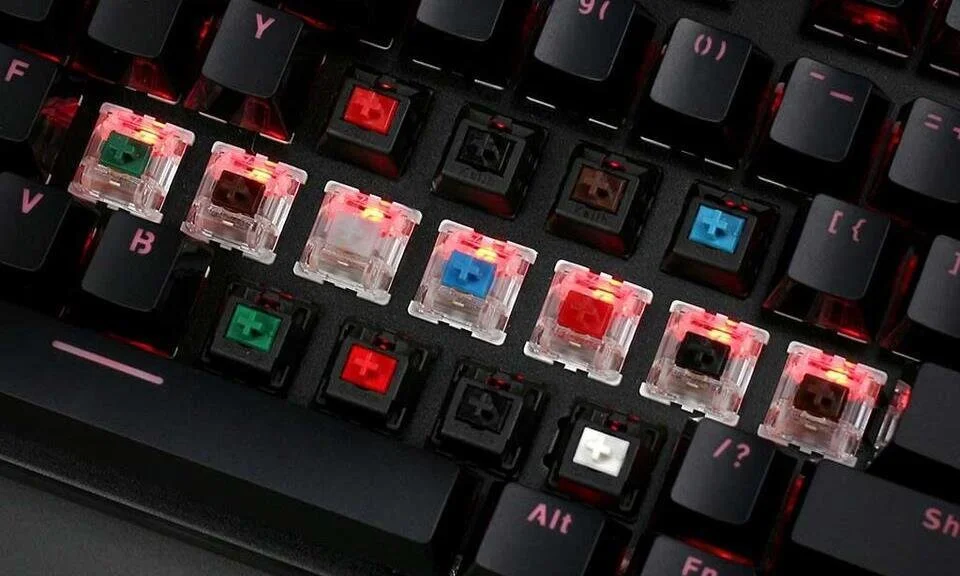
- Red Switches (Linear): Smooth and quiet keypresses from top to bottom without a tactile bump. Highly favored by gamers for rapid key presses.
- Blue Switches (Clicky): Feature a noticeable tactile bump and a loud, distinct clicking sound. Great for typing feedback, but can be noisy in shared rooms.
- Brown Switches (Tactile): Offer a subtle physical bump at the actuation point without the loud click sound. A balanced hybrid for typing and gaming.
Form Factors: Full-Size vs TKL vs 60%
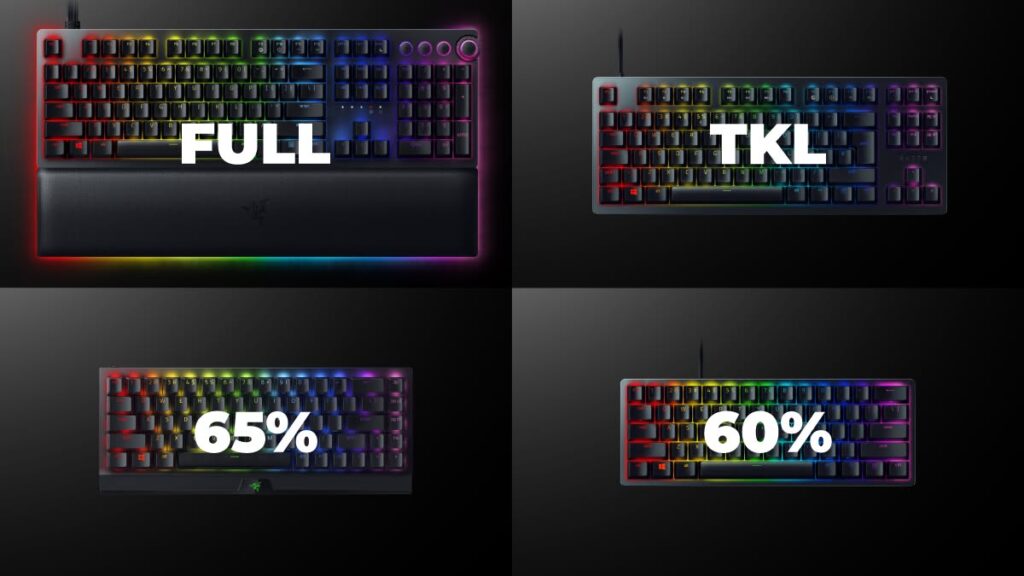
Traditional full-size keyboards have 104 keys, including a dedicated number pad. Tenkeyless (TKL / 80%) boards remove the number pad to free up valuable desk space for sweeping mouse movements. Compact 60% layouts remove the arrow keys and function row as well, offering maximum portability and desk real estate.
Top Contender 1: Redragon K552 Kumara
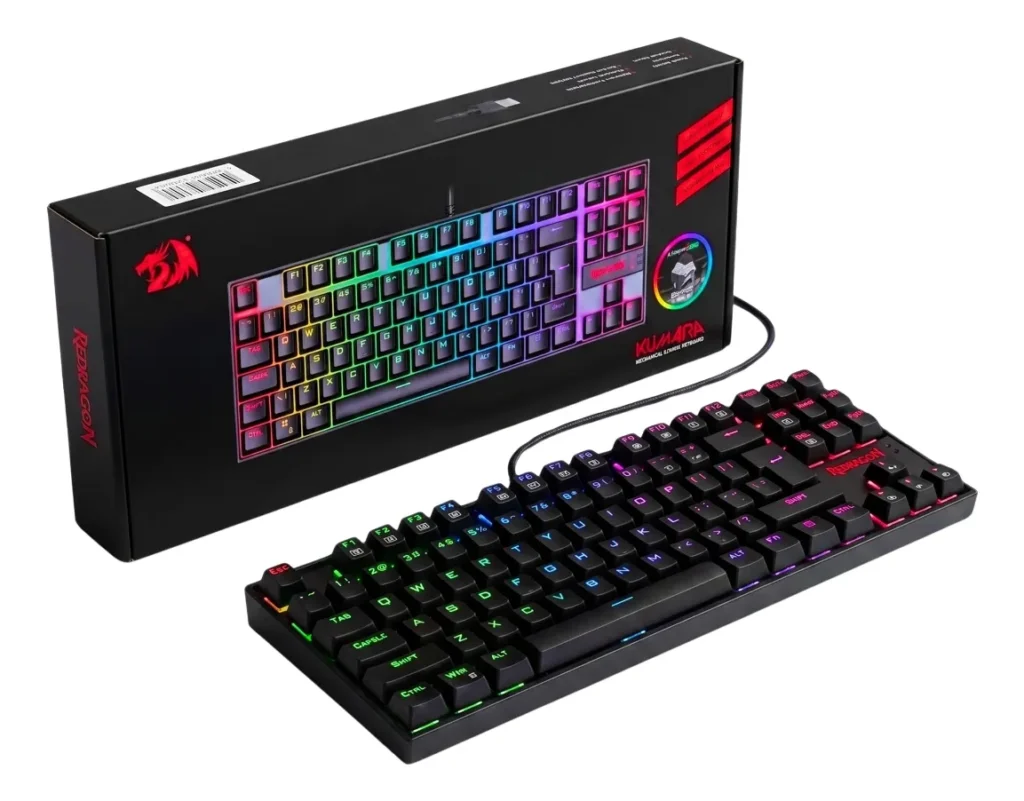
The Redragon K552 Kumara is widely regarded as one of the most durable budget keyboards on the market.
Construction and Performance
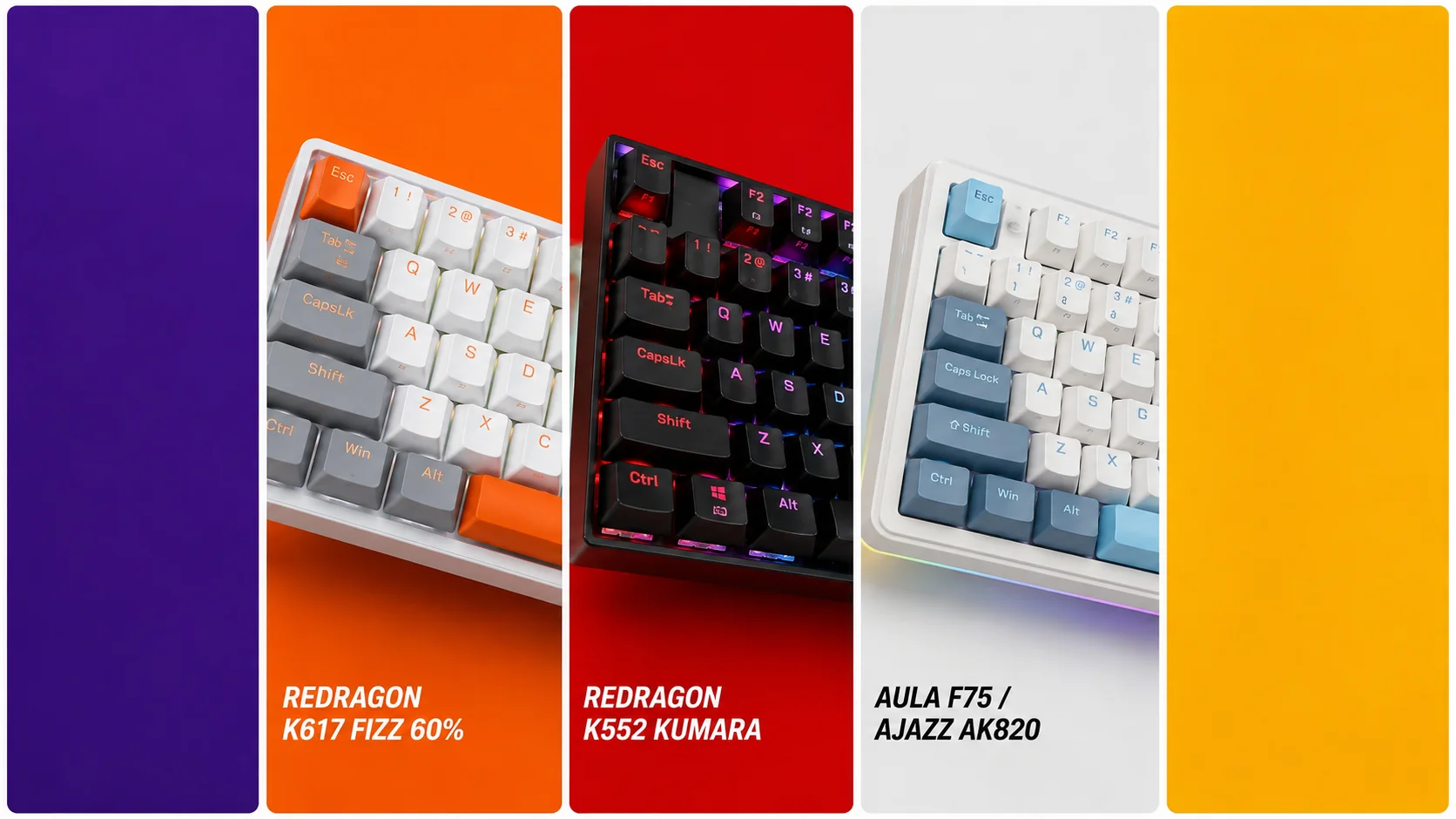
Featuring a metal-alloy and ABS structural chassis, the K552 is built like a tank. It utilizes dust-proof mechanical switches designed to mimic classic clicky switches. The TKL layout ensures you retain dedicated arrow keys while opening up extra space on your mousepad.
- Where to Buy: [Amazon]
Top Contender 2: Redragon K617 Fizz 60%
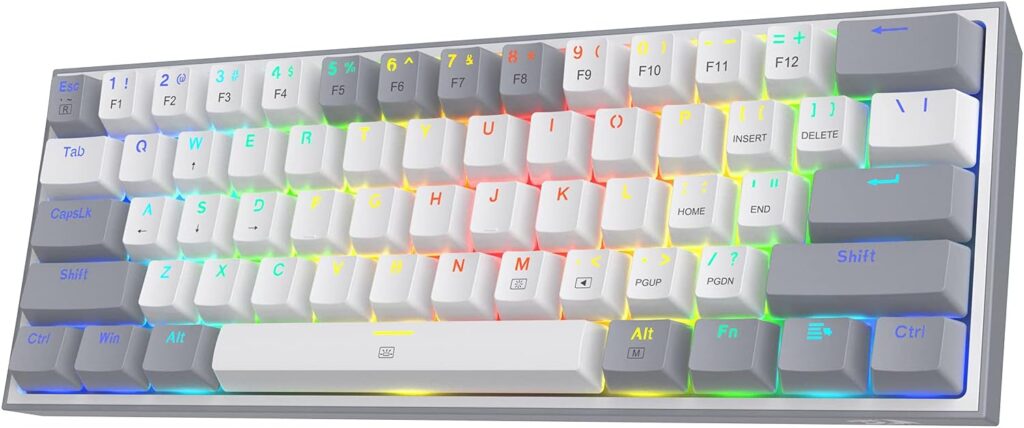
If you want a modern, colorful 60% keyboard with detachable cables, the Redragon K617 Fizz is an outstanding compact option.
Construction and Performance
The K617 Fizz features a ultra-compact 61-key layout, vibrant RGB backlighting with customizable modes, and hot-swappable switch sockets. Hot-swap compatibility means you can pull out the original switches and replace them with alternative compatible switches in the future without any soldering.
- Where to Buy: [Amazon]
Top Contender 3: AULA F75 / Ajazz AK820
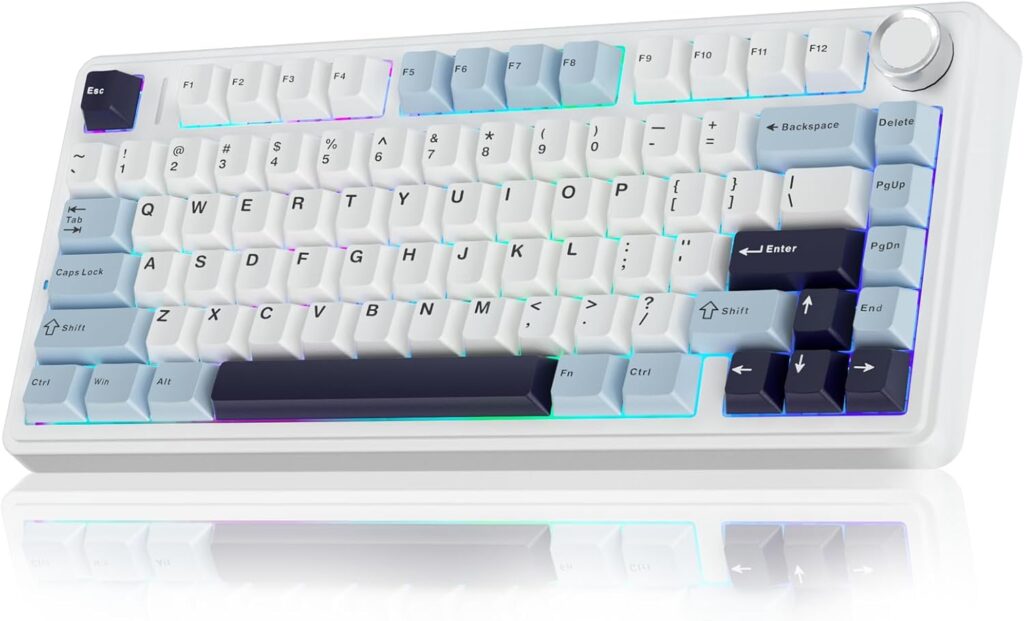
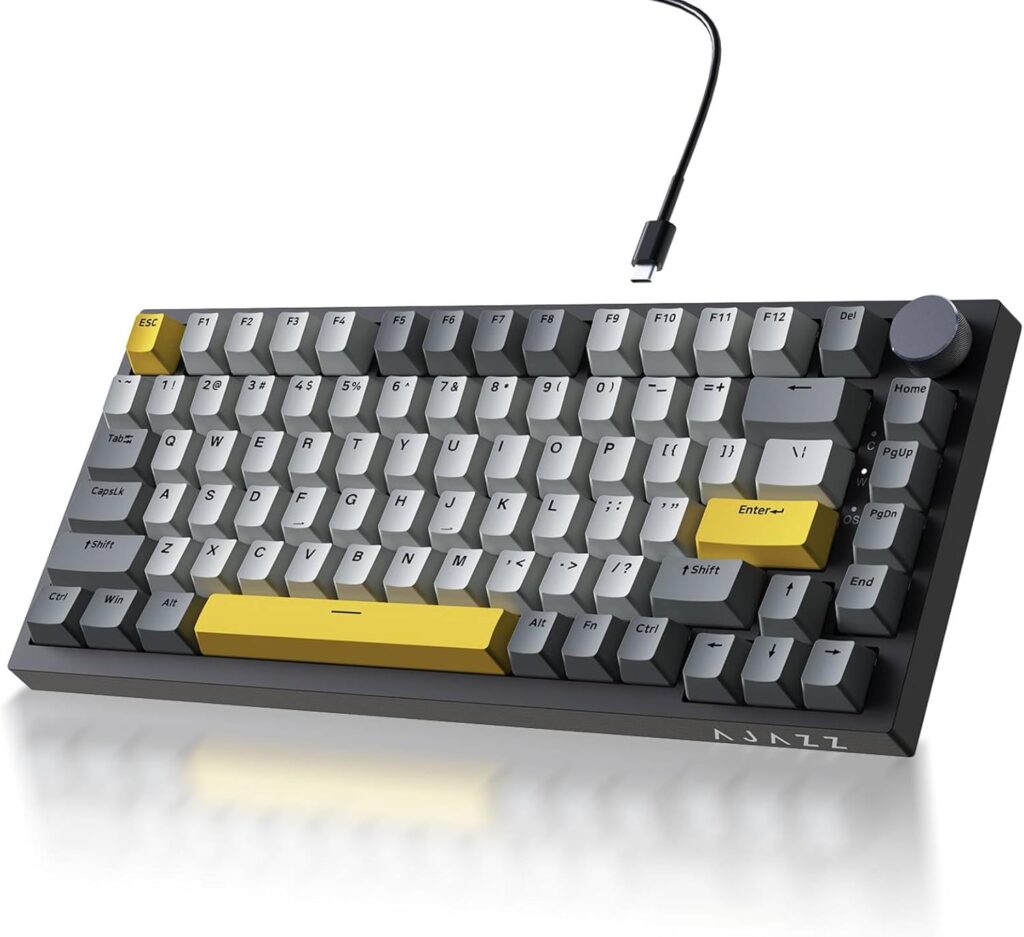
For enthusiasts who want a custom typing sound and feel straight out of the box, gasket-mounted budget boards like the AULA F75 series have redefined the $50 threshold.
Construction and Performance
Utilizing factory-lubed linear switches, sound-dampening internal foam, and a dedicated volume knob, these 75% boards provide a deep, satisfying “thocky” acoustic sound profile usually reserved for custom keyboards costing three times as much.
Feature Comparison
| Keyboard Model | Form Factor | Switch Type | Hot-Swappable | Special Features |
| Redragon K552 | TKL (80%) | Outemu Blue (Clicky) | Select Revisions | Heavy-duty metal plate |
| Redragon K617 | Compact (60%) | Red (Linear) | Yes | Detachable USB-C cable |
| AULA F75 | Compact (75%) | Pre-lubed Linear | Yes | Gasket mount & volume knob |
Frequently Asked Questions (FAQ)
What does “Hot-Swappable” mean?
Hot-swappable means the switches are plugged into sockets on the circuit board rather than soldered. This allows you to replace broken switches or try different switch types using a simple plastic puller tool.
Are 60% keyboards good for daily work?
If your work involves heavy data entry or spreadsheet management, missing dedicated arrow keys and a number pad can be frustrating. However, for gaming and general web browsing, 60% keyboards are exceptionally comfortable.
🔗 Related on TechPlayGrid
- 👉 Wooting vs Razer: Best for New Pros
- 👉 Best Budget PC Controller Under $50 — No Drift (2026)
- 👉 Mechanical vs Membrane Keyboard: Which Is Worth It?
- 👉 PC Gaming Setup: Everything You Need to Get Started
Final Verdict
If you require standard arrow keys and maximum structural rigidity, the Redragon K552 remains a timeless choice. However, if you want the smooth feel of pre-lubed linear switches, custom internal acoustic dampening, and a modern aesthetic, picking up a gasket-mounted 75% or 60% board for under $50 represents the absolute best value available today.
- Focus Keyword: best mechanical keyboard under 50
- Tags: Mechanical Keyboard, Budget Keyboard, Redragon K552, Redragon K617, PC Gaming, Tech Accessories
- Meta Description: Looking for the best new mechanical keyboards under $50? Compare Redragon and AULA models featuring linear switches, hot-swap, and compact designs.
- Summary: A clear, educational guide explaining swith mechanics, layouts, and build quality in budget mechanical keyboards. We analyze top options under $50 available on Amazon US to help new PC gamers upgrade their setups.
Leave a Reply