So you grabbed a PS5 or an Xbox Series X, and now your old 60Hz TV is making you feel like you’re playing underwater. We get it. The difference between 60Hz and 144Hz is night and day — faster response, buttery-smooth motion, and a genuine competitive edge in shooters and racing games.
The good news? You don’t need to spend a fortune. There are excellent 144Hz monitors under $300 that pair perfectly with current-gen consoles. We tested and researched the top options on the market so you don’t have to.
Let’s break it down.
⚠️ Affiliate Disclosure: TechPlayGrid is reader-supported. When you buy through links on our site, we may earn an affiliate commission at no extra cost to you.
🎮 What to Look For in a Console Gaming Monitor
Before jumping into the list, here’s a quick cheat sheet of specs that actually matter for PS5 and Xbox Series X:
Spec
Why It Matters
Recommended
Refresh Rate
Smoother motion, less blur
144Hz minimum
Resolution
Image sharpness
1080p (budget) or 1440p (sweet spot)
Panel Type
Color & response time
IPS (best balance) or VA (better contrast)
Response Time
Ghosting reduction
1ms–5ms
HDR Support
Better highlights/shadows
HDR400 or better
HDMI Version
Console compatibility
HDMI 2.1 for full bandwidth
VRR / FreeSync
Tear-free gaming
Essential for consoles
💡 Pro Tip: PS5 supports up to 120Hz via HDMI 2.1. A 144Hz monitor will cap at 120Hz on PS5, which is still a massive upgrade over 60Hz — and future-proofs you for PC gaming too.
🏆 Best 144Hz Monitors Under $300 for Consoles (2026)
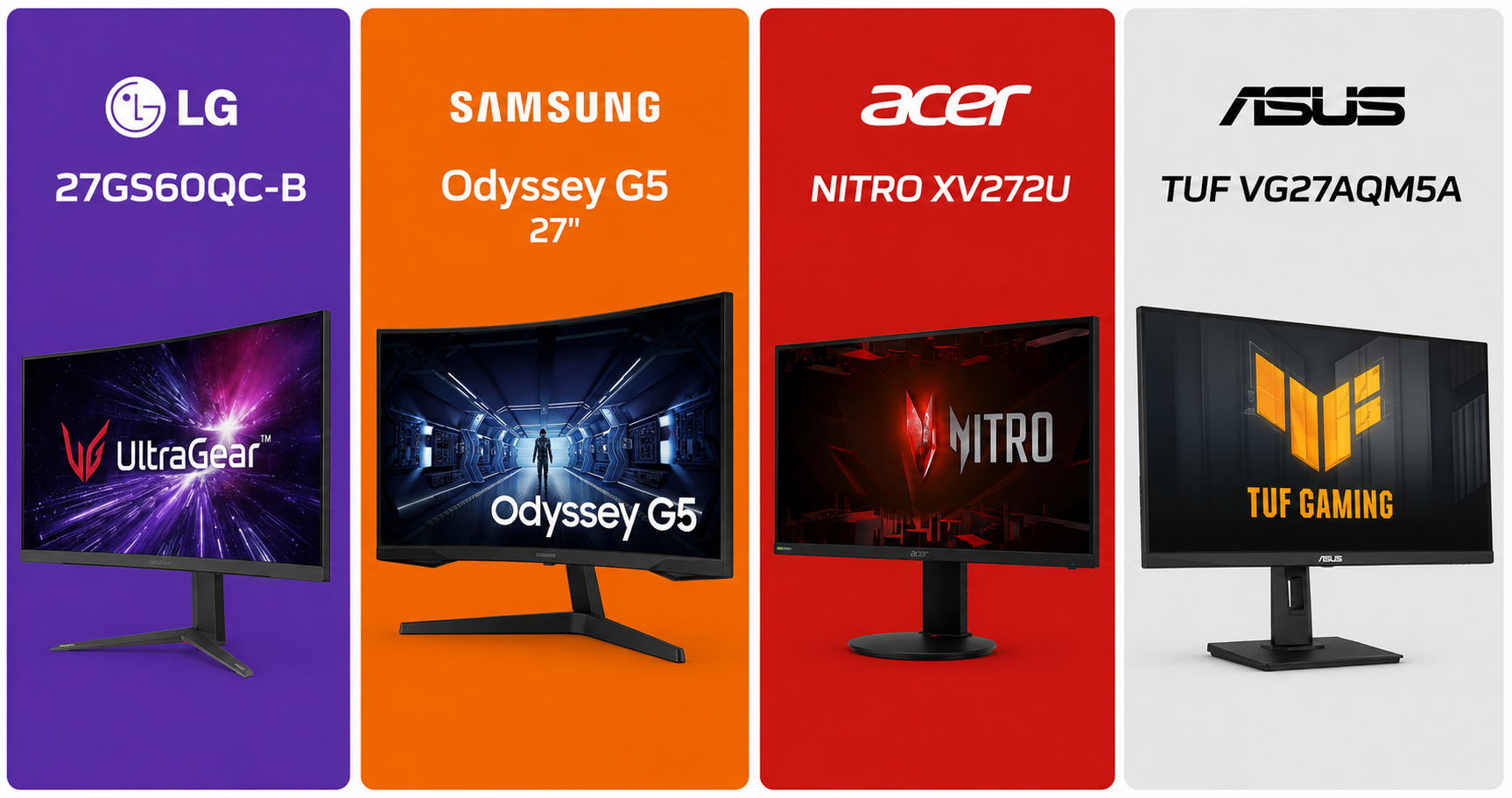
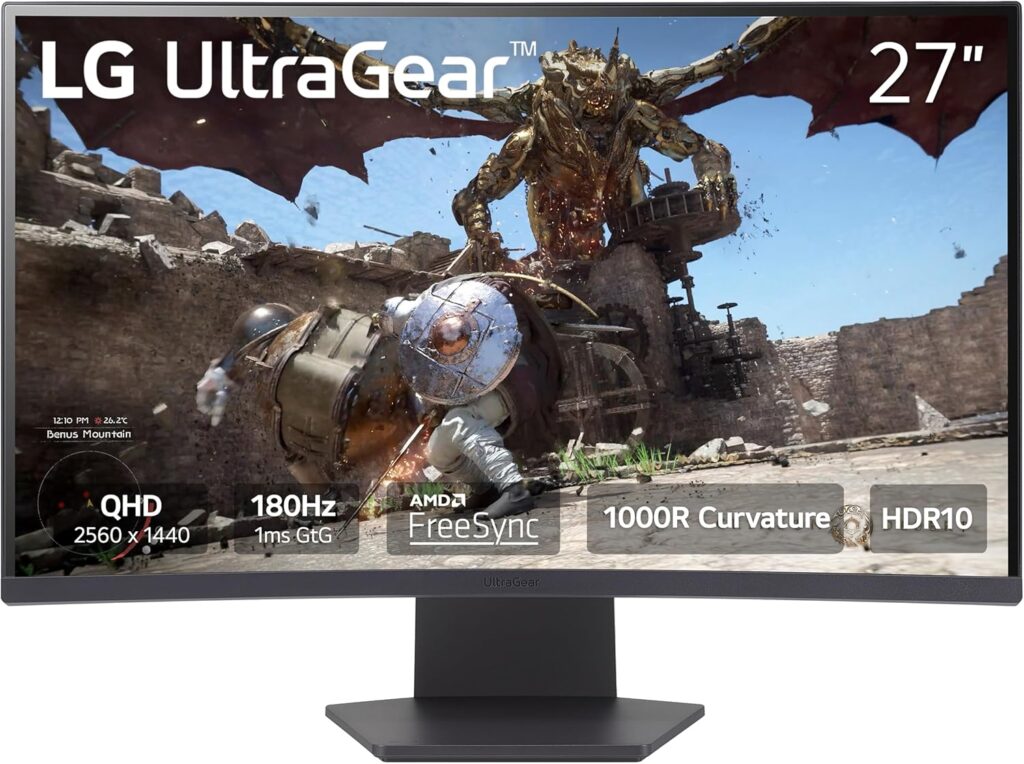
🥇 Best Overall — LG 27GS60QC-B Ultragear (27″ QHD 180Hz IPS)
Official design of the LG27GS60QC-B. (Image: Amazon US)
Why we love it: This is the gold standard in the under-$300 range. LG’s Nano IPS panel delivers stunning color accuracy, ultra-fast 1ms response time, and support for NVIDIA G-Sync and AMD FreeSync Premium. At 1440p and 180Hz, it makes Xbox Series X content look absolutely gorgeous.
Specs at a glance:
Panel: Nano IPS
Resolution: 2560×1440 (1440p)
Refresh Rate: 180Hz (120Hz on PS5/Xbox via HDMI 2.1)
Response Time: 1ms GtG
HDR: HDR400
Ports: 2x HDMI 2.0, 1x DisplayPort 1.4, 2x USB-A
Pros:
Exceptional color accuracy out of the box
180Hz feels silky even on consoles at 120Hz
Slim bezels, premium build quality
Great for both gaming and content creation
Cons:
HDMI 2.0 means PS5 won’t hit full 4K@120Hz (HDMI 2.1 is needed for that)
HDR400 is entry-level HDR
Best for: Xbox Series X owners and PC+console hybrid setups.
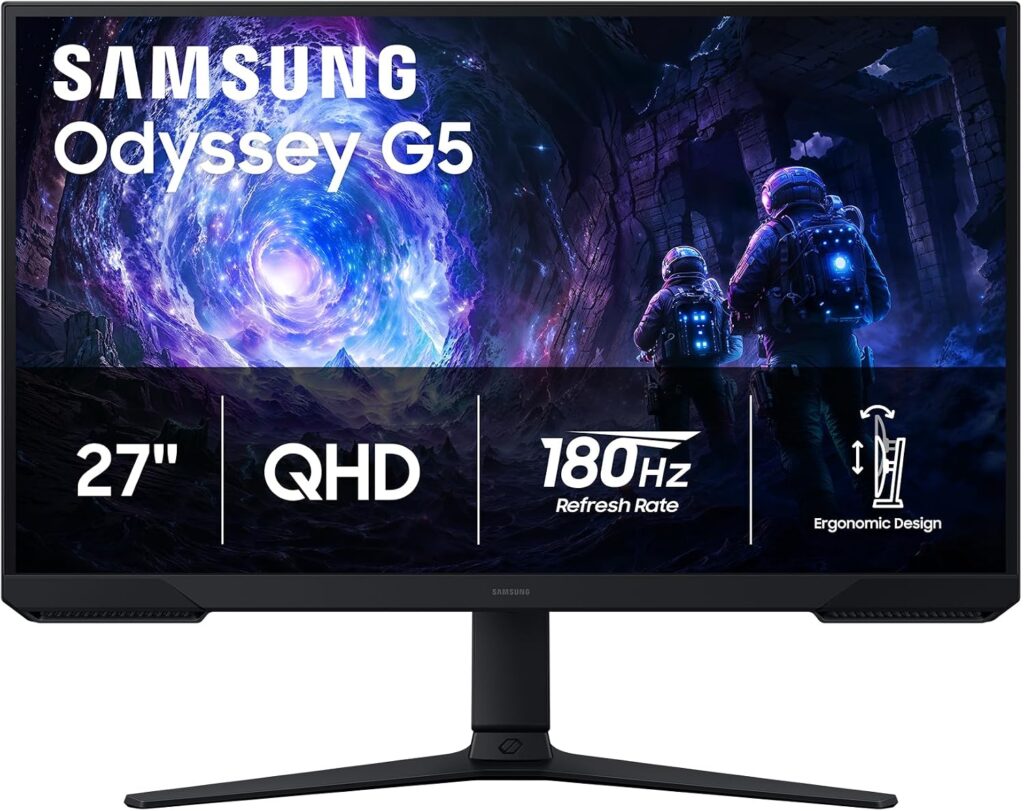
🥈 Best Value Pick — Samsung Odyssey G5 (27″ 1440p 180Hz IPS)
Official design of the Odyssey G5. (Image: Amazon US)
Why we love it: If you play fast-paced competitive games like Valorant, Fortnite, or Call of Duty on console, the Odyssey G5 is a beast. 180Hz is overkill for consoles right now, but you get a monitor that will never feel sluggish, with Samsung’s IPS Black technology for deeper blacks than typical IPS panels.
Specs at a glance:
Panel: IPS Black
Resolution: 2560 x 1440 (1440p)
Refresh Rate: 180Hz
Response Time: 1ms GtG
HDR: HDR10
Ports: 2x HDMI 1.4, 3x USB 3.0
Pros:
Insanely fast refresh rate
Better contrast than standard IPS
Excellent motion clarity
Cons:
1440p shows pixel grid on 27″ up close
No HDMI 2.1
Best for: Competitive console players who prioritize speed over resolution.
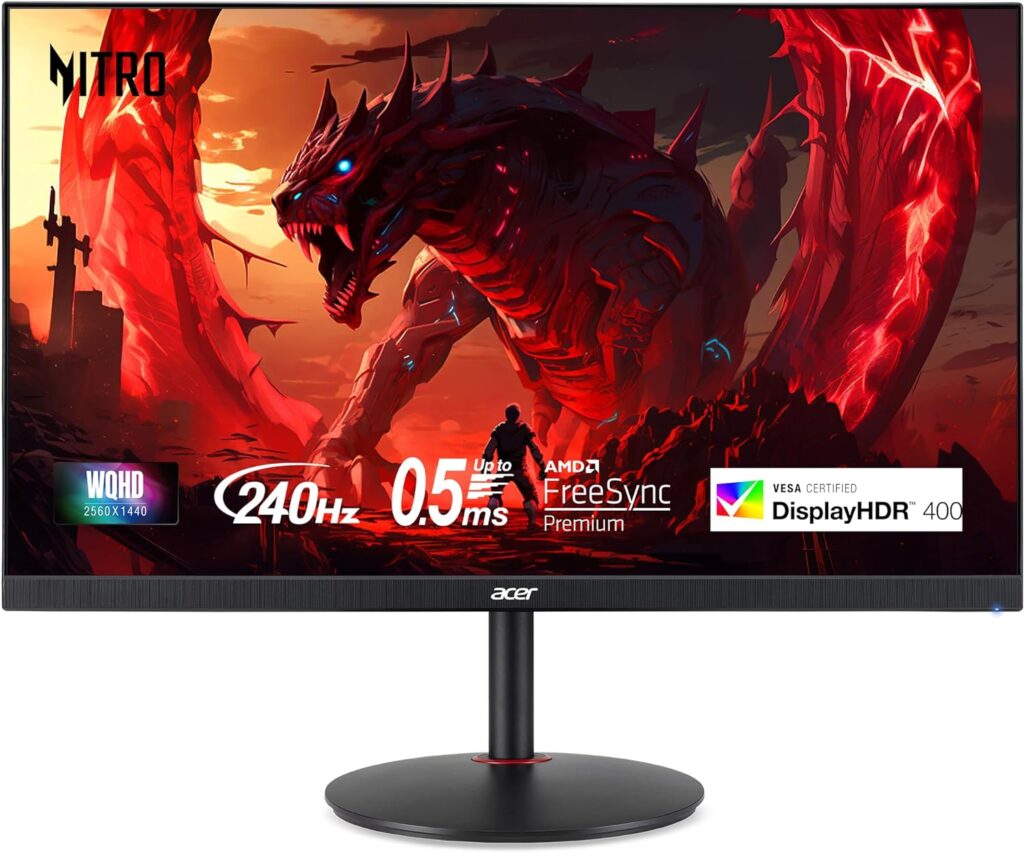
Why we love it: The Nitro XV272U punches well above its price tag. It’s one of the cheapest ways to get into 1440p at 144Hz, with solid IPS colors and AMD FreeSync Premium support. Not the flashiest monitor on this list, but it gets the job done reliably.
Specs at a glance:
Panel: IPS
Resolution: 2560×1440 (1440p)
Refresh Rate: 144Hz
Response Time: 1ms VRB
HDR: HDR400
Ports: 2x HDMI 2.0, 1x DisplayPort 1.4
Pros:
Affordable entry into 1440p gaming
Good factory color calibration
Sturdy stand with height adjustment
Cons:
Backlight bleed can be present on some units
No HDMI 2.1
Best for: Budget-conscious buyers who want 1440p without breaking the bank.
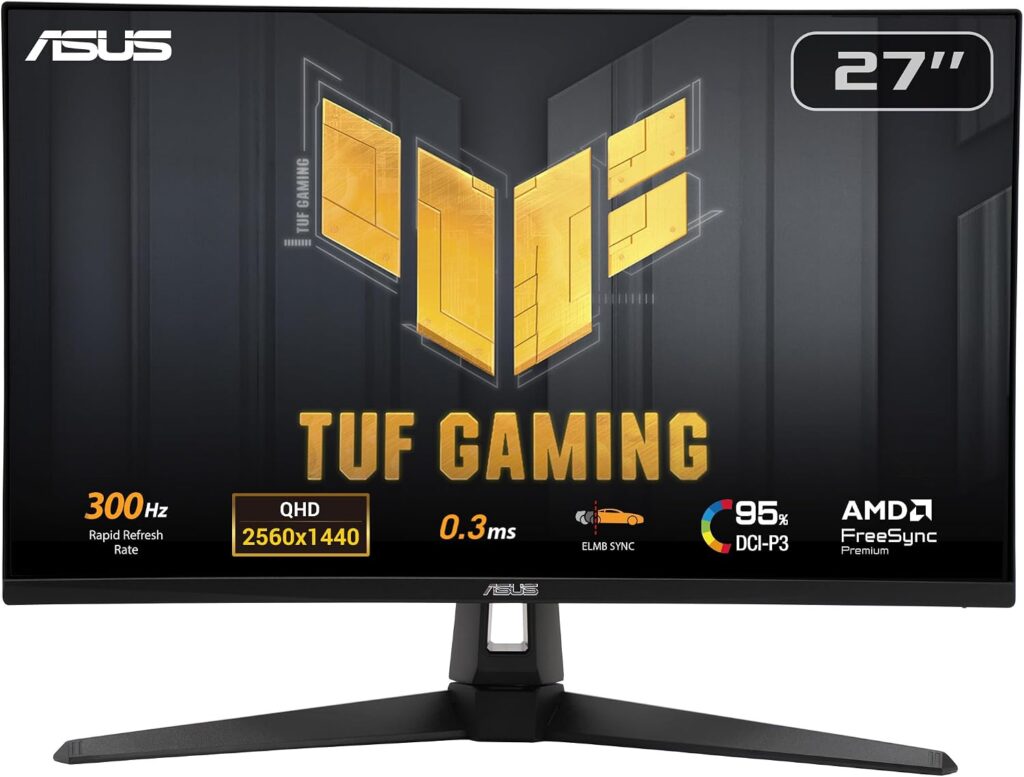
🎯 Best for PS5 Specifically — ASUS TUF Gaming VG27AQM5A (27″ QHD 300Hz)
Official design of the Asus VG27AQM5A. (Image: Amazon US)
Why we love it: This is the wild card. At the $300 budget (prices fluctuate — grab it on sale), the VG27AQM5A is one of the few monitors with HDMI 2.1, unlocking true 2K@300Hz on PS5 and Xbox Series X. If you want the full next-gen experience, this is your monitor.
PS5 true 2K@300Hz: → ASUS TUF VG27AQM5A. The only one with HDMI 2.1 on this list.
❓ FAQ
Does PS5 support 144Hz? No — PS5 maxes out at 120Hz over HDMI 2.1. A 144Hz monitor will cap at 120Hz, which is still a massive upgrade over 60Hz.
Do I need HDMI 2.1 for PS5? Only if you want 4K@120Hz simultaneously. At 1080p or 1440p@120Hz, HDMI 2.0 is sufficient.
Is 1440p worth it over 1080p for consoles? Yes, especially on screens 27″ and above. The image quality difference is clearly visible in open-world and cinematic games.
Will these monitors work with PC too? Absolutely — all picks on this list are excellent for PC gaming as well.
Did you see our post about Build the Ultimate Gaming Setup in 2026? Check it now!
Last updated: June 2026 | Prices may vary by retailer and region.
⚠️ Affiliate Disclosure: TechPlayGrid participates in the Amazon Associates Program and other affiliate programs. We earn a small commission on qualifying purchases at no extra cost to you. Our recommendations are always based on honest research and testing.
From $500 to $2,000+: Build your dream gaming setup at any budget
Estimated reading time: 12 minutes
Whether you’re a casual gamer who just wants a comfortable space to play after work or a competitive streamer looking to build a professional-grade battle station, one thing is clear: your gaming setup matters. The right gear doesn’t just look good — it reduces fatigue, improves reaction times, and makes every session more enjoyable.
In this guide, we break down everything you need to build the ultimate gaming setup in 2026, from the desk and chair to the monitor, lighting, and audio. We’ll cover three budget tiers so you can build smart at any price point.
Why Your Gaming Setup Matters More Than Ever
Gaming in 2026 isn’t a hobby you do at a cramped desk on a wobbly chair anymore. With the global gaming audience surpassing 3.6 billion players and the U.S. market leading in both revenue and innovation, the standards for what a proper gaming space should look like have risen dramatically.
More people are spending 3 to 6+ hours a day in front of their setups — and that kind of screen time demands real ergonomic investment. A bad chair can cause chronic back pain. A low-refresh monitor can literally make you lose competitive matches. Harsh lighting strains your eyes after an hour.
The good news? You don’t need to spend a fortune. Let’s break it down by tier.
🎮 Budget Tiers at a Glance
Tier
Budget
Who It’s For
🥉 Starter
~$500
First-time setup, casual gamers
🥈 Mid-Range
~$1,000–$1,200
Everyday competitive players
🥇 Premium
$1,800–$2,500+
Streamers, esports enthusiasts, WFH gamers
🖥️ 1. Gaming Monitor: The Most Important Purchase You’ll Make
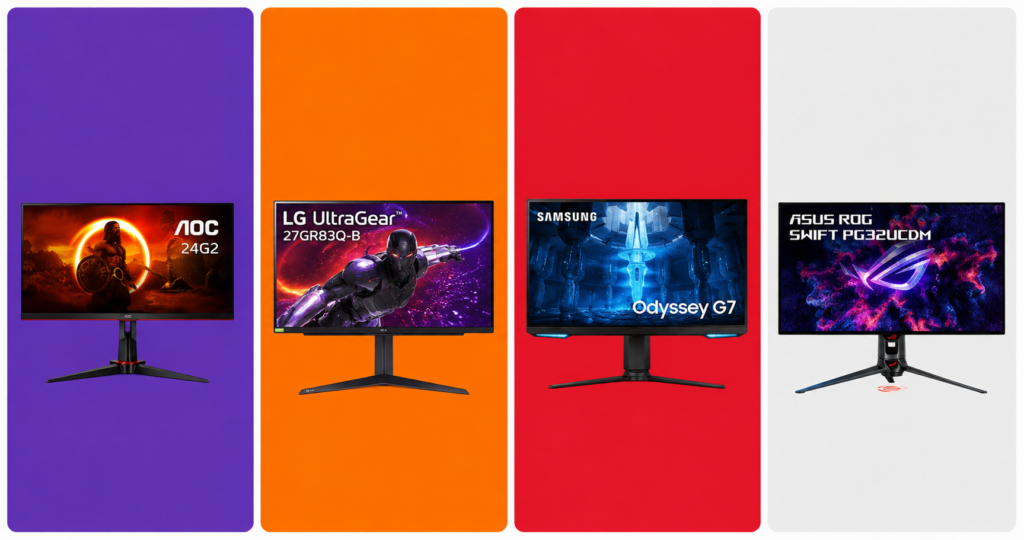
Monitors models AOC24G2, LG 27GR83Q-B, Samsung Odyssey G7 e ASUS PG32UCDM. (AI Image)
Your monitor is the window to every game you play. No other upgrade delivers as immediate and noticeable an improvement as going from a 60Hz standard screen to a high-refresh gaming display.
What to Look For in 2026
Refresh rate: 144Hz minimum for casual play; 240Hz or higher for competitive FPS titles like Valorant and CS2
Resolution: 1080p for budget builds, 1440p (QHD) for the sweet spot between performance and image quality, 4K for cinematic single-player experiences
Panel type: IPS for color accuracy and wide viewing angles; VA for deep blacks; TN for the fastest response times
Response time: 1ms is ideal for competitive gaming
HDR: HDR400 is the entry point; HDR600 and above actually makes a visible difference
Our Picks by Budget
🥉 Starter (~$150–$180) The AOC 24G2 remains one of the best value 1080p 144Hz IPS monitors on the market. Fast, accurate colors, and widely available. 👉 AOC 24G2 on Amazon
🥈 Mid-Range (~$300–$380) The LG 27GR83Q-B at 27-inch 1440p 240Hz IPS hits the perfect balance for competitive and story-driven gaming alike. Stunning colors out of the box. 👉 LG 27GR83Q-B on Amzon
🥇 Premium (~$600–$900) The Samsung Odyssey G7 32″ OLED or ASUS ROG Swift PG32UCDM deliver a jaw-dropping 4K experience with ultra-fast refresh rates for serious enthusiasts. 👉 Samsung Odyssey G7 / ASUS ROG Swift on Amazon
Pro Tip: Always prioritize refresh rate over resolution if you play competitive multiplayer games. A 1080p 240Hz monitor will beat a 4K 60Hz screen for your kill-death ratio every single time.
🪑 2. Gaming Chair: Your Back Will Thank You
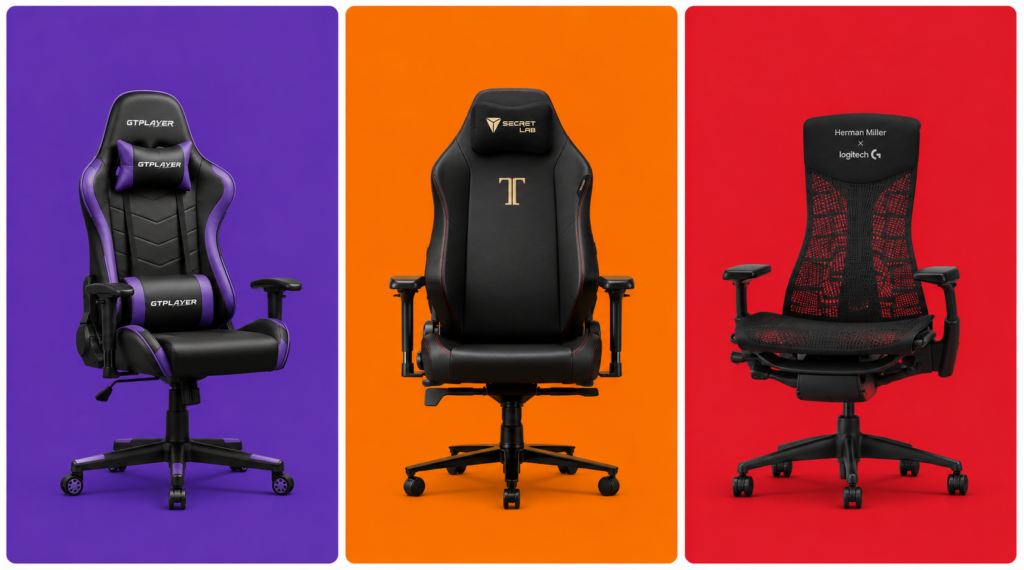
Designs of the GTPLAYER, Secretlab Titan Evo and Herman Miller Embody (AI Image)
After spending thousands on a PC and monitor, most gamers cheap out on their chair — and then spend years dealing with lower back pain. Don’t be that person.
What to Look For
Lumbar support: Adjustable, ideally with a separate pillow or built-in curve
Armrest adjustability: 4D armrests (up/down, side/side, forward/back, pivot) are the gold standard
Seat depth and width: Make sure it fits your body type
Material: Fabric breathes better than PU leather; PU leather is easier to clean
Tilt and recline: Look for at least 120–160° recline for gaming sessions that run long
Our Picks by Budget
🥉 Starter (~$150–$200) The GTPLAYER Gaming Chair offers surprisingly solid lumbar support and build quality at a very accessible price for a first gaming chair. 👉 GTPLAYER Gaming Chair on Amazon
🥈 Mid-Range (~$350–$500) The Secretlab Titan Evo is the most recommended chair in the gaming community for a reason — impeccable build quality, cold-cure foam that doesn’t flatten after a year, and genuinely good ergonomics. Available in multiple sizes (Small, Regular, XL). 👉 Secretlab Titan Evo on Amazon
🥇 Premium (~$700–$1,400) If you want to go full professional, the Herman Miller x Logitech Embody blends Herman Miller’s legendary ergonomics with gaming-specific design. Built to last 12+ years. 👉 Herman Miller Embody Gaming — Herman Miller or Amazon
Pro Tip: Measure your desk height before buying a chair. Ideally your elbows should rest at a 90° angle while your feet are flat on the floor. Add a footrest (~$30 on Amazon) if your desk isn’t height-adjustable.
🗂️ 3. Gaming Desk: Your Command Center
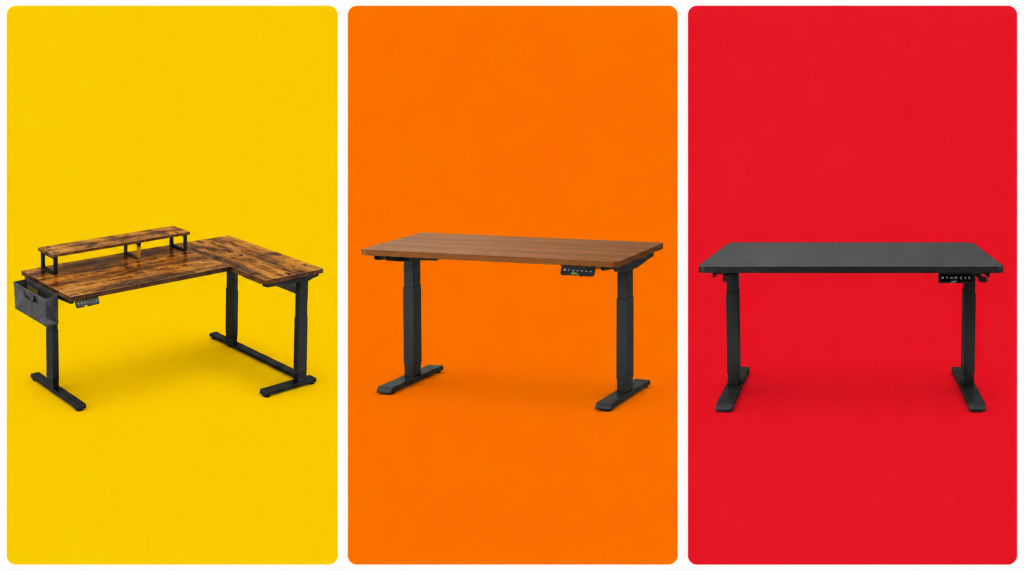
Designs of the desks models Bestier L-Shaped, Flexispot E7 and Uplift V2 (AI Image)
Your desk anchors the entire setup. In 2026, the biggest trend is the rise of sit-stand desks (also called standing desks), which have moved from office furniture into gaming setups thanks to their flexibility and health benefits.
What to Look For
Size: At minimum 55 inches wide for a dual-monitor or ultrawide setup; 63+ inches if you want room to spare
Depth: 27–30 inches gives you proper monitor distance without feeling cramped
Cable management: Built-in grommets, under-desk trays, or cable channels are hugely valuable for keeping things clean
Weight capacity: If you’re mounting multiple monitors or a heavy setup, check the load rating
Motorized vs. fixed: A height-adjustable electric desk changes your life if you also work from home
Our Picks by Budget
🥉 Starter (~$80–$130) The Bestier L-Shaped Desk gives you maximum surface space at a budget price. Solid for most setups. Cable grommets included. 👉 Bestier L-Shaped Desk on Amazon
🥈 Mid-Range (~$300–$450) The Flexispot E7 is the go-to recommendation for gamers who want a motorized sit-stand desk without breaking the bank. Dual-motor system, quiet, and rock solid at full height. 👉 Flexispot E7 on Amazon or Flexispot.com
🥇 Premium (~$800–$1,200) The Uplift V2 Commercial or Autonomous SmartDesk Pro represent the premium tier — deeper customization, better build materials, and longer warranties. Worth it if you’ll be at your desk 8+ hours a day. 👉 Uplift V2 on Amazon
🖱️ 4. Peripherals: Mouse, Keyboard & Headset
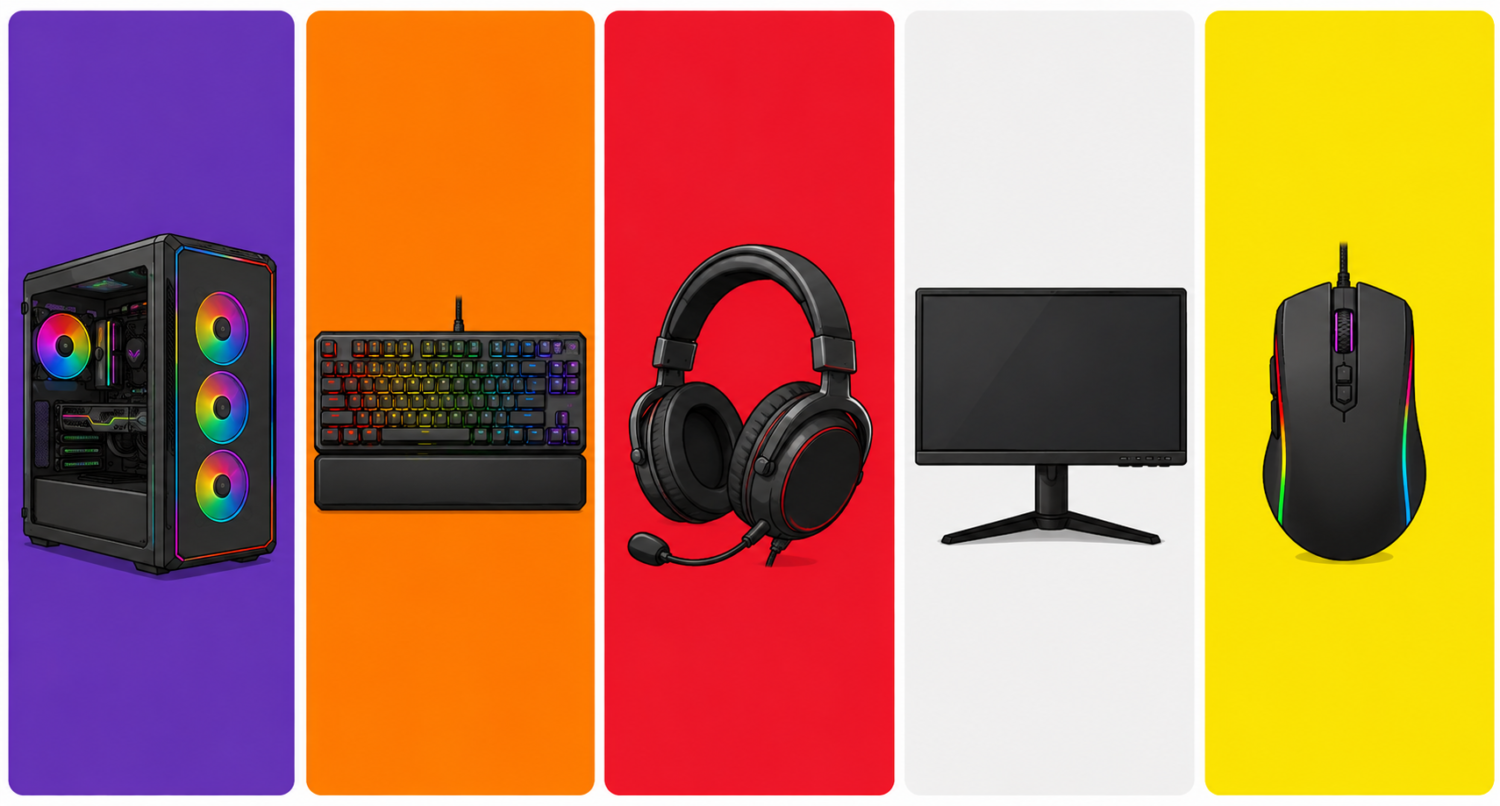
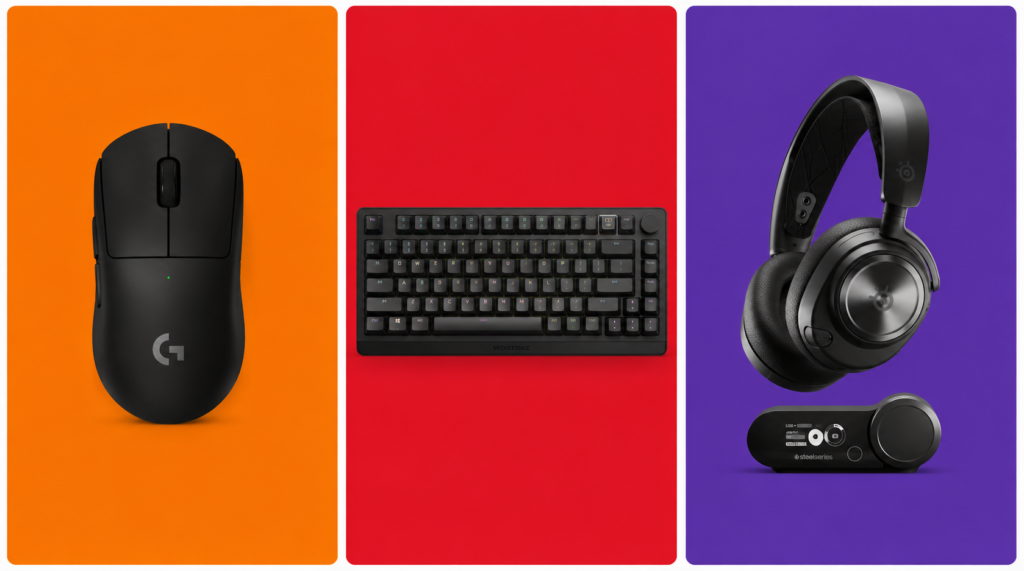
Official designs of the Mouse Logitech G Pro X, Keyboard Wooting 80HE and SteelSeries Arctis Nova Pro headset (AI Image)
No gaming setup is complete without a great set of peripherals. These directly impact your performance and comfort every single session.
Gaming Mouse
Look for a mouse with a high-quality optical sensor, a weight that fits your grip style, and wireless if your budget allows (wireless gaming mice in 2026 have zero perceptible lag).
Mid-Range (~$80–$110):Razer DeathAdder V3 HyperSpeed — Ergonomic masterclass, ultra-accurate sensor, up to 300 hours battery life. 👉 Razer DeathAdder V3 on Amazon or Razer.com
Premium (~$150–$160):Logitech G Pro X Superlight 2 — The choice of top esports professionals. 60g, HERO 2 sensor, virtually flawless tracking. 👉 Logitech G Pro X Superlight 2 on Amazon
Gaming Keyboard
Starter (~$40–$60):Redragon K552 Kumara — Compact TKL layout, clicky blue switches, solid build for the price. 👉 Redragon K552 on Amazon
Mid-Range (~$130–$170):Razer Huntsman V3 Pro — Analog optical switches with rapid trigger support. A must-have for competitive FPS players. 👉 Razer Huntsman V3 Pro on Amazon
Premium (~$200–$250):Wooting 80HE — Hall effect rapid trigger, USB polling at 8000Hz, and a devoted esports following. The technical ceiling of mechanical keyboards in 2026. 👉 Wooting 80HE on Amazon
Gaming Headset
Starter (~$50–$70):HyperX Cloud Stinger 2 — Comfortable, decent sound stage, plug-and-play. Great for beginners. 👉 HyperX Cloud Stinger 2 on Amazon
Mid-Range (~$130–$180):SteelSeries Arctis Nova 7 — Wireless, 38-hour battery, solid surround sound. Works on PC, PS5, Switch 2, and mobile. 👉 SteelSeries Arctis Nova 7 on Amazon
Premium (~$280–$350):SteelSeries Arctis Nova Pro Wireless — Dual wireless (2.4GHz + Bluetooth), swappable battery system, and active noise cancellation. The flagship for serious gamers. 👉 SteelSeries Arctis Nova Pro Wireless on Amazon
💡 5. RGB Lighting: Set the Mood, Reduce Eye Strain
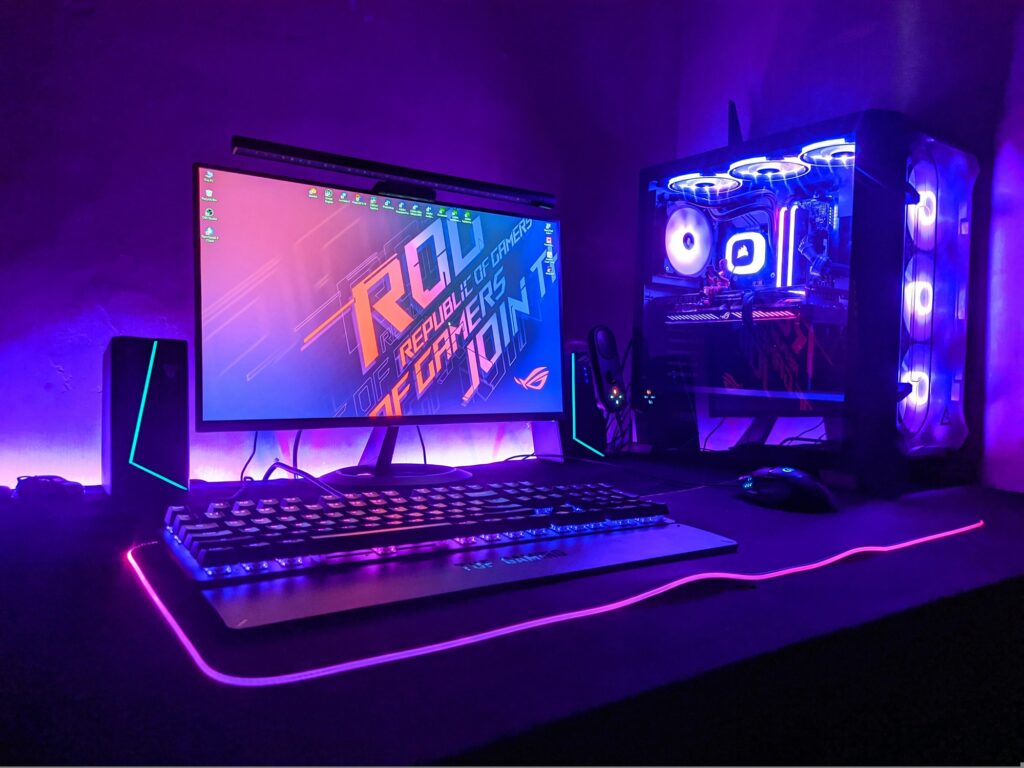
RGB gets a bad reputation for being purely cosmetic, but proper ambient lighting in a gaming room actually reduces eye strain significantly by balancing the brightness difference between your monitor and the surrounding environment.
Must-Have Lighting Pieces
Bias Lighting (behind your monitor): The Govee TV Backlight strips are affordable, sync with your on-screen content via camera or HDMI passthrough, and create a stunning halo effect that makes colors pop. 👉 Govee TV Backlight T2 on Amazon
Desk LED Strip:Govee M1 RGBIC Strips or Philips Hue Play Gradient offer millions of color combinations and app control for full customization. 👉 Govee M1 / Philips Hue Play on Amazon
Smart Key Light / Ring Light (for streamers): The Elgato Key Light Air is the industry standard for clean, even lighting that makes your face look professional on stream or video calls. 👉 Elgato Key Light Air on Amazon
Pro Tip: Set your bias lighting to a warm white or soft blue (~5500–6500K) during long sessions. It’s much easier on the eyes than pure RGB cycling effects, which look great in photos but cause fatigue over time.
🔌 6. Don’t Forget These Essentials
These are the often-overlooked items that complete a serious gaming setup:
Monitor Arm (~$30–$120): Frees up desk space and puts your screen at the perfect ergonomic height. The Ergotron LX is the community favorite. 👉 Ergotron LX on Amazon
Gaming Router (~$100–$300): For competitive online gaming, a Wi-Fi 6E or Wi-Fi 7 router makes a real difference. The ASUS ROG Rapture GT-BE98 is the top-tier pick for dedicated gamers. 👉 ASUS ROG Rapture on Amazon
UPS / Surge Protector: Protect your entire setup from power surges and unexpected outages. The APC Back-UPS Pro 1500VA is a reliable, trusted option. 👉 APC Back-UPS Pro on Amazon
XL Mousepad (~$20–$40): A large desk mat unifies your setup aesthetically and gives your mouse consistent tracking across the entire desk. The SteelSeries QcK XXL is the most popular choice among competitive players. 👉 SteelSeries QcK XXL on Amazon
🏆 Full Setup Recommendations by Budget
🥉 Starter Setup — ~$500
Item
Pick
Price
Monitor
AOC 24G2 (1080p 144Hz)
~$160
Chair
Homall Gaming Chair
~$180
Desk
Bestier L-Shaped
~$110
Mouse
Logitech G305
~$35
Keyboard
Redragon K552
~$45
Headset
HyperX Cloud Stinger 2
~$50
Mousepad
Amazon Basics XL
~$15
Total
~$595
🥈 Mid-Range Setup — ~$1,100
Item
Pick
Price
Monitor
LG 27GP850-B (1440p 165Hz)
~$330
Chair
Secretlab Titan Evo
~$450
Desk
Flexispot E7 (standing desk)
~$370
Mouse
Razer DeathAdder V3 HyperSpeed
~$90
Keyboard
Razer Huntsman V3 Pro
~$150
Headset
SteelSeries Arctis Nova 7
~$150
Lighting
Govee TV Backlight + Strips
~$60
Mousepad
SteelSeries QcK XXL
~$30
Total
~$1,630
🥇 Premium Setup — ~$2,500+
Item
Pick
Price
Monitor
Samsung Odyssey G7 32″ OLED
~$800
Chair
Herman Miller x Logitech Embody
~$995
Desk
Uplift V2 Commercial
~$950
Mouse
Logitech G Pro X Superlight 2
~$155
Keyboard
Wooting 80HE
~$220
Headset
SteelSeries Arctis Nova Pro Wireless
~$320
Lighting
Philips Hue Play Gradient + Key Light Air
~$250
Monitor Arm
Ergotron LX
~$120
Router
ASUS ROG Rapture GT-BE98
~$280
Total
~$4,090
Final Thoughts
Building a great gaming setup in 2026 doesn’t require spending $4,000 all at once. Start with the fundamentals — a decent monitor, a chair that won’t destroy your back, and a desk that fits your space. Then upgrade piece by piece as your budget allows.
The single best bang-for-your-buck upgrade for most gamers is the chair. It’s the one thing you’ll feel immediately, every single session. Once you sit in a proper gaming chair with lumbar support and 4D armrests, going back is painful — literally.
Happy gaming. Build smart.
This post contains affiliate links. If you purchase through our links, we may earn a small commission at no extra cost to you. We only recommend products we genuinely stand behind.