
Post updated September/2026.
So you grabbed a PS5 or an Xbox Series X, and now your old 60Hz TV is making you feel like you’re playing underwater. We get it. The difference between 60Hz and 144Hz is night and day — faster response, buttery-smooth motion, and a genuine competitive edge in shooters and racing games.
The good news? You don’t need to spend a fortune. There are excellent 144Hz monitors under $300 that pair perfectly with current-gen consoles. We tested and researched the top options on the market so you don’t have to.
Let’s break it down.
⚠️ Affiliate Disclosure: TechPlayGrid is reader-supported. When you buy through links on our site, we may earn an affiliate commission at no extra cost to you.
🎮 What to Look For in a Console Gaming Monitor
Before jumping into the list, here’s a quick cheat sheet of specs that actually matter for PS5 and Xbox Series X:
| Spec | Why It Matters | Recommended |
|---|---|---|
| Refresh Rate | Smoother motion, less blur | 144Hz minimum |
| Resolution | Image sharpness | 1080p (budget) or 1440p (sweet spot) |
| Panel Type | Color & response time | IPS (best balance) or VA (better contrast) |
| Response Time | Ghosting reduction | 1ms–5ms |
| HDR Support | Better highlights/shadows | HDR400 or better |
| HDMI Version | Console compatibility | HDMI 2.1 for full bandwidth |
| VRR / FreeSync | Tear-free gaming | Essential for consoles |
💡 Pro Tip: PS5 supports up to 120Hz via HDMI 2.1. A 144Hz monitor will cap at 120Hz on PS5, which is still a massive upgrade over 60Hz — and future-proofs you for PC gaming too.
🏆 Best 144Hz Monitors Under $300 for Consoles (2026)
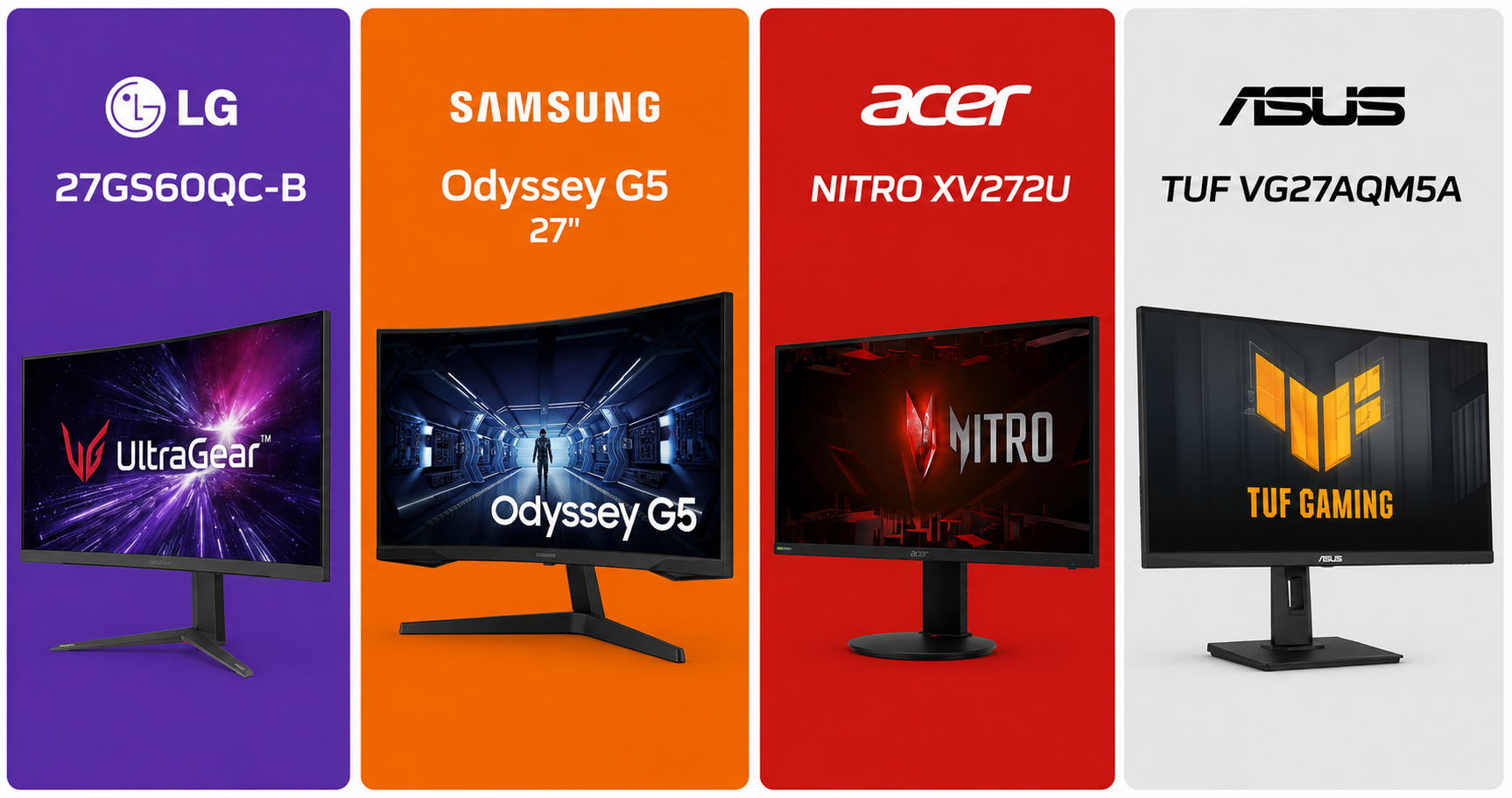
🥇 Best Overall — LG 27GS60QC-B Ultragear (27″ QHD 180Hz IPS)
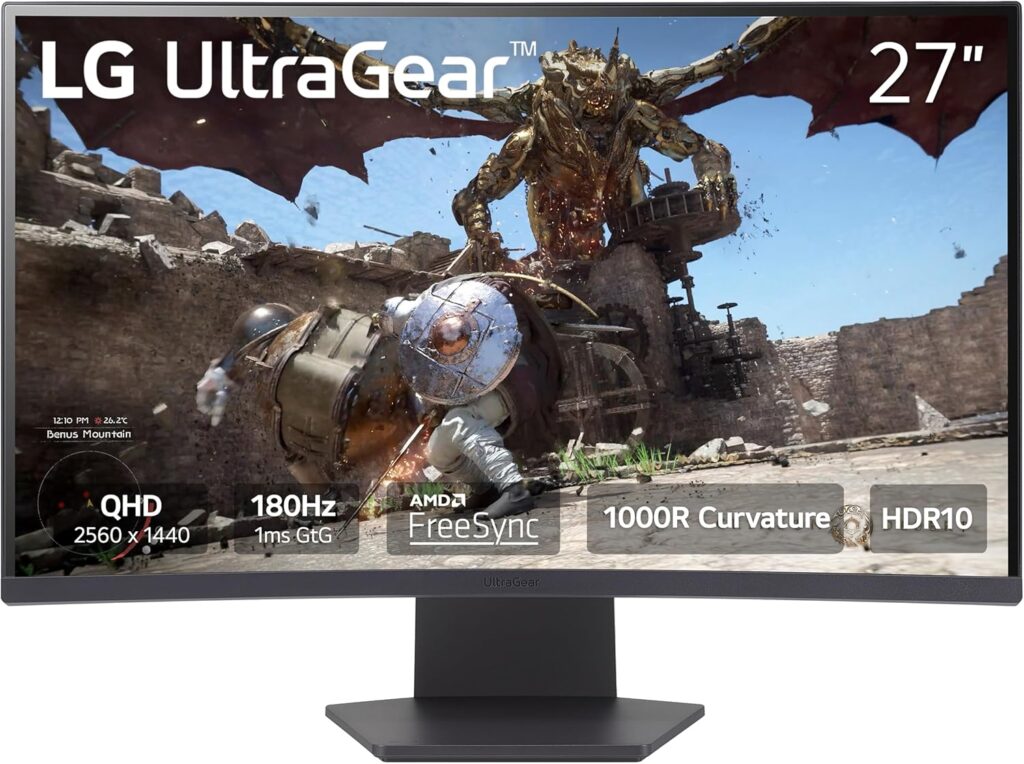
Why we love it: This is the gold standard in the under-$300 range. LG’s Nano IPS panel delivers stunning color accuracy, ultra-fast 1ms response time, and support for NVIDIA G-Sync and AMD FreeSync Premium. At 1440p and 180Hz, it makes Xbox Series X content look absolutely gorgeous.
Specs at a glance:
- Panel: Nano IPS
- Resolution: 2560×1440 (1440p)
- Refresh Rate: 180Hz (120Hz on PS5/Xbox via HDMI 2.1)
- Response Time: 1ms GtG
- HDR: HDR400
- Ports: 2x HDMI 2.0, 1x DisplayPort 1.4, 2x USB-A
Pros:
- Exceptional color accuracy out of the box
- 180Hz feels silky even on consoles at 120Hz
- Slim bezels, premium build quality
- Great for both gaming and content creation
Cons:
- HDMI 2.0 means PS5 won’t hit full 4K@120Hz (HDMI 2.1 is needed for that)
- HDR400 is entry-level HDR
Best for: Xbox Series X owners and PC+console hybrid setups.
🥈 Best Value Pick — Samsung Odyssey G5 (27″ 1440p 180Hz IPS)
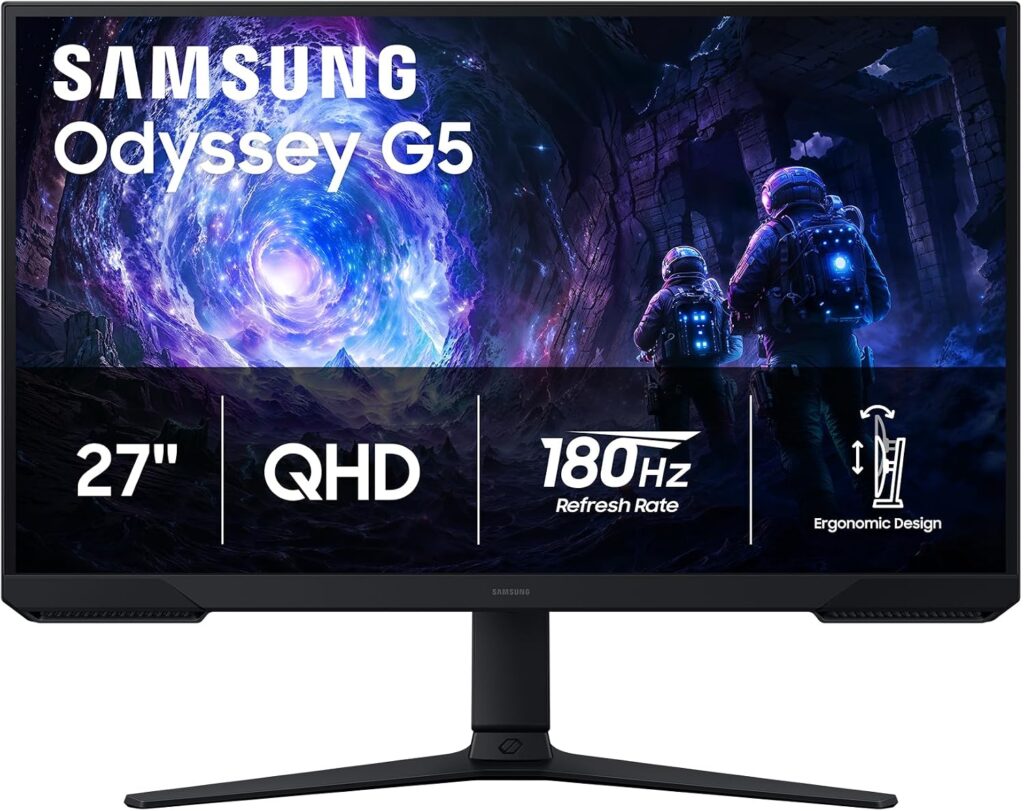
Why we love it: If you play fast-paced competitive games like Valorant, Fortnite, or Call of Duty on console, the Odyssey G5 is a beast. 180Hz is overkill for consoles right now, but you get a monitor that will never feel sluggish, with Samsung’s IPS Black technology for deeper blacks than typical IPS panels.
Specs at a glance:
- Panel: IPS Black
- Resolution: 2560 x 1440 (1440p)
- Refresh Rate: 180Hz
- Response Time: 1ms GtG
- HDR: HDR10
- Ports: 2x HDMI 1.4, 3x USB 3.0
Pros:
- Insanely fast refresh rate
- Better contrast than standard IPS
- Excellent motion clarity
Cons:
- 1440p shows pixel grid on 27″ up close
- No HDMI 2.1
Best for: Competitive console players who prioritize speed over resolution.
🥉 Best Budget Option — Acer Nitro XV272U (27″ 1440p 144Hz IPS)
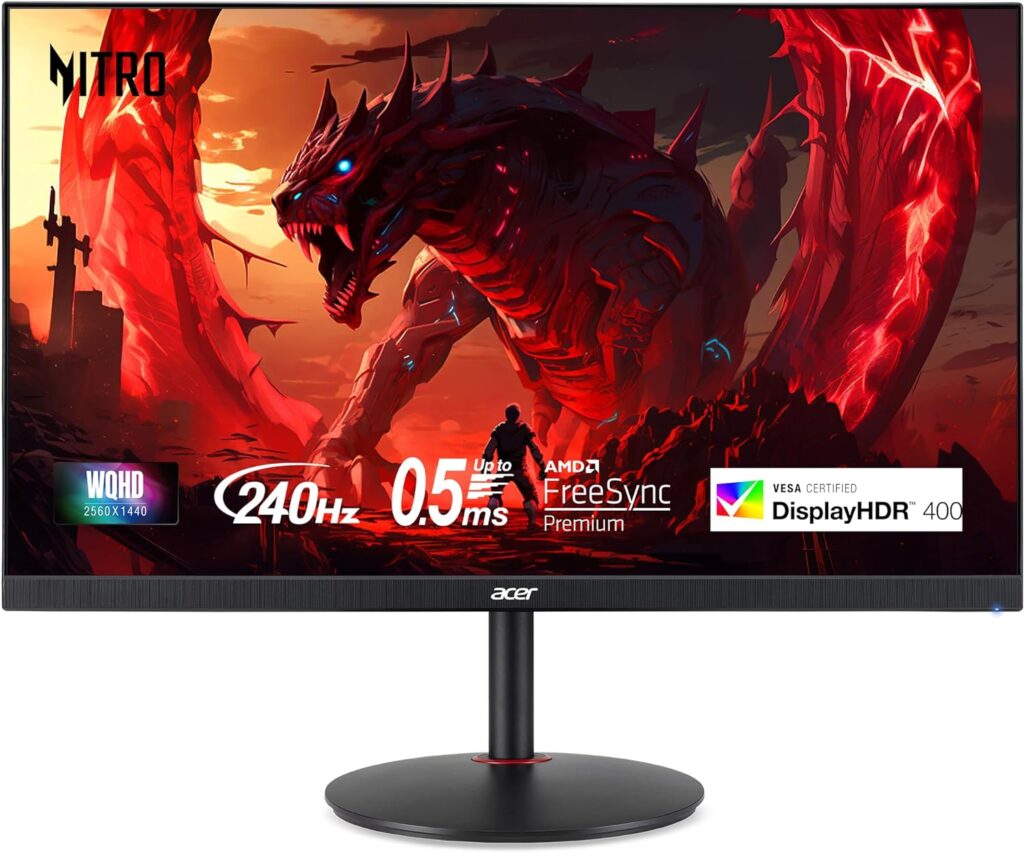
Why we love it: The Nitro XV272U punches well above its price tag. It’s one of the cheapest ways to get into 1440p at 144Hz, with solid IPS colors and AMD FreeSync Premium support. Not the flashiest monitor on this list, but it gets the job done reliably.
Specs at a glance:
- Panel: IPS
- Resolution: 2560×1440 (1440p)
- Refresh Rate: 144Hz
- Response Time: 1ms VRB
- HDR: HDR400
- Ports: 2x HDMI 2.0, 1x DisplayPort 1.4
Pros:
- Affordable entry into 1440p gaming
- Good factory color calibration
- Sturdy stand with height adjustment
Cons:
- Backlight bleed can be present on some units
- No HDMI 2.1
Best for: Budget-conscious buyers who want 1440p without breaking the bank.
🎯 Best for PS5 Specifically — ASUS TUF Gaming VG27AQM5A (27″ QHD 300Hz)
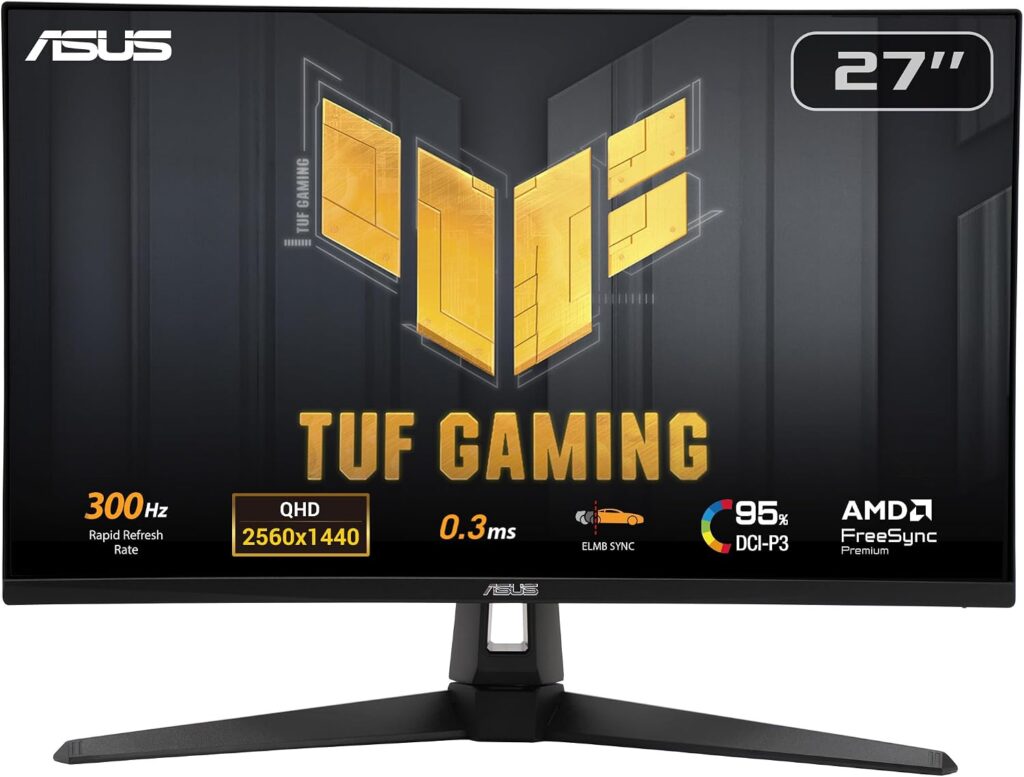
Why we love it: This is the wild card. At the $300 budget (prices fluctuate — grab it on sale), the VG27AQM5A is one of the few monitors with HDMI 2.1, unlocking true 2K@300Hz on PS5 and Xbox Series X. If you want the full next-gen experience, this is your monitor.
Specs at a glance:
- Panel: IPS
- Resolution: 2560×1440 (2K)
- Refresh Rate: 300Hz (PC) / 120Hz @ 4K (console via HDMI 2.1)
- Response Time: 1ms GtG
- HDR: HDR400
- Ports: 2x HDMI 2.1, 1x DisplayPort 1.4
Pros:
- True HDMI 2.1 for 2K@120Hz on PS5
- Future-proof resolution
- VRR and FreeSync Premium support
Cons:
- HDR performance is still entry-level
Best for: PS5 owners who want the definitive console gaming display.
📊 Full Comparison Table
| Monitor | Size | Resolution | Hz | Panel | HDMI 2.1 | Price Range |
|---|---|---|---|---|---|---|
| LG 27GS60QC-B | 27″ | 1440p | 180Hz | VA | ❌ | ~$250–$280 |
| Samsung Odyssey G5 | 27″ | 1440p | 180Hz | VA | ❌ | ~$200–$230 |
| Acer Nitro XV272U | 27″ | 1440p | 144Hz | IPS | ❌ | ~$180–$220 |
| ASUS TUF VG27AQM5A | 27″ | 1440p | 300Hz | IPS | ✅ | ~$280–$320 |
🤔 Which Monitor Should You Buy?
- Best all-around pick: → LG 27GS60QC-B. Stunning image, fast panel, great for any console.
- Tight budget: → Acer Nitro XV272U. Reliable 1440p without the premium price.
- Competitive multiplayer focus: → Samsung Odyssey G5. Speed above all else.
- PS5 true 2K@300Hz: → ASUS TUF VG27AQM5A. The only one with HDMI 2.1 on this list.
❓ FAQ
Does PS5 support 144Hz? No — PS5 maxes out at 120Hz over HDMI 2.1. A 144Hz monitor will cap at 120Hz, which is still a massive upgrade over 60Hz.
Do I need HDMI 2.1 for PS5? Only if you want 4K@120Hz simultaneously. At 1080p or 1440p@120Hz, HDMI 2.0 is sufficient.
Is 1440p worth it over 1080p for consoles? Yes, especially on screens 27″ and above. The image quality difference is clearly visible in open-world and cinematic games.
Will these monitors work with PC too? Absolutely — all picks on this list are excellent for PC gaming as well.
Did you see our post about Build the Ultimate Gaming Setup in 2026? Check it now!
Last updated: June 2026 | Prices may vary by retailer and region.
⚠️ Affiliate Disclosure: TechPlayGrid participates in the Amazon Associates Program and other affiliate programs. We earn a small commission on qualifying purchases at no extra cost to you. Our recommendations are always based on honest research and testing.
Leave a Reply