The Redragon K552 review
(Last Updated: November, 2026)
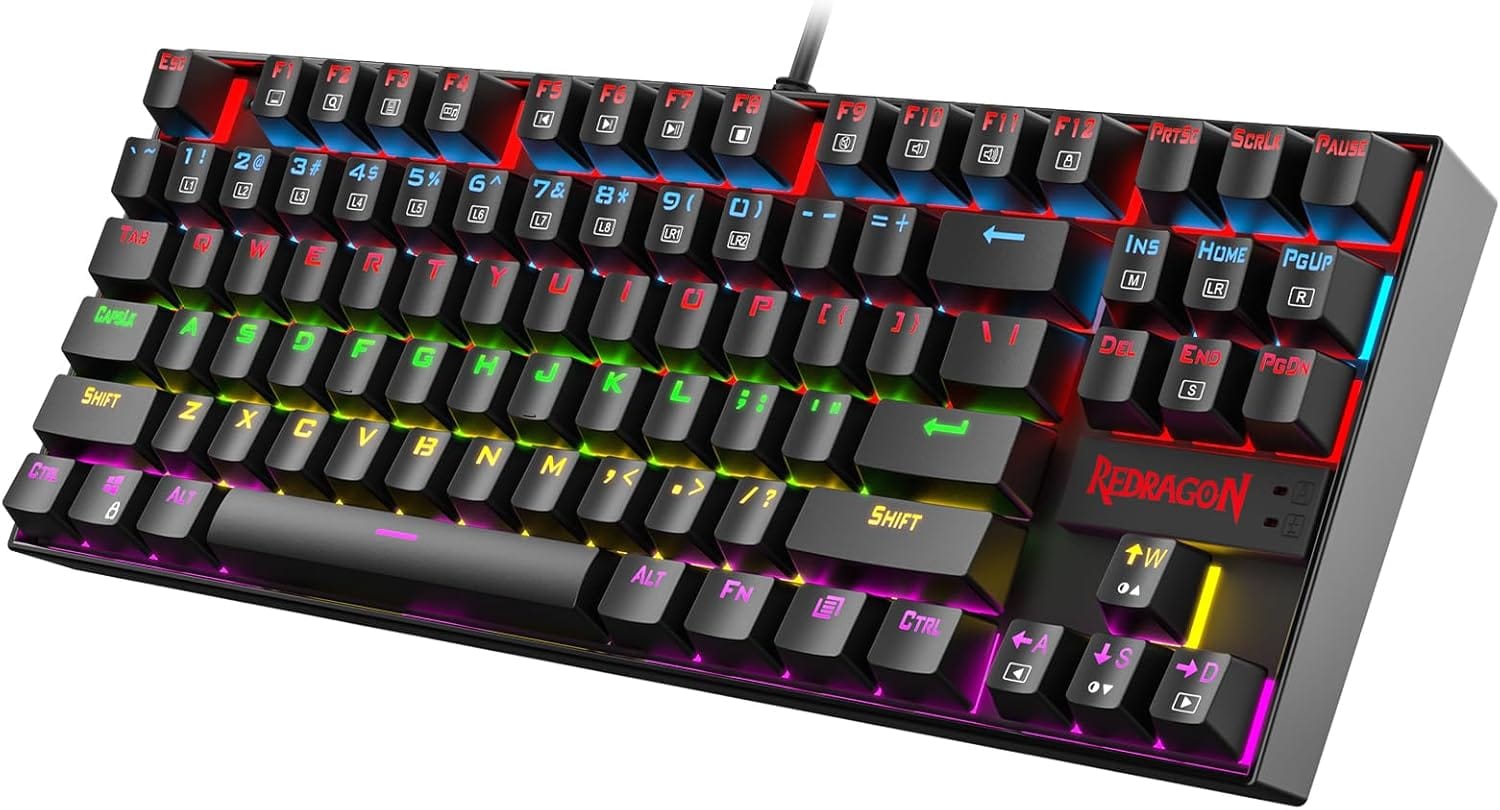
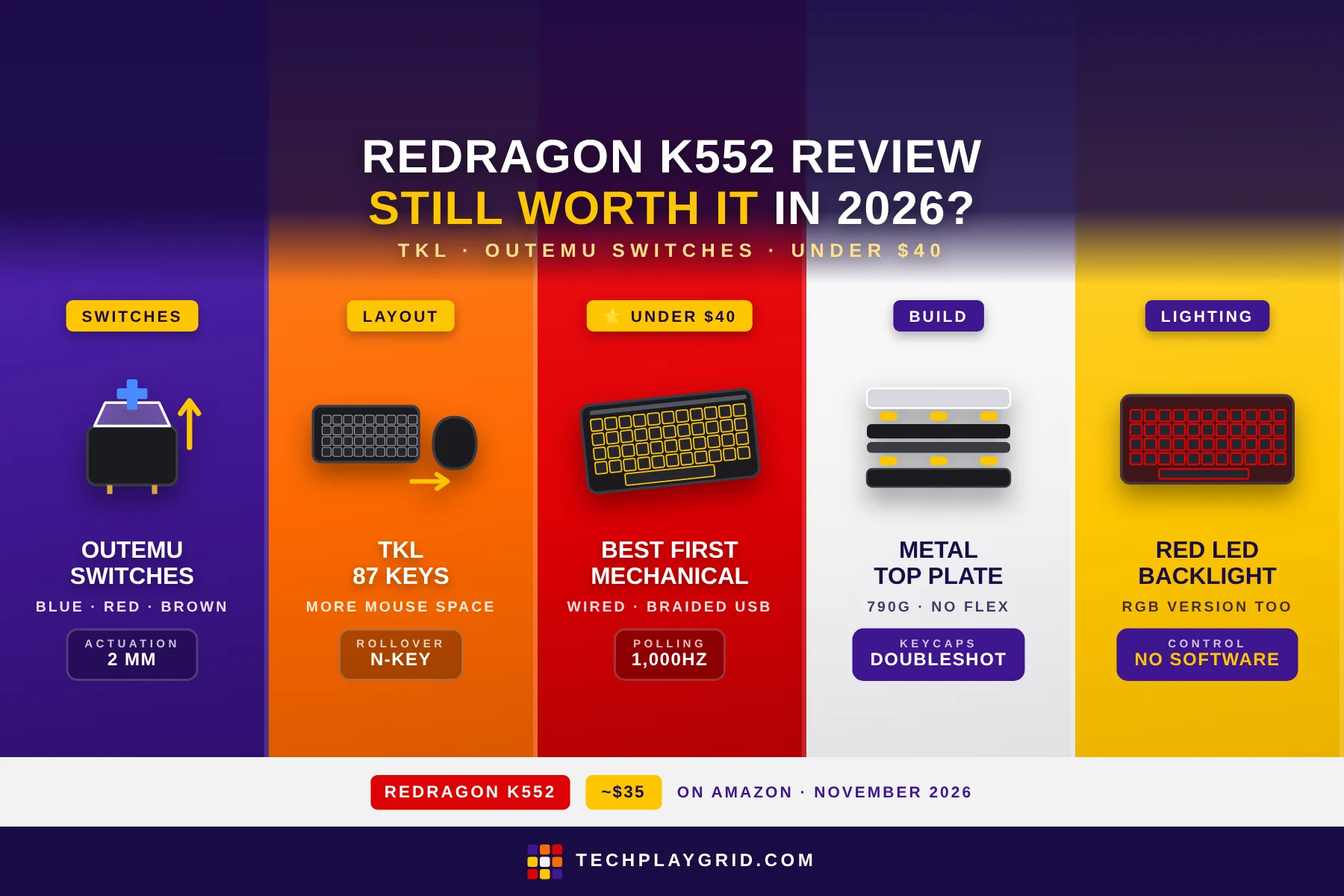
The Redragon K552 review is long overdue on TechPlayGrid — this compact tenkeyless mechanical keyboard has been one of Amazon’s best-selling budget gaming keyboards for years, and at ~$35 on Amazon (ASIN: B016MAK38U), it remains one of the most popular entry points into mechanical keyboard gaming. The Redragon K552 review in 2026 asks whether this keyboard’s core value proposition — real mechanical switches, tenkeyless compact layout, and RGB lighting at a budget price — holds up against a crowded market of cheap gaming keyboards that have emerged since its debut.
The short answer: the Redragon K552 is still worth buying in 2026 for players who want their first mechanical keyboard without spending $80+. The Redragon K552 delivers the most important things — tactile or clicky mechanical switches, accurate actuation, and solid build quality — at a price point where competitors often cut corners on the switches themselves.
⚠️ Affiliate Disclosure: TechPlayGrid is reader-supported. When you buy through links on our site, we may earn a small affiliate commission at no extra cost to you. Prices and availability are subject to change — always check Amazon for the current price before purchasing.
📋 How we research: Tech Play Grid doesn’t test products hands-on. Our recommendations are based on specifications, prices and verified buyer feedback, cross-checked across multiple sources (you can find them at the end of our post). We also explain the trade-offs of each product, so you can decide what fits your needs and budget. Learn more on our About page.
Redragon K552 Specs at a Glance
| Spec | Detail |
|---|---|
| Switch type | Outemu Blue (clicky) or Red (linear) variants |
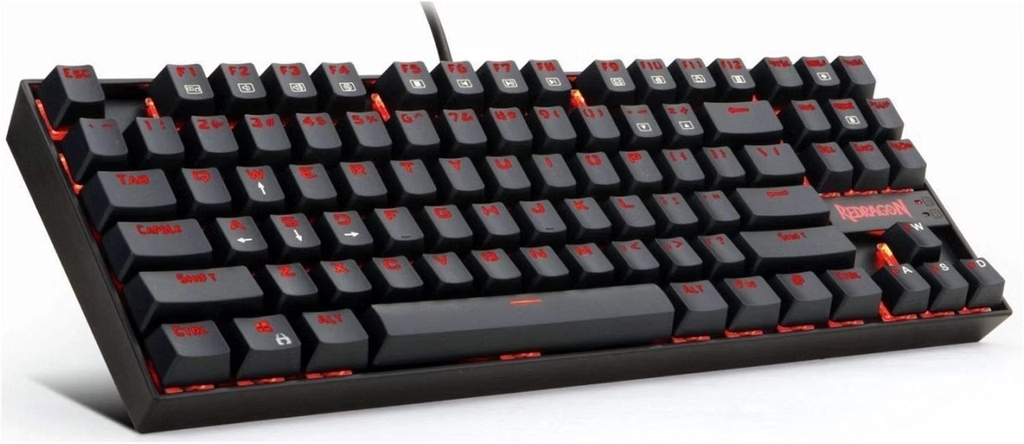
| Layout | 87-key Tenkeyless (TKL) |
| Actuation force | 45g (Blue), 45g (Red) |
| Actuation point | 2mm |
| Total travel | 4mm |
| Polling rate | 1,000Hz |
| Backlight | Red LED (base model) or RGB (KUMARA version) |
| Anti-ghosting | 87-key anti-ghosting |
| Rollover | N-key rollover |
| Cable | Braided USB, 1.8m |
| Weight | 790g |
| ASIN | B016MAK38U |
| Price | ~$35 on Amazon US |
👉 Check the current price for the Redragon K552 on Amazon
⚠️ Prices and availability are subject to change without notice. Always verify current stock and price on Amazon before purchasing.
Redragon K552 Review: Switch Options and Feel
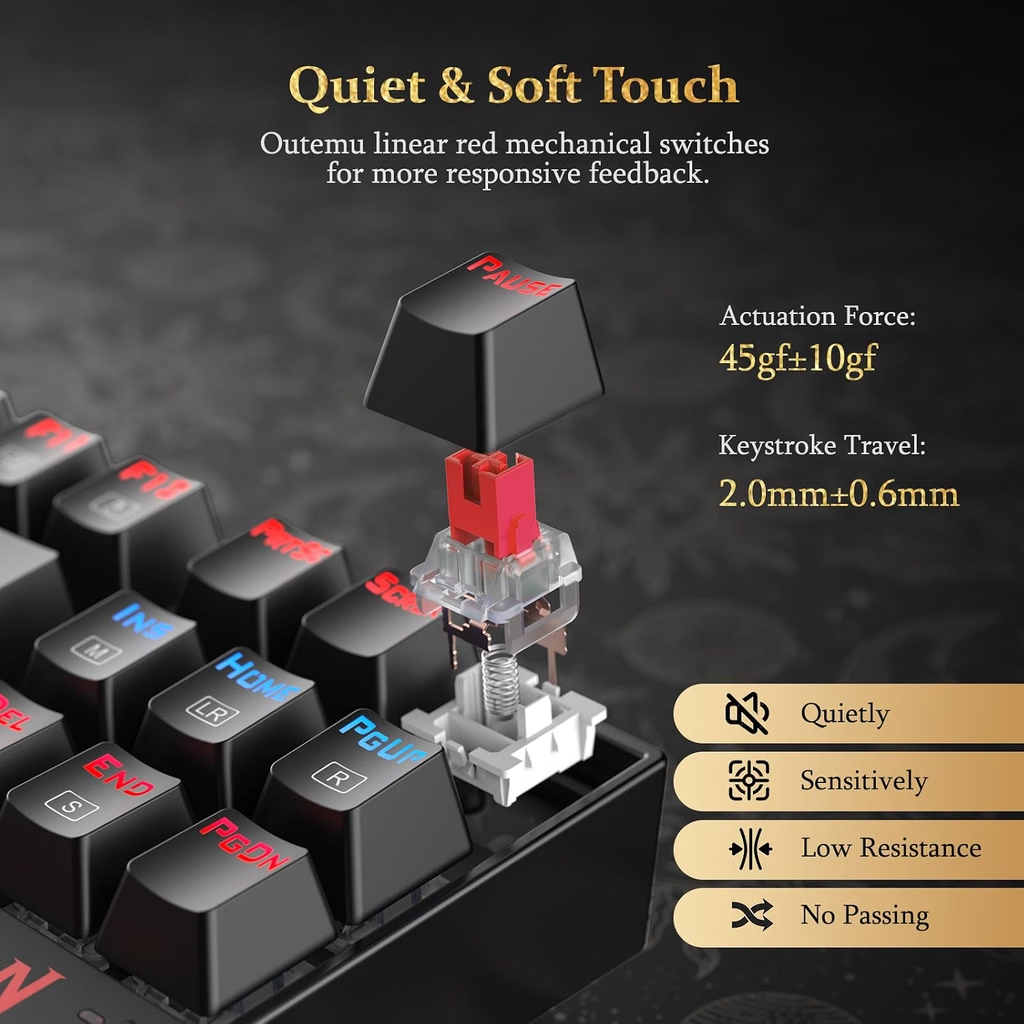
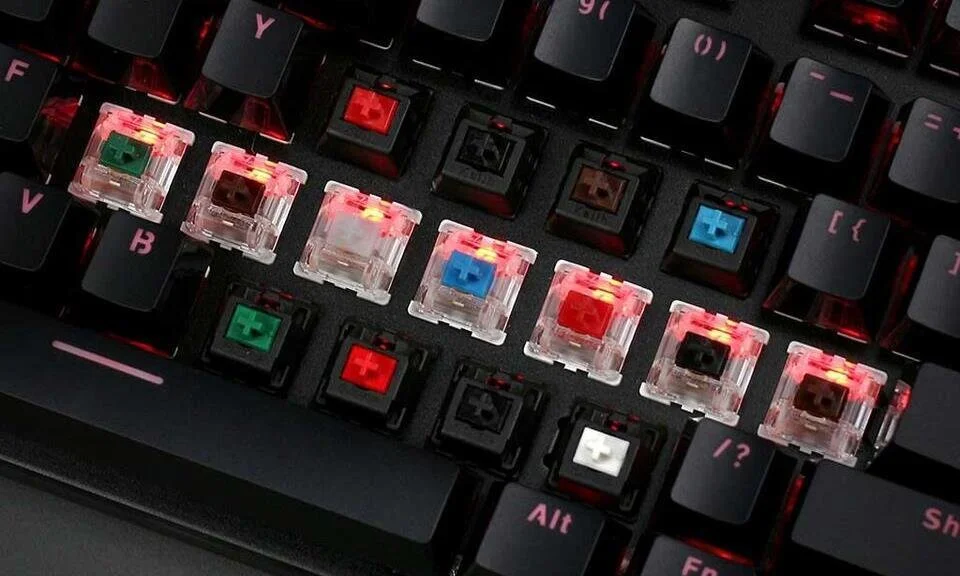
The Redragon K552 uses Outemu mechanical switches — a Chinese-manufactured switch that closely mimics Cherry MX specifications. The Redragon K552 is available in:
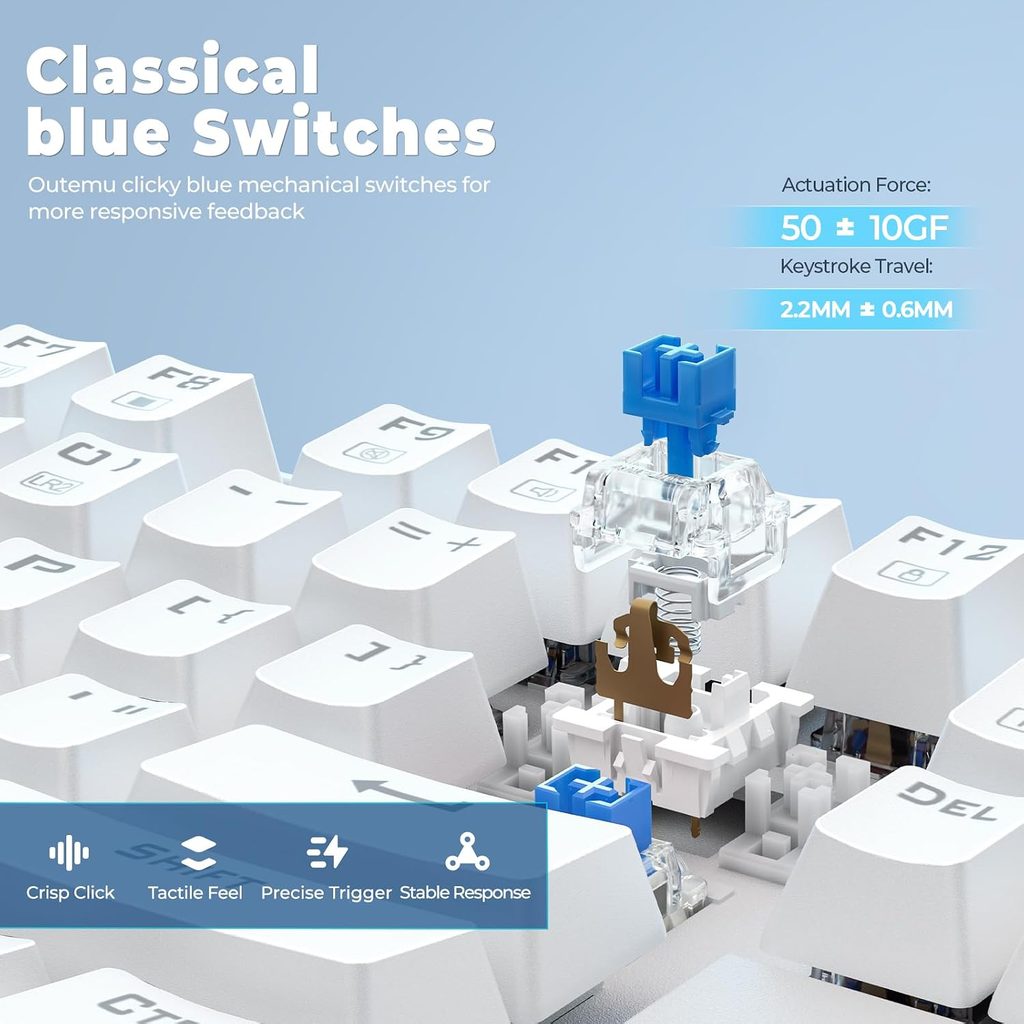
- Outemu Blue (clicky): tactile bump + audible click at actuation, 45g force, 2mm actuation
- Outemu Red (linear): smooth actuation with no bump or click, 45g force, 2mm actuation
- Outemu Brown (tactile): tactile bump without click, 45g force, 2mm actuation (on select variants)
This Redragon K552 review focuses on the Blue switch variant. The clicky Blue switches deliver satisfying feedback — you feel and hear each keystroke’s actuation point, which appeals to players who want confirmation that a key registered. Typing speed benefits from the tactile bump, which acts as a feedback cue to lift off and move to the next key.
Outemu vs Cherry MX: The honest answer in this Redragon K552 review is that Outemu switches are close but not identical to Cherry MX. Outemu Blues have slightly more scratchy actuation — Cherry MX Blues are smoother on the way down. For gaming and general typing, this difference is minor. For audiophiles or switch purists who prefer Cherry, Gateron, or Kailh alternatives, the Redragon K552 won’t satisfy that itch. For first-time mechanical keyboard buyers, Outemu switches deliver the essential mechanical experience convincingly.
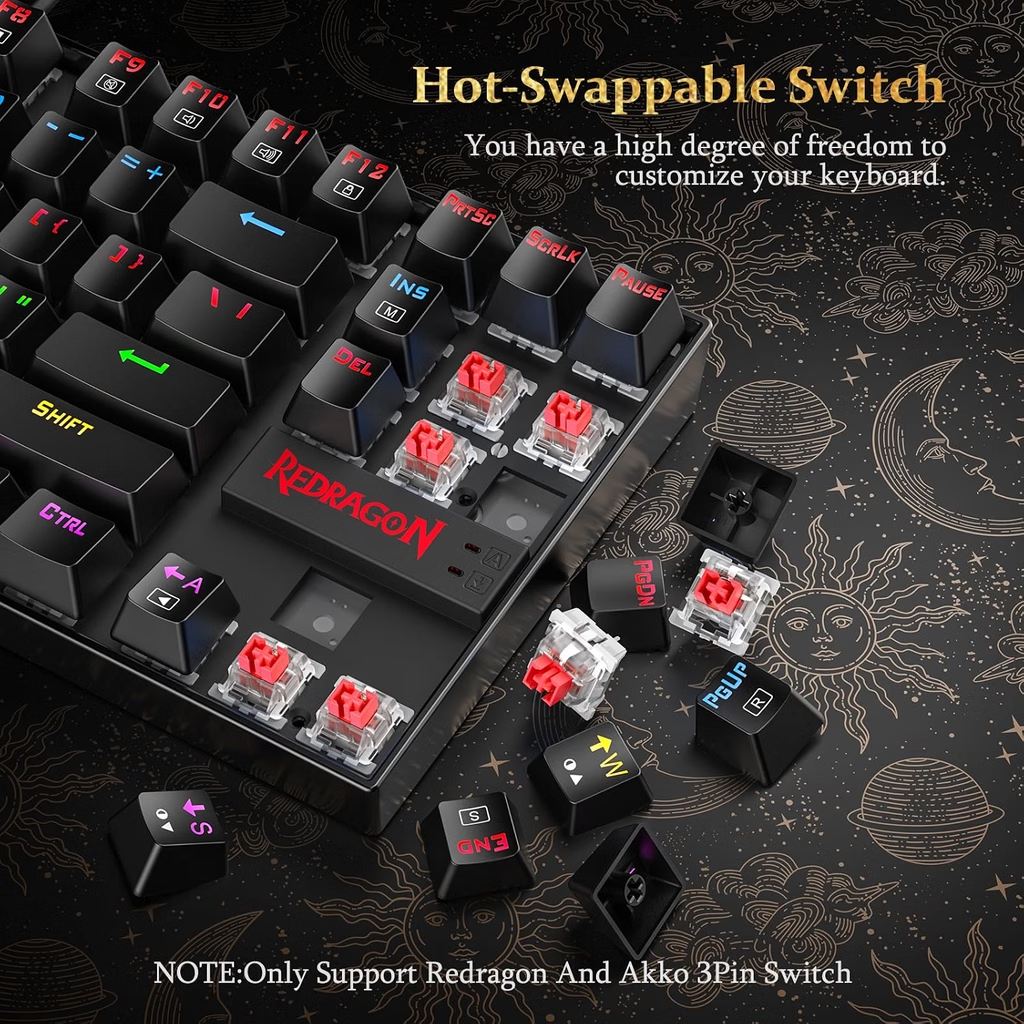
The switches are not hot-swappable — you cannot change switch types without desoldering. If you’re uncertain about switch preference, consider ordering one switch variant and living with it for a week to decide.
Redragon K552 Review: Build Quality and Layout
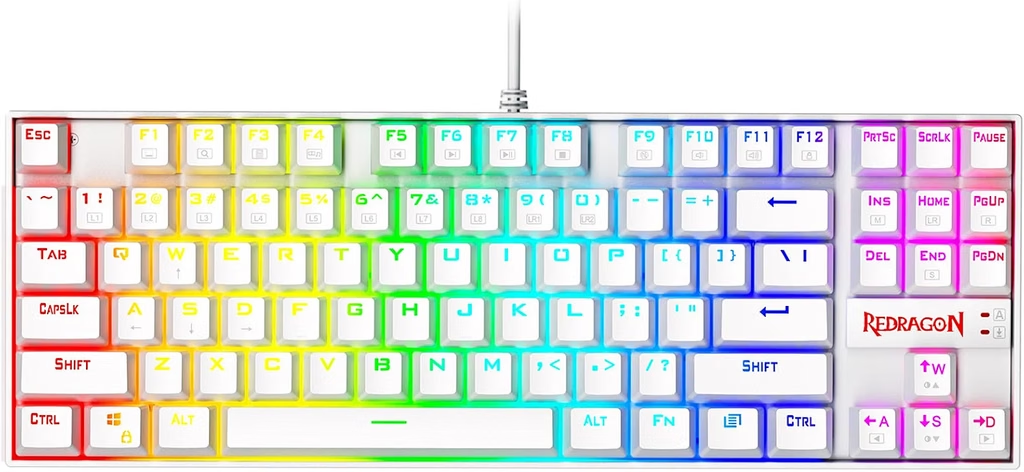
The Redragon K552 has a metal top plate over a standard ABS plastic base. The metal plate adds rigidity — the keyboard doesn’t flex when pressed from above, which is common on fully plastic budget keyboards. At 790g, the Redragon K552 has satisfying desk weight that prevents unwanted movement during intense typing or gaming.
The keycaps are doubleshot ABS — the legends are formed by two layers of plastic, not printed on top. This means the legends won’t fade or wear off over time from heavy use. The keycaps themselves are on the thinner side compared to PBT keycaps, and ABS develops a shine with extended use. Aftermarket PBT keycaps (standard TKL layout) fit the Redragon K552 if you want an upgrade.
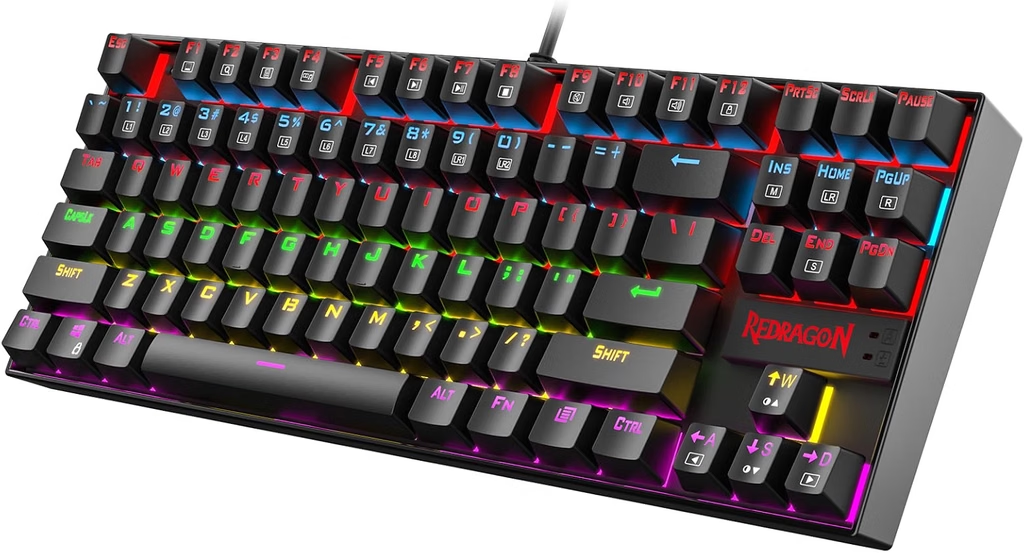
The Redragon K552 uses a tenkeyless (87-key) layout, which removes the number pad found on full-size keyboards. Benefits:
- Smaller footprint — more mouse space on the right side
- Shorter reach to the mouse — reduces shoulder rotation during gaming
- Cleaner desk aesthetic for gaming setups
The bottom of the Redragon K552 has two fold-out feet for angle adjustment (flat or ~8° angle). Rubber feet on both positions prevent slipping. The keyboard also has a standard Cherry MX-compatible keycap mount, so replacement keycap sets are widely available.
Redragon K552 Review: RGB and Lighting
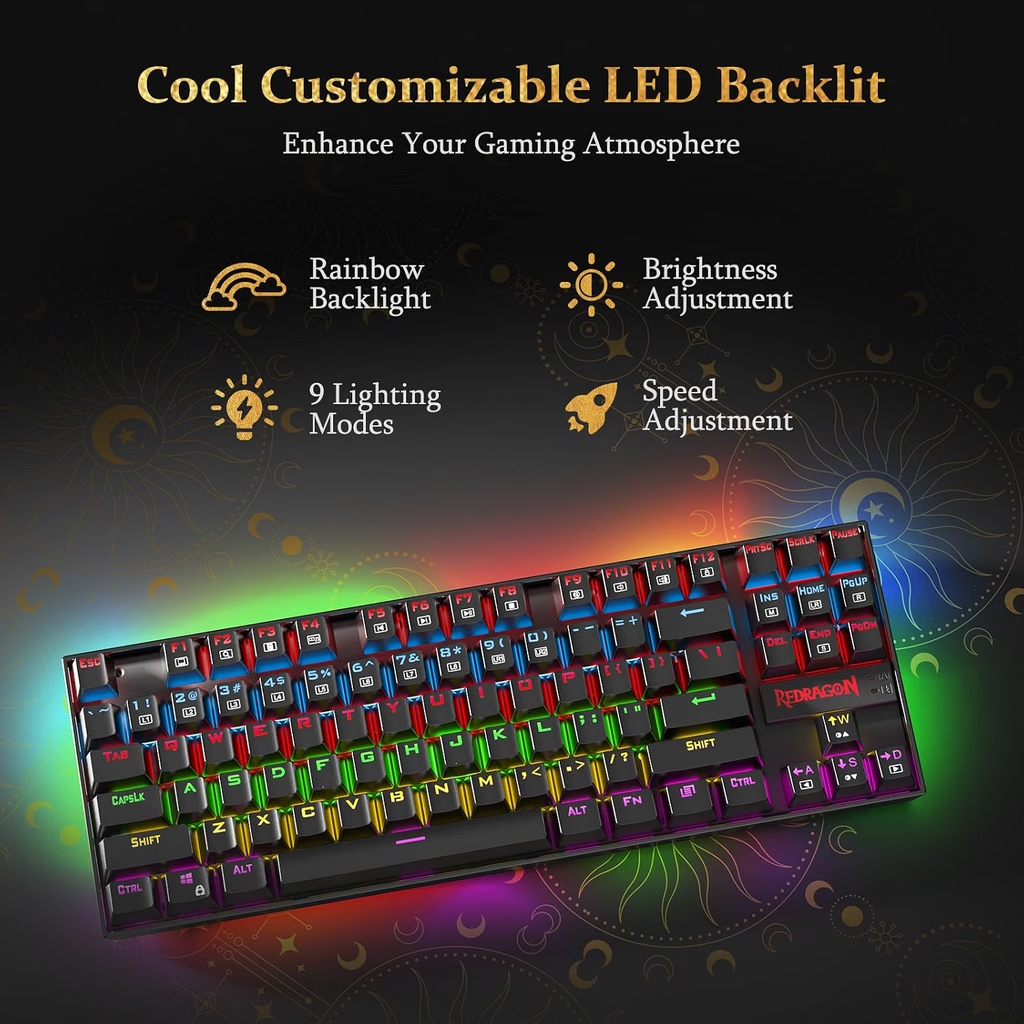
The standard Redragon K552 has red LED backlighting — the LEDs are fixed red, not adjustable per-key. For full RGB, look at the Redragon K552 RGB (also called K552 KUMARA RGB) variant, which adds per-key RGB backlight effects.
The standard red backlight is bright and even across all keys — sufficient for use in dark rooms. Multiple lighting patterns cycle through solid, breathing, and reactive modes by pressing FN + function key combinations. No software is required to switch lighting modes; everything is controlled on the keyboard.
The legends are front-lit through the keycap’s transparent legend windows — key labels are clearly visible with backlight on. With backlight off, the legends are still readable under standard desk lighting.
Redragon K552 Review: Gaming Performance
In FPS gaming (CS2, Valorant, Apex Legends), the Redragon K552 performs like what it is: a solid mechanical TKL keyboard at a budget price. Key registrations are consistent, N-key rollover means simultaneous key presses all register correctly, and the 1,000Hz polling rate ensures there’s no additional input latency beyond the mechanical actuation.
For competitive gaming, the Blue switches in this Redragon K552 review are fine — the audible click can be a distraction in team voice chat when teammates hear your keystrokes, but it’s a personal preference. Players who share voice chat frequently or stream might prefer the Red or Brown variants for quieter operation.
The tenkeyless layout is genuinely better for gaming than a full-size keyboard. The reduced keyboard-to-mouse distance during play reduces wrist extension and allows more comfortable, natural arm position for mouse movement.
Anti-ghosting and N-key rollover: The Redragon K552 supports N-key rollover on all 87 keys, meaning you can press any combination of keys simultaneously and all will register correctly. This matters for games that require complex key combinations (MMOs, fighting games, or movement with multiple modifier keys active simultaneously).
Redragon K552 Review: Typing Experience
For general typing and productivity use alongside gaming, the Redragon K552 is capable but not exceptional. The Blue switches make typing fast and satisfying, but the louder click may be disruptive in shared environments (offices, shared rooms, late-night sessions when others are sleeping).
Stabilizers on the spacebar, shift, and enter keys are pre-lubed adequately for a budget keyboard — no significant wobble or rattle that would distract during typing. The spacebar uses a standard Cherry-compatible mount and accepts aftermarket spacebar replacements.
The layout is compact but not condensed — the Redragon K552 doesn’t sacrifice any key size for the tenkeyless design. Keys are standard sizes throughout, and touch typing on the Redragon K552 feels familiar for anyone coming from a standard keyboard.
Redragon K552 Review: Who Is It For?
The Redragon K552 is the right keyboard for:
- First-time mechanical keyboard buyers who want to experience mechanical switches without committing $70–$100
- Gaming setups on a tight budget where $35 for a mechanical keyboard with full anti-ghosting beats $50–$70 for a membrane gaming keyboard
- Students and young players building their first gaming setup
- Players who want a compact TKL layout without paying the $60–$80 TKL premium of branded options
- Secondary keyboard or travel gaming setup where a flagship keyboard isn’t appropriate
The Redragon K552 is not the best choice for:
- Enthusiast typists who want premium switch feel (Gateron, Kailh Box, Topre) — look at keyboards in the $80–$150 range
- Players who want wireless mechanical gaming keyboard — the K552 is wired-only
- Office environments where audible Blue switch clicks would disrupt coworkers
- Players who want hot-swappable switches to experiment with different switch types
Redragon K552 Review: How It Compares
| Keyboard | Price | Switches | Layout | RGB |
|---|---|---|---|---|
| Redragon K552 | ~$35 | Outemu Blue/Red/Brown | TKL 87-key | Red LED (base), RGB variant |
| Redragon K686 PRO | ~$45–$55 | Outemu Red/Blue/Brown | TKL 87-key | Full RGB |
| HyperX Alloy Origins Core | ~$75–$90 | HyperX Aqua/Red | TKL 87-key | Full RGB |
| SteelSeries Apex 3 TKL | ~$50 | Membrane | TKL 87-key | Full RGB |
The Redragon K552 is the most affordable genuine mechanical TKL keyboard on this comparison. The HyperX Alloy Origins Core at ~$75 is a step up in build quality and switch feel, but the price gap is significant. For players who want mechanical switches and have a firm $40–$50 budget, the Redragon K552 is the practical choice.
Redragon K552 Review: Final Verdict
The Redragon K552 delivers the core mechanical keyboard experience — tactile/clicky switches, N-key rollover, compact TKL layout, and solid metal plate construction — at ~$35 on Amazon. It’s not the smoothest, most premium keyboard available, but it’s genuinely mechanical, genuinely well-built for the price, and it’s the keyboard that has introduced thousands of players to the mechanical keyboard experience.
If you want a first mechanical gaming keyboard and don’t want to spend $70+, the Redragon K552 is the most sensible choice on Amazon in 2026. It won’t disappoint you on the fundamentals that matter for gaming.
👉 Buy the Redragon K552 on Amazon (~$35)
⚠️ Prices and availability are subject to change without notice. Always verify current stock and price on Amazon before purchasing.
Related on TechPlayGrid
💬 Found this review helpful? Subscribe to TechPlayGrid for weekly budget gaming keyboard reviews and the best Amazon deals — updated every week.
Sources:
- Redragon — K552 official product page (redragonusa.com)
- Amazon — ASIN B016MAK38U listing, November 2026
- Slickdeals — Redragon K552 deal history, 2025–2026