

Freedom Without Breaking the Bank
For years, competitive gamers refused to use wireless mice. The early wireless models were heavy, suffered from noticeable signal latency, and frequently disconnected mid-game. Today, that narrative has completely flipped. Modern wireless transmission technology is so fast that it matches—and in some cases beats—the response times of traditional wired connections.
However, finding a high-performance wireless mouse often comes with a steep price tag, with many flagship models costing $150 or more. The good news is that you do not need to spend fortune to enjoy untethered precision. In this comprehensive guide, we examine the best new options currently available under $100 on amazonense US that offer exceptional battery life, top-tier optical sensors, and flawless tracking for your gaming setup.
⚠️ Affiliate Disclosure: TechPlayGrid is reader-supported. When you buy through links on our site, we may earn an affiliate commission at no extra cost to you.
Key Features to Consider Before Buying
Weight and Ergonomics
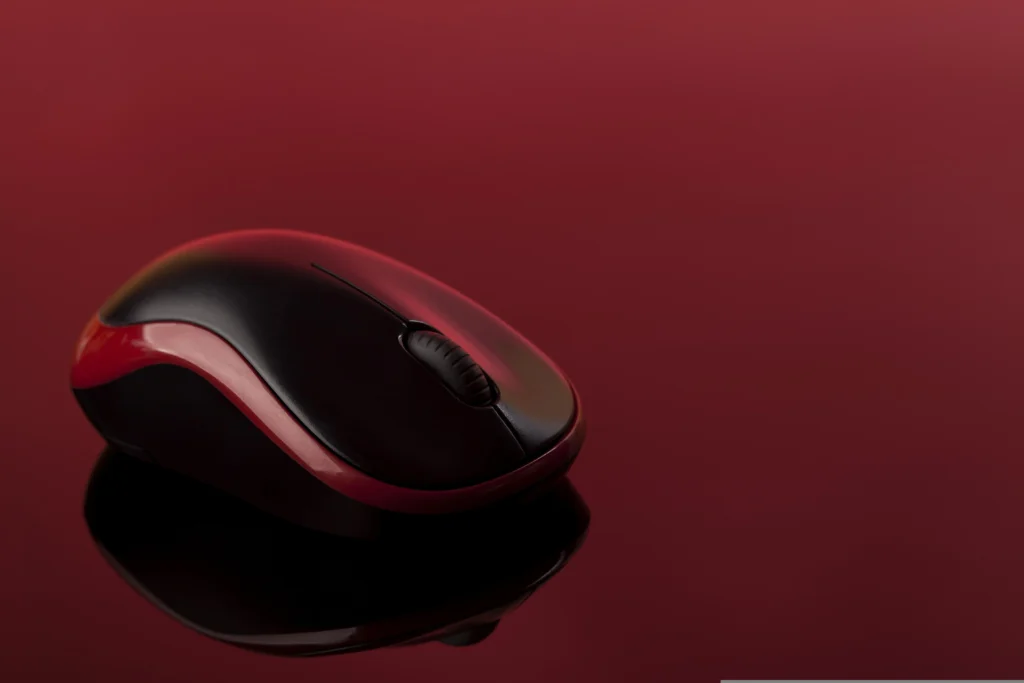
The weight of a gaming mouse directly impacts your control and fatigue levels during extended sessions. Competitive first-person shooter (FPS) players generally prefer ultra-lightweight designs (under 70 grams) for quick flick shots, while players who enjoy strategy or MMO titles often prefer slightly heavier, feature-packed ergonomic shapes.
Optical Sensors and Polling Rates
A mouse sensor tracks physical movement across your desk pad. Look for sensors offering high DPI (Dots Per Inch) acceleration capabilities and zero mechanical spin-outs. The standard polling rate for modern gaming mice is 1000Hz (1ms response time), which is ideal for both casual and competitive play.
Top Contender 1: Razer Basilisk V3 X HyperSpeed
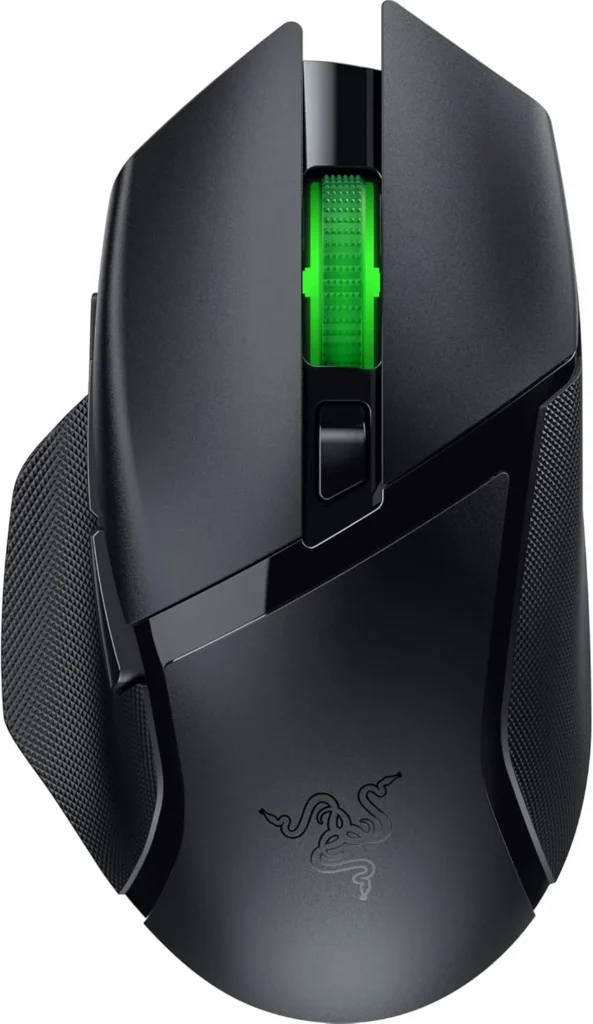
If you prefer an ergonomic, right-handed shape with thumb support, the Razer Basilisk V3 X HyperSpeed is one of the most versatile wireless mice available in this price bracket.
Performance and Battery Life
Equipped with Razer’s Advanced 18K Optical Sensor and Gen-2 Mechanical Switches, the Basilisk V3 X offers incredible accuracy. Its defining feature is battery versatility: using a single AA battery, it can last up to 235 hours on 2.4GHz ultra-fast wireless or up to 535 hours on Bluetooth mode.
- Where to Buy: [Amazon]
Top Contender 2: HyperX Pulsefire Haste 2 Wireless
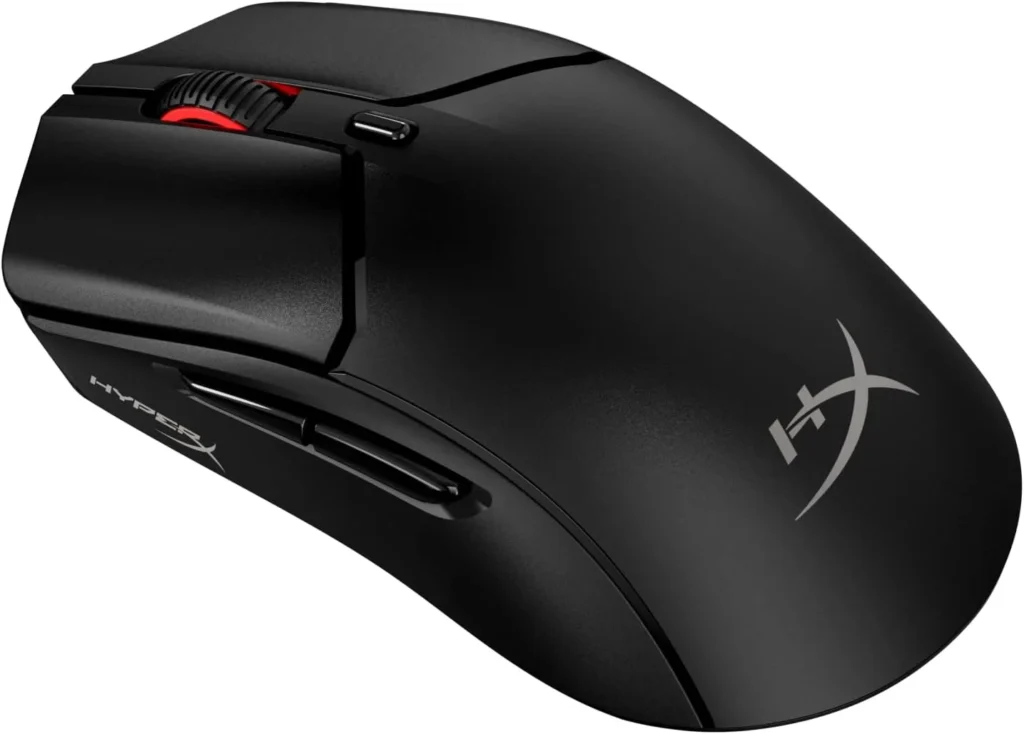
For gamers who prioritize speed and low weight above everything else, the HyperX Pulsefire Haste 2 Wireless delivers elite performance at a competitive price.
Performance and Ultra-Lightweight Design
Weighing in at just 61 grams without resorting to a honeycomb outer shell, the Haste 2 Wireless glides effortlessly. It features the custom HyperX 26K Sensor, custom micro switches rated for up to 100 million clicks, and offers up to 100 hours of battery life on a single USB-C charge.
- Where to Buy: [Amazon]
Top Contender 3: Logitech G305 LIGHTSPEED
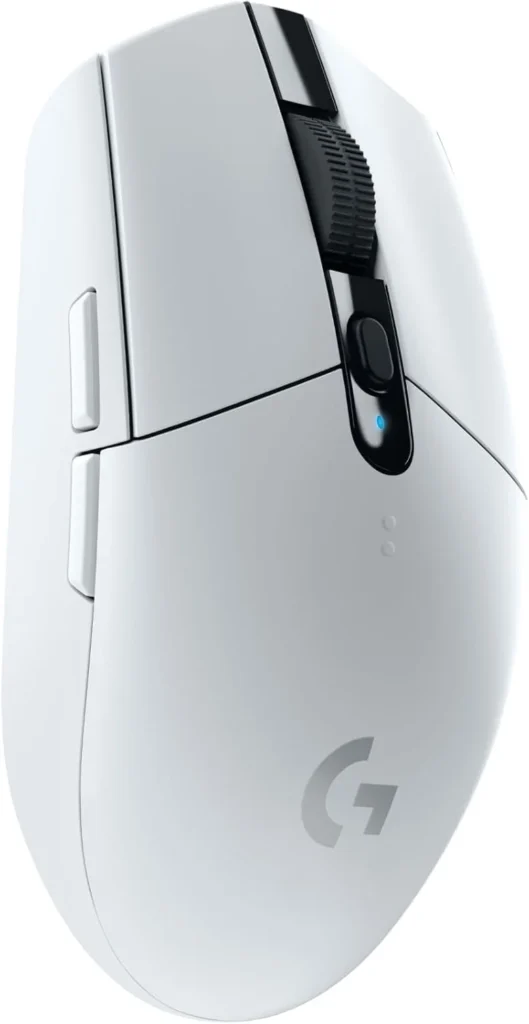
No discussion about budget wireless mice is complete without mentioning the iconic Logitech G305 LIGHTSPEED.
Performance and Value
Featuring Logitech’s legendary HERO sensor and classic symmetrical egg-shaped chassis, the G305 remains a staple in the gaming community. Powered by a single AA battery providing up to 250 hours of continuous gameplay, it offers unbeatable value for players seeking proven reliability.
- Where to Buy: [Amazon] or [Aliexpress]
Comparative Breakdown
| Mouse Model | Weight | Sensor | Connection | Battery Life |
| Razer Basilisk V3 X | ~110g | Razer 18K Optical | 2.4GHz / Bluetooth | Up to 535h (AA) |
| HyperX Pulsefire Haste 2 | 61g | HyperX 26K Sensor | 2.4GHz / Bluetooth / Cable | Up to 100h (Rechargeable) |
| Logitech G305 | 99g | HERO 12K Sensor | 2.4GHz LIGHTSPEED | Up to 250h (AA) |
Frequently Asked Questions (FAQ)
Is Bluetooth good enough for competitive gaming?
No. Bluetooth has inherent latency and a lower polling rate (usually 125Hz). Always use the included 2.4GHz USB receiver (dongle) for playing fast-paced games. Save Bluetooth mode for productivity and laptop browsing to preserve battery life.
Should I choose AA batteries or an internal rechargeable battery?
AA battery models offer massive battery life and allow you to swap in a fresh battery instantly without needing a charging cable. Rechargeable models reduce continuous battery costs and allow the mouse to be built much lighter.
- Need batteries? Find it on [Amazon]
Final Verdict
If you want an ultra-lightweight mouse tailored for competitive FPS games, the HyperX Pulsefire Haste 2 Wireless is the clear winner. However, if you want an all-around ergonomic mouse for work and long gaming sessions, the Razer Basilisk V3 X HyperSpeed offers unrivaled features and battery endurance for under $100.
- Focus Keyword: best wireless gaming mouse under 100
- Tags: Wireless Mouse, Gaming Mouse, Razer Basilisk, HyperX Pulsefire, Logitech G305, PC Gaming
- Meta Description: Discover the best new wireless gaming mice under $100. Compare top picks from Razer, HyperX, and Logitech for low latency and high battery life.
- Summary: An educational buyer’s guide reviewing high-performance wireless gaming mice under $100. We detail weight preferences, optical sensors, battery types, and compare top models on Amazon US to help gamers make an informed choice.
Leave a Reply