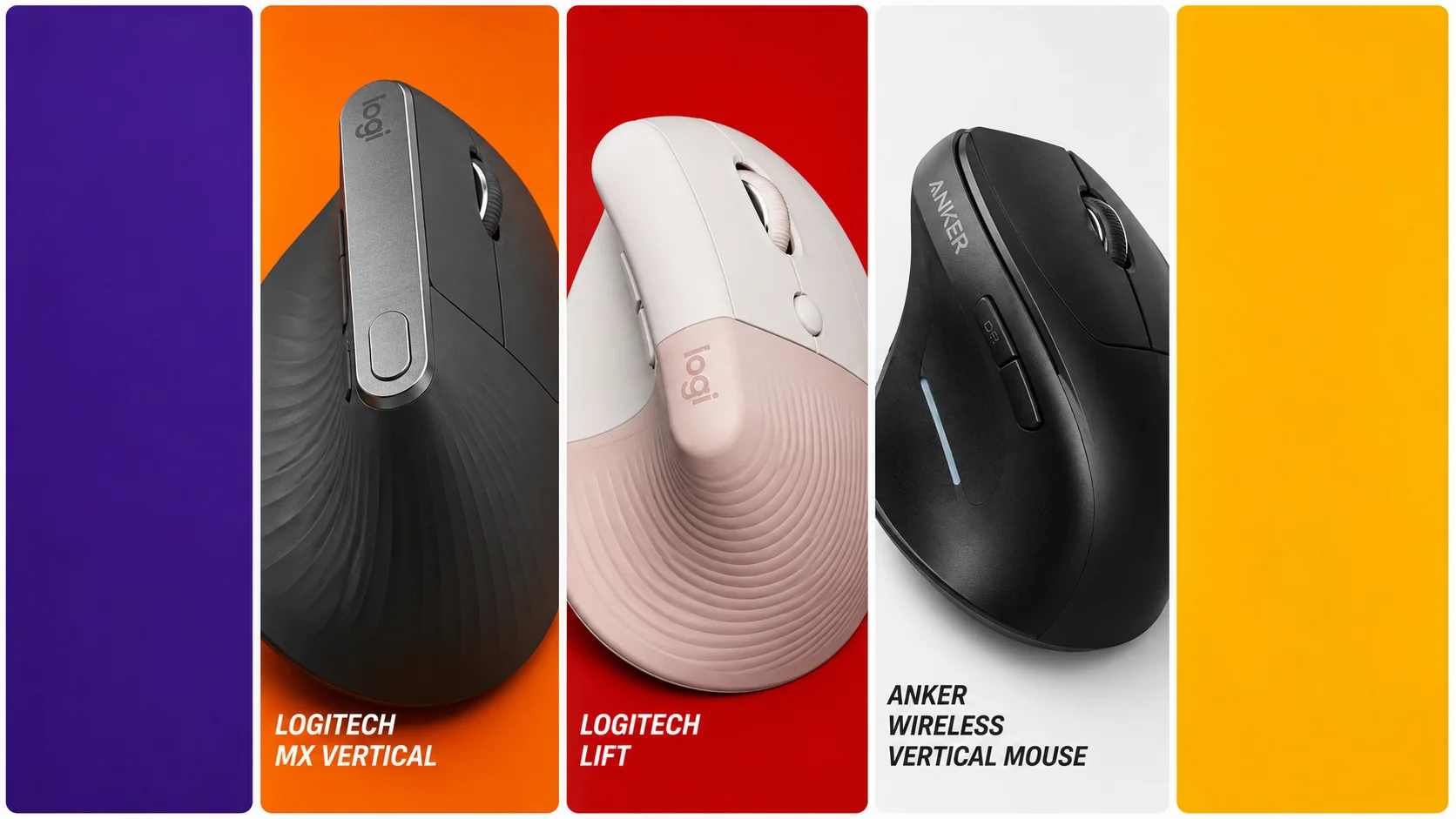
Tag: PC Setup

  • Best New Vertical Mouse for Wrist Pain Relief

    Best New Vertical Mouse for Wrist Pain Relief

    Best New Vertical Mouse: The Importance of Ergonomics

    When discussing a modern gaming setup, enthusiasts often focus on high-refresh-rate monitors and mechanical keyboards. However, the physical interface between you and your computer—your mouse—is frequently overlooked until physical discomfort begins. Using a traditional symmetrical mouse forces your forearm into a pronated (flat) position. Over thousands of hours of gaming or office work, this unnatural posture can lead to repetitive strain injuries (RSI), carpal tunnel syndrome, and severe wrist pain.

    Fortunately, a new category of ergonomic peripherals has emerged. Vertical mice are designed to keep your hand in a natural “handshake” position, drastically reducing the tension in your forearm muscles and wrist tendons. In this comprehensive guide, we will examine the best options available today to help you maintain a healthy posture without sacrificing precision.

    ⚠️ Affiliate Disclosure: TechPlayGrid is reader-supported. When you buy through links on our site, we may earn an affiliate commission at no extra cost to you. Our links redirect to your local region’s store. Prices and stock availability are subject to change.

    Understanding Wrist Pain and Ergonomics

    best new vertical mouse

    Before upgrading your hardware, it is crucial to understand why standard mice cause fatigue. A standard mouse requires you to twist your forearm bones (the radius and ulna) to lay your palm flat against the desk. This constant twisting strains the muscles. A vertical mouse angles the primary buttons between 50 and 70 degrees. This shifts the movement control from the delicate wrist joint to the larger, more robust muscles of your shoulder and forearm.

    Top Contender 1: Logitech MX Vertical
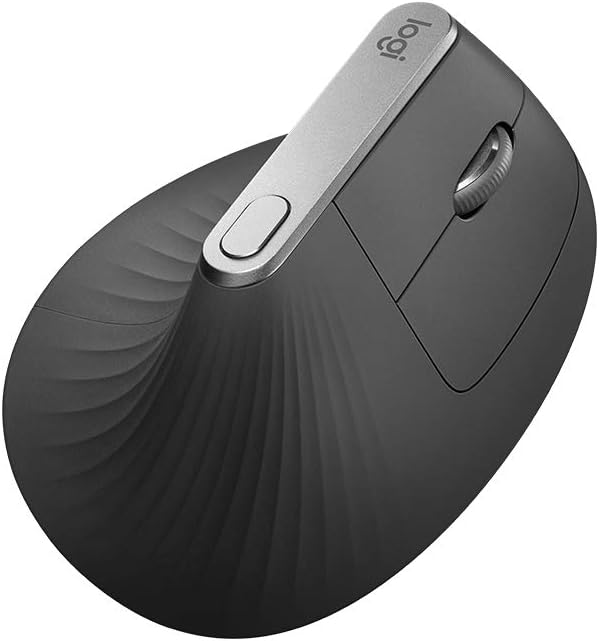
    Logitech MX Vertical
    Official design of the Logitech MX Vertical. (Image: Amazon US)

    The Logitech MX Vertical is widely considered the gold standard for ergonomic productivity and casual gaming.

    Performance and Comfort

    Logitech engineered this mouse with a precise 57-degree vertical angle, which they claim reduces muscular strain by 10% compared to a traditional non-vertical mouse. It features a highly accurate 4000 DPI optical sensor, ensuring you do not need to move your arm excessively to cross a large dual-monitor setup. The textured rubber surface provides an excellent grip, and the built-in rechargeable battery lasts up to four months on a single full charge. While it is slightly heavier than a dedicated esports mouse, its unparalleled comfort makes it perfect for strategy games and long editing sessions.

    Top Contender 2: Logitech Lift

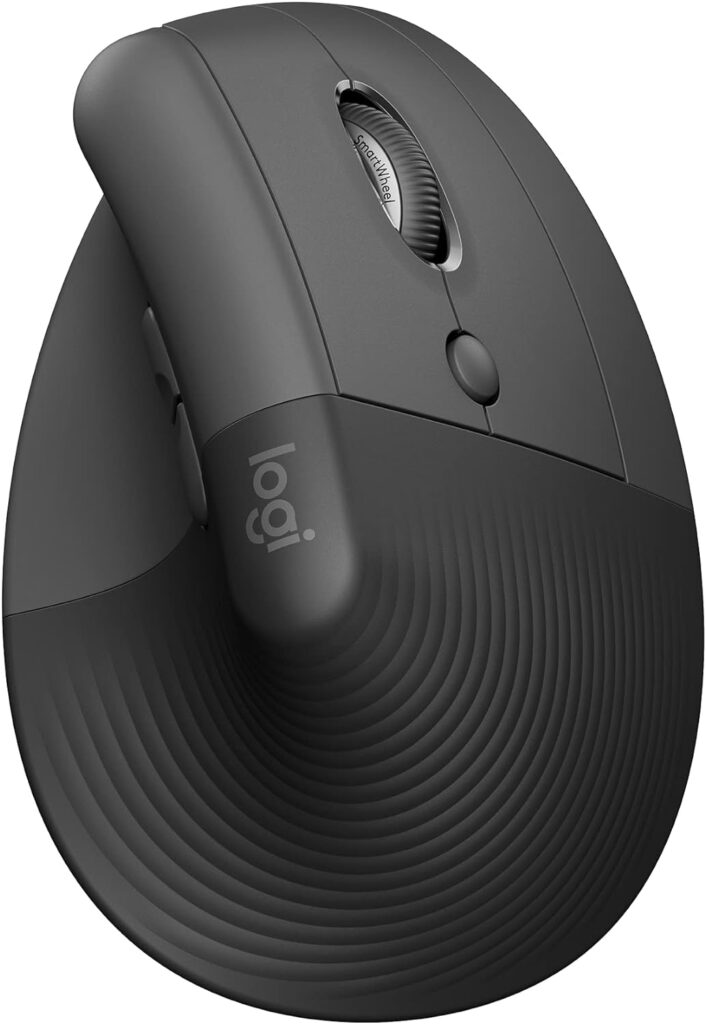
    logitech lift
    Official design of the Logitech Lift. (Image: Amazon US)

    If the MX Vertical is too large for your hands, the Logitech Lift offers premium ergonomic features in a more compact footprint.

    Performance and Comfort

    The Logitech Lift shares the same therapeutic 57-degree angle as its larger sibling but is specifically tailored for small to medium-sized hands. One of its standout features is the “SmartWheel,” which allows for seamless, silent scrolling. Furthermore, the left and right click buttons utilize silent switches, making it an incredibly discreet option for office environments or late-night gaming. It runs on a single AA battery that can provide up to two years of uninterrupted use.

    Top Contender 3: Anker Wireless Vertical Mouse
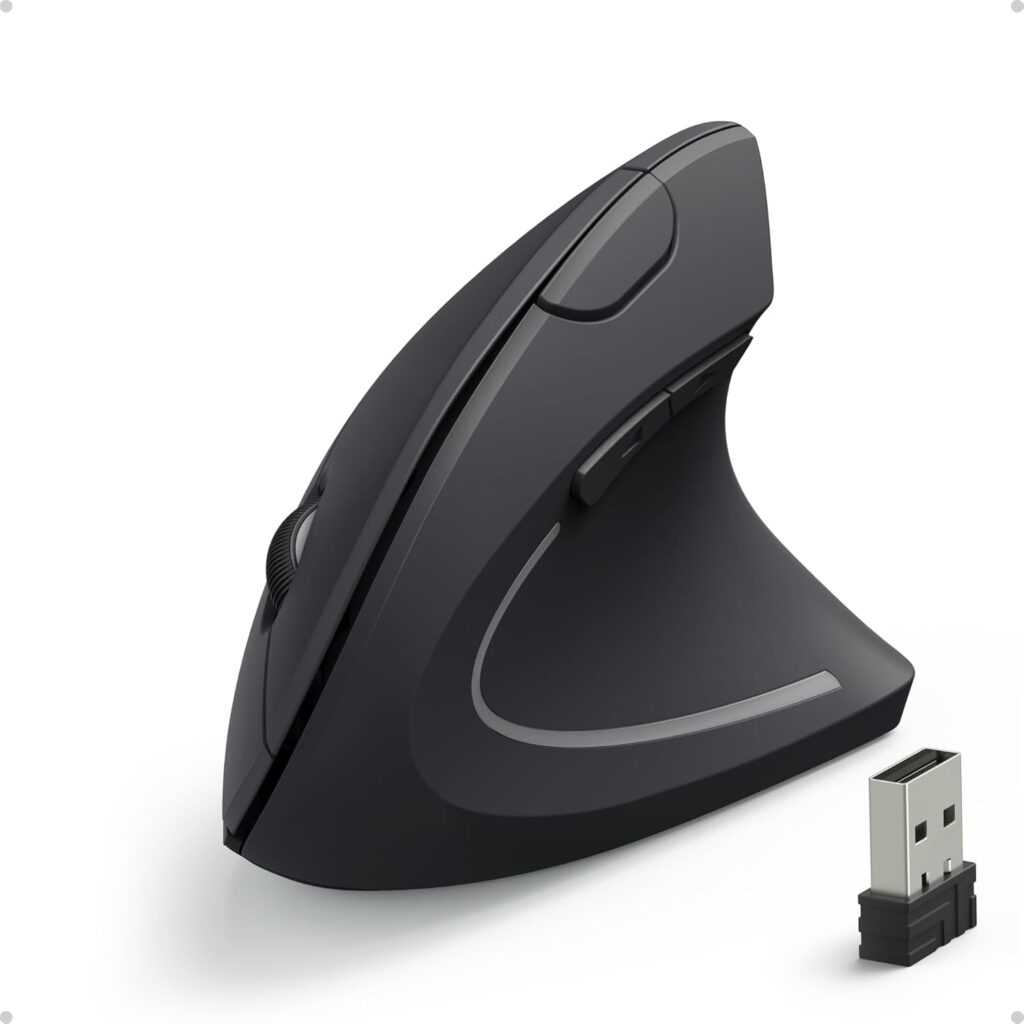
    anker vertical mouse
    Official design of the Anker Wireless Vertical. (Image: Amazon US)

    If you want to test the ergonomic waters but are operating strictly under a tight budget, the Anker Wireless Vertical Mouse is a legendary entry-level option.

    Performance and Comfort

    Priced significantly lower than premium models, this mouse still delivers a scientifically sound vertical shape that alleviates wrist tension immediately. It offers adjustable DPI settings (800, 1200, or 1600) via a convenient button on the top ridge, allowing you to change sensitivity on the fly. While the plastic build quality is basic and it lacks Bluetooth (relying solely on a 2.4GHz USB receiver), it is a highly durable and effective tool for users who need immediate wrist relief without a massive investment.

    🔗 Related on TechPlayGrid

    Final Verdict

    Ignoring wrist pain is a fast track to chronic injury. If you have medium to large hands and want the absolute best build quality, the Logitech MX Vertical is an investment in your long-term health. However, if you are simply looking to try an ergonomic shape for the first time, the Anker Wireless Vertical Mouse provides incredible value and immediate pain relief for your setup.

    • Focus Keyword: best new vertical mouse
    • Tags: Vertical Mouse, Ergonomics, Wrist Pain, Logitech MX Vertical, Logitech Lift, PC Setup
    • Meta Description: Discover the best new vertical mouse for wrist pain relief. Compare ergonomic picks from Logitech and Anker designed to improve your posture and comfort.
    • Summary: A detailed educational guide explaining how vertical mice prevent repetitive strain injuries. We analyze three top-rated ergonomic mice available on Amazon US, comparing their angles, sensor precision, and overall value for users suffering from wrist fatigue.
  • Best New OLED Monitors Under $700 for You

    Best New OLED Monitors Under $700 for You

    Introduction: The OLED Era is Here

    For years, PC gamers have been forced into a frustrating compromise. You had to choose between the lightning-fast response times of TN panels, the vibrant color accuracy of IPS, or the deep contrast of VA. No more. The new generation of OLED displays has completely shattered these boundaries, bringing infinite contrast, true blacks, and virtually instant pixel response times into a single package.

    Which is the best part of this technological leap? The prices have finally dropped. You no longer need to spend a fortune to experience premium visuals. In this guide, we are looking at the best OLED gaming monitors available under $700. If you are building or upgrading your ultimate gaming setup, this is the single most impactful purchase you can make.

    ⚠️ Affiliate Disclosure: TechPlayGrid is reader-supported. When you buy through links on our site, we may earn an affiliate commission at no extra cost to you.

    Why Choose OLED for Gaming?

    OLED (Organic Light-Emitting Diode) technology works differently than traditional LED monitors. Instead of using a giant backlight to illuminate the pixels, every single pixel in an OLED panel generates its own light.

    Infinite Contrast and True Blacks

    Because pixels can turn themselves completely off, OLED monitors produce perfect black levels. This results in an “infinite” contrast ratio. When you play atmospheric games or explore dark dungeons, the shadows look incredibly realistic, devoid of the grayish glow seen on IPS panels.

    Instant Response Times

    Traditional LCD pixels take time to transition from one color to another (usually 1ms to 4ms). OLED pixels transition almost instantly (0.03ms). This means fast-moving objects in competitive shooters leave absolutely no motion blur or ghosting behind.

    Top Contender 1: LG UltraGear 27GR95QE-B

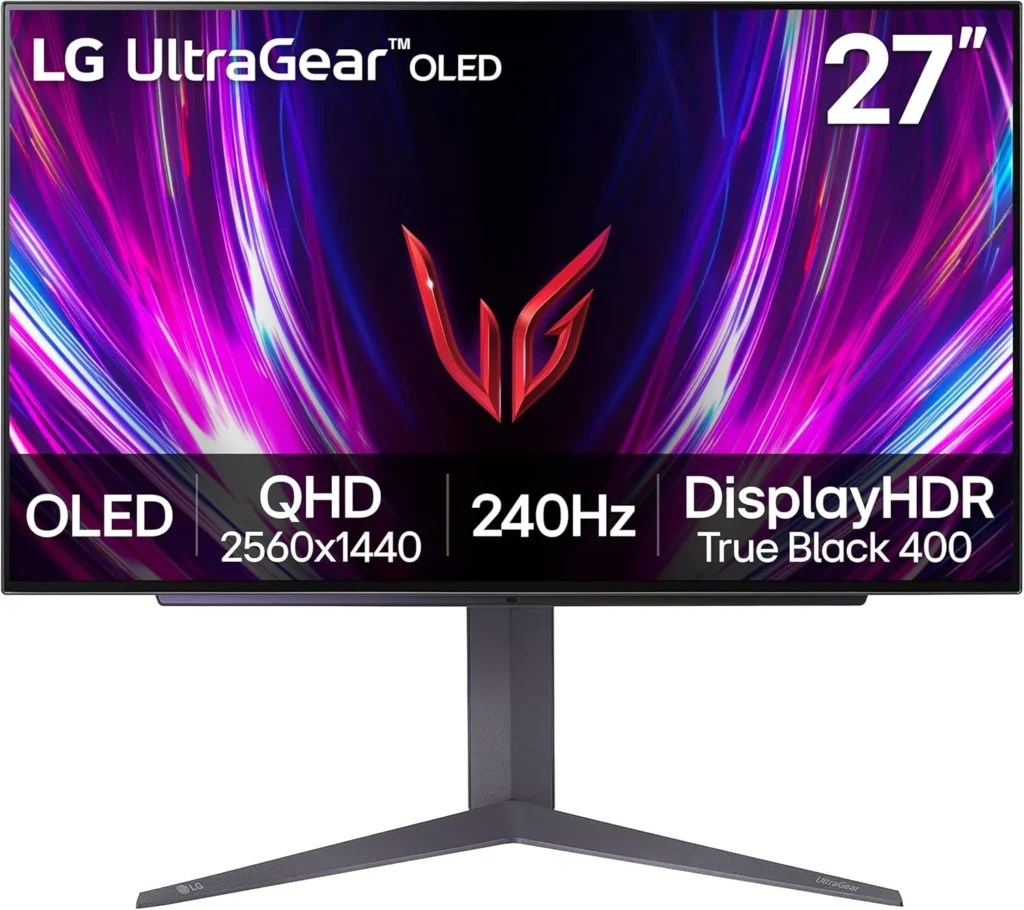
    LG27GS93QE
    Official design of the LG 27GR95QE-B. (Image: Amazon US)

    LG is the pioneer of OLED gaming monitors, and the 27GR95QE-B remains a phenomenal choice that has recently dropped into the budget-friendly tier.

    Specs and Performance

    This 27-inch monitor features a 1440p resolution and a blisteringly fast 240Hz refresh rate. It uses LG’s WOLED panel technology. For competitive players, the motion clarity on this display feels like cheating. The matte coating divides opinions, but it does an excellent job of killing glare in brightly lit rooms.

    Top Contender 2: AOC AGON PRO AG276QZD

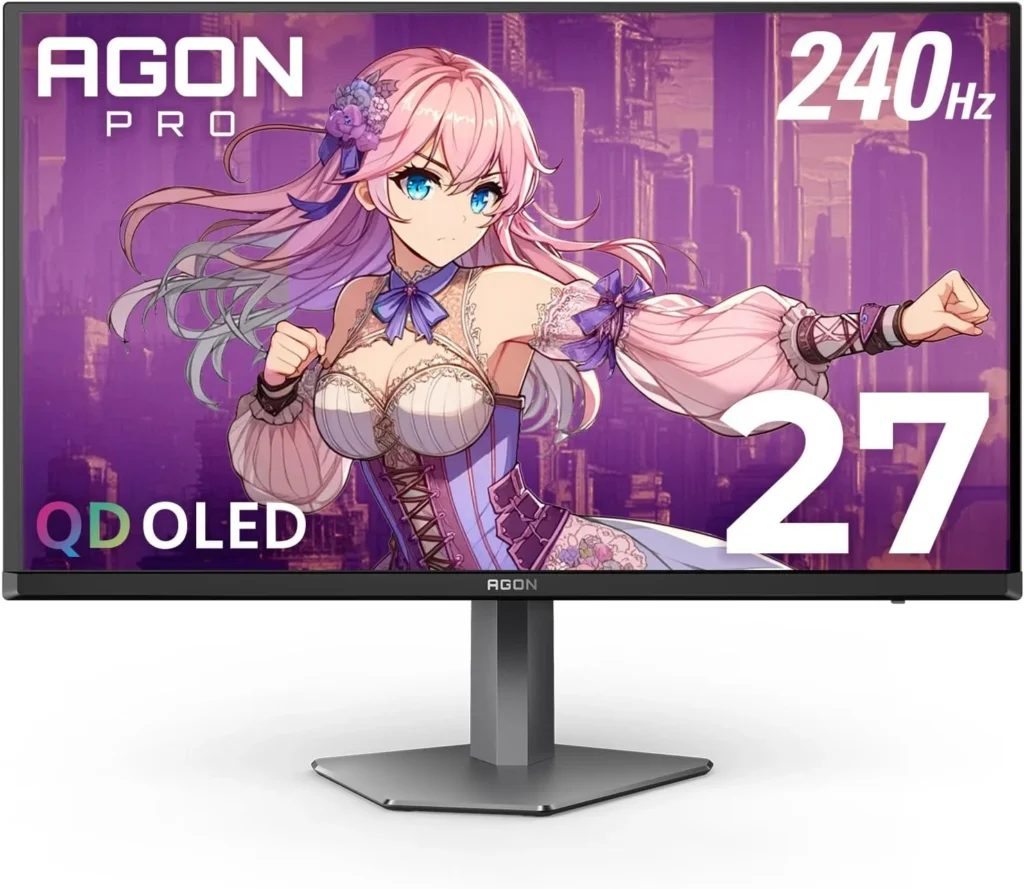
    AOCAGONPRO27
    Official design of the AOC AGON PROAG276QZD. (Image: Amazon US)

    AOC is known for aggressive pricing, and their entry into the OLED space does not disappoint.

    Specs and Performance

    Also sporting a 27-inch 1440p 240Hz WOLED panel, the AGON PRO often undercuts the competition on price. It features a unique asymmetrical stand design and customizable RGB on the back. It delivers the exact same instantaneous response times as the LG, making it a brilliant budget entry point.

    Top Contender 3: MSI MAG 271QPX

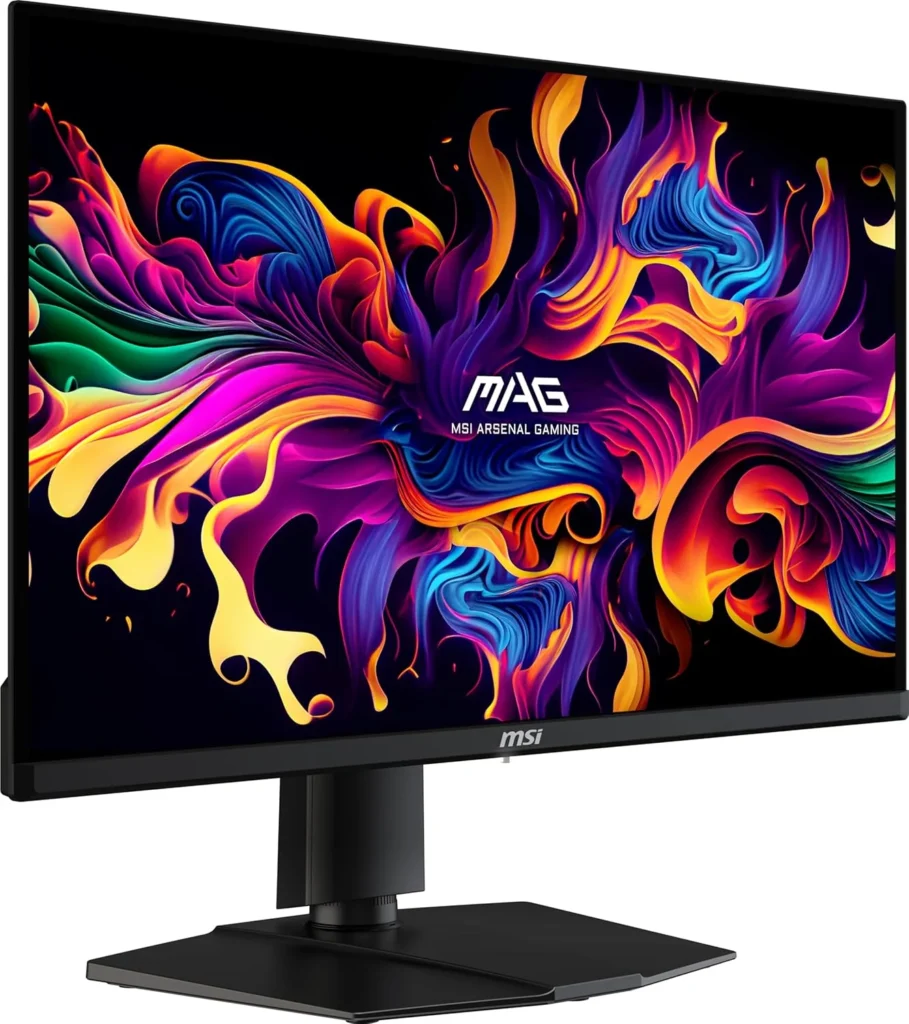
    MSIMAG271QPX
    Official design of the MSI MAG271QPX. (Image: Amazon US)

    MSI has pushed the boundaries by introducing QD-OLED (Quantum Dot OLED) technology into this price bracket during sales events.

    Specs and Performance

    Boasting a 1440p resolution and a staggering 360Hz refresh rate, this monitor is built for hardcore esports. The Quantum Dot layer allows for brighter colors and higher color volume compared to standard WOLED, resulting in a more vibrant image, especially in HDR content.

    Feature Comparison

    Monitor ModelPanel TypeRefresh RateBrightness (HDR)Standout Feature
    LG UltraGearWOLED (Matte)240Hz~800 nits (peak)Trusted reliability
    AOC AGON PROWOLED (Matte)240Hz~800 nits (peak)Aggressive pricing
    MSI MAGQD-OLED (Glossy)360Hz~1000 nits (peak)Vibrant colors

    Frequently Asked Questions (FAQ)

    What about OLED Burn-in?

    Burn-in is a valid concern, but modern OLEDs feature aggressive mitigation technologies (pixel cleaning, screen shifting, logo dimming). If you hide your Windows taskbar and turn off the monitor when not in use, the risk in 2026 is extremely low. Most brands now offer 3-year burn-in warranties.

    Is 1440p enough in 2026?

    Yes. At 27 inches, 1440p provides an excellent pixel density (109 PPI) that looks incredibly sharp while being much easier for your graphics card to run at high framerates compared to 4K.

    🔗 Related on TechPlayGrid

    Final Verdict

    If you value vibrant colors and maximum refresh rates, the MSI MAG 271QPX is an absolute steal when it hits the sub-$700 mark. However, for a proven, reliable, and widely available option, the LG UltraGear 27GR95QE-B remains the safest and most consistent recommendation for any gamer looking to make the OLED leap.

    ⚠️ Affiliate Disclosure: TechPlayGrid is reader-supported. When you buy through links on our site, we may earn an affiliate commission at no extra cost to you.

    Tags: OLED Monitor, Gaming Monitor, LG UltraGear, 1440p Gaming, Budget OLED, PC Setup

    Meta Description: Upgrade your setup with the best new OLED monitors under $700. Compare LG, AOC, and MSI 1440p displays for unbeatable colors and 240Hz gaming performance.

    Summary: A comprehensive buyer’s guide exploring the most affordable and high-performing OLED gaming monitors currently priced under $700. We detail the benefits of OLED technology and compare top models to help you find the perfect display.